Skip Navigation LinksHome > SSW Standards > Better Software Suggestions > Internet Explorer

  1. Help me know how long the page took to load

    When IE finishes loading a page, the status bar simply displays a 'Done'. What is should display is 'Done. Load Time xx seconds'. This will help both the developer and the typical user to detect performance issues. This is a standard in Rules to Better Windows Forms.
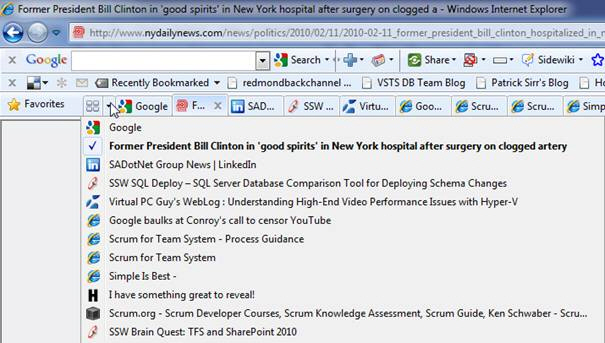
  2. Help me restore the last closed window

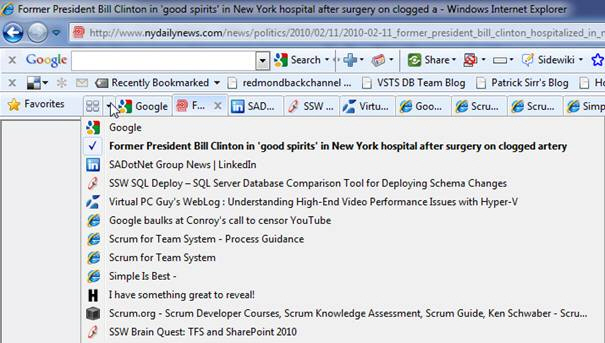
    Quite often I accidentally close an IE window by mistake. It would be very handy to be able to reopen the last closed window using an File-Re-open Last Window option. Not sure if this can happen, but when I accidentally close an IE window by mistake, I would like to be able to do a Control+Z to undo it and have the window open again. I would like to reboot my PC and all my IE windows come back. Note: Firefox allows you reopen your tabs.

    Figure: I want IE to have this "Recently Closed Tabs" feature
  3. Help me undo a hotel broadband inflicted Redirect

    I am travelling in (say) NZ and accessing the Net through the Hotel's broadband access system. If I have to reboot I save all my current open tabs when I close down Internet Explorer.

    After I reboot and reopen IE every page is redirected to the hotel broadband login homepage. Aaaaaaaaaahhhh... Not happy. I won't be able to remember and I am not going through all my history for the last week.
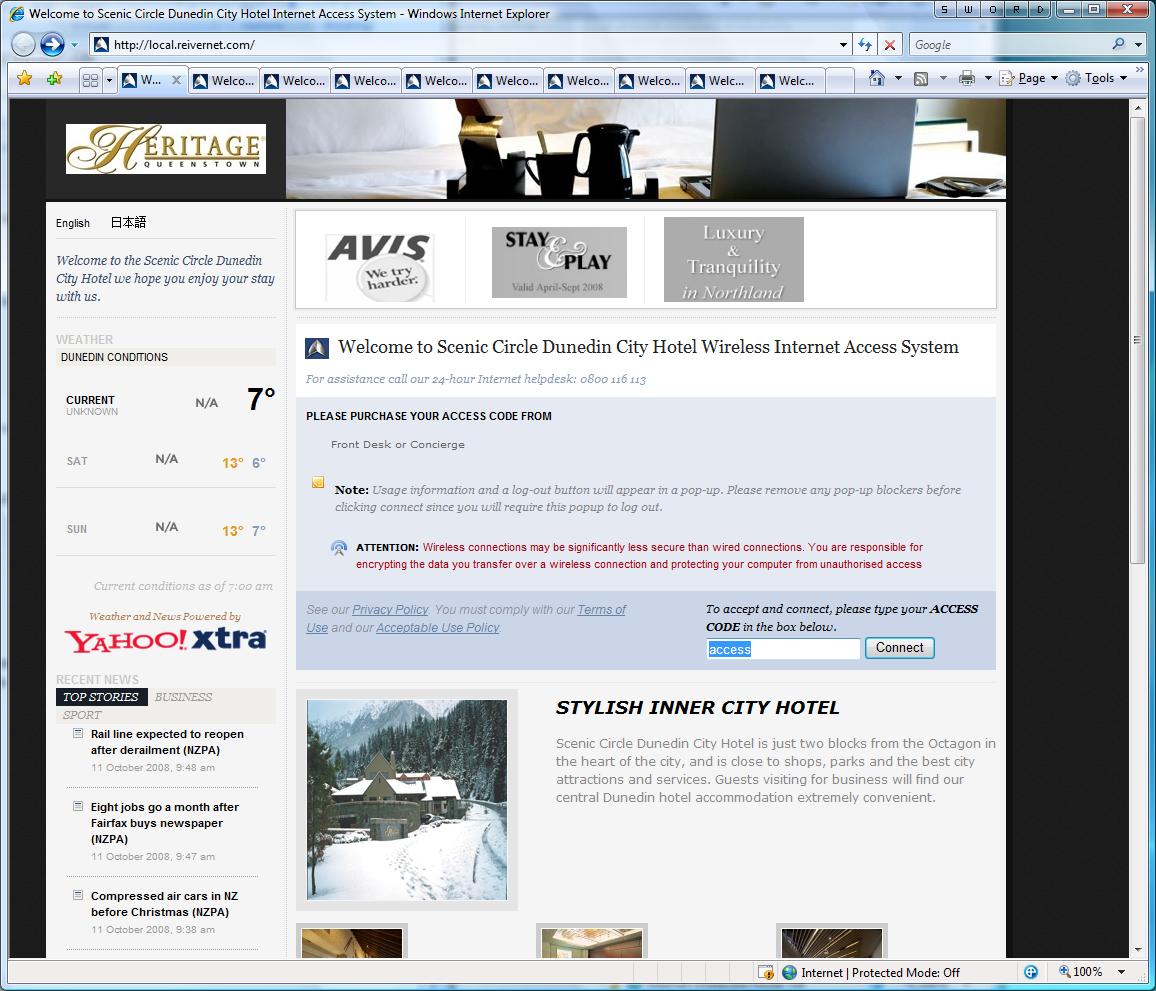
    All pages have been redirect to hotel page
    Figure: All pages have been redirect to hotel page.
  4. Help me manage External Tools easily

    Crazy Browser and Firefox supports a custom list of external tools. Currently IE allows very limited support for this eg. addition to the basic list of programs for email, news, and editing. Currently, to edit the list of external tools you often need to use a registry hack. IE should allow you to set custom executables as external tools in the Internet Options dialog. This would let me use lots of automated tools that are command-line driven.

    IExplore
    Figure: Crazy Browser's list of external tools

    And please make it consistent with Visual Studio.NET Tools External Tools

    Visual Studio.NET
    Figure: Visual Studio has an external tools option
    FireFox Add-ons
    Figure: IE needs the same "Tools | Add-ons" ability as Firefox
  5. Help me decide if I need the add-ons functionality by giving me a URL and a description

    We suggest that there are a description and URL for each one to get more info about each one (to help the user decide if they need the add-ons functionality)

    Figure: Manage Add-ons Dialog in IE

  6. Help me take advantage of great IE developments in Windows, not just IE

    The main purpose of Internet Explorer should be to render web pages. There is no point having a massive UI shell it should be kept to a minimum, just like it is now. If individuals need more they can download an add-on. This gives consumers more choices and is the way to go. I could add on the Google Toolbar or the Altavista Toolbar depending on my needs.

    Gestures are a very handy feature in some other browsers, such as Opera and Firefox, where specific mouse movements can be associated with actions. For example, holding down the button and moving the mouse to the right navigates forward in your browser history.

    It is clear to see the great ideas in Firefox, wouldn't it be even better if we could all use these innovations in our own Windows applications. Build them into Windows not into IE. Seeing these changes in the next service pack for windows would be great.

  7. Help me have fewer IE windows through tabbed browsing - * Fixed by Microsoft in IE7 *

    It is quite obvious that tabs, such as those used in Mozilla Firefox and Visual Studio .NET are here to stay. In today's world where people have more and more applications open, tabs help to reduce clutter in the taskbar.

  8. Help me see the full URL of a locally saved web pages

    When you save a document from IE using the browser's 'Save As...' feature, when you look at the HTML, you will see a comment showing the URL address it was when you saved it. This way you can always know where that particular document came from without having to keep the URLs somewhere else or manually editing the document. I want it to go a step further by adding an info bar.

    Eg. When you open up a page from "C:\dataAdam\Test.htm", then there should be an info bar like this that says "This is a Saved Copy of the web page www.ssw.com.au... Click here to load the page".

    Address
    Figure: An info bar indicating the live source would be good
  9. Windows Update on the Tools menu is inconsistent with other Microsoft products

    The menu location of "Window Update" on IE is inconsistent with other Microsoft products. On IE it is located on the Tools menu (Tools | Windows Update), but on other Microsoft products (including Visual Studio and Office XP) it is located on the Help menu (Help | Check for Updates). Please refer to our SSW Ruels to Better Windows Forms Applications

  10. Help me manage RSS feeds in IE like it's done in Firefox

    There is no need for a full RSS reader in IE. However the Live Bookmarks feature in Mozilla Firefox is simple and effective. It creates a special folder in your bookmarks list and adds a separate link inside that folder for each post in the RSS feed.

    If there is an .rss file then this icon shows the .rss reference is pulled from the META tag eg. <link id="RSSLink" title="RSS" type="application/rss+xml" rel="alternate" href="http://blogs.ssw.com.au/andrewweaver/rss.aspx"></link>

    Live book marks
    Figure: Live Bookmarks in Firefox
  11. Improved Download Management

    It would be good if there were better download features similar to those found in other programs (eg. Firefox, Getright Lite etc). Getright Lite allows the user to have more options of views to see a transfer queue, download later, throttle the download.

    I should not need 3rd party software to be able to resume a download! The download manager in IE should be able to handle the situations like connection drop.

    Figure: Bad Example - IE's download window is too simply, there is no way to resume an interrupted download session

    We have also tested this on Vista/IE7+, however it's kind of sad, there is no improvement. Also, when I disconnect the Internet connection, the download window is just staying there, no indication of the status at all.

    Figure: Bad Example - Vista/IE7's download window is simply hanging there when the connection drops
    Figure: Good Example - GetRight can help you to resume download and manage your sessions
    Figure: Good Example - FireFox has a download manager that allows you to restart an interrupted download session

    Note: Better download managers than the one that comes built into IE7

  12. Help me manage website passwords

    It would be nice if there was a safe password storage facility (like Password Minder) / Auto Form Filler found in MSN Desktop. I want to be able to view all the passwords I have stored for different sites, and be able to delete them.

  13. Help me update IE without updating Windows - * Fixed by Microsoft in IE7 *

    Why havent Microsoft released IE 7? Because it is part of the OS. The only way they can do it would be via new versions of Windows or Service Packs. I dont agree with that. I think it should be separated from the OS for 2 reasons:

    • We need updates at least once a year
    • There could be a great reduction in security issues by separating this further from the OS and stopping buffer overruns. Firefox has 0 Critical Security Alerts since it came out mostly because it runs on the XUL framework with abstracts from the OS.

    Firefox http://secunia.com/product/4227/

    Firefox Alerts!
    Figure: Firefox errors
    Firefox 3.x Alerts!
    Figure: Firefox 3.x errors

    http://secunia.com/product/11/*NOT GOOD*

    IE 7 Alerts!
    Figure: IE errors
    IE 7 Alerts!
    Figure: IE7 errors
  14. Help me select multiple pieces of text

    Internet Explorer should have the ability to let us select multiple pieces of text. Sometimes we would like to select multiple pieces of text (usually links) and paste into a document.

    Microsoft Word
    Figure: We can select multiple pieces of text in Microsoft Word.
  15. Help me see I set a proxy server and forgot about it

    When you get this

    IE - Cannot find server
    Figure: IE - Cannot find server.

    Sometimes it is purely because you added a proxy and you forgot.
    This info should show on the "Cannot find server" page with a button to open the "Local Area Network (LAN) Settings" dialog.

    LAN Settings - Proxy server is used
    Figure: LAN Settings - Proxy server is used.
  16. Help me print the computer name when printing webpages

    We should have a '&c' to show the computer name.

    Page Setup
    Figure: IE's page setup

    Read the same request for Microsoft Word on our Microsoft Office Suggestions.

  17. Help me see the file size of a page including and excluding images

    The Page Properties in Internet Explorer is useful to view file size information of a web page. The file size displayed on this window however can confuse a user as it is unclear whether this figure includes images attached to that page.

    I would also like to see the file size displayed on this window including images attached to that page.

    Figure: Add a new property called Size including Images" under "Size"
  18. Help me work out if the option is enabled or disabled easily

    The disable ones are counter-intuitive. "Ticking" something normally means turning something on, not turning something off.

    Figure: Internet Explorer 7 Options window
  19. Help me spell check

    IE should be able to do spell checking like how Firefox does.
    Figure: spell checking in Firefox
  20. help me run IE6 and IE7 side by side on the same PC - * Update: Nothing changed in IE7 unfortunately *

    Why does the IE team not design you to run IE6 and IE7 side by side on the same PC?
    Seems a strange thing to not keep on shipping...

  21. Help me save my option on the download file dialog

    Does the below dialog annoy everyone?

    Show Image but popup a download dialog
    Figure: Want to show a image but popup a download dialog

    Add check box: [x] Always do this action in future

  22. Help me easily search by URL History

    How did I miss this, 2 words and I have found the URL?

    What a quick way to find a URL.

    Good address bar should like this
    Figure: IE need a better address bar like this.
  23. Help me 'Delete All' temporary files for a specific domain

    I would like another option "Delete all for current domain (microsoftsharepoint.com)".

    I don't want to "Delete All".

    Would like another Delete option
    Figure: Only "Delete All" option is available
  24. Help me reopen a previous browsing sessions

    Say you have 3 IE sessions and each one has 3 tabs. If I'm forced to shut down my machine, how do I reopen all those browser sessions?

    IE needs to extend the current
          "Reopen Last Browsing Session" feature
    to
          "Reopen Previous Browsing Sessions" and include a sub-menu with a number of previous sessions. I would say 10 prior sessions would be a nice number.

    Note: The 3rd Party Addin for IE8 called IEPRO does not have this feature either.

    Would like open more than the last browsing session
    Figure: I want to open more than the last browsing session
    After install the Google toolbar, the last browsing session will be lost
    Figure: This is the same feature as above but is lost when you install the Google toolbar

    Firefox does this well, IE does not.

    You can easily reopen the tab you closed in Firefox.
    Figure: It is easy to open a recently closed tab in Firefox. Not in IE

    Tip: Did you know it's actually possible in IE?
    Answer: Use the shortcut Ctrl+Shift+T, but it's not in the menus. IE users are not mind readers.

    Add the same menu item "Open last closed browser tab", please.

    Tip: How to remember this shortcut? Answer: It is the equivalent of Ctrl+T, which inserts a tab. To do the reverse, add "Shift" and it does the reverse

Acknowledgements

Adam Cogan
Edward Forgacs
Joe Hardy
Tatham Oddie