-
Show number of related messages left in your inbox and their subfolders
When I am processing an email in my inbox, I want to complete it and its related messages.
Currently, Outlook 2007 only gives you the "Related" button and it works very slowly and poorly because Outlook needs to search the related emails in all folders.
- Add a checkbox in Tools | Options "Show number of related messages left and their subfolders".
- Add a red bar to alert "There are N related messages left and their subfolders".

- Figure: Find related message
-
Make the closing down of outlook more reliable
The problem I find with Outlook 2007 (also occurs in Outlook 2003) is that I often close down Outlook, wait a short while then shut down Vista... yet invariably when I start up again, it says the data files weren't closed properly.
I can only presume this has something to do with the fact that it seems to keep receiving mail even when it's shut down.
I have had the Outlook OST file so corrupted it was impossible to recover it, so I had to re-synchronize > 10+ GB of mails.
I use two laptops (both Vista) and I would say that at least 60% of the time I start up Outlook 2007 on one, it says the file was not closed properly. I don't know what is causing it, but it just adds to the many pain points of Outlook 2007.
The likely cause of this is that some "3rd party" application is keeping Outlook running.
-
Adding "Created By" and "Updated By" fields for contact information
I want to know who created this contact and who updated the information for this contact,
it will have "Created By" and "Updated By" fields.

- Figures: Contact information
Suggestion: Adding "Created By" and "Updated By" fields for contact information,
and automatic save the logon user to the fields after a contact information was created or updated.
We have a rule better to interfaces about this, please see
Data Entry Forms - The way to develop Data Entry Forms - Created/Last Updated By Fields
-
Outlook needs to have a better model to develop plugins
The current object model does not make for nice and easy plugin
development. Some issues include:
Setting the title of the COM addin in the options page:

- Figure: It takes a lot of effort to change the name of the tab in options
To set the title using VSTO you have to have code like this, which is rather unnatural:
[System.Runtime.InteropServices.DispId(-518)]
public string Caption
{
get {return "SSW eXtreme Emails";}
}
Throw out backwards compatibility and start a fresh. For example, you will be able to inherit the contacts page and change the way it looks
and add extra functionality to it.
-
Bad Outlook Programming Model: No Outlook.Item exposed! 
Item Enumeration
Outlook (probably for backward compatibility reasons) doesn't have a default
Outlook.Item object as the parent of the various Outlook.Items (Outlook.MailItem,
PostItem, AppointmentItem). This means code like this wouldn't work:
-
dim oItem as Outlook.MailItem
for each oItem in Outlook.ActiveExplorer.Selection
' you get errors for any items (like PostItem), that isn't an
MailItem in your inbox
MsgBox oItem.Subject
next
- Figure: Example of incorrect code
So you have to write something like this
-
dim oItem as Object
for each oItem in Outlook.ActiveExplorer.Selection
' this will work, because every type of Outlook Item has the subject property...
' but we're relying on reflection (late binding) here and
' intellisense doesn't help us when we write code,
' compiler doesn't tell us if we made a typo,
' late binding is slower...
MsgBox oItem.Subject
next
- Figure: Example of correct code
-
Bad Outlook Programming Model: Cached Exchange Mode Limitations
Cached Items in Outlook 
When "Cached Exchange Mode" is enabled, items which have been cached locally will have some unexpected behaviour.
This feature allows one to work with your personal folders, as well as selected public folder contents even when
they're disconnected from the Exchange Server.
However, once that feature is enabled, if you attempt to access the Parent.FolderPath property, you will be returned
an inaccurate folder path. To see this bug in action, select an item in a subfolder of the folder which you have added
to Favorites. Now press Alt+F11 to bring up the Visual Basic editor, followed by Ctrl+G to bring up the Immediate
window.
Application.ActiveExplorer.Selection(1).Parent.FolderPath
This will return
'\\Public Folders\Favorites\ImmediateParentFolder'
One would assume it would return
'\\Public Folders\Favorites\ParentFolder\ImmediateParentFolder'
but that's not the case. If you disable "Download Public Folder Favorites", then the above code would return the correct canonical
path of the folder.
'\\Public Folders\All Public Folders\ParentFolder\ImmediateParentFolder'
In our product SSW eXtremeEmails!, it prevents the Incident screen from obtaining a
valid URL for the email item.

- Figure: CDO object model failed to retrieve Outlook Web Access URL.
As a work around, the "Download Public Folder Favorites" settings will be disabled. If you wish to see correct URLs in your
personal folders, "Cached Exchanged Mode" must be disabled all together.

- Figure: Disabling Cached Exchange Mode as a work around to invalid item properties.
I hope this would be fixed in the next version of Outlook. Items in folders added to Favorites will provide the
canonical path to aid Outlook 'smart client' plug-ins with Offline functionality, even when "Download Public Folder
Favorites" is enabled.
-
Corrupt .PST and .OST Files
We need something better than a .pst file. I would prefer a SQL/MSDE database file that has less chance of going corrupt. I
have seen this message box too many times and the tools scanpst.exe and scanost.exe do not fix it.

- Figure: There will be something better that .PST files
-
Need to lose Redemption
There will be some way that it is not needed to create plugins for
Outlook.
-
Outlook will support treating Emails as Tasks
We believe that email is at it's most effective when you're using your
inbox as a task list. If you need to ask someone a question
it's usually a better option to use the phone. If you are asking
someone to do something however, email works really well, because you then
have a record of the task - with the date and time as well. Outlook will encourage you using your email as a task
tracking system,
and provide a way you can see the status of emails.
When you send an email there will be a field 'Action' with these choices:
- Task - Action Required (default)
- FYI - email is for information purposes only, no action required.
Please add a status combo field to emails (will appear by default in sent items):
- N/A was a FYI
- N/A by Adam on 21/9/2005
- Replied Not Resolved
- Not Replied in \\Tim\inbox
- Not Replied deleted from \\Tim\inbox
-
Corrupt mail on bounce-resend
This error occurs when you send an email and it bounces, then you hit send
again. For some reason it sends a whole lot of rubbish.

- Figure: An email has bounced for some reason

- Figure: Sending the email again...

- Figure: For some reason the email body becomes corrupted.
-
Google Toolbar in Emails
Often I want to search emails for certain words. It would be nice to have the functionality of the Google toolbar
available when writing emails.
I would like to have this functionality in other office applications also. Details

- Figure: It would be nice to have the google toolbar in emails
-
Add Filter to context menu
The context menus for the grids in in Outlook will have all of the filtering features
found in Access.

- Figure: Context menu in Outlook

- Figure: Context menu in Access
-
Can attachments be listed in a reply?

- Figure: Can attachments be listed in a reply?
-
There needs to be a 'Compress Email' option
Depending on the editor used to create an email (eg Word vs. Outlook),
size can vary dramatically. Unfortunately, which editor the sender uses can
not always be controlled. There will be a 'Compress Email' option to
optimize emails using the default editor.

- Figure: Put 'Compress Email' option here.
-
When editing an email in HTML format there will be an HTML view
Users will be able to access the HTML like in Internet Explorer with
View > Source. This could be implemented like Frontpage with a HTML tab at
the bottom of the window.

- Figure: FrontPage provides an HTML view of the content.
-
Calendar entries will support HTML formatting
Our observations suggest that all calendar entries created with Microsoft
Outlook are in Rich Text format. Seeing this has a message size overhead
and is less supported by all mail clients, we'd like to see an option
for HTML formatting. From what we can tell, the
iCalendar format
that Outlook makes use of does not have any requirements for rich text.

- Figure: An option for calendar formatting could be found around the
iCalendar-relevant data on this screen.
-
Calendar Items - Need a country/time zone combo
When I am in Sydney and want to make a 9am appointment (New York time) it will be as simple as choosing [9am] [New York]
Currently I have to work it backwards and enter it in Sydney time. All I need is a "Time Zone" combo.
The crazy thing is if you cycle through the properties of a calendar item the "Time Zone" value is there
- it is just not exposed on the UI.
Even when I reply to an appointment I can see both time zones! As an example I get:
-
Webinar: .NET Enterprise Services Essentials
Time: Thursday, April 17, 2003, 11:00 a.m. PDT (2:00 p.m. EST)
Duration: One hour, including a Q&A

- Figure: Add a "Time Zone" combo box here.
-
Newsgroups
Yes, it would be nice not to have to switch to Outlook Express to use newsgroups.
And although I would like to see the functionality in Outlook, I am of the belief
that there are so many other things that the Outlook team needs to do, that it just cant be justified.
Newsgroups are not used by average Jo. The Outlook team will stick to core issues.
-
Give Outlook better spam filtering.(Thank you. Fixed in Outlook 2003 Beta 2)
The current Junk Mail/Adult Content filters do nothing more than highlight messages in the Inbox.
And the filtering mechanism itself isn't particularly good. Sure, third-party products like SpamNet
work with Outlook. But Microsoft ought to be able to a better job itself.
-
Autocomplete Email addresses
This autocomplete feature is very useful however when I move to a new PC and
setup my outlook with my old Outlook Data File (.pst) I lose all my history of email addresses. Very disappointing.
If we want to keep it Microsoft expect us to figure out NK2 files or something
In addition this file appears to be binary, instead of XML, so we cant work with them eg. I want to combine
2 files together from different PCs.

- Figure: AutoComplete feature in use.
-
Status bar in HTML emails
Where is the status bar, as in Internet Explorer?
When you receive HTML email, you want to be able to see the URL when you hover over a hyperlink.

- Figure: No status bar when reading emails in Outlook.
-
Making Read Receipts useful
When you send an email you could have a flag "Requires Action" or "FYI".
When you look in your sent items there will be a column showing the status:
- Not received
- Received - read
- Received - unread
- Replied
- Forwarded
- Deleted
- Recalled
Note: This isn't a normal Outlook feature, it requires Exchange Server.

- Figure: Mail item properties dialog.
-
Limitation on Sort Method
While developing our product SSW eXtreme Emails!
we wanted to add a feature that sends an email with history. We wanted it to simulate how Outlook keeps the
history on an email. So by code we wanted to:
- Go to Sent Items
- Find the last email sent with that subject (sort by DateSent)
However you can't sort on the Sent field. It seems totally crazy to me that the sort method cannot be used on the sent field.
This is a primary field I would want to sort on!
By the way: The DateModified has a sort method.
-
Conflict errors and Conflict Resolver
We need field level replication and a Conflicit Resolver like SQL Server.
When two users make offline modifications to the same public folder entry, then they get conflict errors.

This has similar issues to SQL Server Replication but more because:
It works at an entire email level, not a field level like SQL.
The conflict resolver doesnt even point out the differences you have to look through them manually.
-
Cannot Edit Mail Folder Name Directly (Fixed in Outlook 2007, the textbox is disabled)
In the folder properties dialog, a text-box containing the name of the folder appears. The text-box
is not disabled, yet its contents cannot be edited. To change the mail folder name, the user must
click the Customize button.
This is illogical and confusing. Microsoft will either allow editing of the name without having to
click Customize or disable the text-box altogether.

Figure: Outlook's mail folder properties dialog
-
Replied Mails aren't in the same group
When I click "Subject" I would expect that the yellow items are grouped together.
The replied mails will be in the same group as the original mails, even if they have
the prefix "Re:" or "Fwd:" in their subjects.

Figure: The yellow items will be in the same group
And other ones along the same lines?These 3 will be together

Figure: Screen capture from Outlook 2003 Beta 2
When in conversation thread view in Outlook, why cant these two be threaded
together?

- Figure: Outlook won't thread the two messages together.
-
Outlook data files
Why call it Microsoft Outlook Personal Folders File (.pst)?
Microsoft please change it to Microsoft Outlook 2003 Personal Folders File (.pst)?
Note: And NO I dont believe the file format will never change again

- Figure: No consistency and no forward thinking by Microsoft here
-
Move To Folder list
I love the Move To Folder?option and use it every day. However I run my PC at a resolution of 1400x1050 and this list
is not long enough. Please increase the length by 3 times.

- Figure: The list is too short at 1400x1050 screen resolution
-
Items disappear when moved into a folder with a home page
If you drag an item into a folder which has a home page (for example, the root of the Inbox, which has Outlook Today),
there is no way to access the item, except by disabling the folder's home page. The setting to disable the home page is buried in
the Folder Properties, and many users may not know where to find it.

Outlook will display a warning that the item will not
be visible if you attempt to move an item into a folder which has a home page.
-
Appointments lose the history when you reply (fixed in Outlook 2007)
When you reply to an appointment someone sends you, Outlook deletes the history. Instead
the history will be retained, like with normal email messages.
-
Votes lose the history when you reply (Fixed in Outlook 2007)
When you vote, it will keep the history in the reply.
-
There will be a way to send a specific item immediately
It is useful to turn off the "Send immediately when connected" option in Outlook so you can go
back to messages before sending them. However, sometimes you want to send a single message
immediately without emptying the entire Outbox. You will be able to Ctrl+Click the send button on a
message to force it to send immediately, without doing a full Send/Receive.
-
You will be able to move the 'To' address to 'CC' in Outlook Web Access
It would be useful to have a 'Move to CC' option on right click in
Outlook Web Access

- Figure: It would be good to have 'Move to CC' option on right click
-
Have a delete button on draft emails
I often store things in my Drafts folder in Outlook, but there is no X (delete)
button, so I have to locate the email in my drafts folder and delete it manually.

- Figure: Where is the delete button on this draft email?

- Figure: We need a delete button on drafts like in this normal Inbox email
-
Add full path the the location field
The location field will have the full path viewable. I use the Lookout Tool a lot and want to
know which folder an email is in.

- Figure: List the folder in the location field
-
Bad UI in Send/Receive Settings window
I want to work offline - but have everything sync every 5 minutes
(EXCEPT my Outbox - I will do that manually)
1) So I choose File ?Work Offline

- Figure: Select Work Offline
2) Select Define Send/Receive Groups

- Figure: Select Define Send/Receive Groups
3) Tick the checkbox - Schedule an automatic send/receive every 5 minutes, then edit 'All Accounts'.

- Figure: Send/Receive Groups
4) Then check off "Send mail items"
However it keeps sending emails because the Outbox is selected in the tree control
The Outbox will show as Strikethrough when that checkbox is off

- Figure: Bad UI in Send/Receive Settings, the Outbox will show as strikethrough.
-
Remove one of the dumbest defaults in history
How many times have you create a meeting request - saved and sent it - then realised you forgot to put the time and date.
You reopen it and fix it - but the other person still receives the original email with an "Updated: xxxxx"
Why would the assumption be every meeting is going to be for the next 30 minutes?
Microsoft, please default it to zero - or give an option in Tools Options to turn it off

- Figure: Microsoft Outlook assumes every meeting is going to be for the next 30 minutes.
-
Working with Favorites Folder
You are not allowed to create new folders under Favorites.
When you are adding to Favorites, dont just add single Project Folder.
But add the entire hierarchy making sure that all sub folders are included.

- Figure: creating new folder under favorites.
-
Add SMS Support (Fixed in Outlook 2007)
Sending SMSs will be as easy as sending an email. Outlook will
include the functionality of the greate COM Addin from
Reg Oxygen
OutlookSMS, also outlook will provide SMS folder and allow ActiveSync to sync your SMS messages to mobile phones.
-
Spam folder will have a "Spam" field like Spam Bayes does

- Figure: Spam Bayes' spam folder
-
Outlook progress difficult to see
When the Send/Receive button is clicked in Outlook a progress window is shown.
Using the words "Completed" and "Processing" can have a nasty side effect of not
being able to easily see which messages are still to be processed. A better
Solution would be to change the word "Completed" by the word "Done".

- Figure: Outlook progress window
-
Number of visible "All Day Event" will not be limited by window size (Fixed by adding separate scroll bar in Outlook 2007)
From the screenshot below, we can see 7 all day events, and it looks like that's all on the date.

- Figure: Only 7 all day events are visible
Now we maximized Outlook, and we can see up to 11 all day events.

- Figure: We can see more all day events when Outlook is maximized
In fact, these 11 all day events are not all on the date. There are more,
but the rest is not visible due to the limited window size and screen resolution.
This is seriously annoying, a user might think that the all day events they entered
have gone missing. And they might miss an appointment if the reminder alarm is not set.
The only way to see more is to change your screen resolution to a bigger one. If you
still can't see all, then hide some of the toolbars so that you have more space for
Outlook to show the all day events, but how pratical is this?
Why can't the all day events be put on to a scrollable panel? (like Outlook 2007, or
Outlook Web Access)
Or at least, it will show a message to inform users not all of the all day events are visible!
-
Remove RTF as an option or explain when it is a good choice
I see nothing good about it and outlook handles RTF poorly by replacing images with " << OLE Object: Picture (Device Independent Bitmap) >> "
Also change "HTML" to "HTML (recommended)":

- Figure: Change "HTML" to "HTML (recommended)" and remove Rich Text
-
Add the ability to have a contents page added to an email
This functionality existed in outlook 2003.

- Figure: Table of Contents functionality in MS Word 2007
-
Add the status for the progress bar
Add the status for progress bar, we can clearly see the progress status. We have a rule about this, please refer to Long Process - Do you show the status of progress bar on winform's title?

- Figure: Send/receive progress form in outlook
-
Paly a sound at the end of send/receive process
By playing a sound at the end of the long process it will alert the user to go back and check on it. We have a rule about this, please refer to Long Process - Do you know how to make long-running processes user-friendly?

- Figure: (Supposed) adding a check box for playing a sound at the end of send/receive progress
-
Hide the progress bar at the end of send/receive process
The progress bar will be hidden at the end of the long process. We have a rule about this, please refer to Long Process - Do you know how to make long-running processes user-friendly?

- Figure: The progress bar will be hidden at the end of send/receive progress
Allow me to do a alt+PrintScreen and paste an image in Outlook
I cannot do a alt+PrintScreen and paste an image in Outlook even using HTML format. This has not been fixed in Outlook 2007.
Add options on the names in To field in OWA
Add another right click option on names in the To field.

- Figure: Add options on the names in To field in OWA
You will be able to right click a name in the "To:" field and select "Move to CC" or "Move to BCC".
PS: Likewise similar options would be useful in the CC and BCC fields.
Image Size
When I put pictures into an Outlook HTML email, they are much less quality and significantly larger, even though Outlook reports that they are 100%
Check if Active Sync is active before closing down
People close Outlook and they will notice it continues to check for new mail after they think Outlook is closed!
Really what do they do? They close Outlook and they still see (surprisingly some time later) an envelope appear in their system tray and a popup appearing showing the mail that has just arrived.
The basic issue is that Outlook hasn’t really shut down even though you intended for it to shut down. The most likely cause of this is that some ?rd party?application is keeping Outlook running.
The most common one I see is Active Sync - and now you have Outlook running with no visible windows. We suggest:
- Never ever have the situation that Outlook is running without any visible windows
- Show which client is keeping Outlook alive
- Specifically check for ActiveSync. ActiveSync is so common Microsoft will pop a message box: "You have ActiveSync running, please close that down first and then try exiting Outlook again."
Have a smart tag that shows "Create calendar appointment" by intelligently parsing the text
Then the user can use the right click menu to create a calendar appointment.

- Figure: Have a smart tag that shows "Create calendar appointment"
Name Intellisense - shortcuts names will be stored with the PST/OST
These shortcuts names will be stored with the PST/OST so that customers won't lose these when they create a new profile.

- Figure: shortcut names will not be lost while users create new profiles.
Name Intellisense - add one more option to check for more names
Have one more option at the bottom of the shortcut name list " - Check for more Names - "
Reason #1: not many users know the shortcut "Control+K"
Reason #2: users they will not have to pick up the mouse to click the "Check Names" button

- Figure: users will not always have to click this button to check more names.
Name Intellisense - will be referred to the suggeset names checkbox in advanced email options
The Name Intellisense (or 'auto suggest names', 'smart shortlist', etc) will be referred to the suggeset names checkbox in advanced e-mail options so people use it consistently

- Figure: It will be referred to in the 2nd last checkbox.
Remove RTF Option
In Outlook, the size of an email in RTF format is much larger than that in HTML format.

- Figure: The different size of the same mail in two formats.
So we suggest: remove the RTF option in the message format to save space and make emails faster.

- Figure: Here to select the message format.
Show display picture from MSN Messenger
When viewing an email, Outlook 2007 shows an image of the sender. Currently this only works if the sender is already in your contact list and has an image assigned to the contact card. Although this is a really nice feature, inserting the picture to each contact is time consuming and if you have hundreds of contacts, you definitely don't want to go through each one of them.
Outlook has been providing a nice integration with MSN Messenger for a while. It is capable of showing the status of email recipients marked with a little color icon indicating their status (green if available, red if busy, etc).
In a similar fashion, Outlook will be able to make use of the display picture from MSN Messenger and show it on the email message will the sender cannot be found in the contact list.

- Figure 1: Outlook 2007 now shows the image of the sender

- Figure 2: Contact card with image attached

- Figure 3: MSN Messenger already has Display Picture capability
Quick Templates for Outlook
Add-in Quick Templates for Outlook is designed for fast insertion of text templates into Microsoft Outlook 2000,2002(XP),2003 mail messages. It will help you with entering frequently repeated text fragments, save the time you spend on message writing, and you will have no more misprints in your messages. Quick Templates plugin is a very useful tool for technical support officers, sales personnel and all other people who make an extensive use of email in their work.
You will have to write and format your text only once and then you can insert it in mail messages of any type (HTML, RTF, plain text) repeatedly. the Quick Templates keeps all the text parameters and formatting unchanged, which allows you to create lots of various headings, signatures, phrases, or any other text blocks, lines, or words you use frequently in your correspondence.
With the Quick Templates plugin you can create a template list and insert the text from template into a message by a single mouse click or through a hotkey you can set for each template individually.

- Figure 1: Quick Templates for Outlook

- Figure 2: Edit text of the template

- Figure 3: Toolbar in MS Word (when Word is used as an email editor)

- Figure 4: Templates menu in Outlook
Send Fax and SMS
-
By default you will be able to type in a phone number and have it send a fax.
-
By default you will be able to type in a mobile number and have it send a SMS.

- Figure: Send Fax and SMS by filling in the number.
Allow you to fix the Conversation Threading
When someone replies to an email with an incompatible mail client eg. Blackberry, outlook express you loose your threading inside Outlook. Please:
- Add a button to the toolbar “Merge into one Thread?
- Also allow you to drag it into that conversation.

- Figure: Add a button “Merge into one thread?
Outlook /OWA will support templates
Anastasia, our accountant keeps a bunch of text documents on her desktop which she copies and pastes into emails. It would be a great feature if Outlook and OWA supported creating and inserting templates into new emails. If the new email UI had a drop down list to insert templates then this would make outlook a more powerful tool.
There are already some third party plugins that do this in Outlook:
- Quick Text Hotkey
- Quick Templates for Outlook
But there are no tools to do this in OWA.
Add a way to search the current folder and subfolders
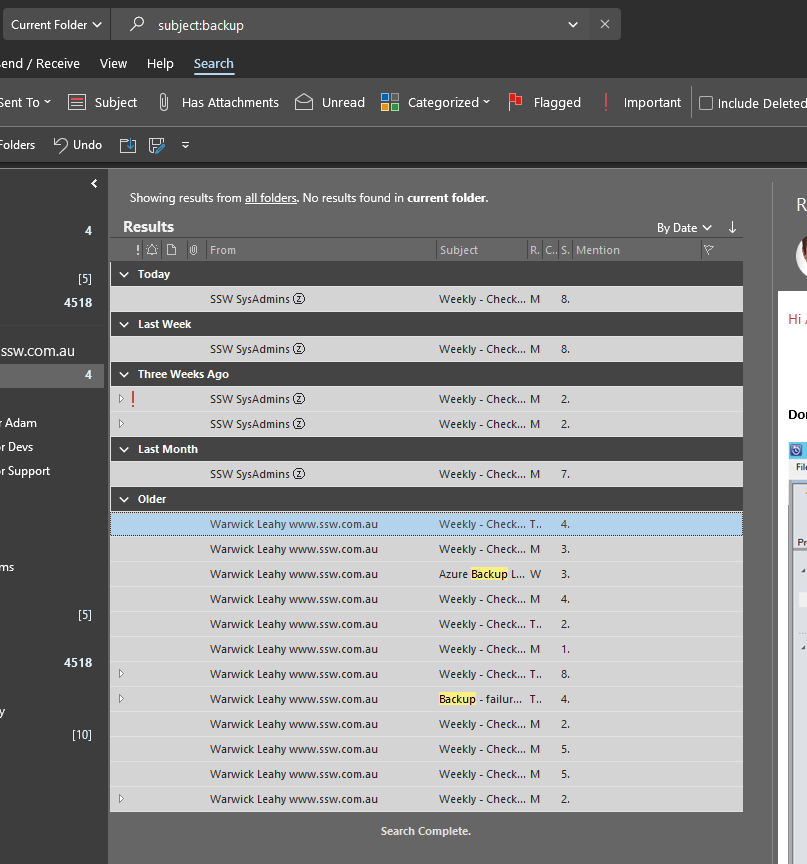
See the last option group in the search options, we also need a "Search current folder and subfolders".

- Figure: Need "Current Folder and subfolders" in the last "Instant Search Pane" group
-
Allow me to resize or maximize Reminders Form
It is bad that you are not allowed to resize or maximize the reminders form when you are in the situation showed below.

- Figure: Reminders Form
-
Open a reminder on a seperate thread
Please make a reminder open on a separate thread. When you have a lot the Inbox UI does not respond.

- Figure: Many Inbox Reminders
-
Search results could benefit from 3 improvements
- Use strikethrough for the deleted items. See our
Rules To Better Interfaces for more information.
- Use blue with italics for the outbox
- When you select an Outbox item -- do not change it back to normal from italics

- Figure: Search Results
OWA will support pasting images into the email content.
It will be greate to support pasting image in OWA. Now the OWA only allow us to add the images to attachments. This will affect reading and the attachments are easily lost while responding.

- Figure: The editor supports pasting images.
-
Outlook will add 'Configure' button to 'Indexing Status...' form.
Add a 'Configure' button to 'Indexing Status...' form:

- Figure: This Indexing Status form needs a 'Configure' button to take you to the below form
That takes you to 'Indexing Options' form:

- Figure: You need to be able to easy to get to the 'Indexing Options' form from Outlook
-
Appointments will be able to store images
Well actually they can add images as same as emails. but because they are stored as RTF (instead of HTML like normal email messages) so they convert to 4-5MB attachments.
The worst thing is the syncing problems with Windows Mobile devices.
PS: I think it will be easier to insert Live maps (or google maps) for directions.

- Figure: The Appointment with large image
Please add an 'Undo' button on Reminders
For example, I open an appointment and reply all to it, then close the appointment.
It has been updated, so it moves to the top, but I have already pressed Dismiss and so the wrong message was dismissed!

- Figure: Add Undo button at here
Outlook need validate for no subject
I think it would be great to never receive another email from a person without a subject!

- Figure: Bad example - No Validation when sending an email

- Figure: Good example - Validation when sending an appointment
We have a program called SSW LookOut! for Outlook to
check for this rule.
It will warn you if you forget to include a subject in your email. |
Send/Receive Progress
Sometimes you just want to sync quickly (eg. over GPRS) and one big, fat and unexpected 10MB email is coming without you knowing and without a way to skip it. So please improve this dialog, so you can see if you have a bottleneck and give an option to skip the email.

- Figure: My UI suggestion would be to show the top 5 emails in size (sorted descending) with a button on each row "Skip for now"
Looking up a contact
Be aware that people create new email addresses all the time and for all types of reasons, eg. for mailing lists.

- Figure: Looking up the address' contact
When looking up a contact and the email address does not exist. This message box is not good enough. It will say "Here are a list of suggestions that have email addresses that are very close."

- Figure: This dialog is not good enough
Need 'Open folder' on right click menu
Need add 'Open folder' menu item on right click menu in the search results.

- Figure: Right click menu needs 'Open folder' or 'Open email location' if you want to be consistent with Vista Search like below

- Figure: Outlook needs this 'Open file location' in their search results
OWA 2007 will supports FormatBrush
OWA 2007 will add a FormatBrush button to copy the format from one place to other places, which also make it consistent with Outlook like other buttons.
OWA 2007 need add Refresh Option
OWA 2007 will add a Refresh button on the right click menu:

- Figure: Need add Refresh button on the menu.
Search - Add "Type" to the "Criteria" combo
Make it easy to find all the appointments in your inbox (that you have not accepted or declined).
Eg. I want to say something like "Type: Calendar" or "Type: Appointment" however neither one works.

- Figure: Add option "Type" to allow you to find appointments

- Figure: Search help needs a list of all options you can manually type (that is not in the "Criteria" dropdown)
-
Add a note on deleted record
When you add a contact and it is the same name, then it offers to merge the contacts (and if you say ‘yes’ it deletes it).
Can you please add a note on the deleted record “This record was deleted by the Contact Merge Tool”.
-

- Figure: Contacts with the same name
-

- Figure: Contacts details
-
Outlook Appointments - Make the Reminders Visible and changeable as when you receive them
When you get an appointment in your inbox, they often have a Reminders in them, you can't see them, but they are there. The main issue is that I don't want the reminder going off later.
- Can you make the reminder visible
- Can you add a button "Accept without reminder"
- Can you add a button "Accept and edit the reminder"
-

- Figure: The Appointment's reminder information, needs to be visible and changable
Add 'Find' to the right click menu of the 'Contacts' folder
It's more efficient to have a 'Find' option in the right click menu of the 'Contacts' folder. With it we can look for certain contacts easily.

- Figure: 'Find' option is needed.
Check Names Improvement
If I get more than one contacts with the same email address when checking the names, I'd like to know which is in my Local Contacts and which in the Exchange User List. So please add a column to identify this.
For instance, if I know the one in my Local Contacts is the latest and the first one is identified as Local Contacts, I can select it easily without checking details of these two.

- Figure: No column idetifies where contacts are from
All unhandled errors (aka crashes) will take your email
All unhandled errors (aka crashes) will take your email...
And inform you when a hot fix/service pack resolves that issue
(I choose Outlook as the first application to implement this, as that is what I get the most crashes)

- Figure: All crashes will take your email
-
Outlook should support SMS (and sync my SMSes)
I am going to flash my TyTnII.
All my data is synced ¡. Except my SMSes¡. Grrrrrrr.