-
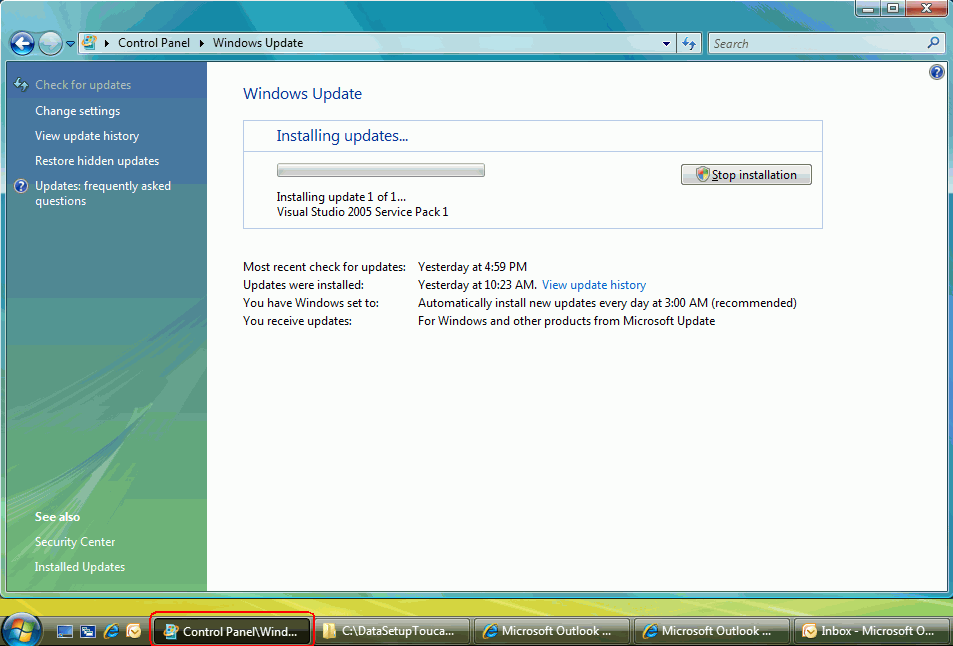
The processes form should show the percentage complete
status
The processes form should show the percentage complete status in the taskbar
We have a rule better to interfaces about this, please see
Long Process - Do you show the status of progress bar on winform's title?
-
-
Figure: Progress form without the percentage complete status
-
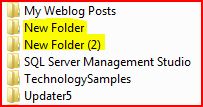
The folder's icon should be different if it contains subfolders
In the vista, when you browse folders by extra large/large/medium icons, you will
find the icons is different from others if the folders contain subfolders.
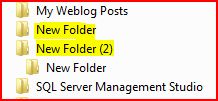
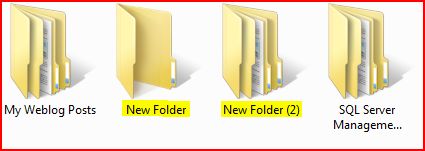
But when you choose small size icons, they become the same. The icon should be different
too.
-
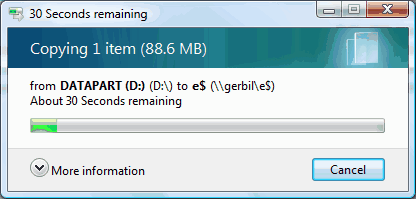
Copy a large file on Vista is very slow
- * Fixed by Vista Service Pack 1 *
When you need to copy a large file, you will find file operations on Vista are much
slower than XP. It might due to the "Calculating time remaining..." operation that
occurs before the file copy/move happens. Eg. Copy a 500MB file from a PC to a server
on a Gigabit connection, and it's about 2 minutes as the thing keeps trying to calculate
the time it will take to do the job!!! And to make matters worse, If you click the
"More Info" button you'll notice that it knows how much data needs to be transferred,
it also knows the transfer rate. So there is some very inefficient code here.
Note: An XP box can move the file off the Vista machine onto the network, in about
25 seconds.
Question: Is there a hack to turn off this "Calculating..." thing? It's a killer
on large file operations...
It is unbelievably fast to transfer files using
Beyond Compare. Maybe see if it works on Vista.
-
-
Figure: Copy file on Vista
-
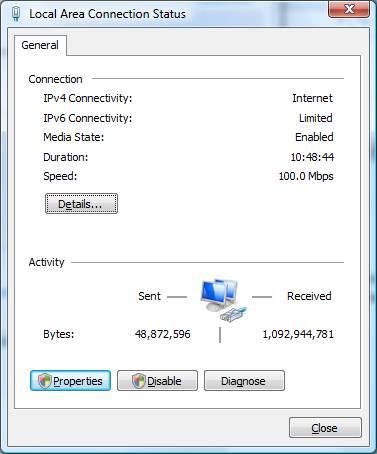
This should add a button "Usage Meter" and show the stats
by hour, by day, by month...
This should add a button "Usage Meter" and show the stats by hour, by day, by month
- essentially so I don't need install the DUMeter
-
-
Figure: The network usage button should be in this form.
-
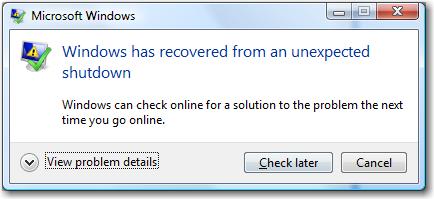
This should add a button "Check Now" on the problem recovered
form.
This form needs another button "Check Now" for when your Internet connection comes
back:
-
-
Figure: The 'Check Now' button should be added on this form.
-
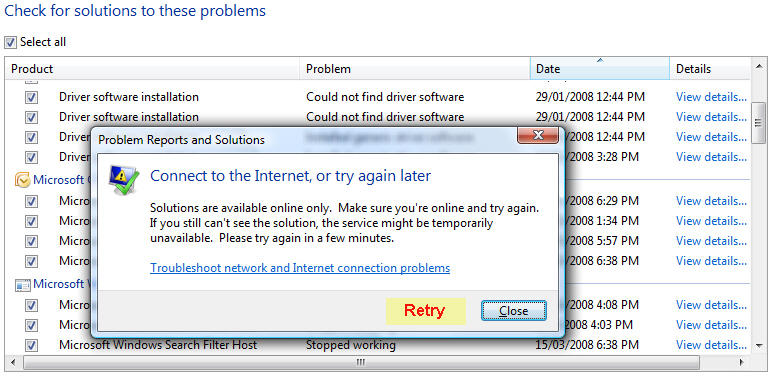
Need a "Retry" button
For when your Internet connection comes back.
-
-
Figure: The place that The "Retry" button be added
-
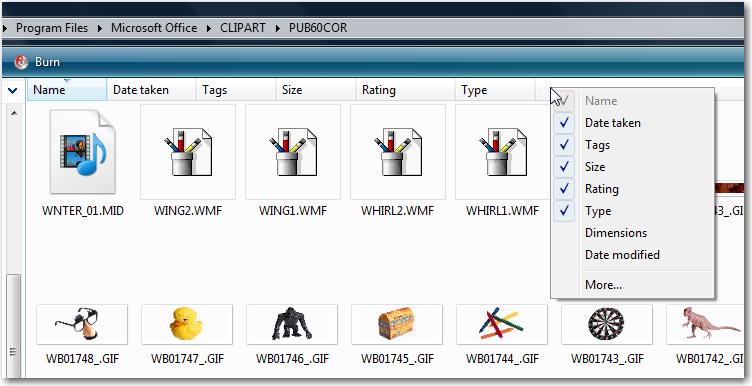
Explorer is missing the "Extension" option in the right
click
I find every time I reinstall Vista, I seem to need to change lots of defaults to
the other way eg. Show Hidden Files etc.
Anyway the feature from Windows XP I miss the most almost every day is using the
file extension.
The problem with Vista is that sometimes 'Type' groups together File Extensions,
but I don't want BMP, GIF, JPEG and MIDI's grouped together.
-
-
Figure: Please add 'Extension' to the right click, I don't need Vista's intelligent
grouping of similar file types!
-
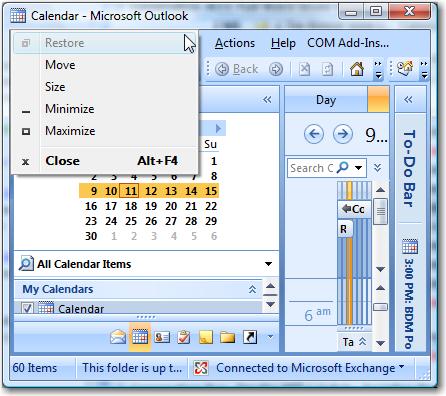
Add option "Save Current Window Size"
The size of window should be able to save, so need add a option in menu:
-
-
Figure: Should add a option to save window size
-
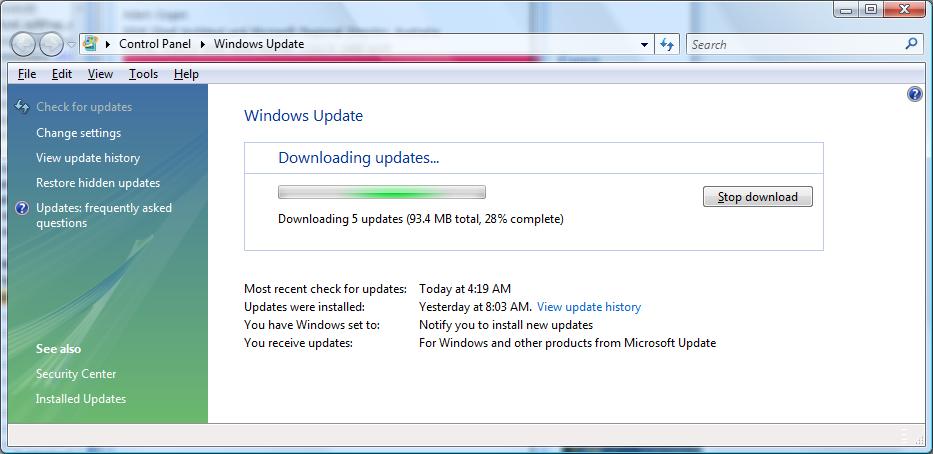
Add "Pause" and "Resume" buttons on Windows Update form.
On a GPRS connection, I don't want to "Stop" the download, I would prefer a "Pause"
and a "Resume" button:
-
-
Figure: Should add Pause and Resume buttons on this form.
-
Add sound alerts in Battery Monitor.
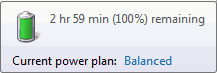
There is a battery icon in system tray to display the percentage of charge, but
it isn't enough.
-
-
Figure: Display the status of battery.
I would prefer sound alerts when charging starts/stops, battery is full charged,
or battery charge drops under a predefined percentage. If so, I don't need to worry
about when will my laptop auto sleep.
The Best 3rd Party Laptop
Tools - Laptop Battery Monitor supplies this functionality.
-
Internet connection sharing should be easy.
It's too hard to share my Internet with another computer, eg. when in a hotel. On
XP it is hard, on Vista it is harder!
Currently on XP, the way to share your Internet is to:
- Share your LAN connection.
- Go to Wireless Network Connection properties, second tab, and add a "Wireless Network
Properties" (Remember to check the last checkbox - Ad Hoc network).
- Connect to the Wireless Network you just added.
Note: Many advanced users I would expect to be able to get the above going, end
up needing to read this XP article
Making the Wireless Home Network Connection in Windows XP Without a Router
on share the Internet connection using Windows XP, so really it is not simple enough.
Currently on Vista I was unable to get it going. More information
on sharing the Internet on Vista is at
Using ICS (Internet Connection Sharing).
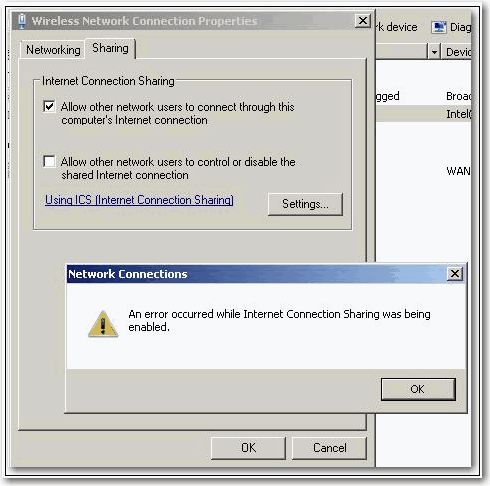
Following these steps, did not work because I got the error message "An error occurred
while Internet connection sharing was being enabled (null)".
-
-
Figure: Share Internet Error.
How it should work
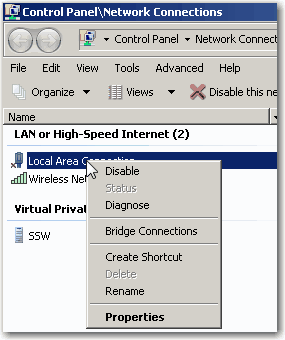
Basically you should just need to right click the connection you want to share and
select an option: "Share my Internet with Others via my wireless".
Which takes you through a wizard to:
- Turn on the option in LANs properties.
- Add a new Wireless connection and give it a name.
- View wireless connections and connect to yourself.
-
-
Figure: Need a new option here called "Share my Internet with Others via my wireless".
-
Help me get rid of blue screens and computer freezes #1
When I am working on frustrating PC problems... I am wondering "How can I get rid of blue screens and computer freezes?"
So then I need to go through all my devices and manually updating drivers for everything...
Instead I want to allow multiple selection in device manager and "Update Driver Software" for all selected items... that would have saved me a bunch of time and annoyance.
-

-
Figure: I should not be forced to click "Update Driver" one by one...
-
Help me get rid of blue screens and computer freezes #2
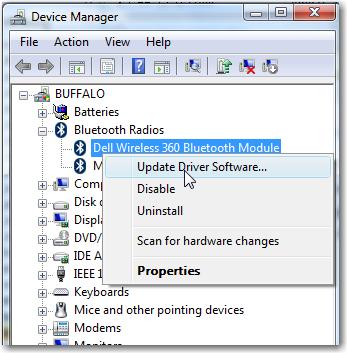
Currently looking at 'Device Manager' does not help you see what Device is having problems.
Eg. A colleague told me he looked in the 'Reliability and Performance Monitor' in Vista, and discovered that the vast majority of blue screens had implicated the AuthentTec driver for the fingerprint reader on his HPQ nc8430 laptop.
Disabling the fingerprint reader (which he never used anyway) caused 98% of my blue screen problems to immediately vanish.
-
-
Figure: Need a column "Errors in Reliability Monitor" with a hyperlink to the below form
-
-
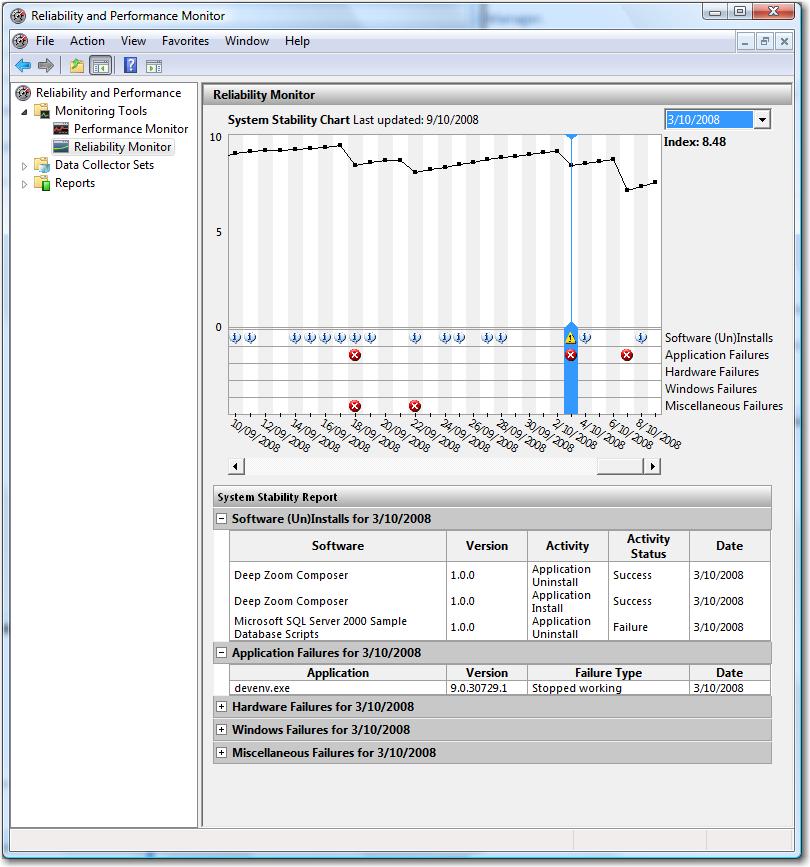
Figure: Add a filter eg. combo box with Device Drivers "Dell Wireless 360 Bluetooth Module"
-
When I click "OK" I want to return to a grid with all columns of data
Eg. 'Driver Provider', 'Driver Date', 'Driver Version', 'Digital Signer'
-
-
Figure: After click 'OK', let me return to a grid with all columns of data
-
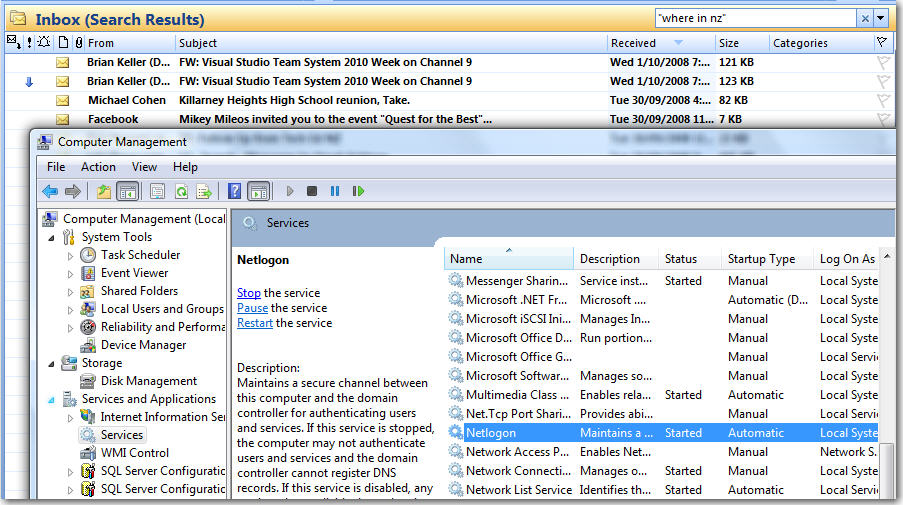
All Vista's Grids should have search textbox
Any grid of data should have a "search box" - Outlook is a good example.
Ideally it should also support specific searching eg. "DNS Status: Started"
-
-
Figure: I want to find any services that have DNS in their name or description - give me a search box like Outlook
-
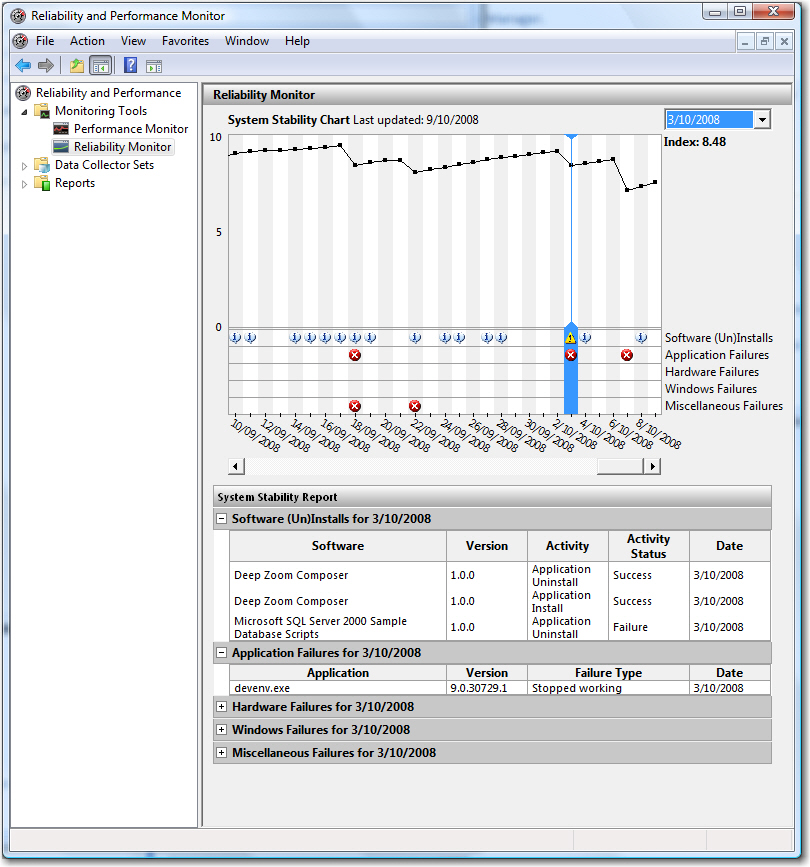
Show icons in Reliability and Performance Monitor
Icons used in the graph, should also be shown in each record of the bottom grid.
-
-
Figure: Icons should be show the bottom grid
-
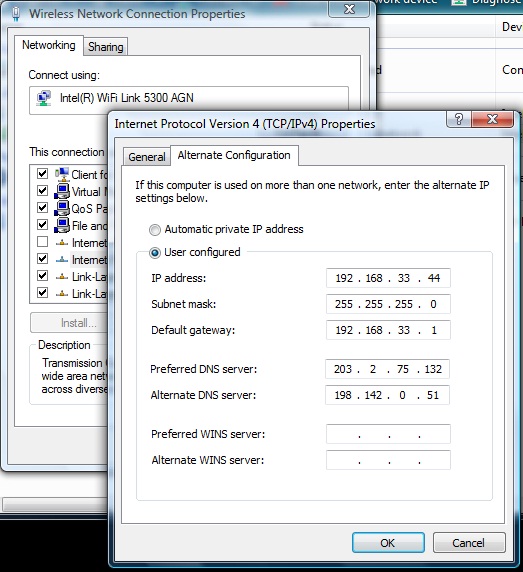
IP - Alternate Configuration
Add a notes field eg. "I needed this because xxxx"
-
-
Figure: No note field for the configuration
-
Show me why my PC slow
This is my problem with Vista, it is sometimes slow and I don't know what is going on.
For example, my PC might be slow and I want to fix it. How do I see:
- Search index is running
- Disk Defrag is running
- Outlook is cleaning up free space
- Outlook is syncing (even though I was told it to 'work offline'!)
- The power cable is out and the power save has told the processer to drop down in speed
- etc