Follow these steps to create a Test Case in TFS.VisualStudio.com:
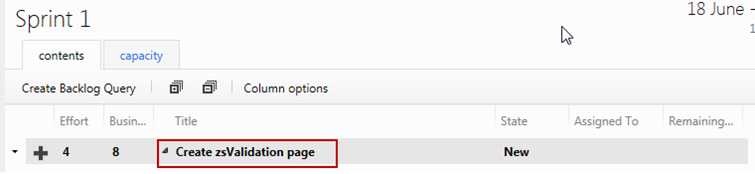
Figure: Double click the Product Backlog Item that you want to create a Test Case for to open it
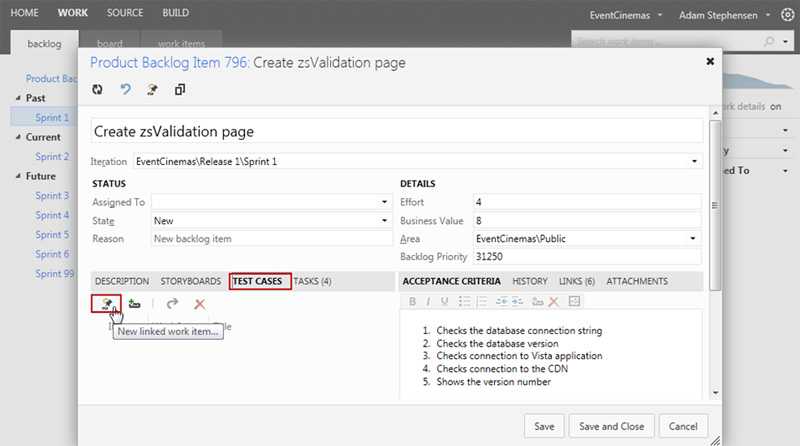
Figure: Open the "TEST CASES" tab and click on the "New linked work item" button
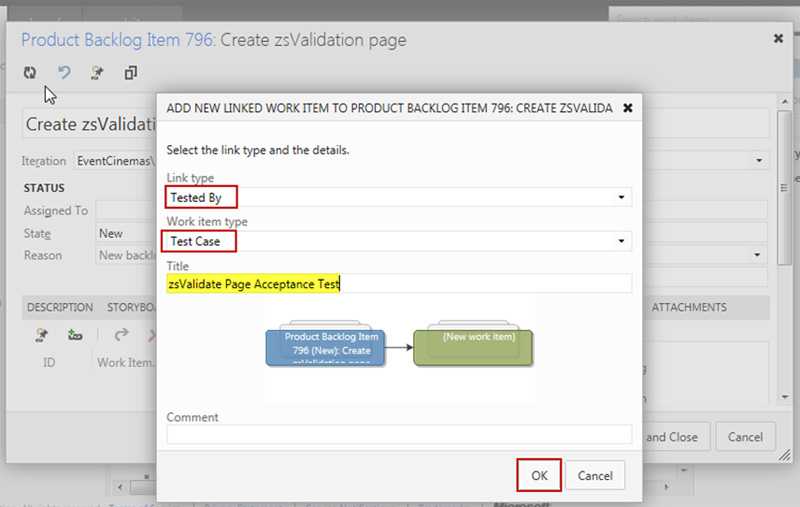
Figure: Ensure that the link type is 'Tested By', that the work item type is 'Test Case' and enter a title for the Test Case. Click OK
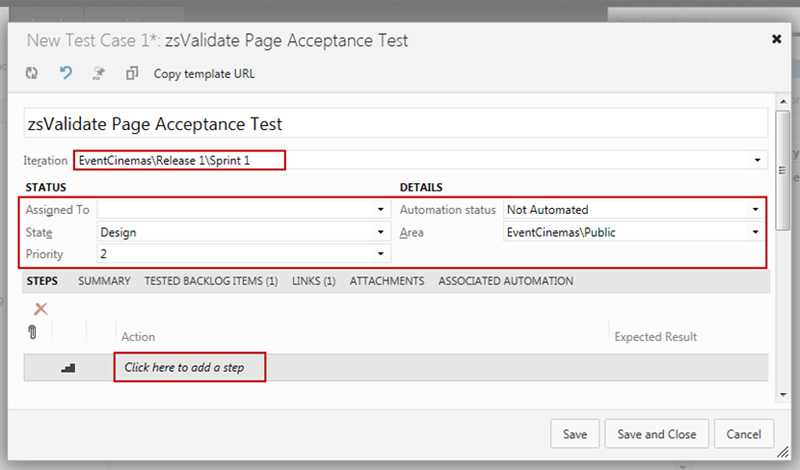
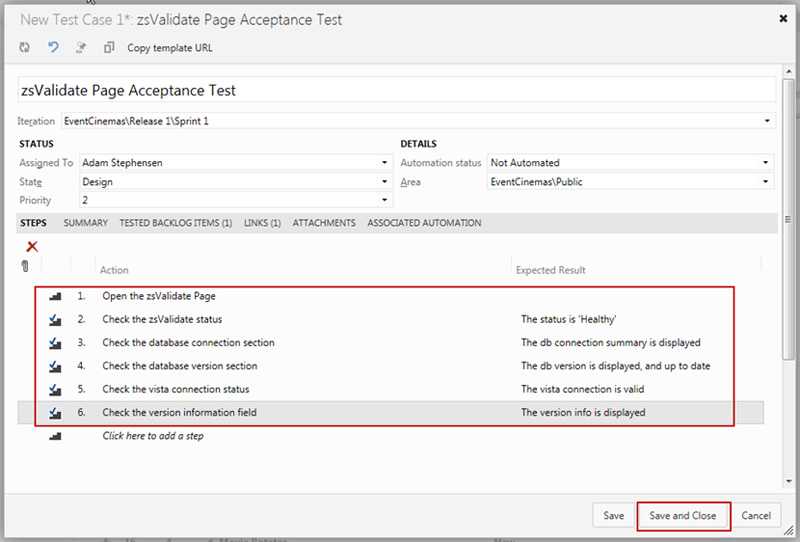
Figure: Select the correct iteration, and update the Status and Details sections. Click on the 'Click here to add a step' and proceed to add the steps required to test the user story
Figure: After entering each action, along with its expected result, click Save and Close