
Do you know when to create the team project and Azure DevOps Portal for a prospect/client?
Last updated by Brady Stroud [SSW] 5 months ago.See historyAzure DevOps does not support SharePoint Team Sites (since 2018) - Discontinue SharePoint integration - TFS https://learn.microsoft.com/en-us/previous-versions/azure/devops/report/sharepoint-dashboards/deprecation/discontinue-pre-tfs-2017-sharepoint-integration?view=tfs-2017&WT.mc_id=DOP-MVP-33518.
When a prospect/client is ready to move forward (typically after a Specification Review)...
- Create a TFS project (to track the work items and releases)
-
Create a SharePoint project site
You can do both of these at the same time by creating a Azure DevOps project and use a SharePoint dashboard.
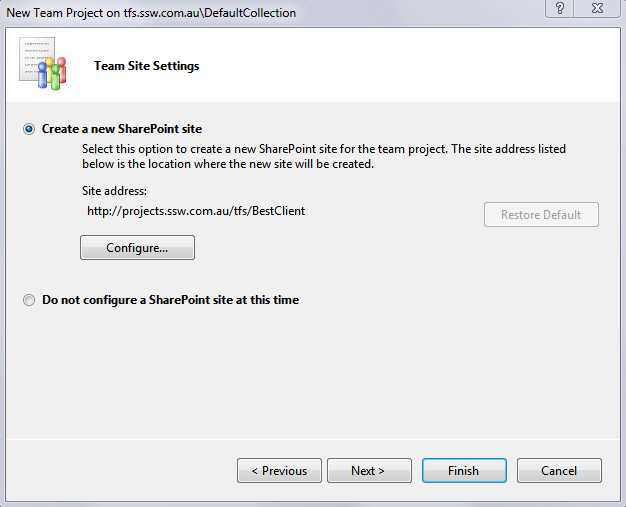
Figure: Choose to create a new SharePoint site when creating Azure DevOps project
Note: It is also possible to create a new SharePoint site afterwards and attach it to a Azure DevOps project, via this hack
- Move all the documents you've created for this client, from the 'Prospects Site (Document Library)' into the new project site.
A few other things to do frequently do right away:
- If required, create an external user account for the Product Owner. This enables the client access to your SharePoint Extranet to see the documents, sites and reports.
- If required, let the client know they can upload additional files, or download a copy of the project for testing and deployment.
- Check permissions and access rights
- Consider synchronizing the project documents offline via Outlook or SharePoint Workspaces
- Edit the SharePoint site landing wiki-page and upload some pictures of the team
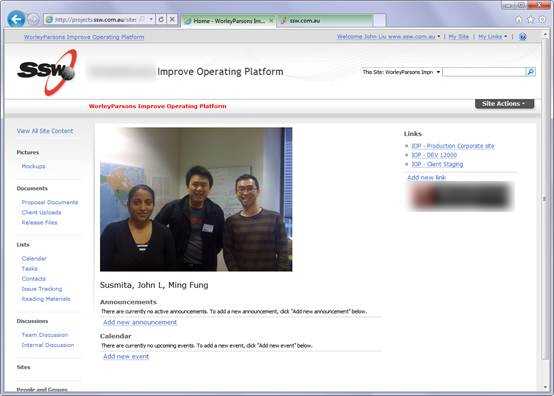
Figure: Once your 'TFS Portal' is ready, add a picture of the team site, prior to letting them know about the new site


