-
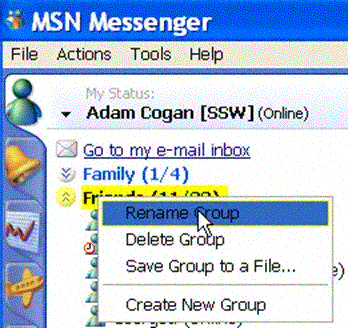
Help me "Block" by group, not just by contact
We would really appreciate a "Block Group" feature.
-
-
Figure: Current pop-up menu in Messenger; should include 'Block Group'
-
Help me identify additional information about contacts easily
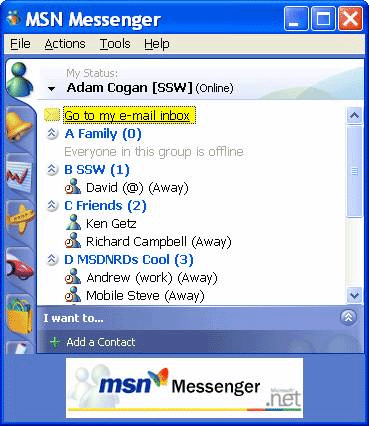
It would be handy to have additional columns beside each contact so I can see more information about that Contact.
For example, a
City column could show which city a person was in and a Time column could display
the current time for that city.
-
-
Figure: MSN Messenger; multiple columns would be nice
-
Size Of Images In MSN Messenger - * Fixed by Microsoft in Windows Live Messenger
*
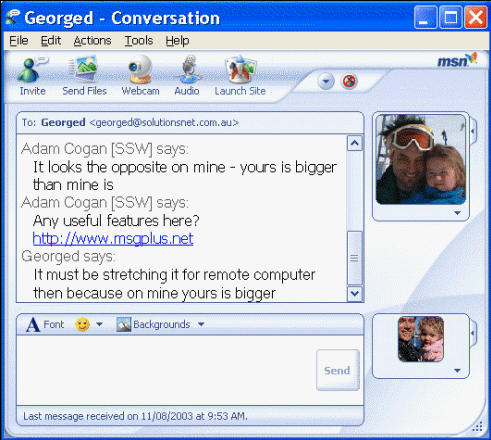
When I am having an MSN Messenger conversation with someone, the two images on the
right of the text field appear to be different sizes. The effect is apparently reversed
for the other member/s of the conversation.
The images should appear as the same size.
-
-
Figure: The images appear to be different sizes
-
Help me send messages to contacts even when I am offline
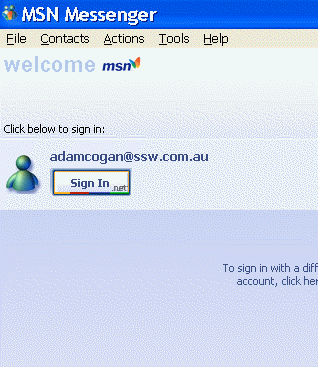
When I do not have a connection to the web, I would like to still be able to see
my contacts and, and to send them email. Please add an option under the file menu:
File Work Offline (just like IE)
-
-
Figure: I would like to be able to work offline
-
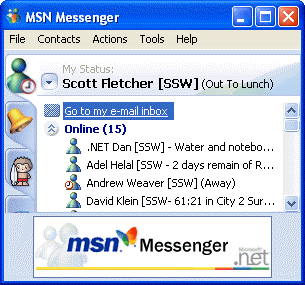
Help me tell people I am "Out To Dinner"
There should be the option of having your status set as 'Out To Dinner'
-
-
Figure: There should be an 'Out To Dinner' consistent with 'Out To Lunch'
-
Help me use animated .gif's
The display picture will also be able to support animated GIF's as well as static
ones that MSN currently have.
-
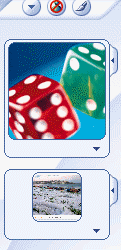
- Figure: MSN should allow animated images
as well
-
Paste and send screenshots - * Fixed by Microsoft in Windows Live Messenger *
It would be extremely useful if you could copy and paste images from the clipboard
into an MSN message window. Every day we need to send little screen captures to
colleagues to show what we're talking about, and currently we have to take the screenshot,
save it as an image and send it as a file - very tedious.
-
Store display pictures on MSN's server
Currently, we have the hassle of storing and uploading display pictures on each
different computer we use for MSN Messenger. To eliminate this inconvenience, MSN
should offer to have display pictures stored on their server, so that the picture
is accessible anywhere and at anytime. This way, rather than getting it from the
local machine so that everytime a person logs onto MSN in a different location,
their display picture automatically displays.
-
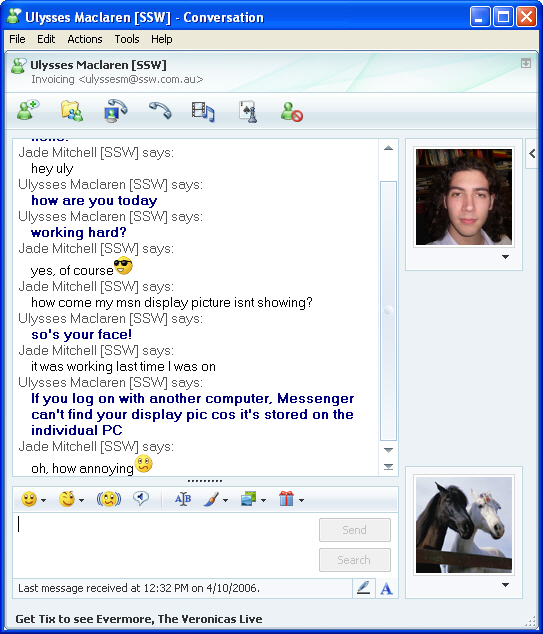
- Figure: Display pictures should be stored on the
MSN server so they are accessible from anywhere
-
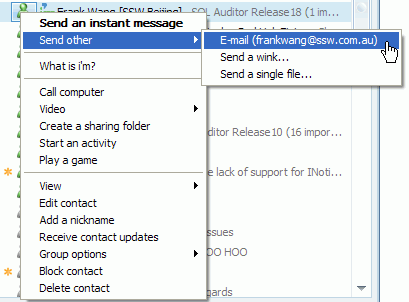
Add "Email selected text" option
Currently, we can send an email by choose the user and select the "Send other -->
Email".
-
-
Figure: Send email by select the "Send other --> Email"
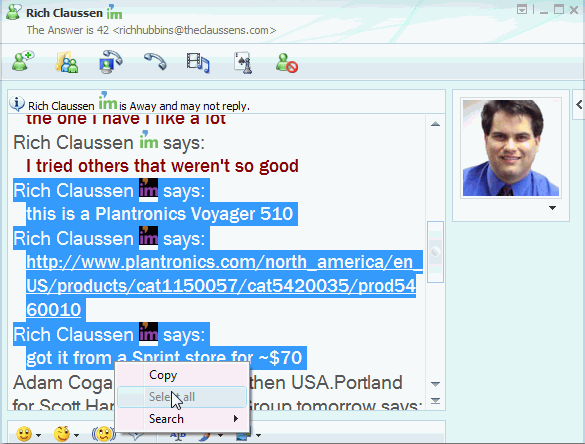
It would be extremely useful if you could just copy the conversation history from
an MSN message window and select "Email selected text".
-
-
Figure: Send email by select the "Email selected text"
-
Inform the user when not enough bandwidth to use it
When you try and use Live Messenger over GPRS (a slow mobile phone connection) it signs in, then out, silently.... and continually.
Then you get messages like:
>Paul Andrew sent 22/05/2008 11:21 AM:
>Hey Adam, why do you keep signing in and out?
(Skype on the other hand works on this connection).
To be clear, it is OK that it doesnt work, it is not OK that it doesnt tell the user something like:
"Live Messenger signed you out because your connection strength was xxx and needs yyy to connect successfully"
-
Wish Live Messenger was a smart client
I want to see the chat history for a contact.
Wish Messenger worked offline
PS: Other IM clients eg. Miranda work offline
-
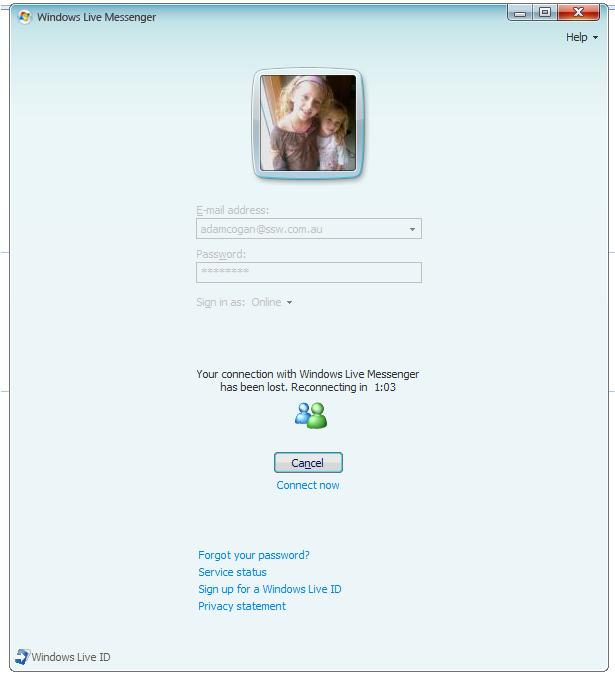
- Figure: MSN should allow work offline
-
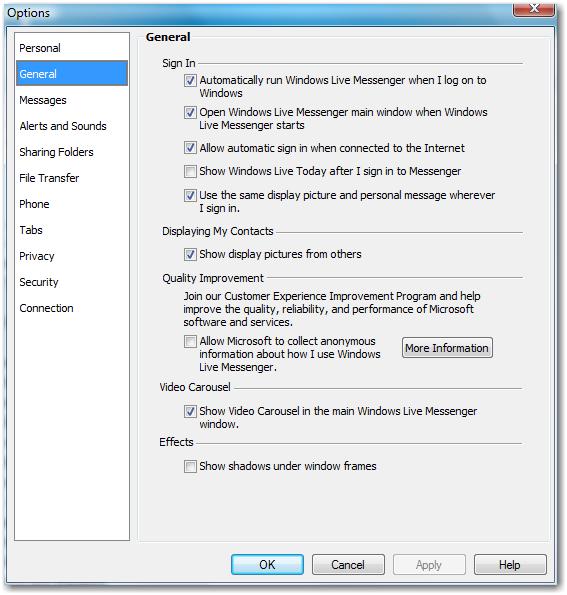
Turn off "Show Windows Live Today" by default please
Suggest turn the "Show Windows Live Today" off by default:
-
-
Figure: Turn off "Show Windows Live Today" by default please
-
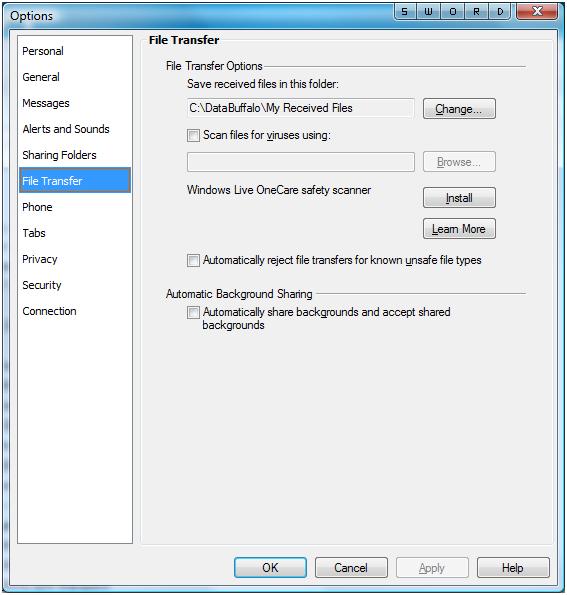
Add a "Automatically receive attachments under 1 MB" (so
you don't have to click confirm)
Need a "Automatically receive attachments under 1 MB" (so you don't have to click confirm) on below option form:
-
-
Figure: Add a "Automatically receive attachments under 1 MB" on this form
-
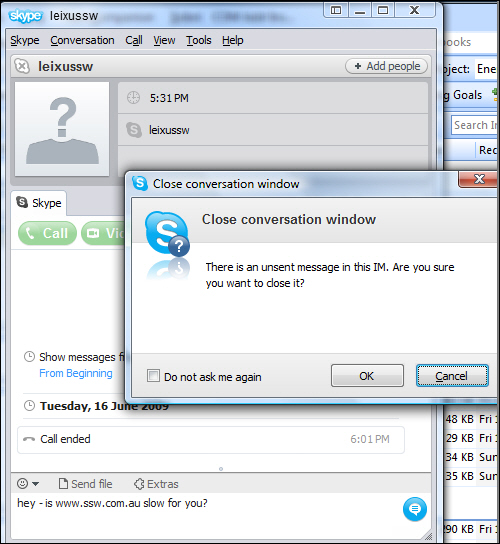
Warn when you will lose data
When you close the window with an unsent message, there should be a warning from Live Messenger telling you that you will lose data.
-
-
Figure: Skype will warn you if you are going to close a chat window with an unsent message
-
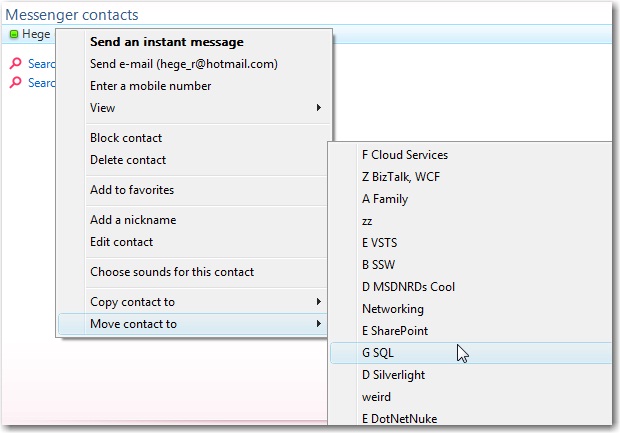
Add sort right click menu
Need a sort in right click menu:
-
-
Figure: Need a sort in this menu
-
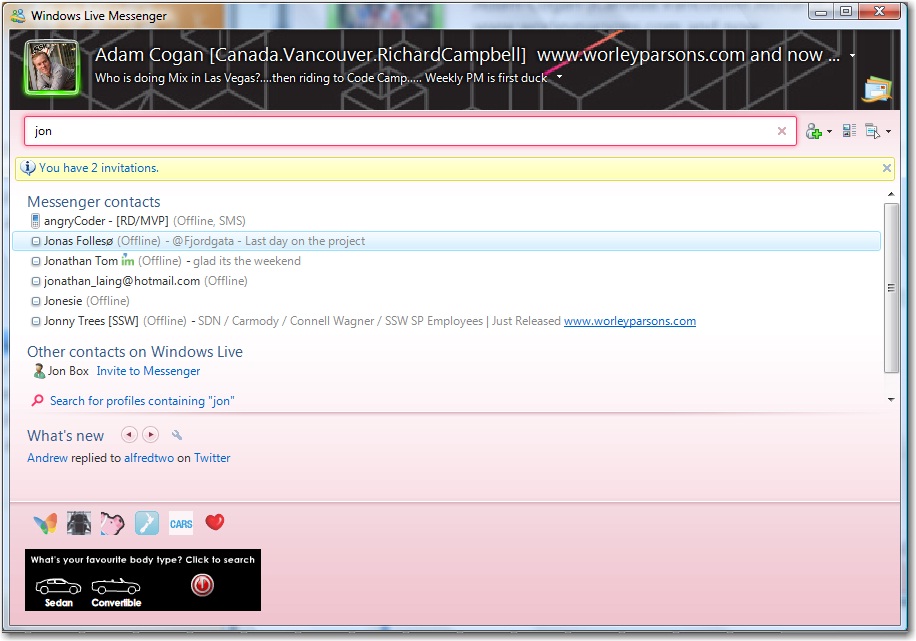
Add column "Categories" when search contacts
Please add a "Categories" column when I search contacts in MSN, because some people have same name.
-
-
Figure: Need a "Categories" column when search
-
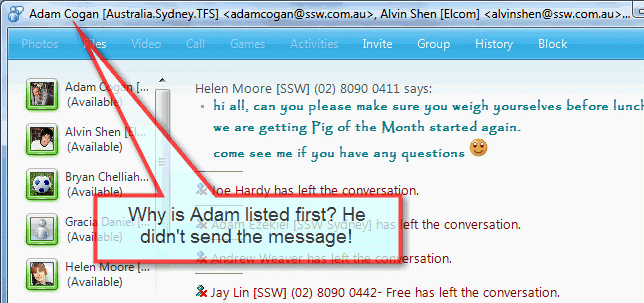
Help me simply identify the sender of a group conversation
When I receive an message which has been sent to a group it is impossible to read
from the task bar who the message was sent from.
-
-
Figure: Properly identify the sender of a group conversation
Help me identify the sender by stating that person first, and then listing all the
participants alphabetically.
-
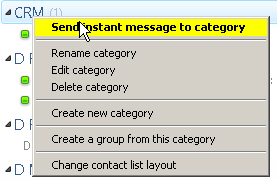
Show offline contacts by group
-
-
Figure: Add right click menu option "Show hidden contacts"
Live Writer 2011
-
-
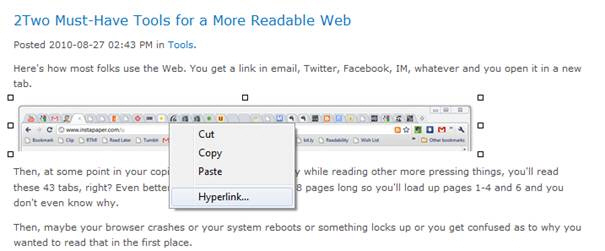
Figure: Right click on image should have a 4th menu called 'Image Alt text'
-
-
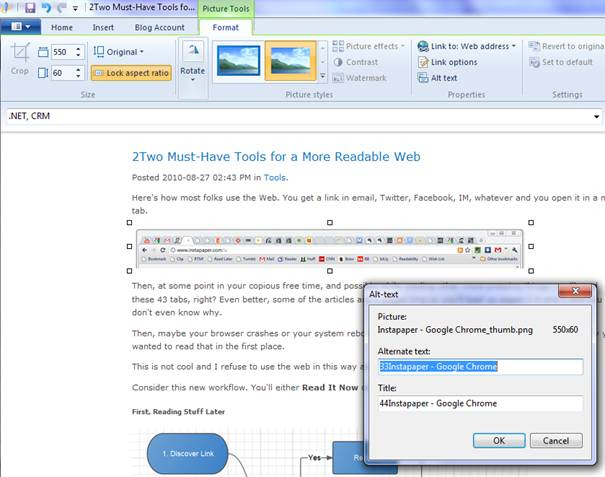
Figure: Which takes you to this form
-
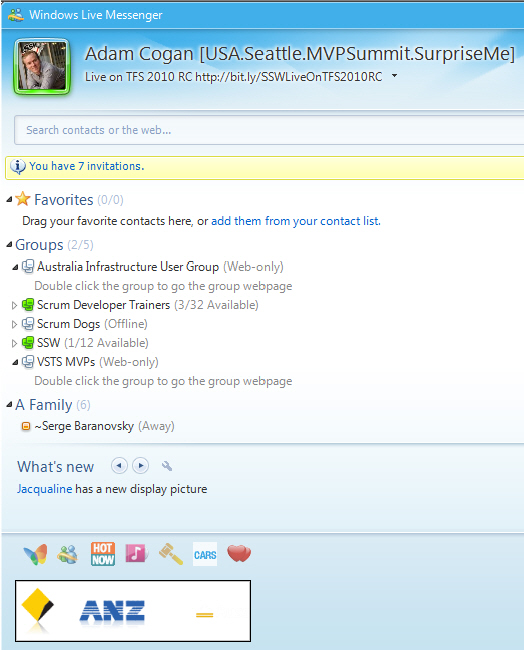
Live Messenger - Targetted Ads Please
I would never click on the ads that show on Live Messenger
I am guessing asking for an option to remove the ads is not an option.:)
So help me enjoy the ads, by giving me targeted ads.
-
-
Figure: We need targeted ads. I would never click on this ad
-
Windows Live - Help me avoid moving my mouse to close a dialog
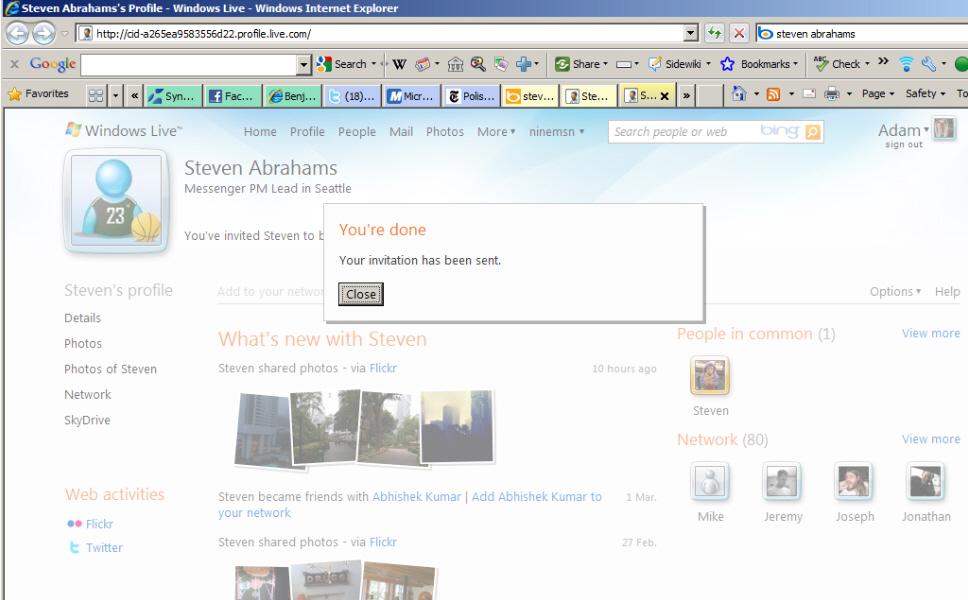
Not sure if everyone will agree with this, but since Facebook is now the standard, please make this dialog (an others go away) after 5 seconds.
Lots of apps need this, so even better would be for the ASP.NET team to give developers a built in control on the toolbox, that does this (using the jQuery timer framework).
PS: I have given up asking the Windows Live team to improve the URL. :)
-
-
Figure: This dialog should auto close after 5 seconds, just like the wonderful facebook User Experience.
-
I would love to be able to respond when I am offline E.g. in the plane
Skype works better in this scenario.
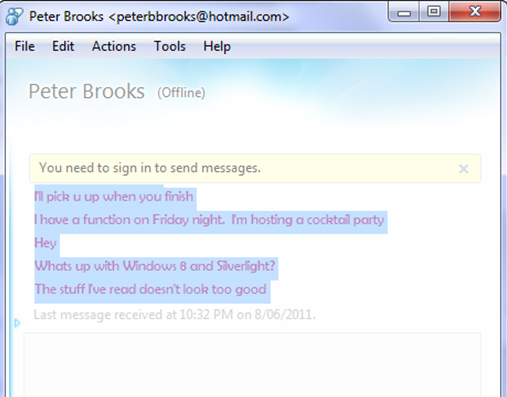
- Figure: The window is disabled, so I cannot type a response offline, I cannot search my contacts etc.
PS: Do we bother with suggestions like this... now that we have Microsoft Skype?