Add annotation on charts
Office Performance Point 2010 has a great new feature, annotate, which allows you to put comment on group of numbers or on top point. We suggest:
- Show that annotation in a chart
- Give the ability to put an annotation when viewing a chart (not just a table as it is now)
Unnecessary message box when deploying first time *fixed*
When deploying a Scorecard to Reporting Services you receive a message box informing you that you need to refresh. We suggest that instead of displaying the message box that the deploy is actually done automatically. This is a confusing out of the box experience.
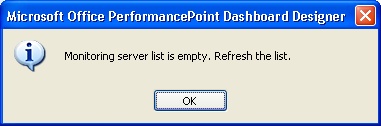
- Figure: Error message of "Monitoring Server List is Empty"
Wrong Scorecard selected on deployment
When right clicking on a scorecard and deploying, by default it selects the first scorecard in the deploy list and will result in the wrong scorecard being deployed accidentally.
-
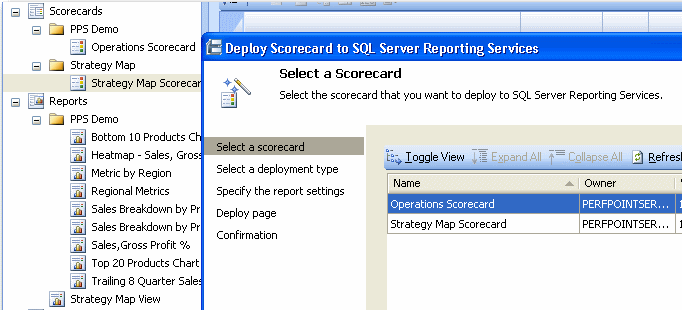
- Figure: Incorrect scorecard selected by default
No defaults on deployment to Server
The settings screen does not show any defaults for Report Name (this could be taken from the scorecard name), or Reporting Server details.
Suggestion to put in a combo showing:
- http://localhost/reportingserver (if it works), and
- all the last deployed Reporting Server locations.
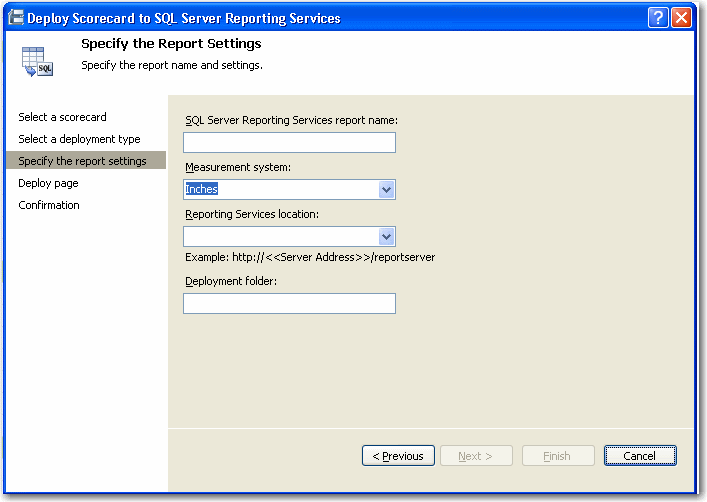
- Figure: No default values entered for servers
No Validation for Reporting Server
There is no Tick or Cross when a Reporting Server location is entered to indicate if this is correct or wrong. The user will not know until after attempting to deploy the scorecard.
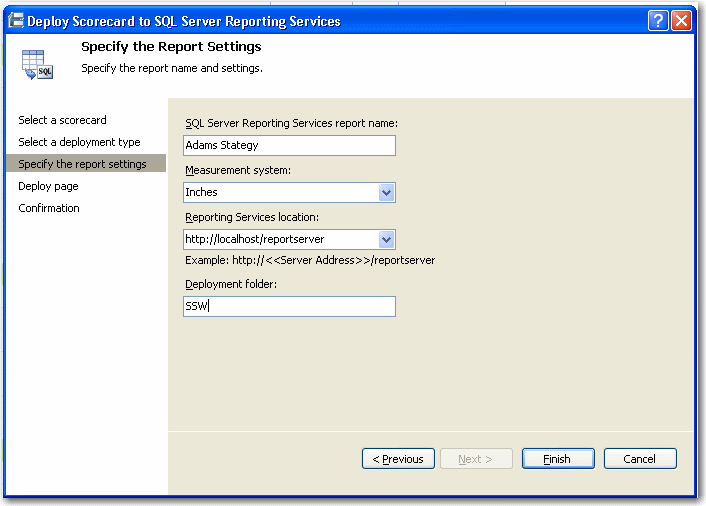
- Figure: No Validation for Report Server
Error message is not noticeable, plus no back button
There is no Tick or Cross when a Reporting Server location is entered to indicate if this is correct or wrong. The user will not know until after attempting to deploy the scorecard.
See Rules to Better UI - Do you clearly show a pass, fail or warning?
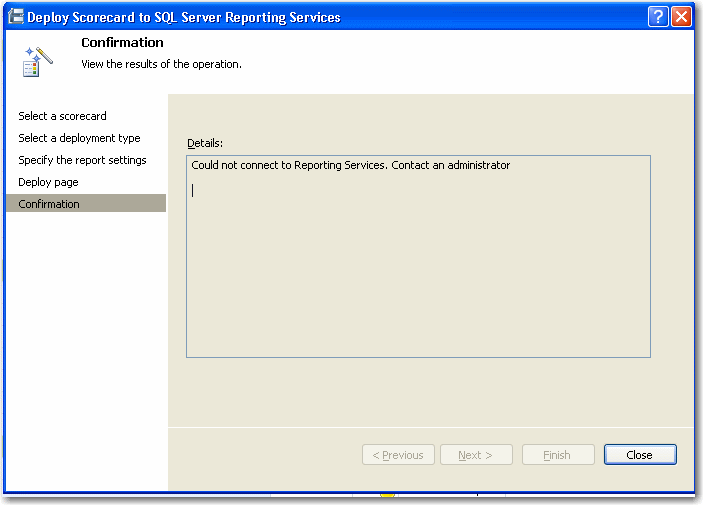
- Figure: Error message is not that visible
Scorecard DPE extension is not different
The following error lists that the ScorecardDPE extension is not registered successfully. This extension name is identical to another older product Business Scorecard Manager 2005. Subsequently searching the web for instructions on how to register bring up the wrong details. The version should have been 'ScorecardDPE2' or even better 'PerformancePointScorecardDPE'
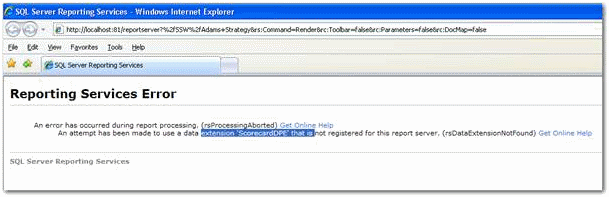
- Figure: ScorecardDPE extension is not registered correctly
-
After exporting a scorecard to Reporting Services the scorecard is rendered, however it is missing the Person Responsible on the web version
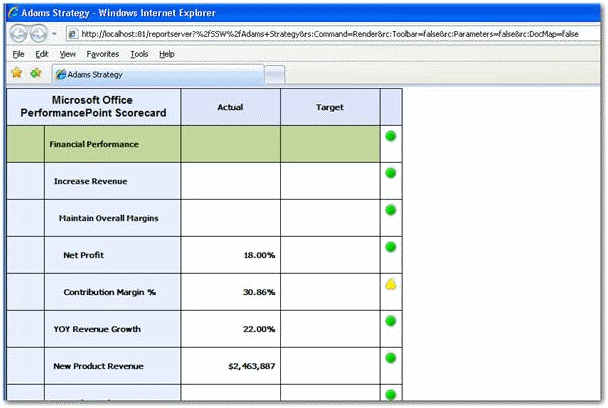
- Figure: Missing Person Responsible field on the web version
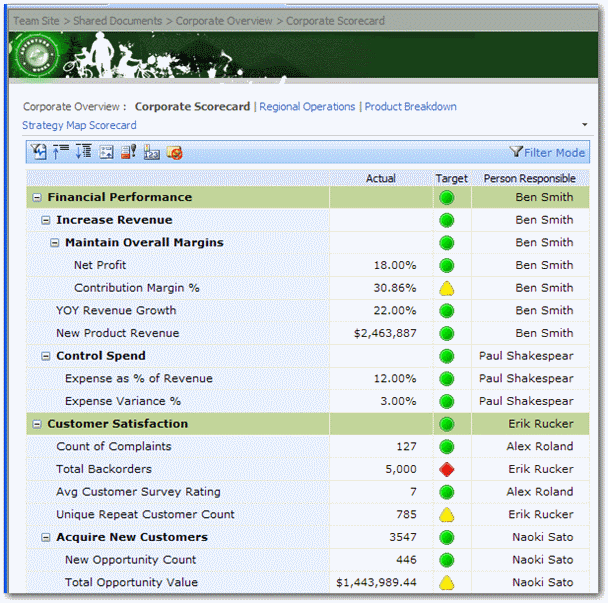
- Figure: Person Responsible field in Scorecard
-
Deploy the dashboard without a folder
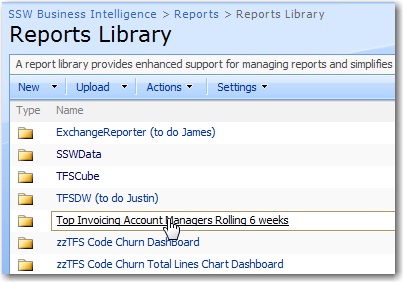
When deploying a dashboard to a document library from PerformancePoint 2007 Dashboard Designer, it creates each dashboard page (an .aspx file) in a folder named the same as the dashboard.
It would be nice to be able to deploy a dashboard without a folder in the SharePoint server.
-
-
Figure: I would like to be able to avoid this folder. You should be able to deploy a PerformancePoint report to a root folder in SharePoint.
Currently you need to follow the workaround on this blog post titled Dashboard Deployment Without Folders to remove this limitation.
-
Select a deployment folder in Reports Library on the SharePoint site
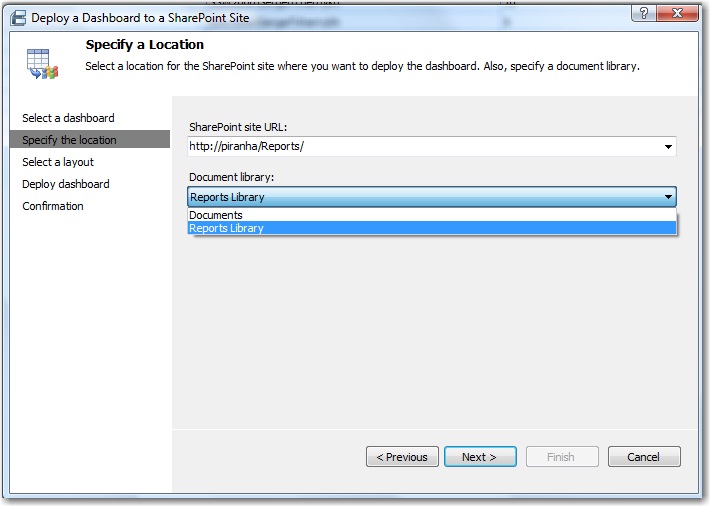
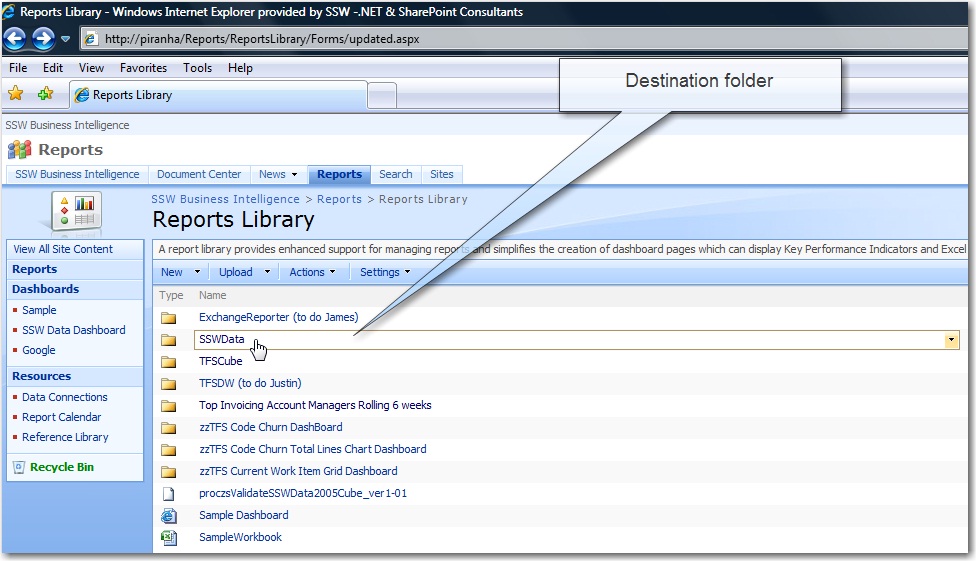
It would be nice to be able to choose a deployment folder on the SharePoint site in the reports library.
-
-
Figure: Choose a deployment folder in reports library is better.
-
-
Figure: The destination folder is added into a SharePoint site, and it is not wanted.
-
Point the user to a KB
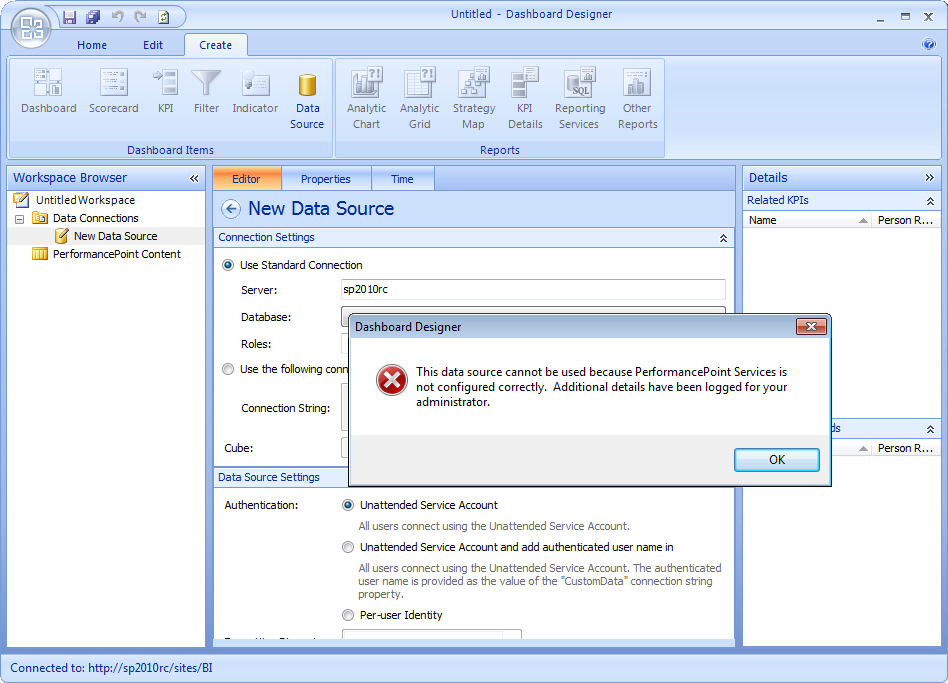
When PerformancePoint hasn't been configured and you try to create a new data connection you get the error:
This data source cannot be used because PerformancePoint Services is not configured correctly. Additional details have been logged for your administrator.
Instead it should point you to a KB on how to configure PerformancePoint Services.
-
-
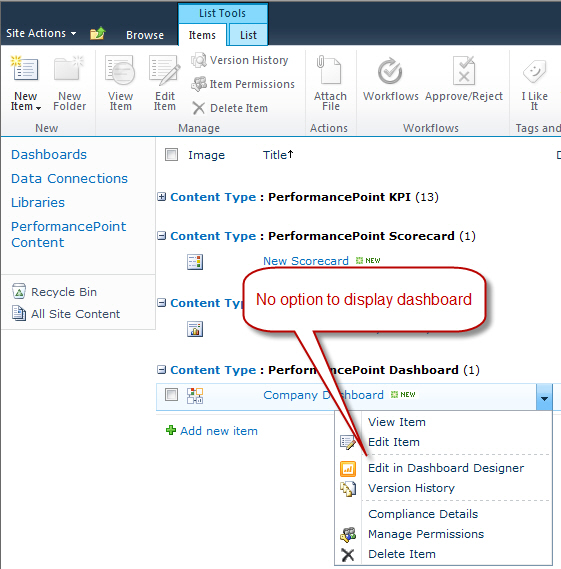
Add a menu item to "Display Dashboard"
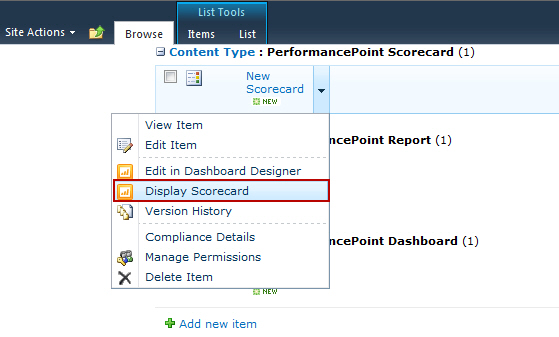
PPS 2010 gives the option of displaying scorecards and reports through the context menu but not for dashboards.
-
-
Figure 1 - Bad Example - Can't view a dashboard that has been saved via Dashboard Designer
-
-
Figure 2 - Good Example - A Display Scorecard option allows users to see PPS items
-
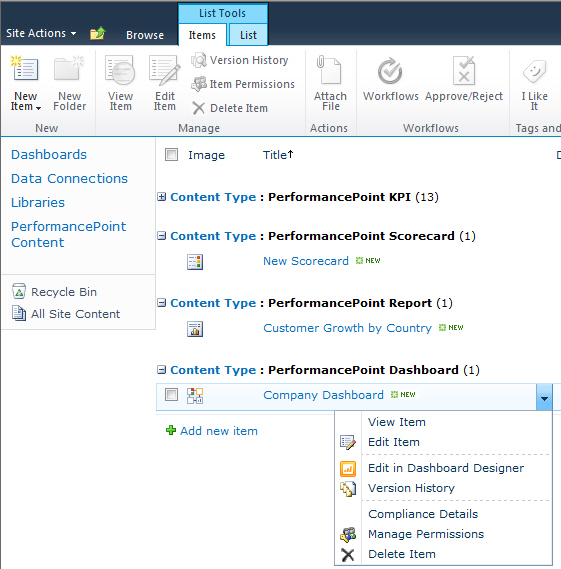
Tell me that this dashboard has not been deployed
-
-
Figure 1 - Bad Example: This dashboard hasn't been deployed so no one can view it ?but it is unclear whether it is deployed or not
-
-
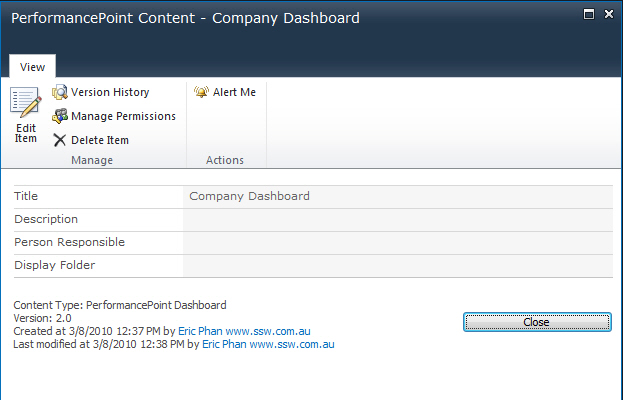
Figure 2 - Bad Example - Dashboard details doesn't show the deployment status either
It would be nice to have a status "Not Deployed" as a column or in the item properties.
Even better would be an option to "Deploy" just like how SharePoint allows you to publish content.
-
PerformancePoint 2010 - saving the project file is weird
Really enjoy working with PerformancePoint's rich Dashboard designer... It is a pleasure to use.
My Suggestion, I would like nothing to be saved to my desktop. Keep it all in SharePoint.
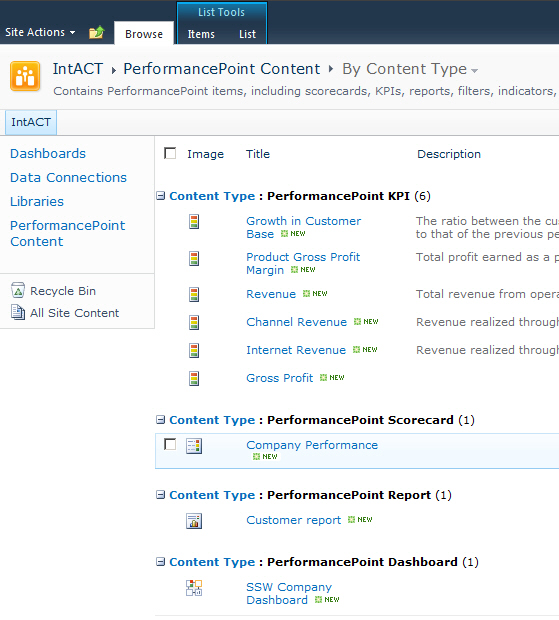
- Figure: I like how each piece I create then save, goes up to SharePoint
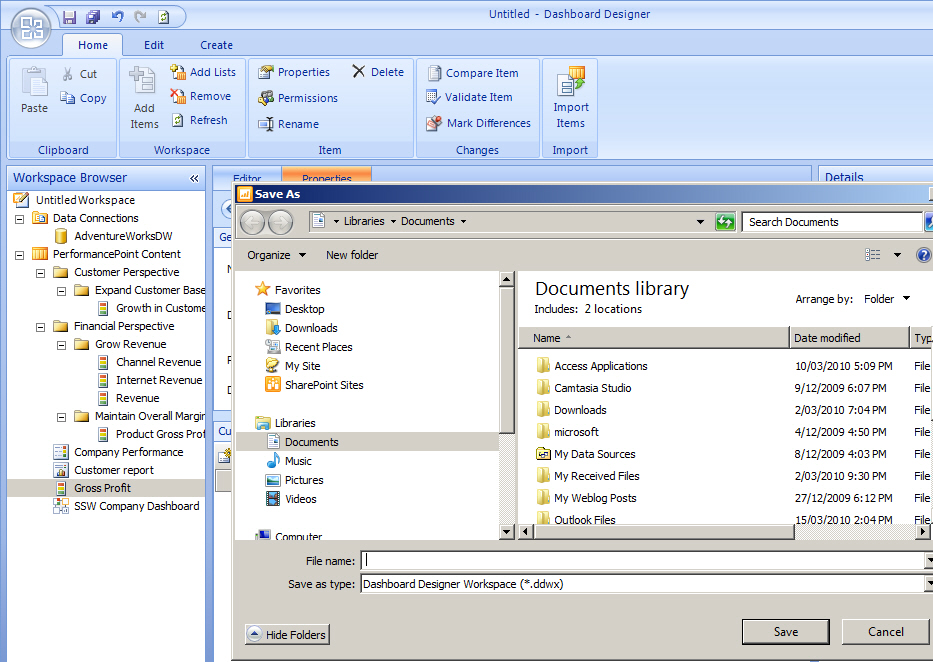
- Figure: However the last piece - the project file - wants to save on my PC
-
Add the version number in the app name (like other programs e.g. Word 2010)
I always think apps should include their version number
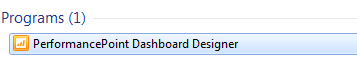
- Figure: Missing '2010' in the name
Version Number missing in SharePoint