-
Why does every web application have a different messagebox
implementation?
Most apps use Alert boxes,
we recommend an ASP.NET User Control
. ASP.NET should come with a Messagebox you can drag on in the
Toolbox. The best example they could follow would be the
Microsoft CRM example.
-
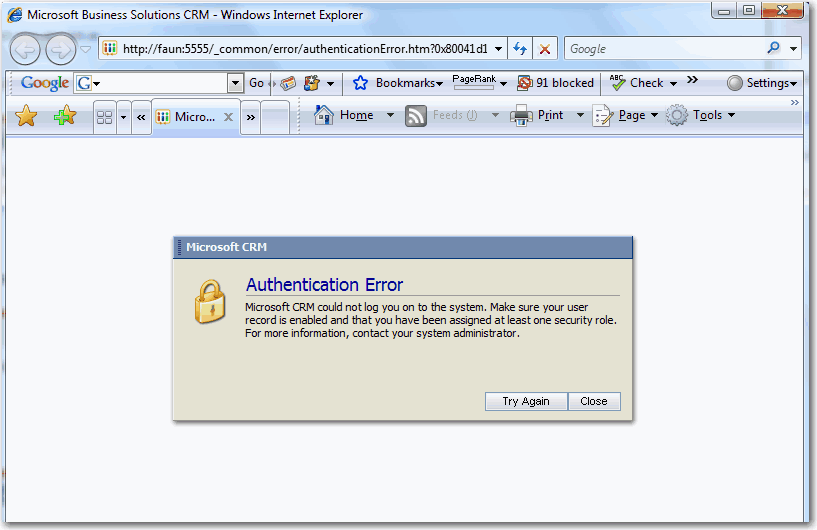
- Figure: Messagebox in Microsoft CRM
-
Add drill through control
In some cases, a paragraph may contain too many words. This will
affect look and feel of the page. So we recommend to add an
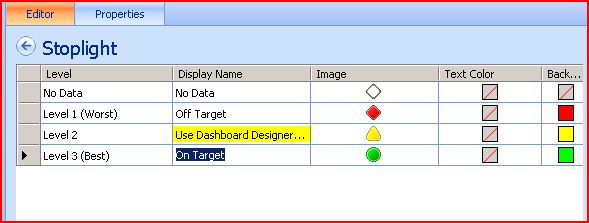
ASP.NET User Control. With it, we can define the max length of
text, and when it is longer than we expect, this control can add
'...' at the end of the text. When your mouse moves over it, you
can view the whole content.
-
-
Figure: the similar control in Performance Point Server -
DashBoard Design.
-
Add new control in the toolbox "Comment"?
a. it would use the provider model, so we could change the backend
b. it would give us something like this
-
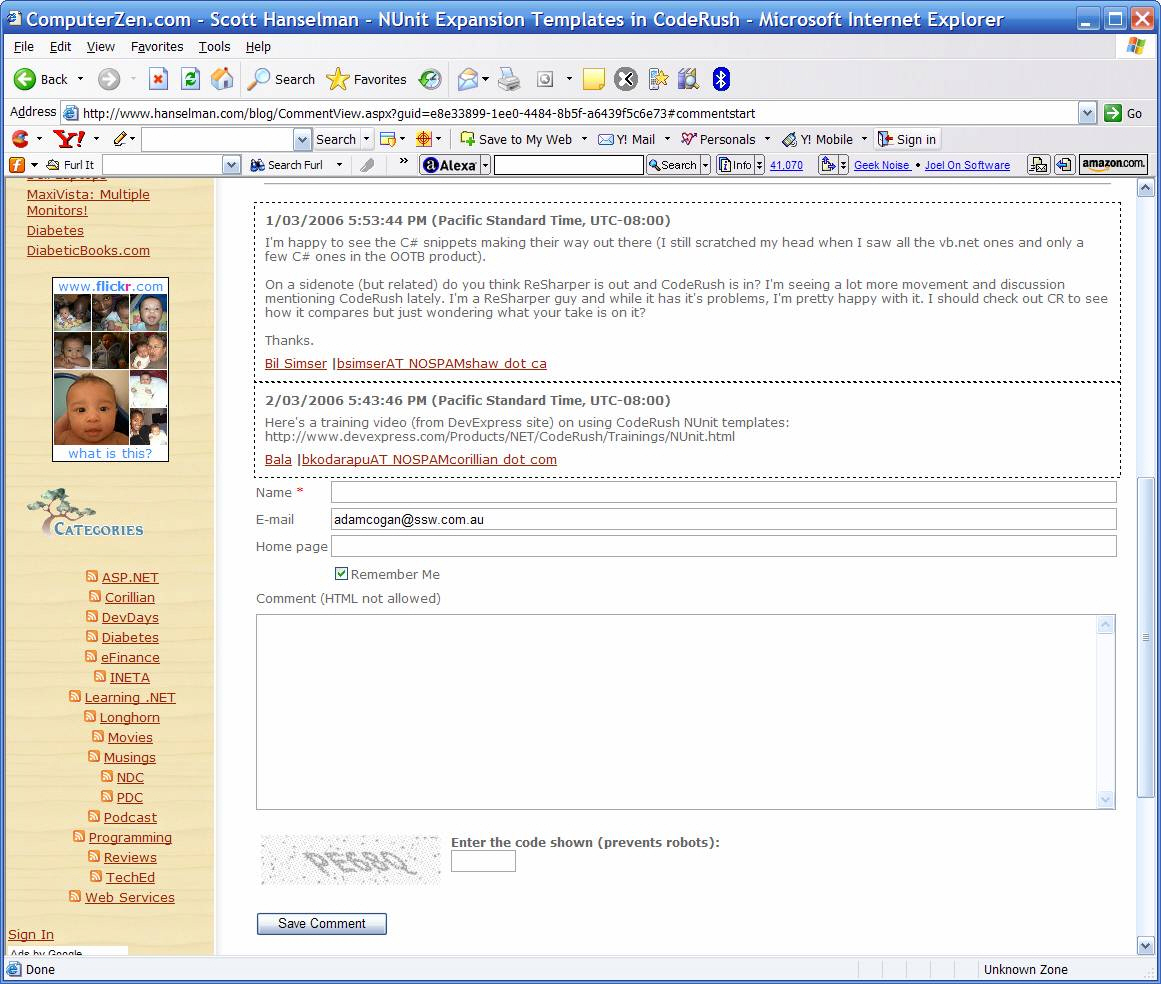
- Figure: The Website design with the Comment control
-
Add new control in the toolbox "Voting"?
a. it would use the provider model - so we could change the
backend
b. it would give us something like this
-
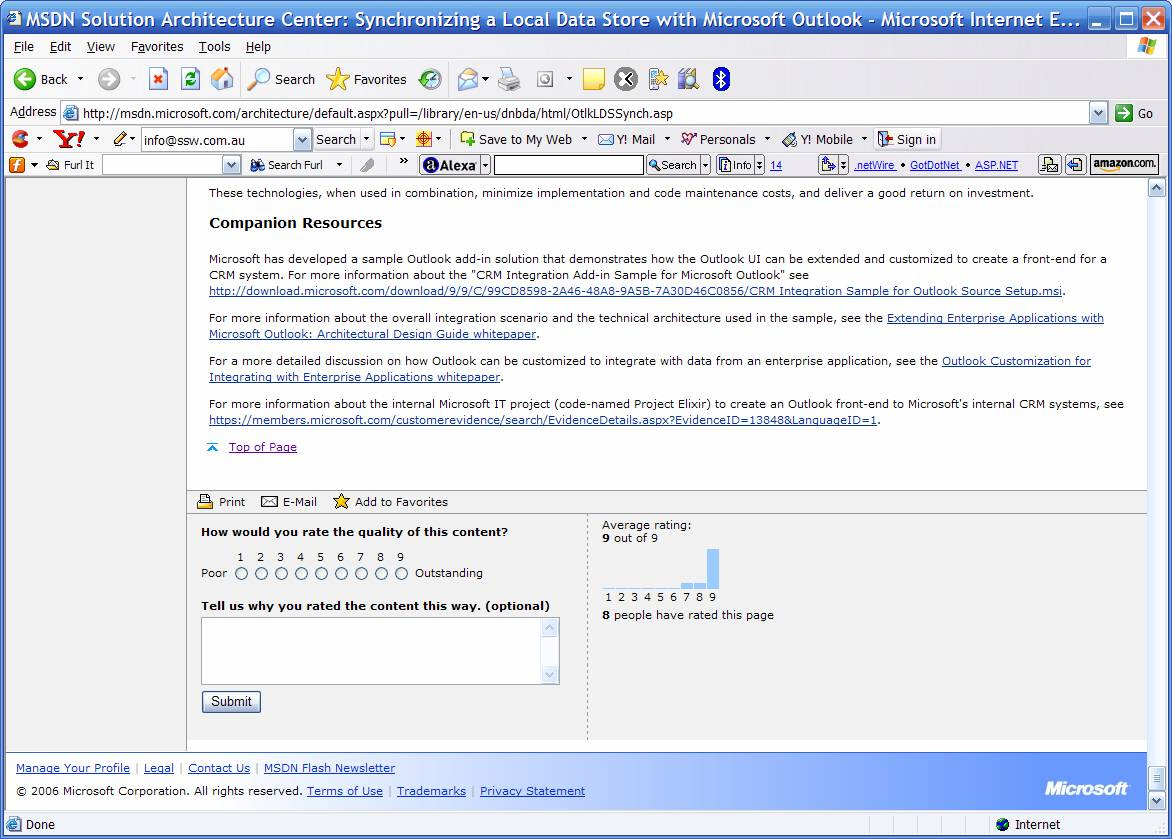
- Figure: The Website design with the Voting control
-
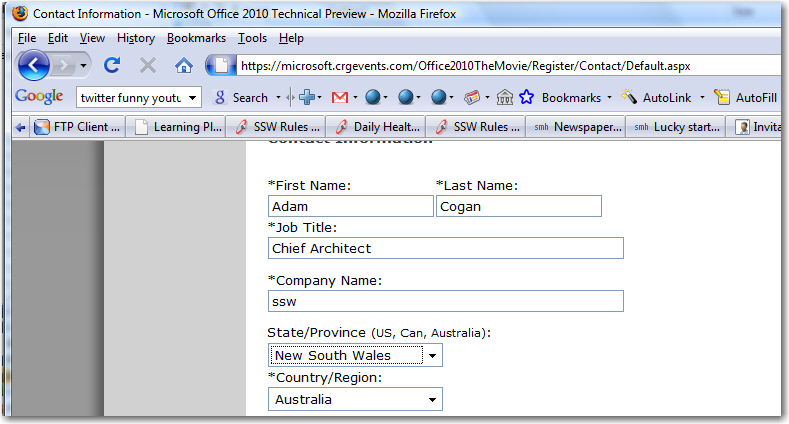
Need State + Country ASP.NET control in the box
I always see the State and Country being done differently. It
would save developer time and give users a consistent user
interface.
Most web sites would use it at least once and it needs to:
- Include all the data for all countries
- Use Ajax to repopulate when the country changes
-
Give an option to put country first (the logical data entry
order)
-
-
Figure: Give a control to add State and Country – that
includes the data and the ajax populating
Many pages on the web could benefit from the Comment and Voting
controls – at the moment only blogs generally have this. And
many development projects need common CMS type functionality.