-
Don't use command prompt for generating pages.
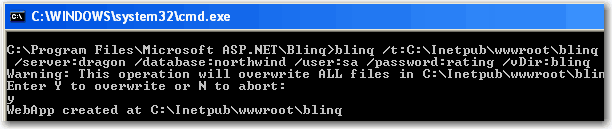
BLINQ uses command prompt to generate web page, which could
potentially cause problems such as typo issues or quoting
issues. Running other applications with an intuitive UI or a web
page is usually a much better way to generate code rather than
using the command prompt.
-
-
Figure: BLINQ uses command prompt to generate maintenance
pages
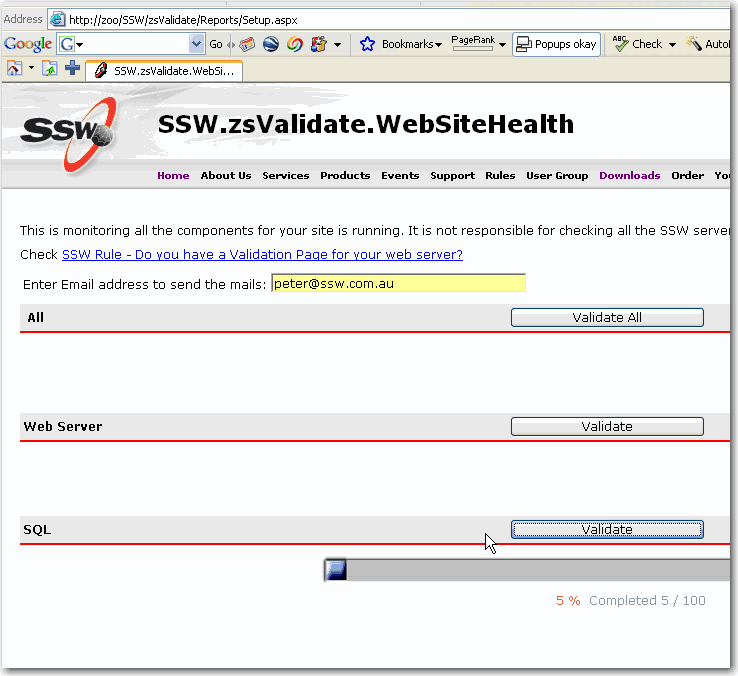
Can you have a web page with a button and a few check boxes for
the options?
-
-
Figure: SSW validate page has buttons to generate reports for
validating sql server, web server, network and components
-
Please have search page for updating a specific record.
In the BLINQ pages you can use navigation link at the bottom of
the grid to be able to edit a record. It is ok to edit or update
records if the tables don't have big amount of data. However,
when you want to update recent records in a table which contains
tens of thousands of record, you have to keep clicking the
navigation links thousands times. The one of the best way to
find the record to update is using the basic search or filter.
-
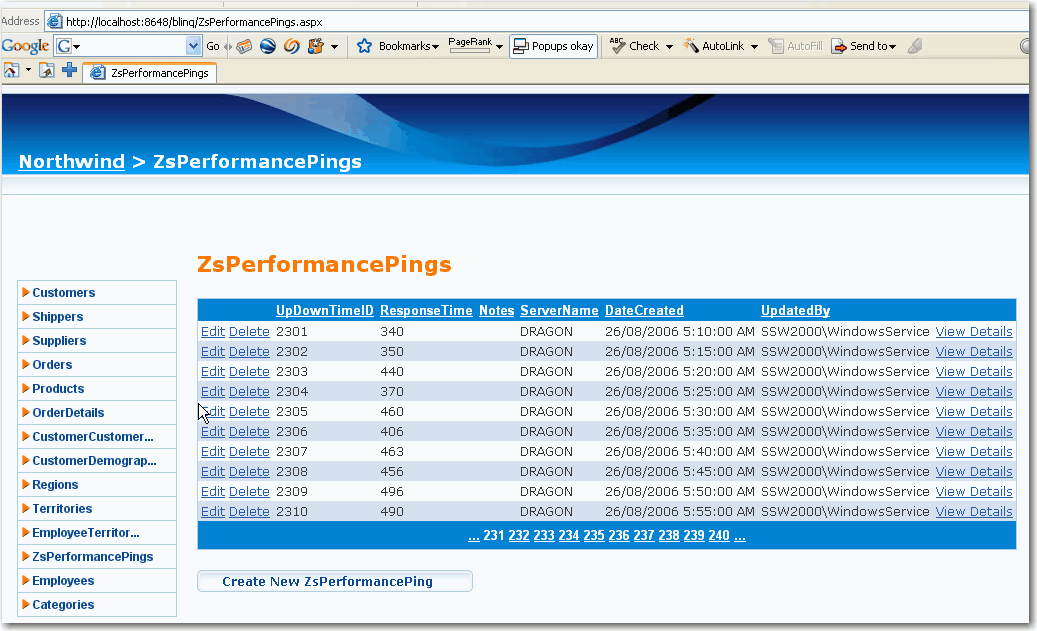
- Figure: BLINQ doesn't have search functionality
Search makes it easy to narrow down the results and it is
essential feature in maintenance web site and that feature is
missing in BLINQ.
-
-
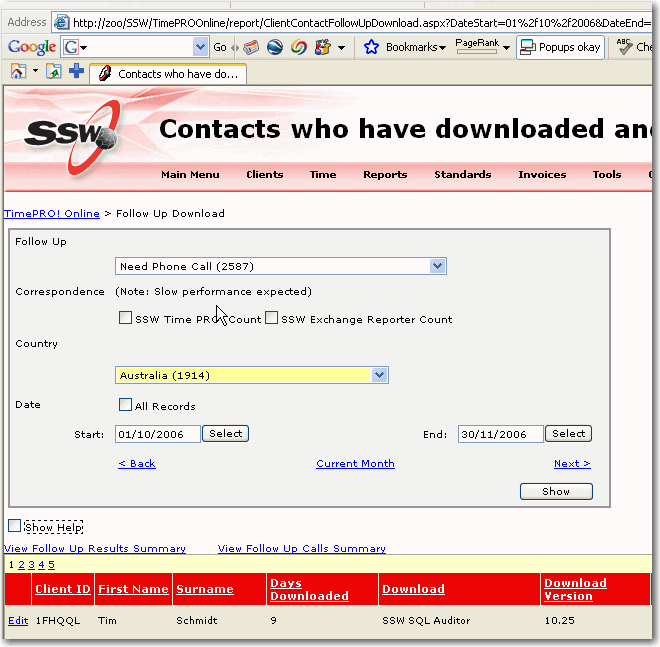
Figure: SSW TimePROOnline search for who needs follow up
-
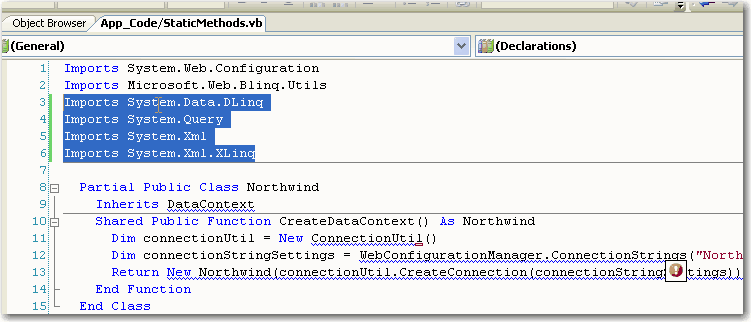
Please add references by default.
After installation of BLINQ and generation of web pages, you'll
have lots of compile errors. That is because you are missing
required references that BLINQ uses. In the References tab add
click the "add..." button, select the "Browse" tab and browse to
"c:/Program Files/VB LINQ Preview/Bin/". Add references to the
following libraries:
- System.Query.dll
- System.Data.DLinq.dll
- System.Xml.XLINQ.dll
However, it would be better those references to be added by
default and it should minimize all investigation and effort for
the issues.
-
-
Figure: BLINQ doesn't have required references and imports by
default
-
Allow regeneration of Blinq web pages for schema changes.
Blinq is a one-time website generation tool, which means that
successive runs will overwrite, not modify, output from a
previous run. In other words, if you run Blinq again, it will
overwrite the contents and your changes will be lost.
This can be a nuisance when schema changes are required as
simple as a columns being added, entire table being added, or
even a data type change.
Currently there are issues with Timestamp fields that do not
allow modifications to records with Blinq. Our work-around to
this bug requires modifications to all the generated pages that
consist of timestamp columns. We cannot afford to rerun Blinq
and redo our changes.
-
No open source template to customize to how pages are generated.
Unlike CodeSmith or NextGen, Blinq has only one way to generate
its pages and code behind files. It would be very useful to be
able to make changes to the templates that Blinq use for
generating code so that we would have our own modifications.
This would ultimately mean that we would always be able to
regenerate web pages exactly the way we want them to (i.e.
including our own work-arounds for Blinq issues we have
discovered)
our best solution to this is to propose the following:
- Generate one-time code using Blinq
-
Create a regex that would search for particular patterns in
code that we know will cause bugs
-
Create a find-and-replace batch file or Rule in SSW Code
Auditor.
- Run this rule throughout the entire generated Website.
- Make schema changes
- Repeat step 1
- Repeat step 4
Rather than the following:
- Update Blinq Templates
- Regenerate code using Blinq
- Make Schema changes
- Repeat step 2 only
-
Links
Forum - Using VB Linq in web applications

-
Please add a checkbox to hide stored procedures
The checkbox below does a good job of hiding noise, but it
doesn't complete the job, it had better add another checkbox to
hide stored procedures, this would hide CustOrderHistResult,
CustOrdersDetailResult etc.
-
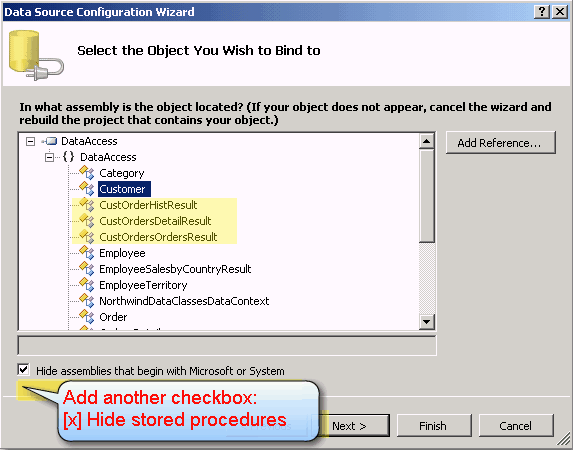
- Figure: Add a checkbox to hide stored procedures
-
Please add a default namespace to entity
I like how with a DBML I don't have to specify a namespace
-
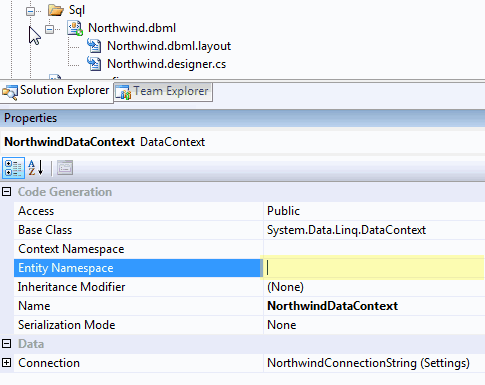
But with EDMX I do, If you allowed me to have Null, it would
nicely default to the folder name eg. in this case
Northwind.Data.SQL
-
-
LINQ to Entities Connection String is in the old style
When you create a edmx - it should create a connection string in
the new style... aka in the Properties:
-

-
Figure: Connection string should create in the new style.
-
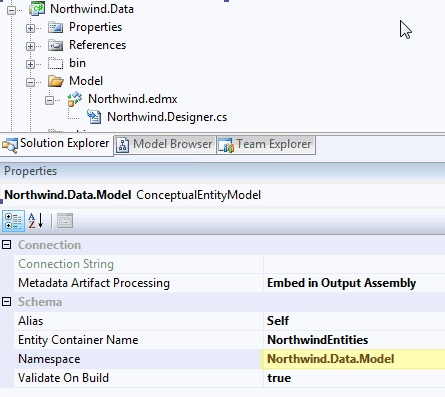
Allow the EDMX to have no namespace specified
LINQ to SQL allows the DBML file to have no namespace specified
and LINQ to Entities should be consistent. It should
automatically pick up the namespace based on its location.
-
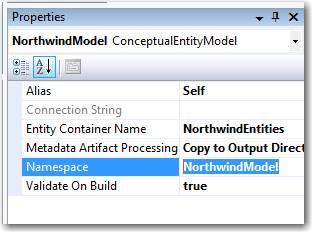
- Figure: Allow namespace to be nullable.
-
Function icon should use the standard icon in VS
These icons should be more distinctive. At a glance they look
the same and aren't very indicative of their purpose.
-
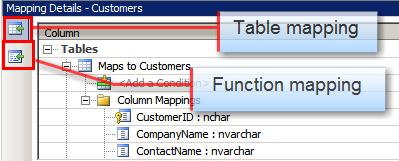
- Figure: The function icon is same as the table's
The function mapping icon should use the standard icon for a
function:
-

- Figure: The standard icon in VS