Home
>
Archive
>
SSW Standards
>
Better Software Suggestions
>
SSW Suggestions for Microsoft Live Meeting
There was an error displaying the testimonials. Please
report this error
to SSW and include the following text:
- A network-related or instance-specific error occurred while
establishing a connection to SQL Server. The server was not found or
was not accessible. Verify that the instance name is correct and
that SQL Server is configured to allow remote connections.
(provider: Named Pipes Provider, error: 40 - Could not open a
connection to SQL Server)
Do you agree with them all? Are we missing some?
Let us know
what you think.
-
Make it clear when you are an attendee (and are not allowed to
speak)
Background: I was trying to present a session, but the other end
where unable to hear me speak and I was confused why.
The reason ended up being, that the person who configure the
conference, configure me up as a attendee, not a presenter. A
attendee is not able to talk.
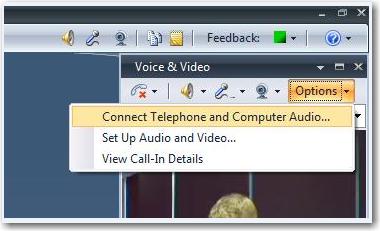
Give a messagebox informing the user of this, rather than
disable this option.
-
-
Figure: Never disable this option - instead give a message
telling the user that he is an attendee without permission to
speak.
-
Send invitation as an Outlook Appointment or provide a download
link for an Outlook Appointment (.vcs file)
Every now and then you get an invitation to a live meeting
session, and you want to make sure not to miss it.
What you want do then is to create a reminder / appointment in
your calendar.
This can be quite hard if you are in a different time zone!
It would be helpful if a similar link found in the newsletter
was displayed on the live meeting site.
-
-
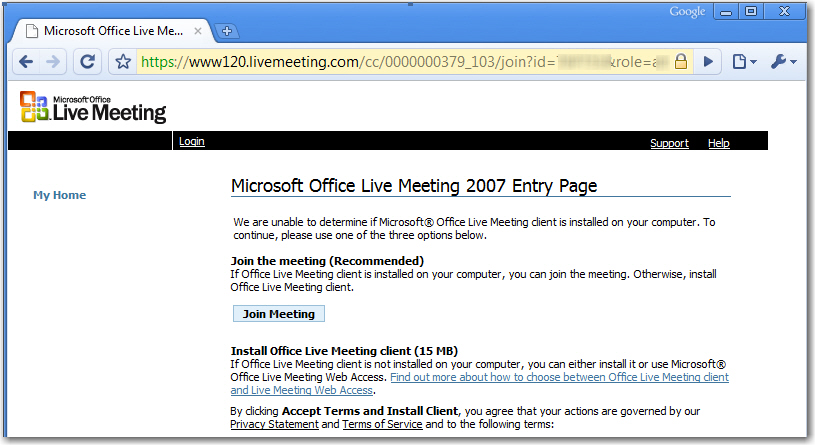
Figure: A Live Meeting site without the link to Internet
Calendar file.
PS: The functionality of downloading an Internet Calendar file
(.ics) is there in the newsletter, it’s just not per default
shown on a Live Meeting site.
Acknowledgments
Adam Cogan
Lei Xu