Home
>
Archive
>
SSW Standards
>
Better Software Suggestions
>
Microsoft Project Server Integration Feature Pack (for TFS)
Suggestions
 Indicates important rule
-
(Hinders TFS Integration – but I know MS Project) IMPORTANT
- Help me when I am too quick
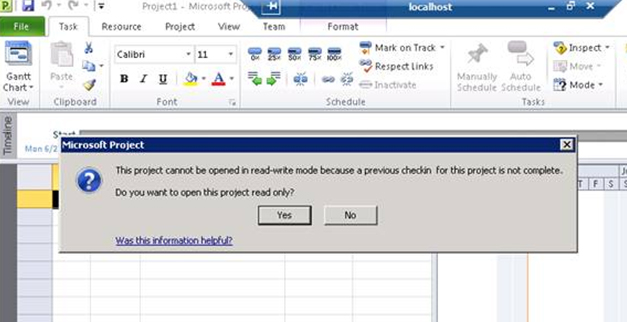
It appears the only way forward is to open Read-Only.
This message box comes up when you add a TFS User Story and then
open Project straight away... (it is still processing a record
from TFS).
Suggestion:
-
It would be better that the default button is 'Retry', with a
'Open Read-Only' as another button.
-
Another option is to say "Close Project, wait 30 seconds and
open again"
-
-
Figure: Continue read-only!!! Let me know the better option is
to close and re-open
-
(Hinders TFS Integration – but I know Project Server) Bug
– Fix rounding error
I would love to know how this one got through testing... mmm
Fix the rounding errors eg. Remaining work – it should be 36
in this case
-
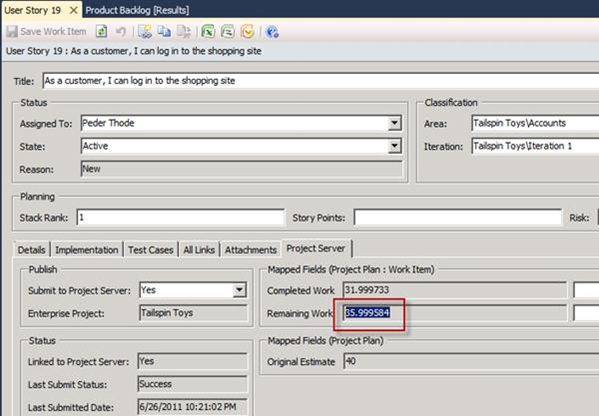
- Figure: Rounding bug
-
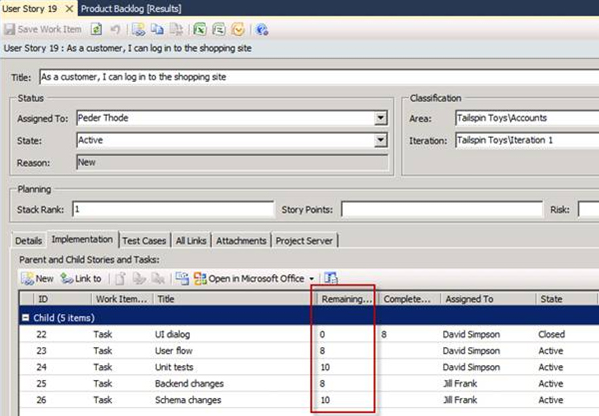
- Figure: Here is the proof
-
(Hinders TFS Integration – but I know MS Project) Help me be
able to have an innocent "look around" without a complicated Close
dialog
I open a project file, look around but make no changes.
I close it and I have to study this dialog (and think "what, did I
check out! Sorry I didn’t mean to, so what do I do now?")
PS: For the 2nd question, add another choice "Undo Checkout"
-
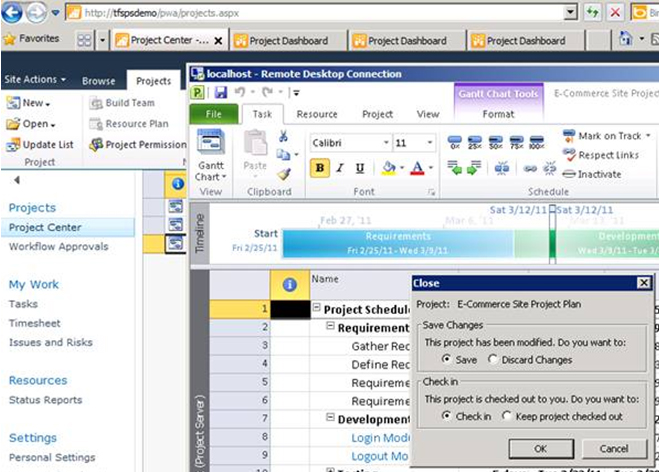
- Figure: I did not make changes!
-
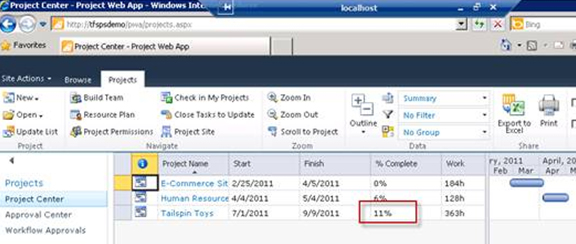
(Hinders TFS Integration – but I know Project Server)
– Why do I have to open Microsoft Project and then Publish
...to see this field update?
-
-
Figure: Can this figure update automatically? (I seem to have to
open MS Project and press 'Publish')
-
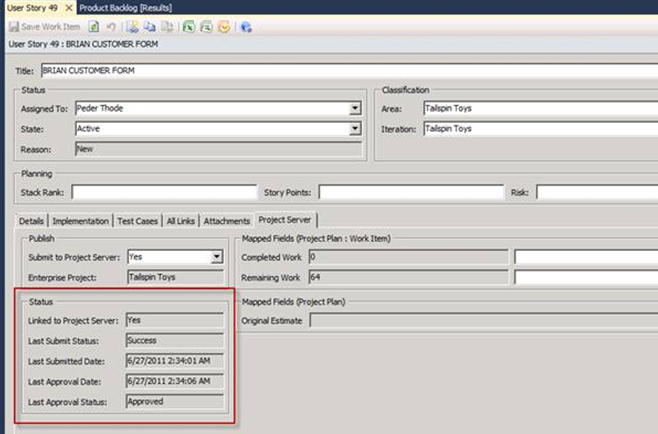
Show me the processing history
-
-
Figure: I would like to see all the past records for this work
item + a hyperlink to the Project Server web UI
-
-
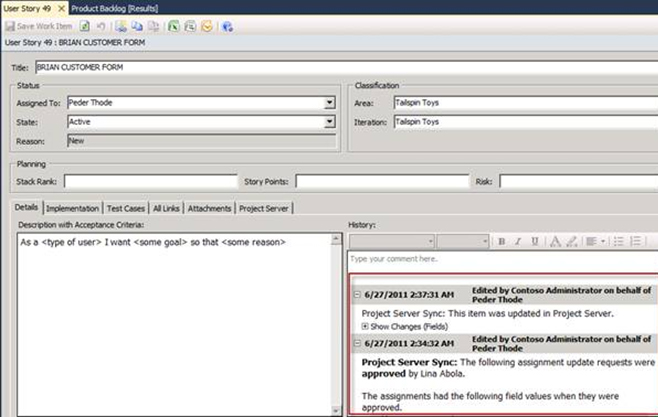
Figure: I would prefer these records from the Project Server
Integration, be moved to the 'Project Server' tab... so change
to a grid on the other tab
-
(Hinders TFS Integration – but I know MS Project) Remove the
100% surprise
When I double click on this, I get a surprise when I see 3 x 100%
figures.
My suggestion is to work out the percentage per person (or remove
the data in this column – it looks wrong)
-
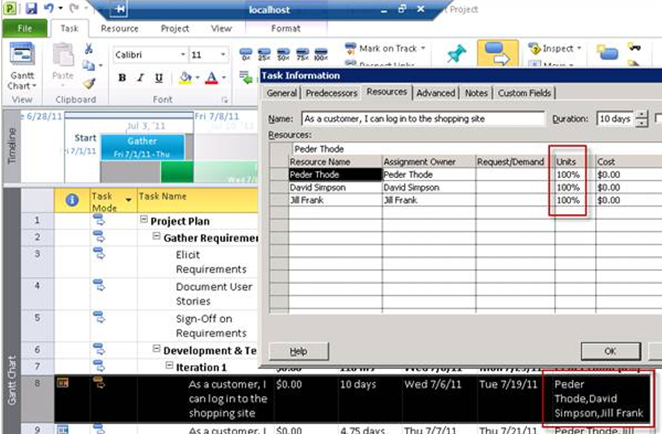
- Figure: The 100% figures, give a surprise
-
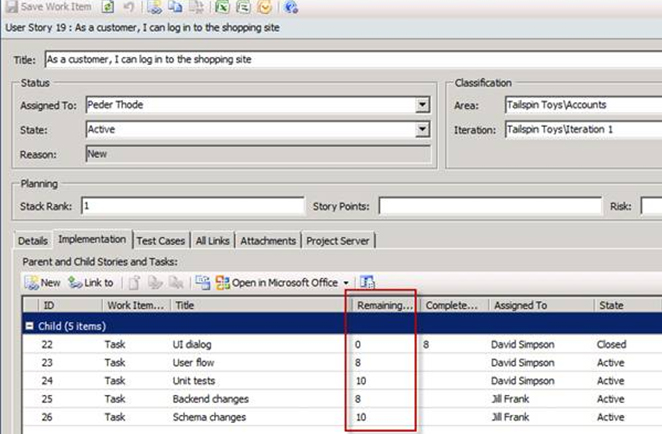
- Figure: Use the figures to work out the percentage
-
Don't give me three portals (Team Project Portal, TFSWA and PWA)
I would love to see some integration between all the portals. One
portal to rule them all that allows:
- Entering Timesheets
- Viewing and editing work items
- Viewing Source control
- Viewing Reports
- Viewing the Project Timeline
Acknowledgements
Adam Cogan