-
Help me know I should not be looking at XML
Add a XML comment e.g.
<!-- To view this in a GUI use 'Telerik Test Studio Developer
Edition' -->
<!-- -->
PS: I hate having 2 test products from Telerik to choose to
install. I want a smaller/cheaper one and the larger/everything
one
I like working from an exe (and from VS secondary)
This is why I choose to install the wrong one.
-
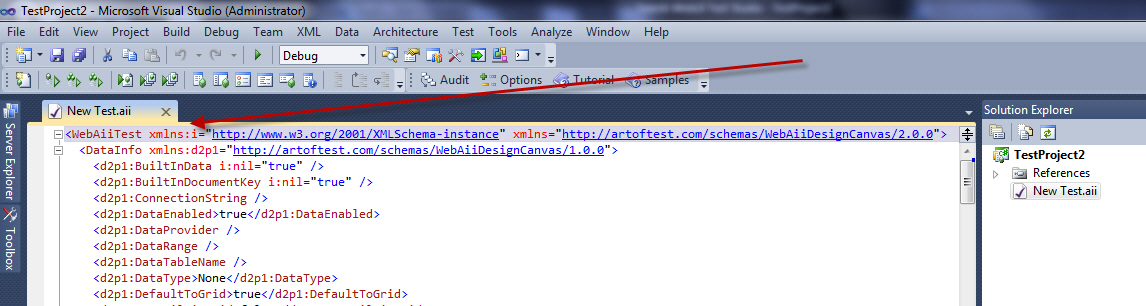
- Figure: Tell me there is an editor to install
-
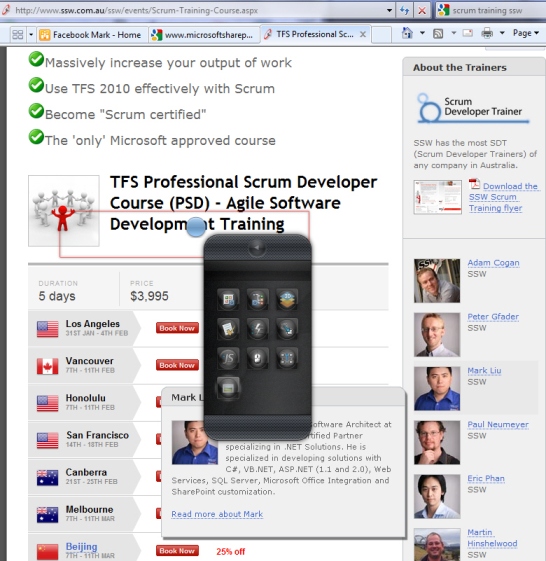
Help me figure out that the 10 actions do
I can't quickly figure out that these 10 options do.
-
-
Figure: I want to hover over each option and see more info -
See example on the web page below
http://www.ssw.com.au/ssw/events/Scrum-Training-Course.aspx
I strongly believe if the team adds a decent sized image, it
will make a world of difference. especially to the first
experience when you really don't know what to do.
-
Help me understand what action will do before I click an 'Add'
button
-
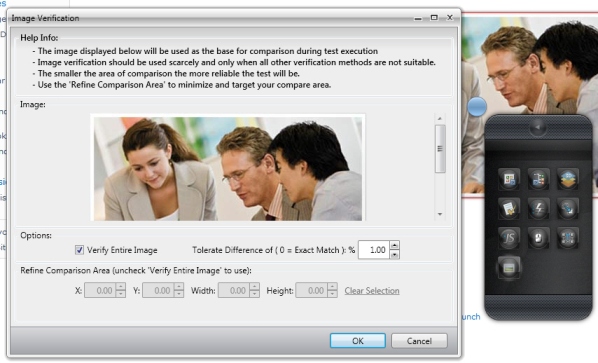
- Figure: This was a great experience
- Change "OK" to "Add"
-
Add this UI to the first one "Project Elements" then I would
have known what it was doing
-
Consider it for all 10 actions on the upside down iPhone!
-
Telerik Web Test - Complete the Telerik menu
-

-
Figure: These 2 should be on the Telerik menu (and I would get
rid of that toolbar)
-
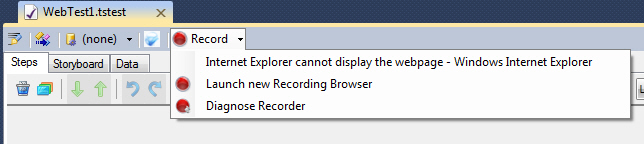
Telerik Web Test - Bold the default
-
-
Figure: one of these 3 should be bold - I believe it should be
the 2nd one 'Launch new Recording Browser'
-
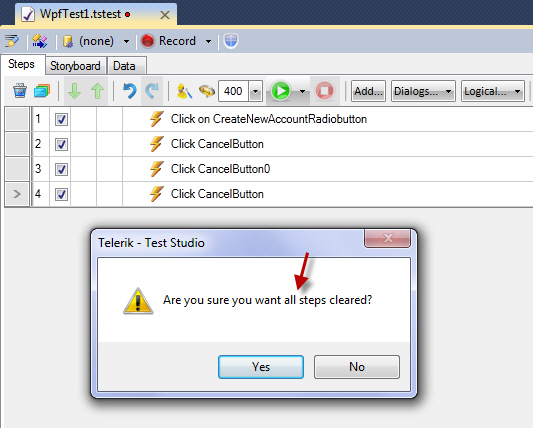
Telerik WPF Test - Help me know it will delete all (little one)
I am a goose, I thought it was going to delete 1.
Either change
- "all" to "*all*", or
- "all" to "all 4"
-
-
Figure: I would like it to mention the number of records to be
deleted
-
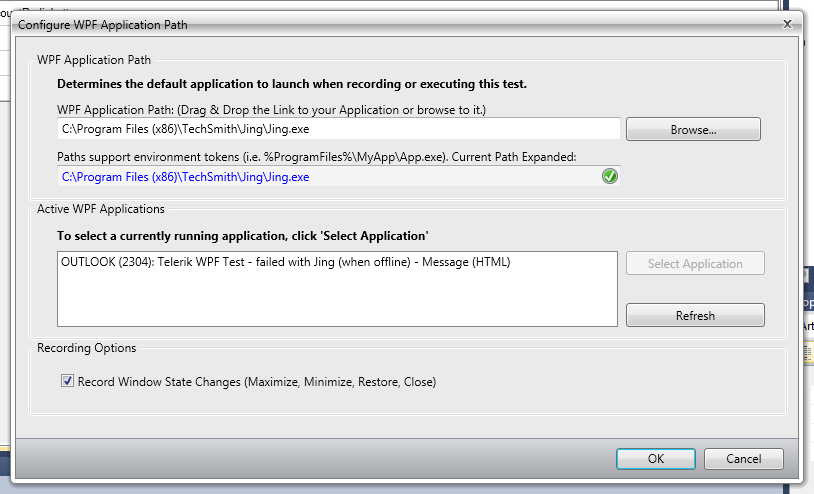
Telerik WPF Test - Help me know other WPF apps I have installed
I think it is cool that you tell me other running WPF apps.
I would love a button "Find other installed WPF apps you have"\
-
-
Figure: I would like to know other WPF apps I can use Telerik
Test against
-
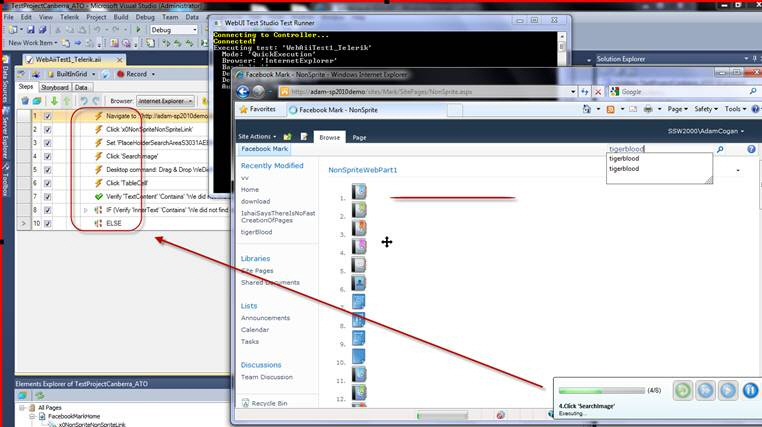
Help me know the progress of the run (aka where it is up to) in
the grid
Add the tick or cross in the VS window as the test is executing
-
-
Figure: Can you add a green icon 'Pass' as each test is
passed. Ideally use the same icons as Microsoft Test Manager
-
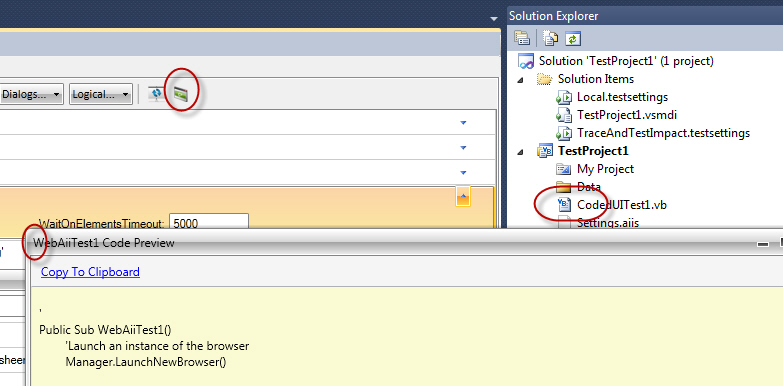
Change the code icon to the VB code
-
-
Figure: Change the code icon to the VB code + use the icon on
the dialog
-
Help me have a better out of the box experience
Demoing Teleriks Work Item Manager *is easy*
Just create a new TFS Team Project in VS.NET and show this stuff
http://www.telerik.com/products/tfsmanager-and-tfsdashboard/tfs-work-item-manager-features.aspx
However, demoing their Project Portal is *not* easy.
Anyone got any tips (or word scripts) that you follow (after
creating a team project). That shows you what data (code to add,
Builds to add etc) to enter, so you can explain all the bits
that the Telerik Project Portal will show
-
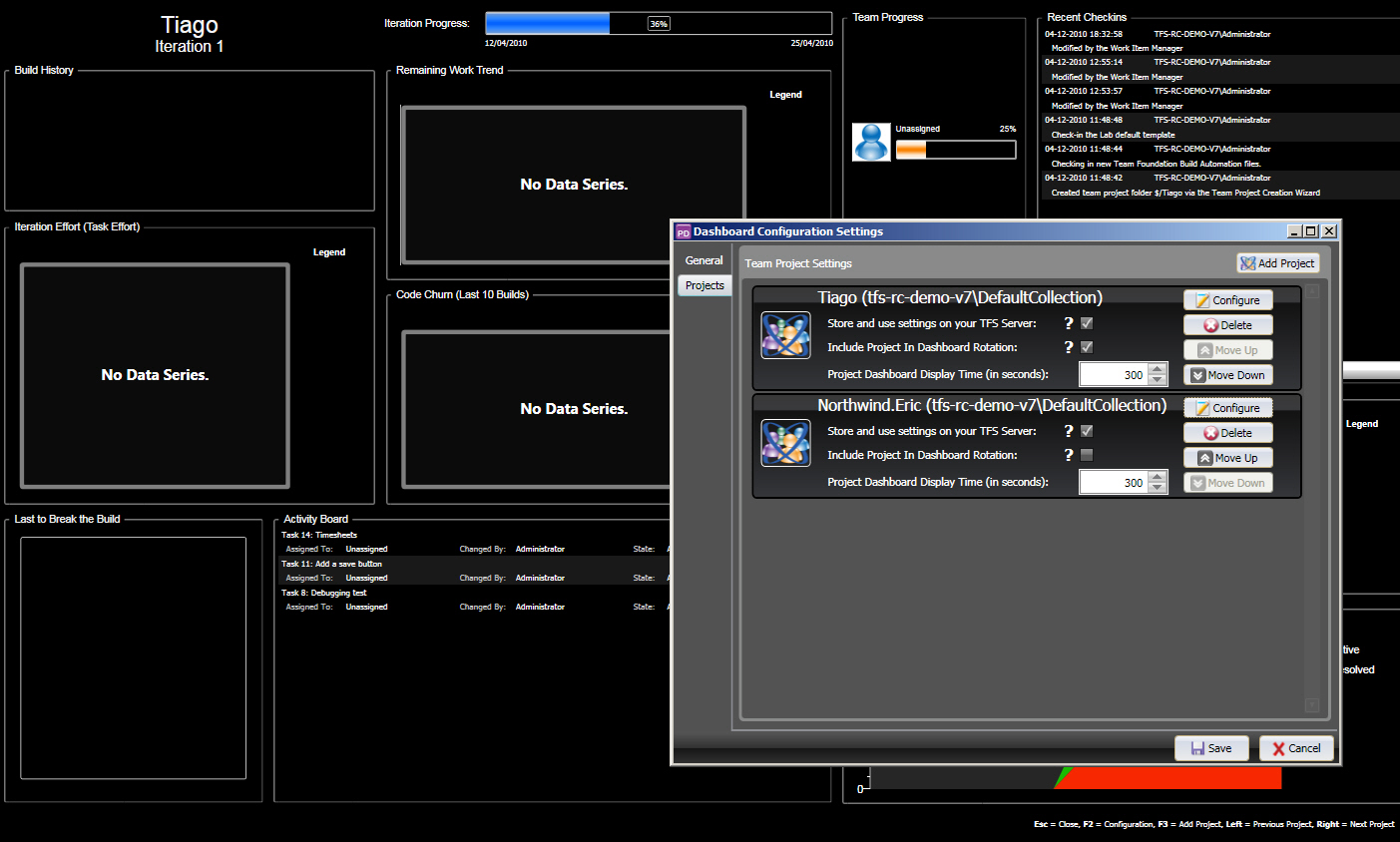
-
Figure: The Project Portal does not look so create on a brand
new TFS 2010 Team Project
-
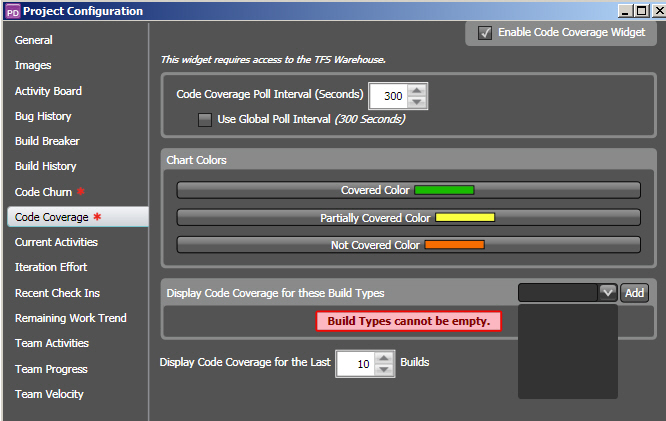
-
Figure: Out of the box experience doesn't have the 'Code
Churn' and 'Code Coverage' setup
PS: I wish TFS had an option "Create a sample Northwind Team
Project "
-
Improve Branding in Chrome
-
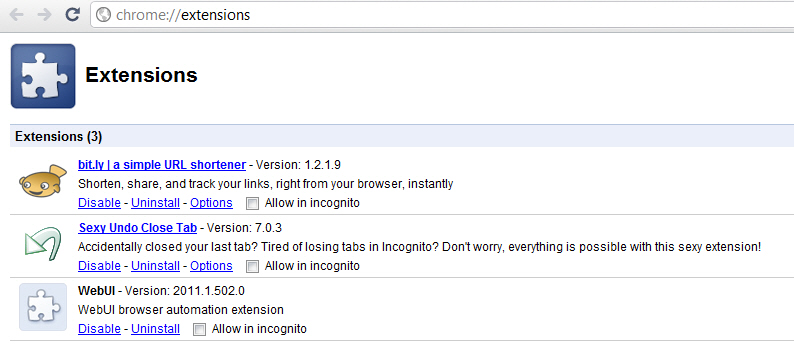
-
Figure: Bad example – add "Telerik" to the WebUI name
-
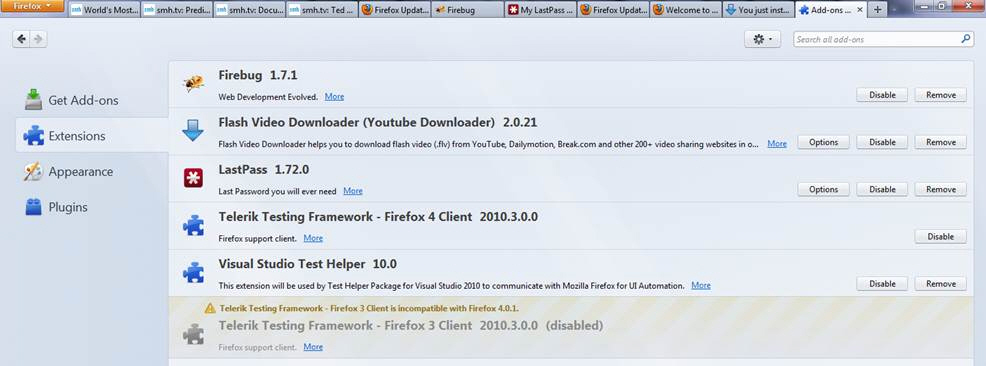
-
Figure: Good example - In Firefox 4, I see where these Testing
Frameworks come from - since "Telerik" is mentioned
-
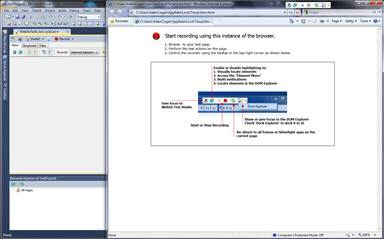
Open side by side (so you can see the steps as you record)
This is more consistent with CodedUI tests (but a little
different).
-
-
Figure:Open side by side like this (both windows are restored
and 3/4 screen size)
-
Run the tests in the same order
-
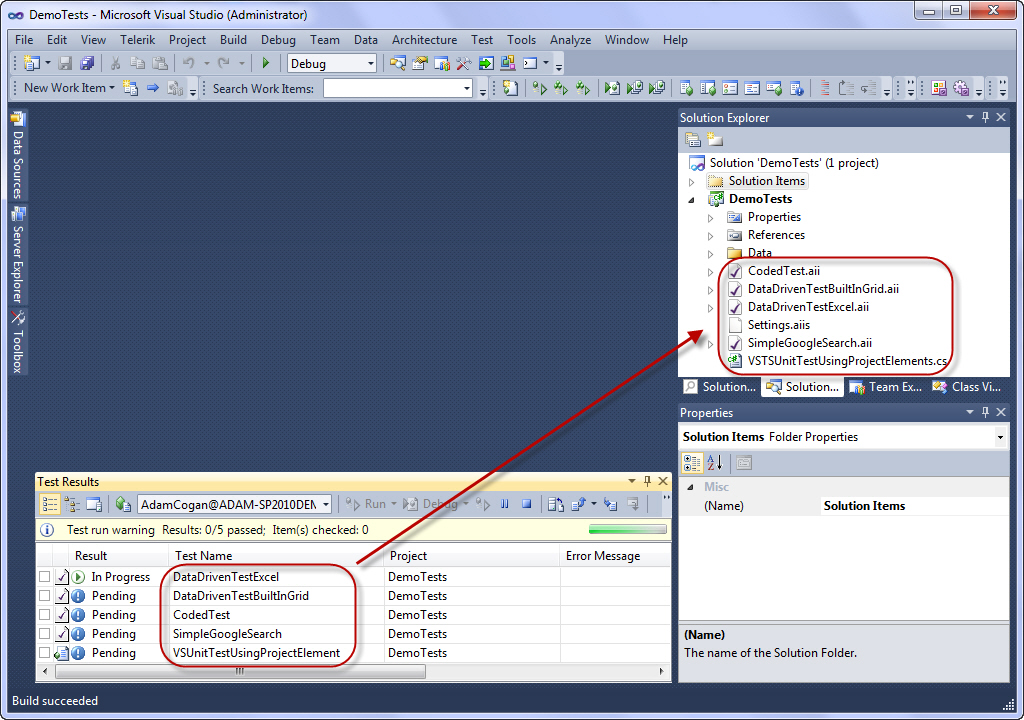
- Figure:Run the tests in the same order
-
Help me have Image Verification work on first attempt
Here is the default experience:
-

- Figure: I record an "Image Verification" verification
-
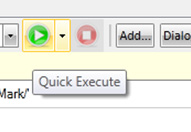
- Figure: I run it
Image verification failed. Image difference is '40.86%' which is
more than the allowed error tolerance of ' 1.00%'.
-
Image verification failed. Image difference is '40.86%' which
is more than the allowed error tolerance of '1.00%'.
- Figure: I get an error of 40%
-
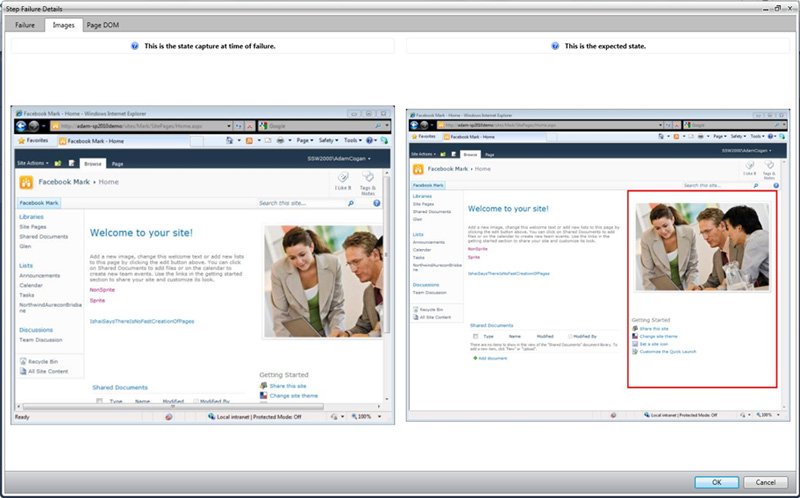
-
Figure: I see defails of the error... I think...mmmm maybe the
images are different because it was not in full screen
Suggestion 1
Image verification failed. Image difference is '40.86%' which is
more than the allowed error tolerance of '1.00%'.
More Information:
Check the test ran in Full Screen
-
Image verification failed. Image difference is '40.86%' which
is more than the allowed error tolerance of '1.00%'.
More Information:
Check the test ran in Full Screen
-
Figure: Improve the error to have this 'More Information'
Suggestion 2
-
-
Figure: When you run 'Quick Execute' always put it in full
screen
-
Telerik Tests - Help menu
Do I have any complaint about their Help menu?
If so please action
If not please tell me to give you the text because it does not
have the version (amazing)
-
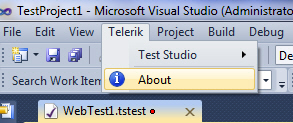
- Figure: Missing version number
-
Improve the 'Debug' Popup Window
2 little things could help give a nicer experience:
-
There are 3 buttons are disabled here. It is not clear enough
-
Add a "Stop" button. I desire to hit a "Stop" button, so I can
add an extra step. I am confused if there is a reason I can't
do this.
-
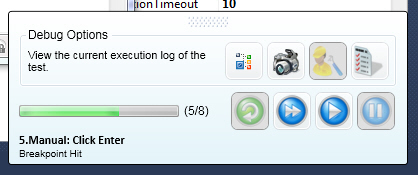
- Figure: How may disabled button are here?
-
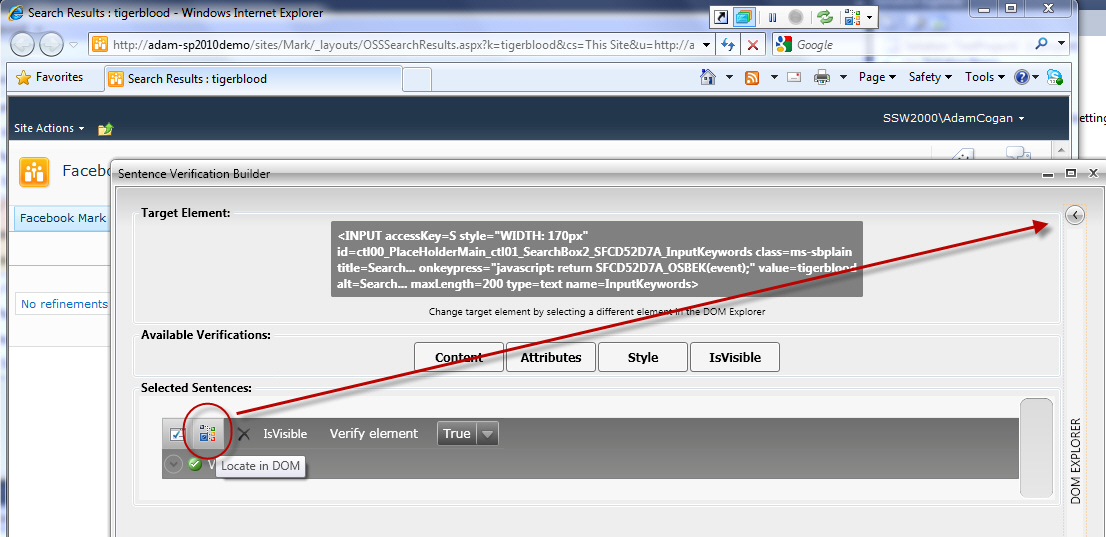
When you click the DOM explorer nothing happenes
-
When you click the DOM explorer icon, open the right hand nav
bar.
-
Explain why it is useful. Change the hover text from
"Locate in DOM explorer"
to
"Locate in DOM explorer. This is useful to see the parent or
child controls for example xxxxxx"
-
Add the same DOM icon - over onto the right navigation title
bar - so you have some visual association.
-
-
Figure: Clicking the DOM explorer icon does nothing (when the
right nav is closed)
-
Help me insert a manual step - give me another action 'Insert
Manual Step'
-
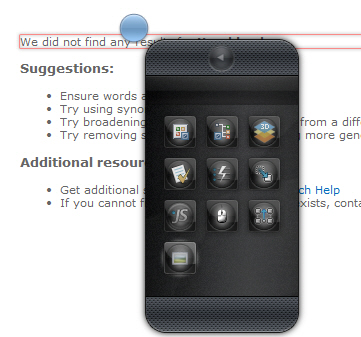
- Figure: Give me another action 'insert manual step'
-
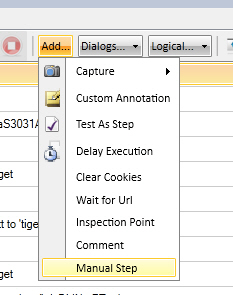
- Figure:So I don't need to go back to Test Studio
PS: Also help me know how cool 'manual steps' are
Add some tooltip text that talks about what a great feature this
is. E.g.
Manual Steps are very useful to enable Developers and Testers
to work together during a sprint.
The goal of a successful sprint (if you are doing Scrum) is to
have the sprint fully tested by the end of the sprint.
Normally this is hard, but not with 'Manual Steps'.
Insert a 'Manual Step' to enable you to have a tests for
incomplete User Stories.
Say you have the major items complete, such as the first and
last part of the User story is working (but something is
missing in the middle - eg. the status field needs to be
manually set) then insert a 'Manual Test' with text such as:
'Now manually update the status field. Joe will be making this
automatic later.'
-
Help me know I have hooked up databinding
-

-
Figure: Make the text struck through when data binding is
successfully hooked up (I was incorrectly assuming I had not
hooked it up)
-
-
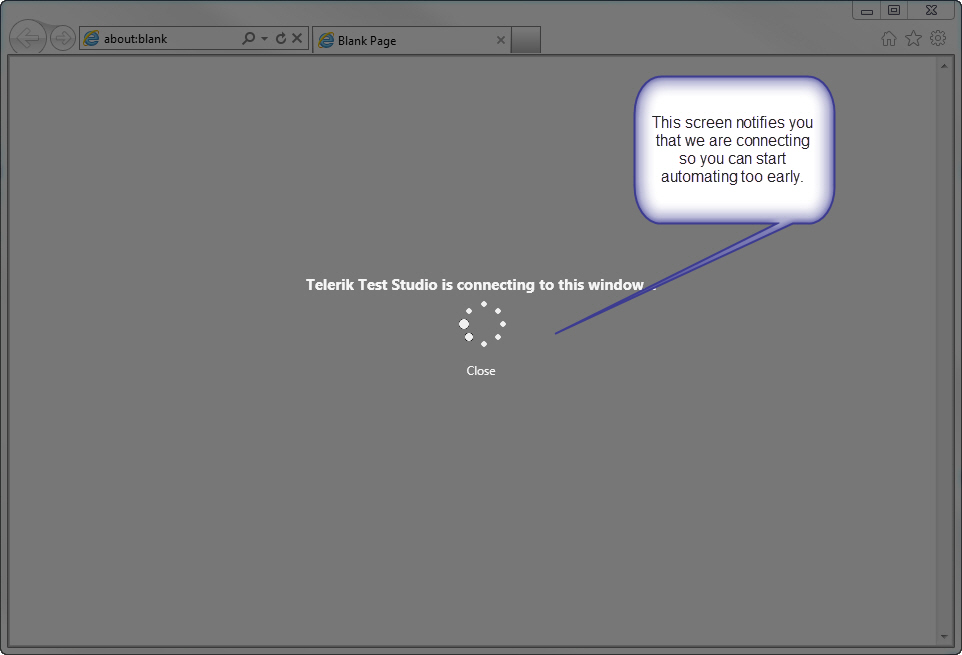
-
Figure: Add "Please wait" Add Green Telerik Branding + Logo
Then after we connect it looks like:
-
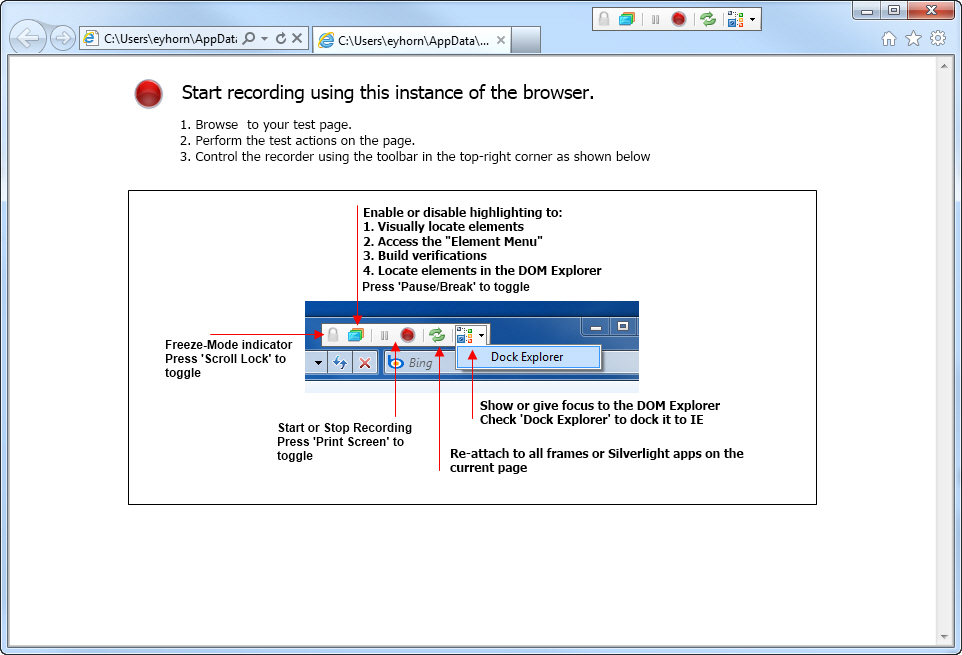
-
Figure: Add Green Telerik Branding + Logo... remove the bold
on the 5 arrow text (it is over powering)
-
When I drag it into the IF
-
I want you to pop a dialog telling me the 3 different options
- put it *before* the IF
- put it *inside* the IF
- put it *after* the IF
-
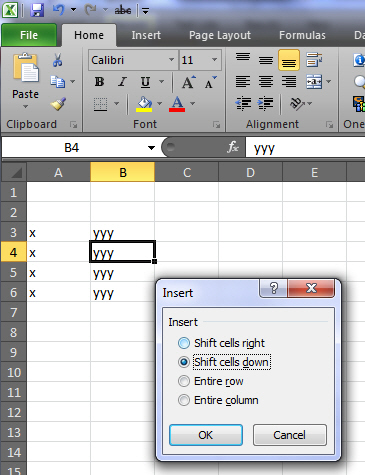
-
Figure: This example from Excel lets the user know there
is 4 options
-
After selecting OK
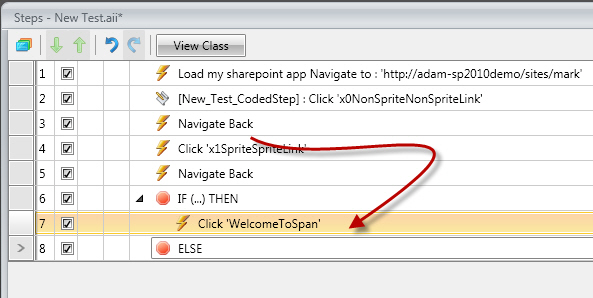
I want to see the current line selected like this (I thought I
lost it)
-
-
Figure: This is the experience I should get after dragging
-
-
-
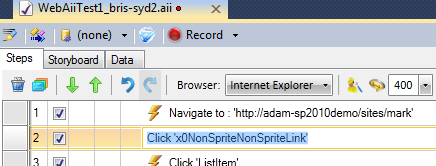
Figure: When I right click it saves! When I right click now,
please give me a right click menu with 'Copy'
-
-
-
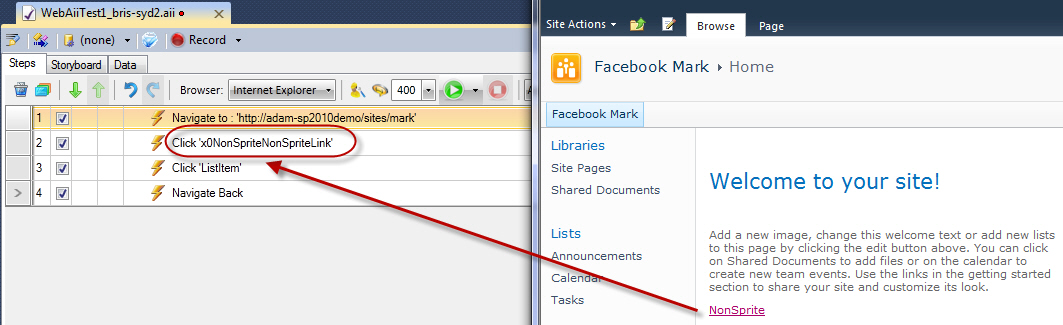
Figure: I would to read the actual link text e.g. Click
'NonSprite' link
-
-
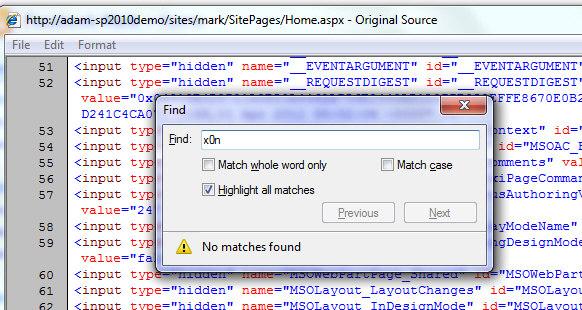
Figure: Also include some text to indicate where you found the
name X0NonSpriteNonSpriteLink - I looked in the 'Original
Source' and it was not there
-
-
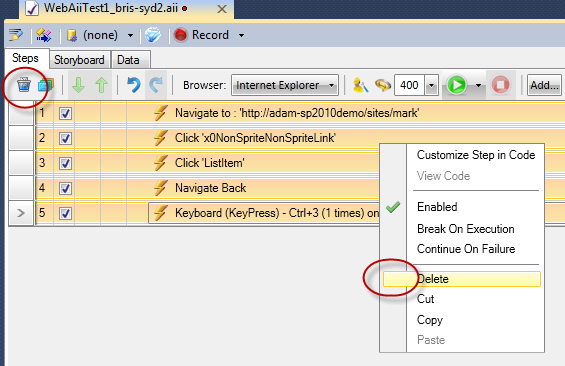
- Figure: Use the normal black cross in both places
-
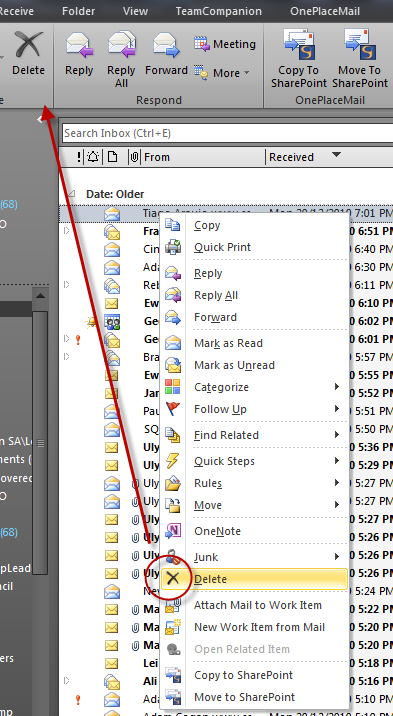
- Figure: This is the icon most tester would recognize
-
Help | About missing
I was looking for the version number – I expect to see
Help | About
-
Maybe in your case change "Manage" to "About and Licences"
-
Make title bar consistent eg. Change “Licence
Management” to "About and Licences"
-
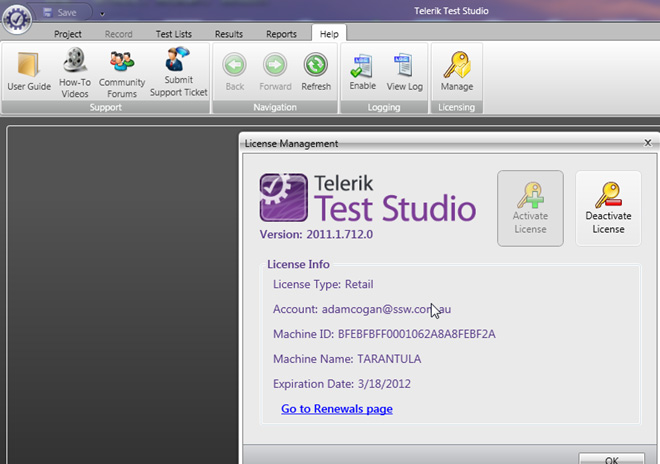
-
Figure: I don't expect to click "Manage" to find the About
dialog
-
Tooltips needed on dragging
-
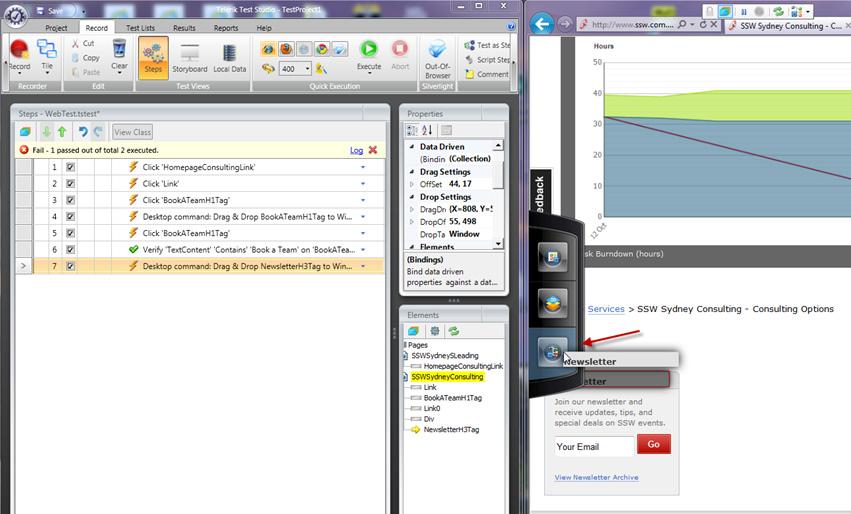
-
Figure: I like the drag feature... but need tooltips
explaining each on (on hover)
-
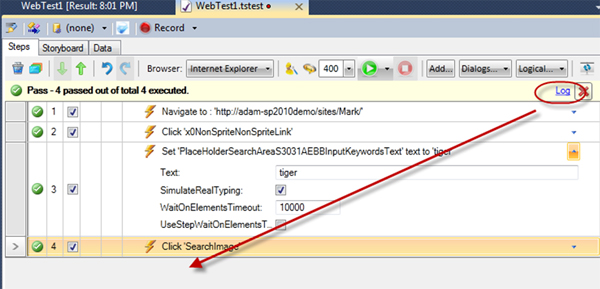
Move the 'Log' hyperlink to be more logic spot (based on order
of the actual sequence)
I like finishing a demo of telerik tests, with showing the
log... It has the time taken... and is a nice thing for a tester
to send in their 'done' email.
In addition the Storyboard report is too hidden.
Here is my suggestion to improve it:
-
-
Figure: Move it to the last record with this text "Success - 9
seconds - 4/4 passed - View Log or View Storyboard (HTML)"
Note: If you don't like this suggestion, then just move the
'Log' link over to the left, to be next to the 'executed.'
Word.
-
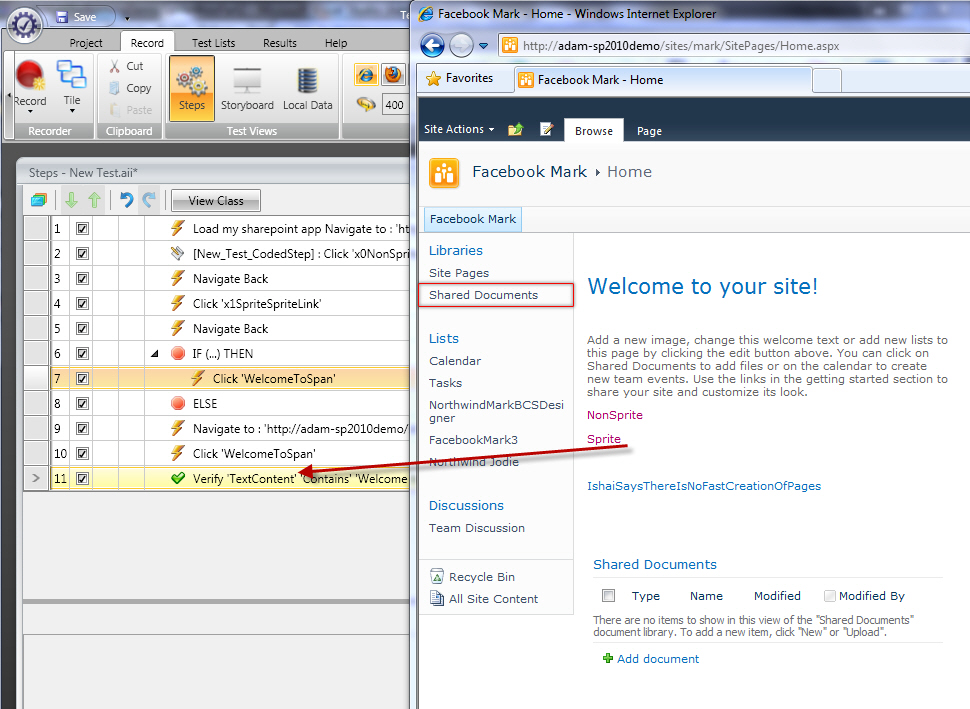
Help me (when I am recording) know what I just did, highlight
what I just added
For example here I added a 'verify textcontent?' Action
It would be great if it would highlight it in the 'steps' grid
-
-
Figure: When I do an action, can you select it like the above
(it would help learning)
-
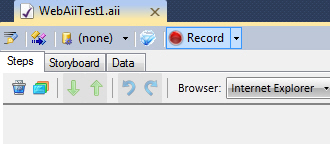
Telerik Tests - start recording
When I add a test I expect it to start recording.
This is consistent with Web Tests (but I admit not with CodedUI
tests)
-
-
Figure: I should not have to click "Record" after creating a
new Telerik Test
-
BUG - cant copy the text
Do you guys make a test to fix this bug :-)
-
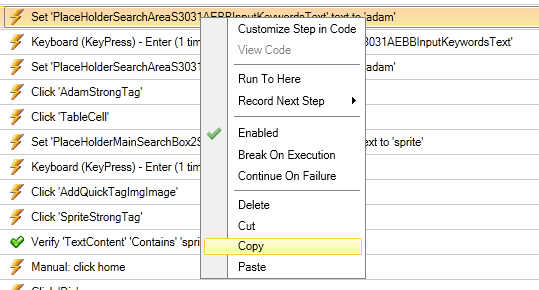
- Figure: BUG - I want to copy and Paste to Word
-
Little one - more readable for entering text
-
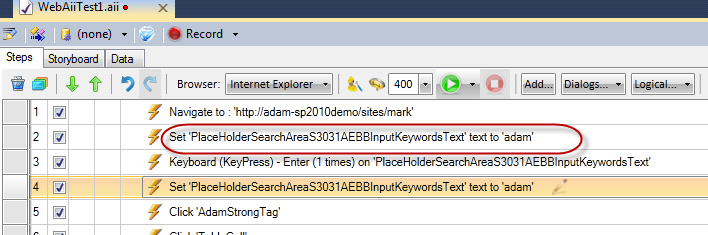
- Figure: This feels backwards
It would read better if you changed it to
Enter text 'adam' in
'PlaceHolderSearchAreaS3031AEBBInputKeywordText'
-
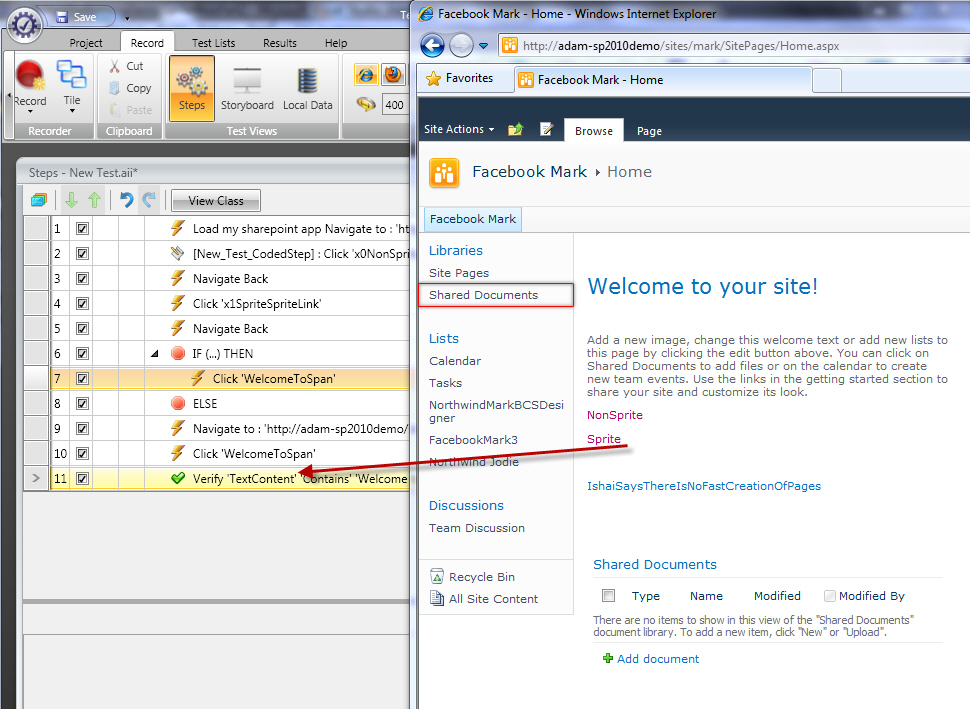
Help me (when I am recording) know what I just did, highlight
what I just added
For example here I added a 'verify textcontent...' Action
It would be great if it would highlight it in the 'steps' grid
-
-
Figure: When I do an action, can you select it like the above
(it would help learning)
-
Great Idea - Auto generated training documentation!!!
One of the problems software teams hate doing is writing end
user documentation.
Add this functionality and you have a shortcut way to do this.
- Create a word doc or upload to a wiki
-
Add a button “Create Training.docx” or
“Upload Training"
- Allow customized notes to be added
-
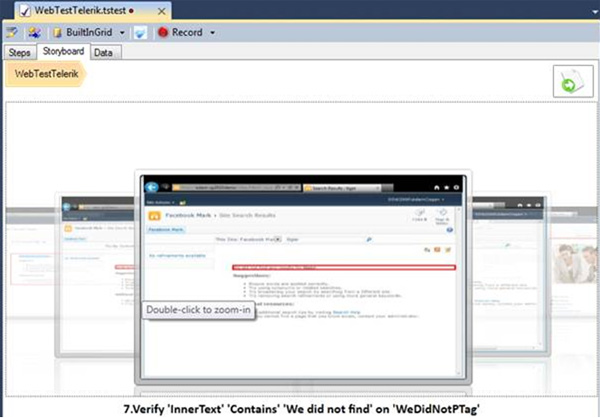
- Figure: Add functionality to create user documentation
More Information
The 'Export Storyboard as HTML Documentation' does part of what
they want, but it is not ready for the User without editing.
This is an example of it when recording CRM 2011... before you
hit images:
-
Figure: This is not ready for the End User without editing
Basically they want:
-
Another text field on each test step called 'User
Documentation'
-
Even better would be another view called 'Documentation' that
had the images (like the StoryBoard view) + the 'User
Documentation'
-
Ready for the user and re-generated in the Build process
- An option to create a Wiki instead of the .html file
For a possible example, see
http://www.ssw.com.au/ssw/codeauditor/UserGuide.aspx
(Start at Step 3)
-
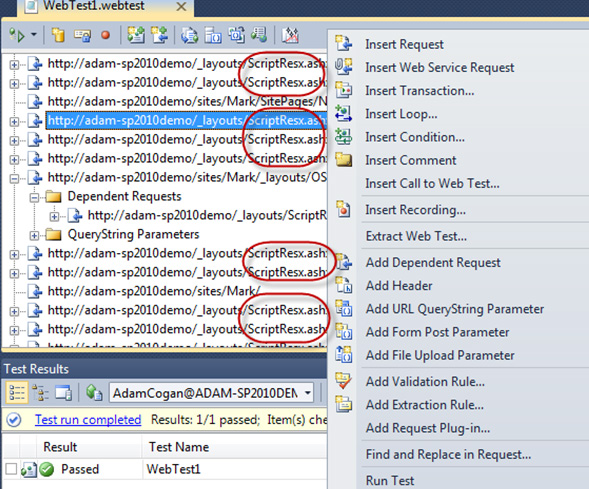
Web Tests – Add Right Click 'Ignore these'
When recording SharePoint 2010 pages you get a lot of noisy
pages (that is just junk to look at).
-
-
Figure: Reduce Noise… Add right click menu that would
hide all these