-
TFSWA - Help me allow the world end users to report bugs into TFS
I want every bug in the world to have a unique URL.
I want every company that owns TFS to have the equivalent of the
Microsoft connect site.
Today too many feature requests and bugs are discussed in
conversations of people's blogs. I have a dream that all companies
using TFS should have their current bugs and feature requests on
the web at
tfs.northwind.com
. Then in their blog posts, people should reference the source -
the public URL of the bug/suggestion.
The portal must:
- Have a unique URL for every bug
-
Allow you to subscribe to be notified when a fix has been
released
- Have voting
Note: An Internet connector license costs approximately USD $15K
which is too costly for anyone who wants to make TFS use, as
ubiquitous as blogs are on the Internet.
-
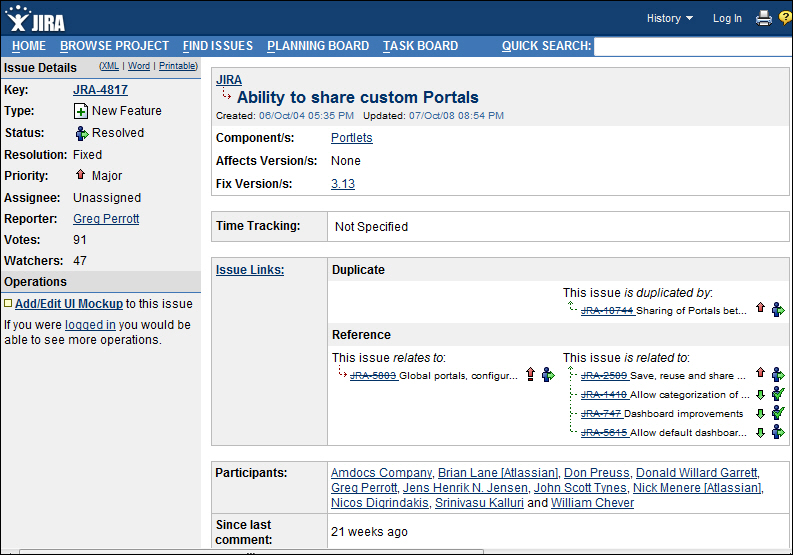
-
Figure: Atlassian have it right with their feature requests
portal
-
TFSWA - Help me have a rich editing experience on Work Items
In TFS OWA give us a real "edit" button. Give us a rich client
experience using Silverlight. (Or Click Once - like Report Builder
inside SQL Reporting Services) and you can give us a great Windows
Forms Control for Text Editing.
Here is some free .NET code for a Windows Forms based text
editor with HTML output
.
Or use a 3rd Party editor. Here is one
Aspose.Editor
(doesn't appear to be anything better)
-
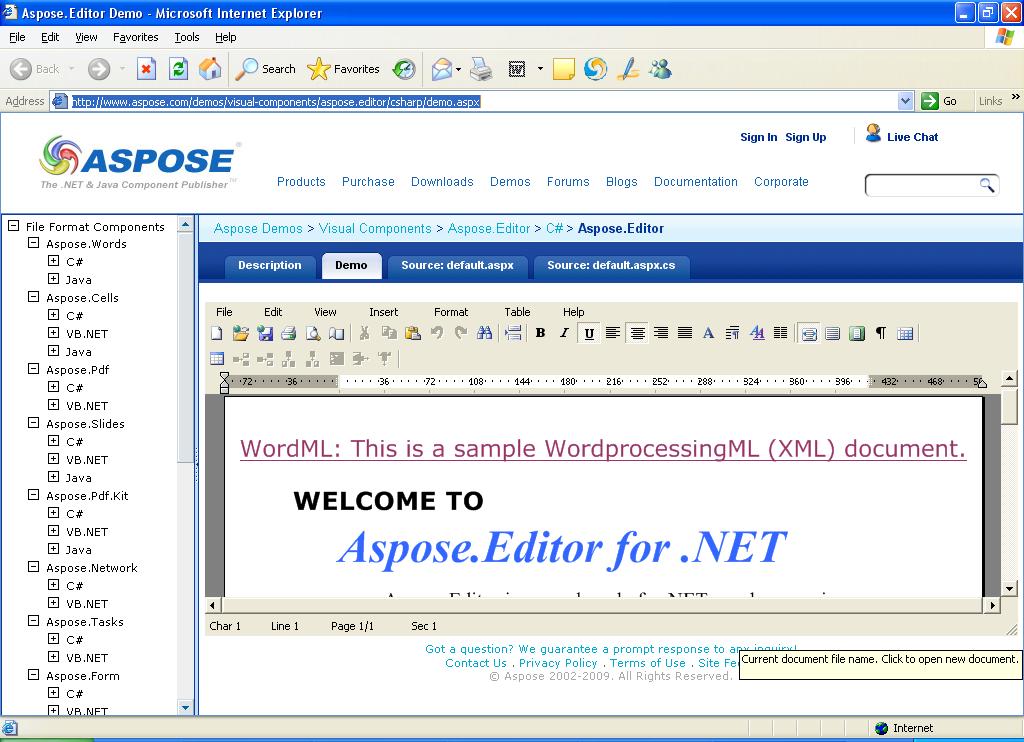
-
Figure: TFSWA needs a HTML description field. E.g. the
Aspose.Editor allows you to paste in an image.
See it in action yourself
-
SharePoint Site - Make the Project icons clearer (little one)
The project icons need to be clearer.
-
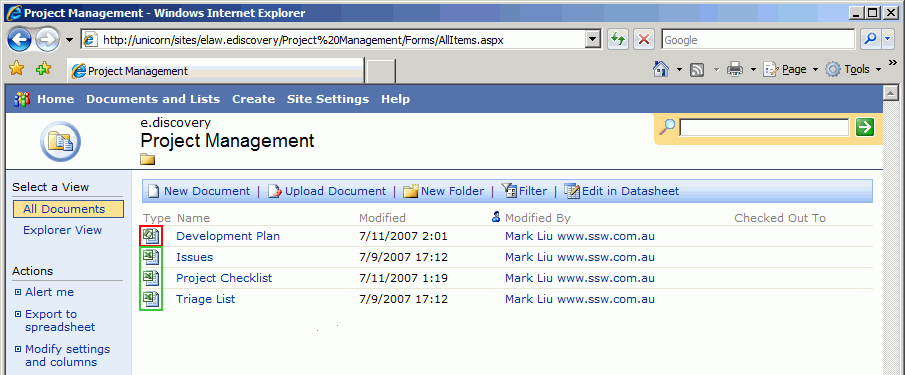
-
Figure: The icon for project document and excel document are too
similar
-
SharePoint Site - Support different colors for visited links
(little one)
The SharePoint site should support different colors for visited
links.
-
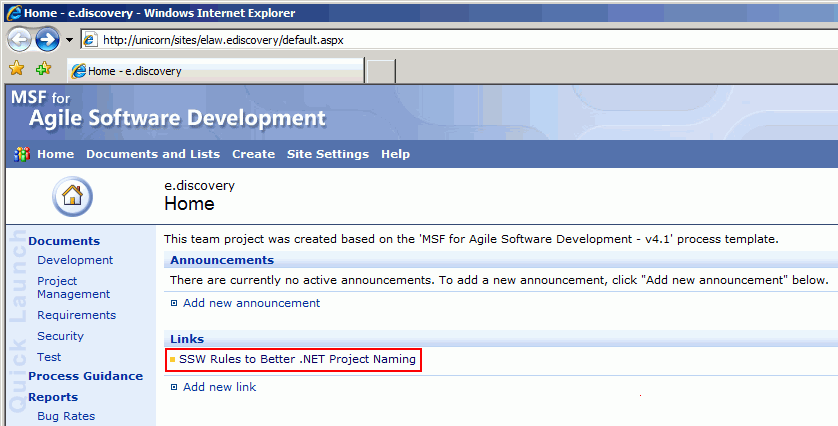
- Figure: The visited links should be in different colours
We have a rule about this in Rule to Better Website - Navigation:
Do you make sure users can see Visited Links?
-
TFSWA - Federated Authentication - Make TFS use Cardspace for
Authentication
It would be nice if TFS could use Cardspace for authentication
instead of using Integrated Windows Authentication.
This would allow one click authentication e.g. In a non domain
connected scenario like hosted TFS.
Note: Also support Open ID (but this is a low priority)
-
SharePoint - Link the SharePoint Document Library to Source
Control
It would be nice to be able to check a file into source control
and be able to have it appear as a document on SharePoint as well.
The best solution for this is: when a SharePoint user requests a
document, SharePoint gets the latest version from Source Control
and gives it to the user. In this way, non developers can also
access documents in Source Control without having to know about
TFS.
Note #1: Unfortunately this solution gives 2 sources of truth -
but I will think of it in TFS - the proper source control system.
Note #2: I hate this doubling up - the disk space issue - but it
is better than only having them in SharePoint
-
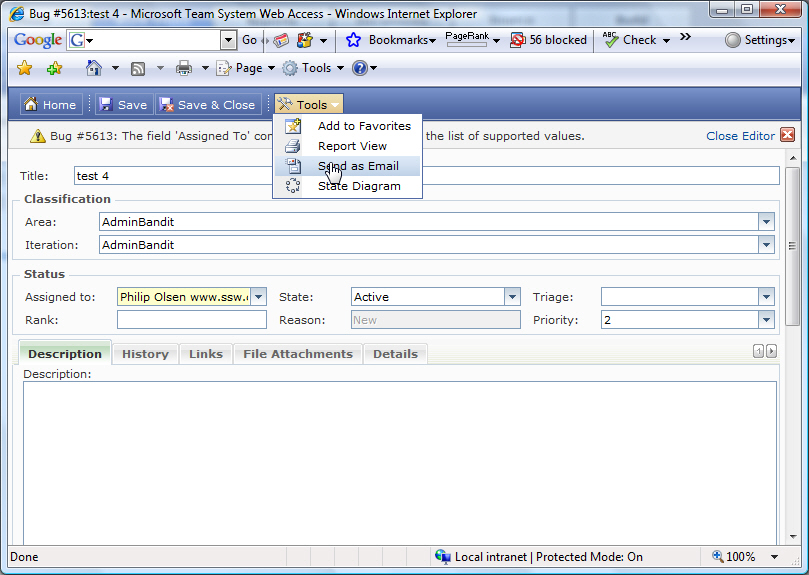
TFSWA - Add a new option "Send as email with .msg attached"
In TFS Web Access, when we complete a work item, we send an email
via the "Tools" menu. The problem is the images are lost. We use
TeamLook to put the work item here (from an email) and the
original email is attached (a .msg file lives in "File
Attachments" of the work item).So we would like an option of 'Send
as Email (with attachments)'.
-
-
Figure: Add option to Tools menu - 'Send as Email (with
attachments)'
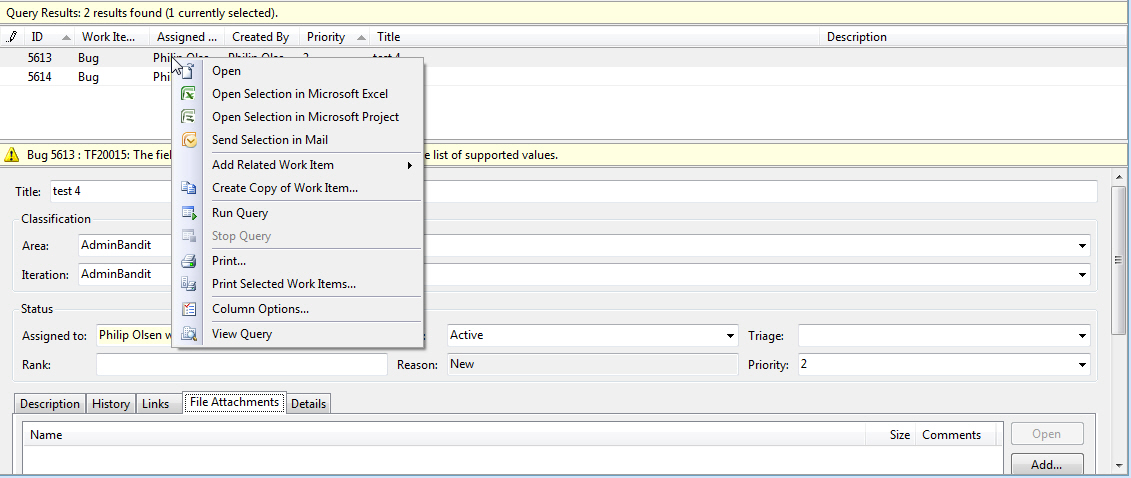
In Team Explorer, we would like this functionality as well.
-
-
Figure: Add context menu - 'Send as Email (with attachments)'
-
TFSWA - User Experience - SharePoint, CRM and TFSWA Web UI
CRM, SharePoint and TFS (Web Access) are inconsistent to end
users. The different user experience might make users confused.
See our CRM suggestion
User Experience - SharePoint, CRM and TFSWA Web UI
.
-
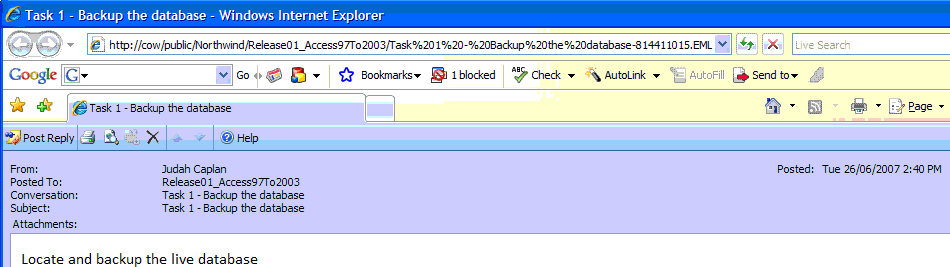
TFSWA - Add to the Web UI the ability to give a URL to any file?
Team System Web Access (aka TFSWA) is good, but needs for support
for Source Control and nice URLs.
want to be able to right click on a source code file and select
"Copy URL to clipboard (so I can IM someone else)?
-
-
Figure: I can give a URL to a specific email in a public folder
- I want to give a URL to a specific code file in a TFS project
-
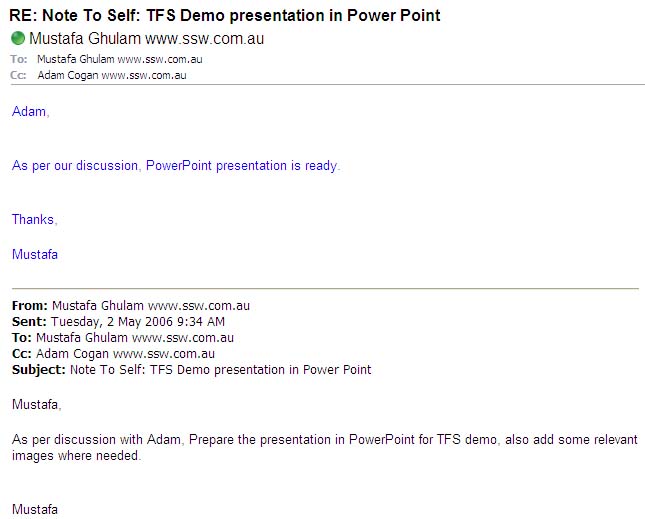
TFSWA - Alerts should include the history (like an email)
We want the alerts to respond with the history like an email,
because of this we had to add this functionality into Extreme
Emails.
We would have preferred Microsoft to solve this problem.
-
-
Figure: WorkItem alert notifications should include the history
like an email
-
TFSWA - Add a Team System Process Template Editor
Microsoft should provide a GUI to modify or customize the process
templates. Here is an example of editor:
http://www.gotdotnet.com/Workspaces/Workspace.aspx?id=812a68af-5e74-48c6-9623-1a4469142a84
-
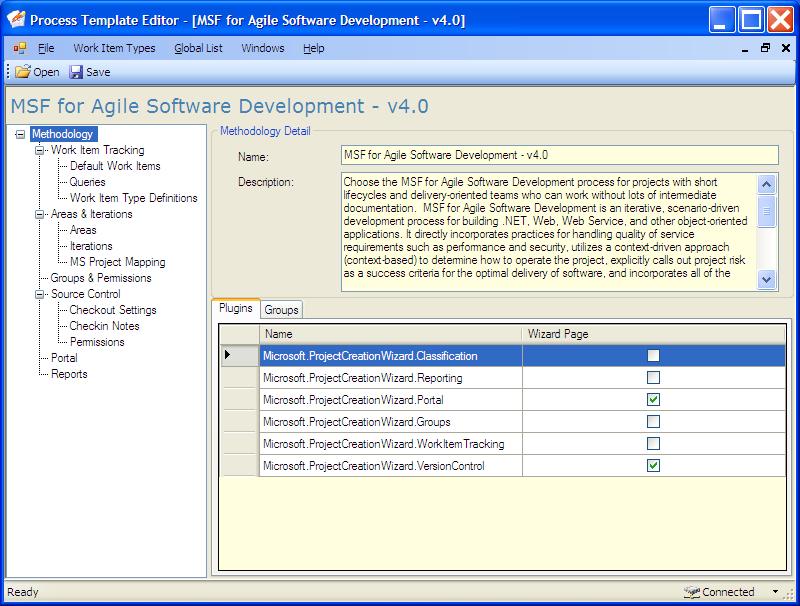
- Figure: Sample software for Process Template Editor.
-
TFSWA - On the Alerts attach a .diff file
On alert email it should attach .diff file to show the difference
between original and the changed file.
-
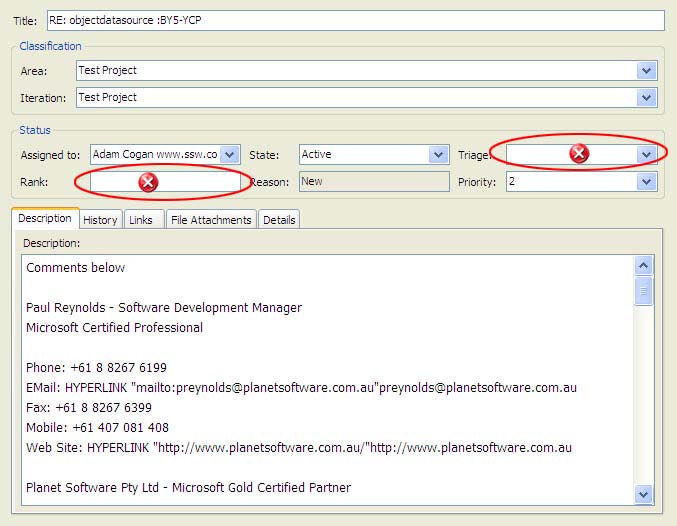
TFSWA - Give us the ability to Customize the Work Item UI in
VS.NET
We should be able to modify or customize the WorkItem GUI in
VS.NET according to our need.
-
-
Figure: WorkItem UI in VS.NET should be customized so I could
remove these 2 fields as an example
-
TFSWA - Add a way to delete a Bug/Task
We should be able to delete the unused/fake WorkItems.
-
TFSWA - Why is there no Rollback?
There's no easy way to rollback to an earlier change set. You have
to do some copy and paste jobs manually.
Or you can use
TFS Power Toys
. TFS Power Toys provide a few functionalities like Unshelve,
Rollback, Get Changeset, etc...
The latest TFS Power Toys can be downloaded from Microsoft.
Now the question is... why are all these basic source control
functionalities missing from TFS?
-
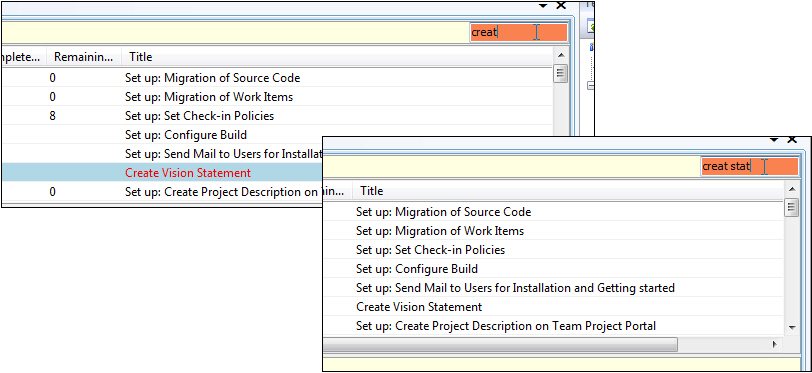
TFSWA - Add a "Search box" to search for work items
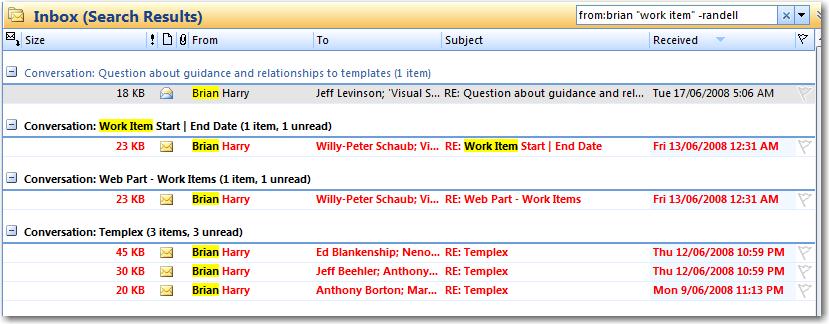
Users should expect:
- it to work like outlook.
- it to display like outlook
should it support the 3 things I use on an hourly basis?
For example: From:brian "work item" -randell
PS: Not important, but if you get time, add one clever thing. When
I type 'May', give me a list of work items where the work item's
start date is in that range e.g. 30/5/2000
PPS: Until we get this feature, Corneliu's (the smartest Romanian
in the world) VS Quick Search plugin:
TFS Quick Search Plugin 1.2 (for VS2005 and VS2008)
-
-
Figure: The current way of finding work items is not good
enough.
-
-
Figure: We need Work Item Text Search to support the 3 most
filters.
-
TFS SharePoint Portal 2010 (little one)
-
-
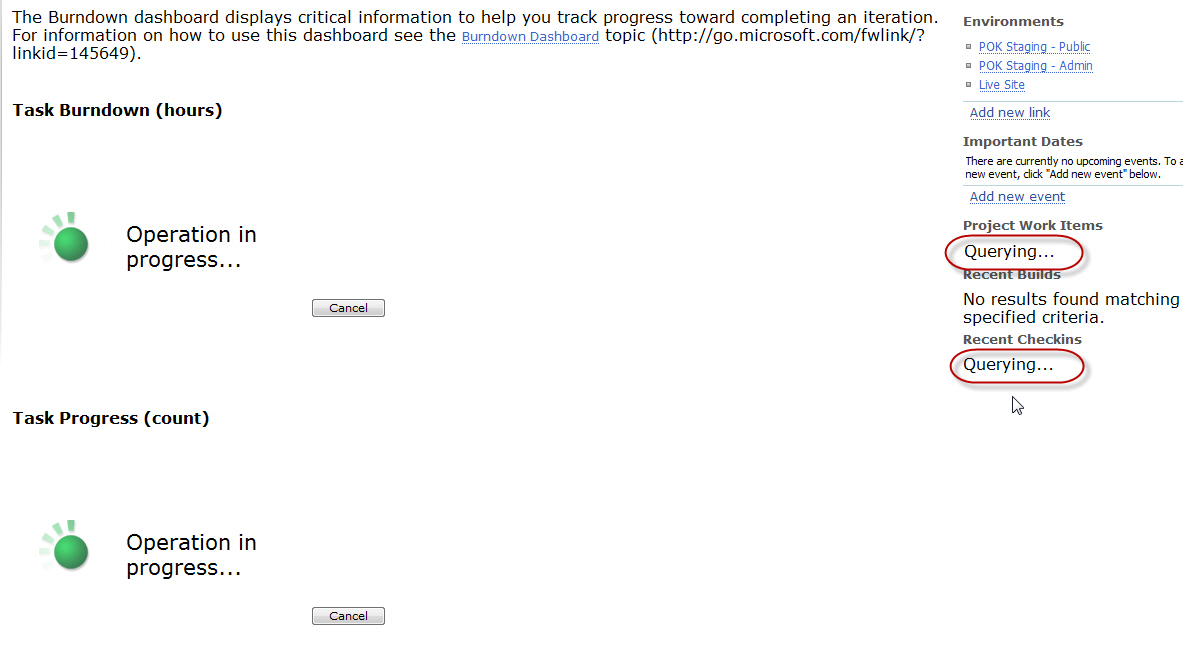
Figure: Refreshing the Portal - These 2 areas should also have
the green icon (a smaller icon), so the user eyes sees all the
places the data will be refreshed
-
Suggestion for TFSWA 2010
Little one... you never know
-
-
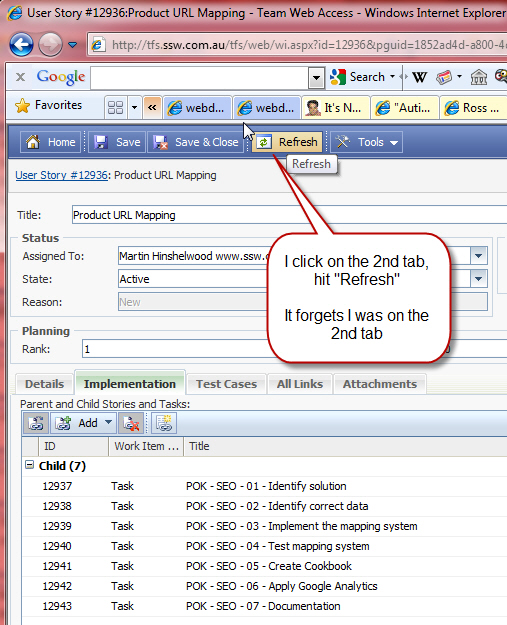
Figure: If I click "Refresh", the current tab should be
remembered
-
TSWA - Add breadcrumbs
Breadcrumbs please (or the navigation menu in SharePoint 2010 )
-
-
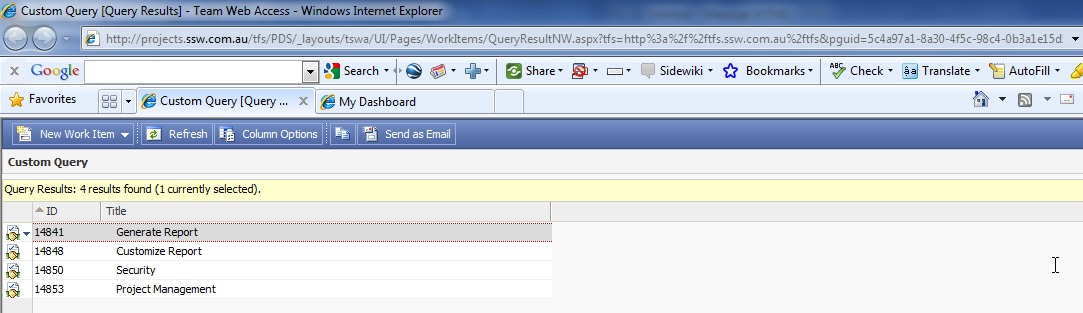
Figure: For example in this case, the breadcrumb would take you
to this URL: http://projects.ssw.com.au/tfs/Northwind/
-
TWA - Suggestions for Search UI
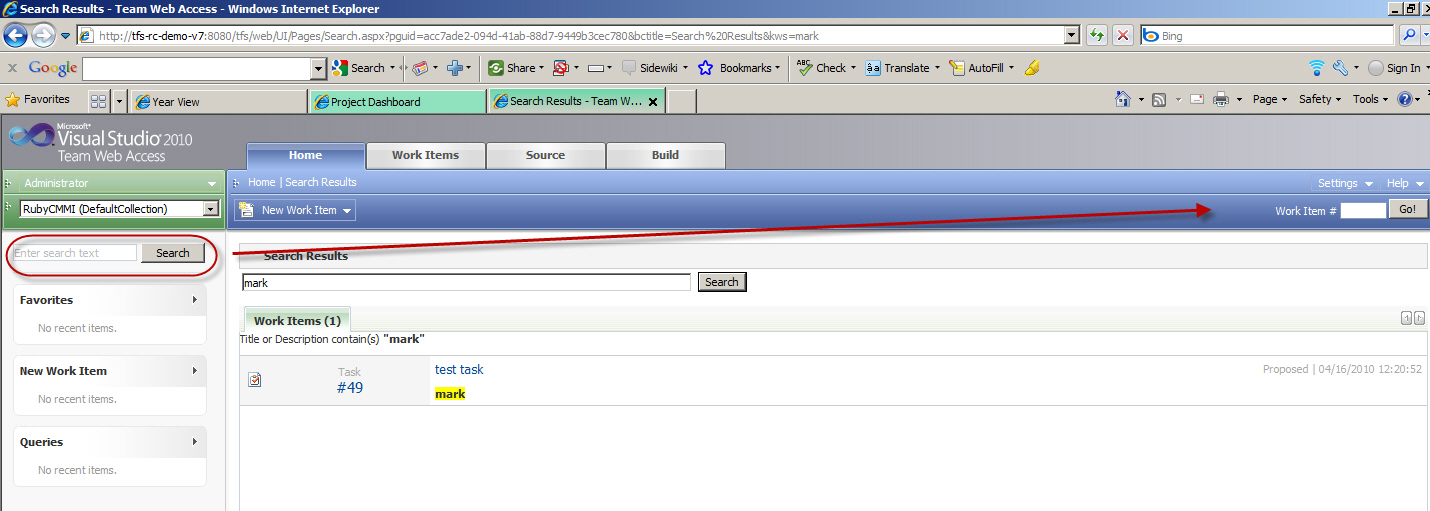
I have been watching a few users who thought there was no search
in TWA. Turns out they want to search on the description and are
looking in the top right (which is the standard location for
search on web sites).
-
-
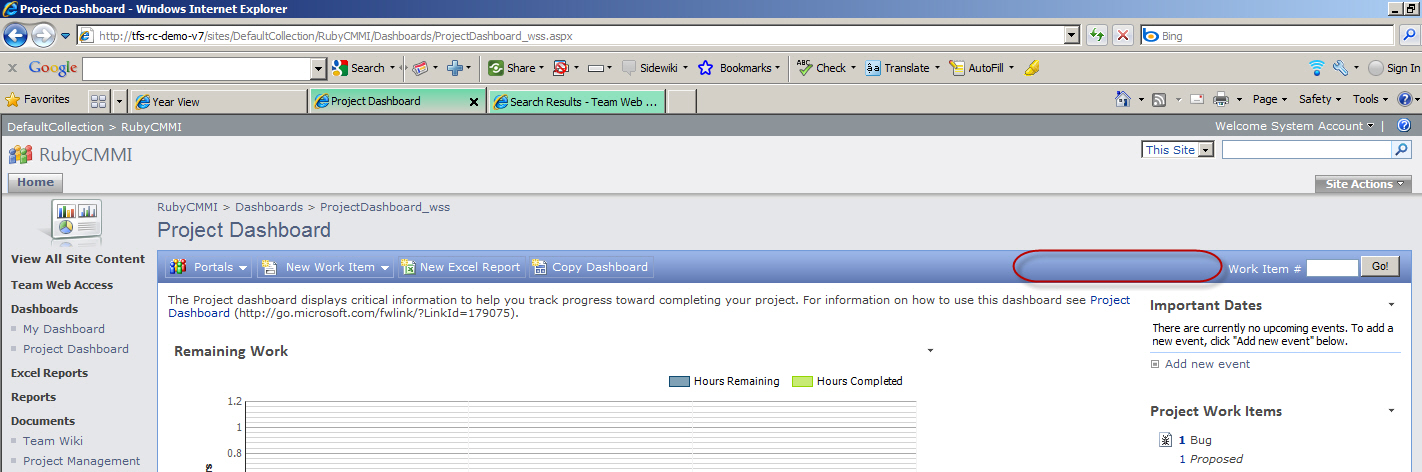
Figure: The Search box should be in the normal position of top
right. Also the "Go!" button should be renamed to "Search"
-
-
Figure: The SharePoint Project Dashboard also needs the ability
to search for more than the Work Item ID :)
-
TWA - Enable me to IM the URL
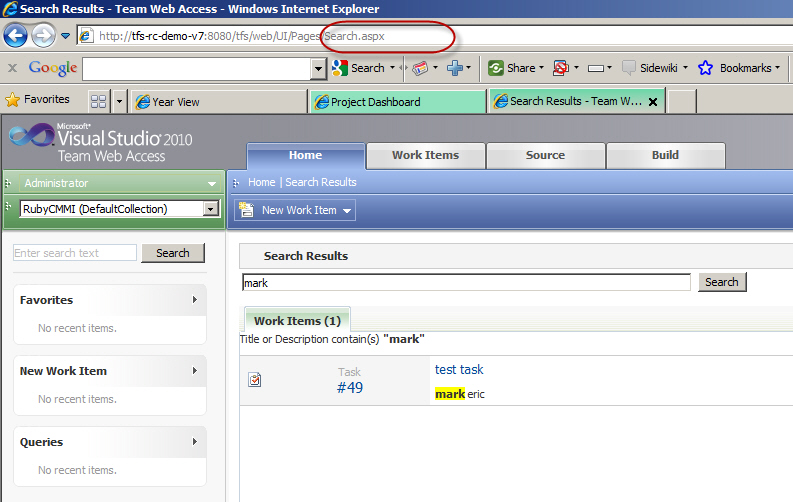
Can we have the URL updated after the 'Search' button is clicked?
-
-
Figure: Can we have the URL updated after the 'Search' button is
clicked?
-
I know you can click the link, but my class today in Canberra had
40 brand new users in it, and 1 found the URL.
-
-
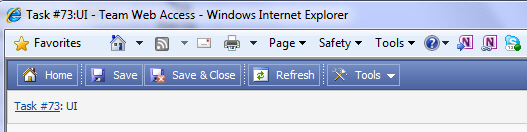
Figure: When a project manager double clicks a work item, then
get a window without the URL.