-
The link from VS to MTM should be less unexpected
-
-
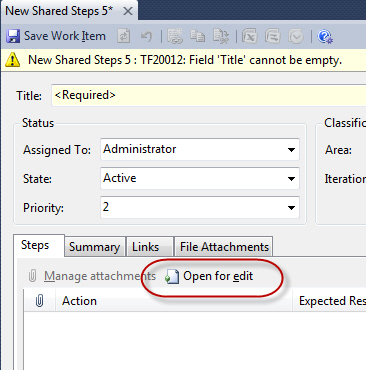
Figure: This will open a data entry form. Right? Wrong. I get
a real shock when I click this button and it opens up a big
new black application
-

-
Figure: This is the icon and text I would like to see on that
button
-
(if these issues may not be serious enough to list here?but
anyway)
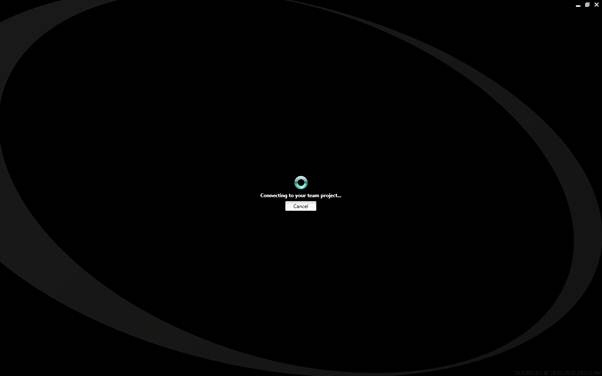
Why is the branding (the black look) so different from VS ?
Where is the green icon?
-
-
Figure: I think it would be better to put the green icon that
is associated with VSTT here
-

- Figure: This is the icon that I would like to see above
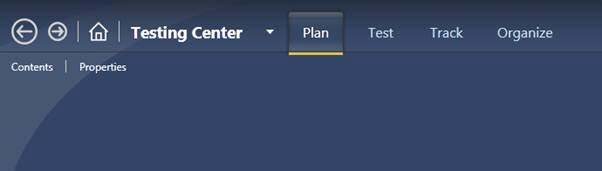
Black is the new theme right?
-
-
Figure: Is the branding for VSTT black? But then it switches
to blue!
-
- Figure: This is the icon that I would like to see above
-
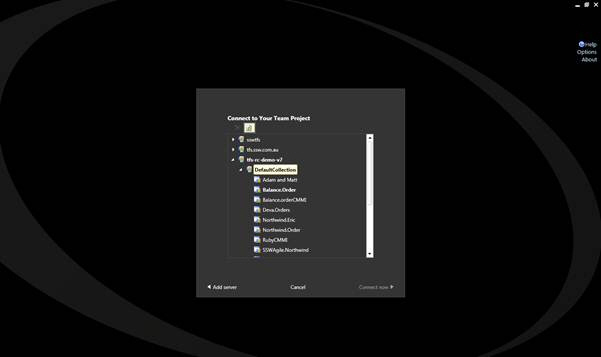
- Figure: Which app do I have open?
-
- Figure: This is the icon that I would like to see above
-
- Figure: The splash screen is missing the green icon
-
- Figure: This is the icon that I would like to see above
-
Surely the whole of VS, should be using the *same* framework for
a dialog
-
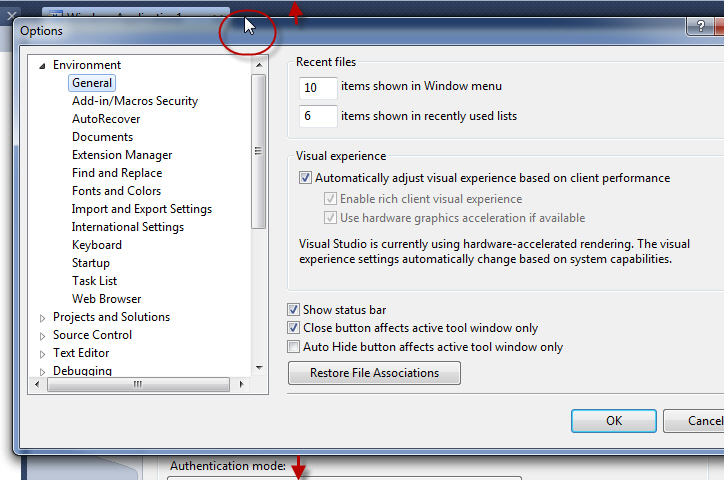
-
Figure: Not resizable - really annoying. I expect to double
click and it resizes to the top and bottom of the screen
-
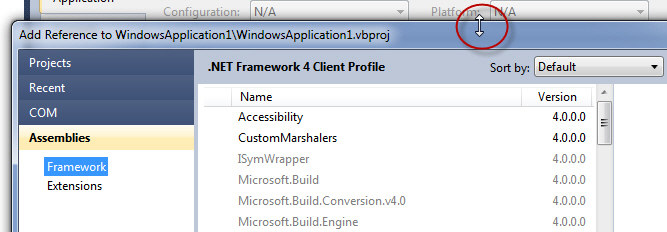
- Figure: Resizable - This is good
-
Test and Lab Manager - Prompt to create a bug on failure
The test recoding features of the Test and Lab manager are
fantastic; however, the ability to create a bug is rather
hidden.
-
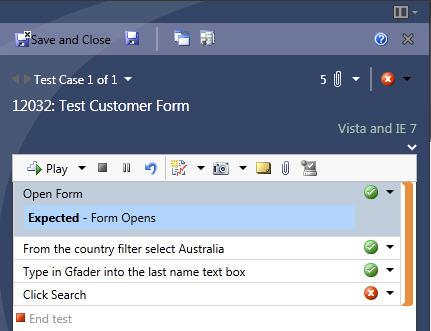
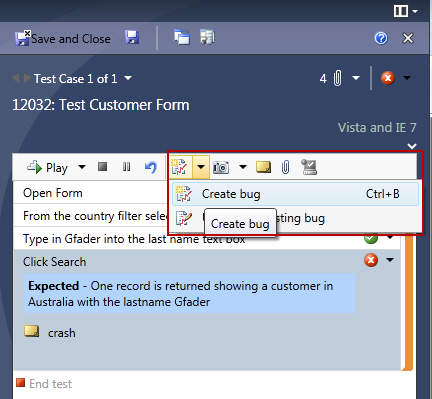
- Figure 1 - How do I create a bug?
-
-
Figure 2 - The performance graph icon is the button you use to
create a bug
-
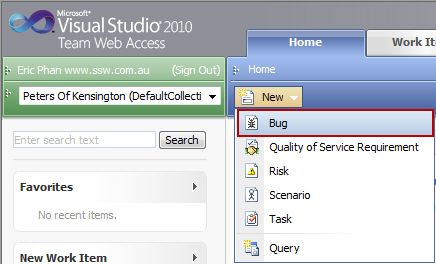
- Figure 3 - Creating a bug from Team Web Access
The icon should be consistent with Team Web Access.
Also, when a test step fails, and the user presses "Save and
Close" they should be prompted:
"One of your test steps have failed and you have not filed a
bug. Do you want to create one now?"
[Yes] [No]
-
TFS 2010 Test - MTM UICrazy Hyperlink (little one)
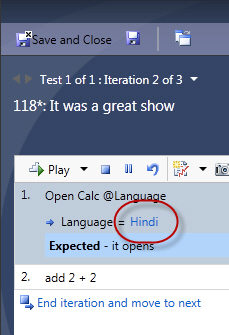
A quiz for you? What do you think clicking this hyperlink will
do?
-
-
Figure: Have a guess on what clicking this hyperlink will do?
-
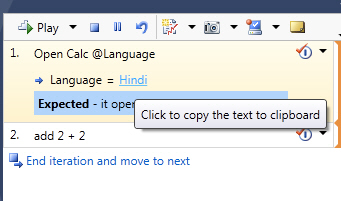
- Figure: Copy to the clipboard. Of Course!
Seriously it should be a grey text box that is enabled for
copying the text
-
We need more CodedUI tests in every VS solution we review. Today
they are still not mainstream.
I am not sure exactly what I don't like, but when brand new
users think it has started when it has not.... and when new
users don't know what to do when they are 'done' recording...
and then after users click 'Generate' they are unsure what has
happened, then I know there is a problem.
Here are some things I
*might*
do.
-
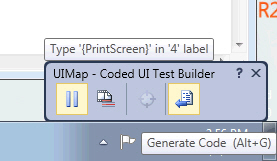
-
Figure: Add "Finish" flag icon on right button 'Generate Code'
-
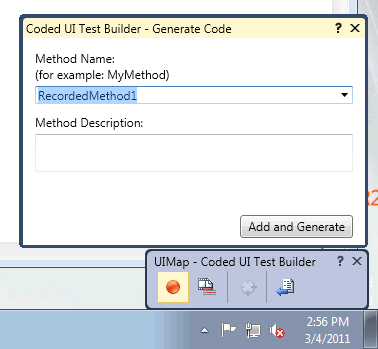
-
Figure: Add a "Cancel" button next to 'Add and Generate'
-
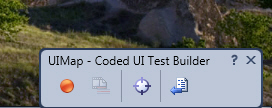
-
Figure: A red icon, tells users it is recording (note that it
is currently stopped). We need animation added so it is
clearer.
-
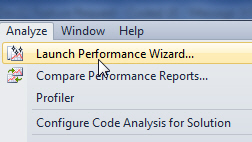
-
Figure: I think the Performance Wizard has a better 'feel'
with ideas to copy, plus we should be giving users a
consistent experience
-
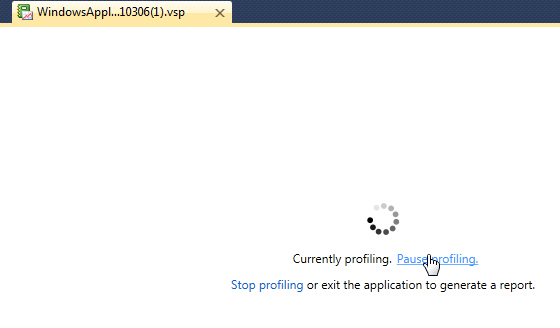
-
Figure: Adding the spinning icon to the 'Coded UI Test
Builder' is important (as it gives the feeling of the
recording)
-
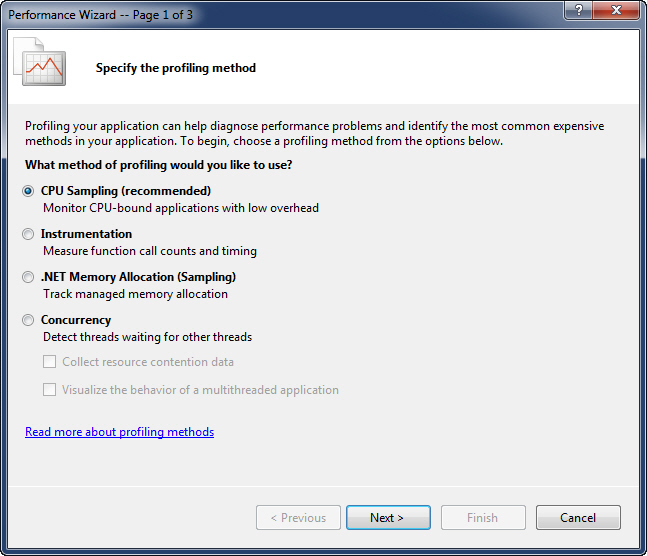
-
Figure: Good example - Adding a CodedUI wizard for the first
time - like the Performance Wizard, would be a great
improvement
-
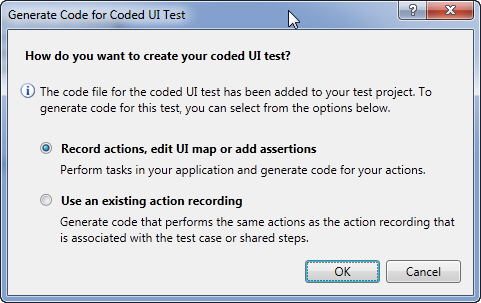
-
Figure: Bad example - more info for the first time user + it
is inconsistent with the Performance Wizard
The wizard should use the example of the calculator e.g the user
could follow it to record Calc (2+2=4) successfully.
Last Resort: If you don't agree with any of the above, can we at
least have a hyperlink to a tutorial (in the above dialog)
-
Microsoft Test should support Chrome
Suggestion - not very important – but thought I would
mention it.
-
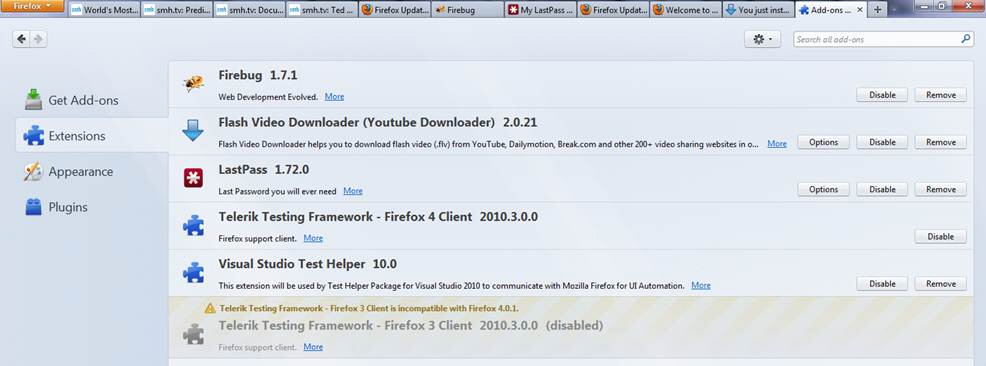
-
Figure: Good example – Visual Studio Test supports
Firefox 4 (as does Telerik Test)
-
-
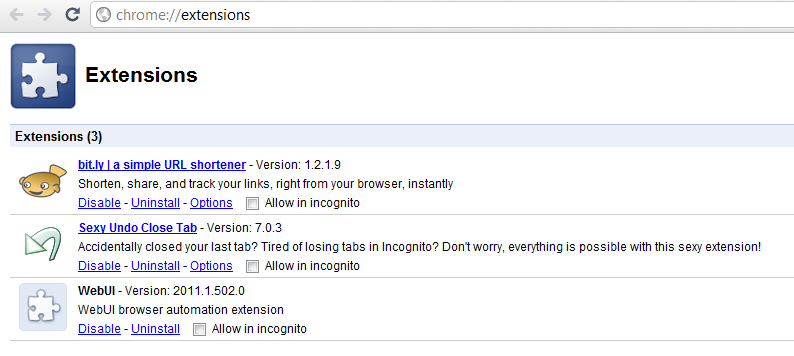
Figure: Bad example – Visual Studio Test does not
support Chrome (but Telerik Test does)
Note:
Informal conversations with Microsoft tell me that they wont be
doing this anytime soon.
They are looking out for partners that can plug this gap by
writing a Chrome plugin.
-
TFS 2010 Suggestion - "Ordered Tests" should be renamed
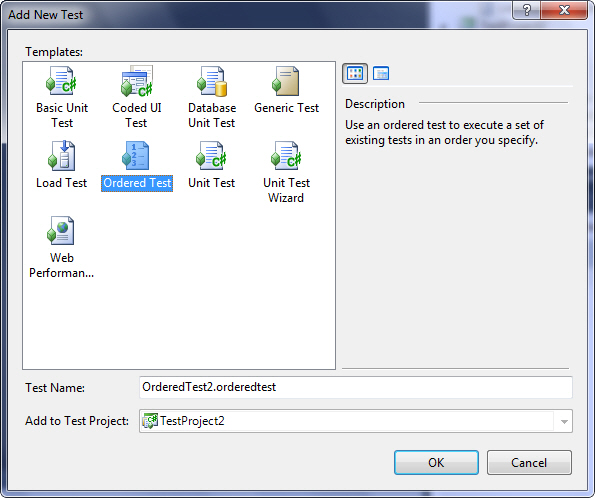
When I ask a class what they think "Ordered Tests", they never
guess it
-
-
Figure: Rename to something else E.g. "Set of Tests" or "Group
of Tests" or "Test Set" or "Test Group"
-
When you are demoing web tests and waiting at the end?I like to
fill the 'white space' with something intelligent every now and
then.
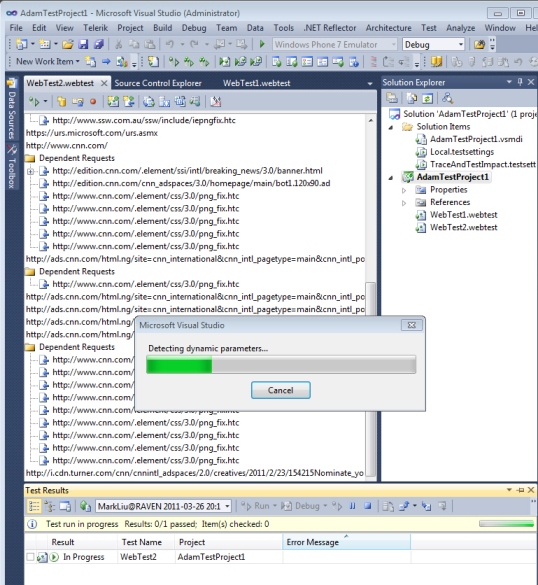
Here is the explanation that should be sitting under a
'More >'
button.p>
When you go from one page to another ?the parameters need to be
passed. Here VS is looking for them by comparing the requests.
More Information
Many dynamic parameters would cause your Web performance test
playback to fail, since it would be different every time that
the test is run.
E.g. a session ID (which changes by default every 20 minutes).
VS looks for dynamic parameter values set:
- in cookie values.
-
in hidden fields on HTML pages, such as ASP.NET view state
(Pretty clever eh?),and
- as query string or form post parameters.
-
-
Figure: Give me more information to read - since I am always
looking at this dialog box
-
Help me know how many Tests will be run (little one)
-
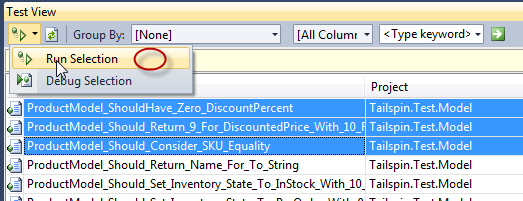
- Figure:Add "3"
-
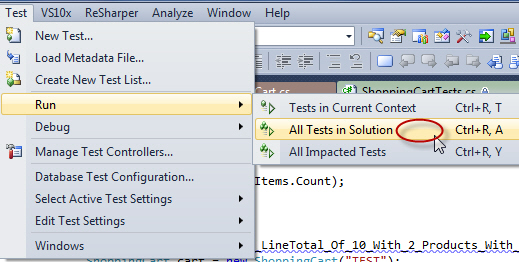
- Figure:Add "55"
-
Web Tests vs Coded UI tests
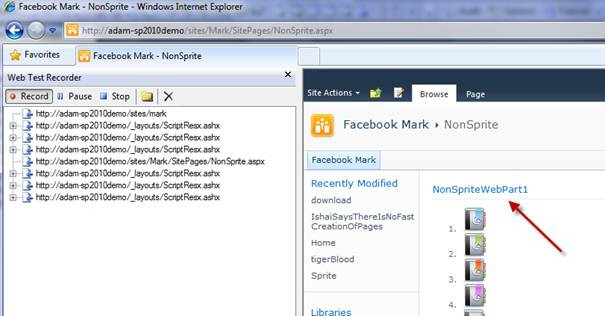
The UI for Web Tests vs Coded UI tests is very different. The
user experience makes you feel it comes from 2 different
companies.
-
-
Figure: I want to select this text and create a validation in
the browser
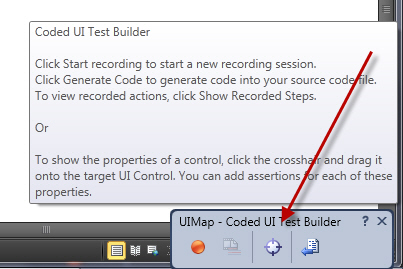
When recording a web test, I would love a visual aid when in the
browser (like the bulls eye in coded UI tests) to do things
like:
- select the text
- to check an image is on the page
- to check it loads within a certain time
-
-
Figure: Do we want to bring the 'bulls eye' to Web Tests so
users get a more consistent experience?
-
-
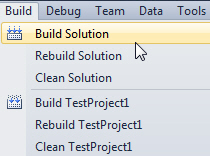
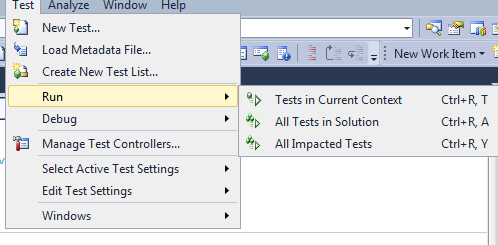
- Figure: Today we click, Build | Build Solution
-
-
Figure: Move these 3 to the top - and make consistent with the
Build menu e.g. Test | Test Solution
-
-
-
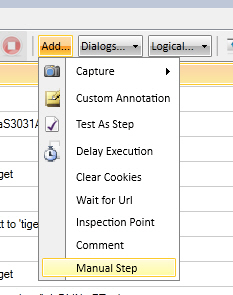
Figure: Telerik Test allow you to insert a 'Manual Step'
Let me tell you why this is so cool by telling you what I told
them. I said to add some tooltip text, that talks about what a
great feature this is eg.
Manual Steps are very useful to enable Developers and Testers
to work together during a sprint.
The goal of a successful sprint (if you are doing Scrum) is to
have the sprint fully tested by the end of the sprint.
Normally this is hard, but not with 'Manual Steps'.
Insert a 'Manual Step' to enable you to have a tests for
incomplete User Stories.
Say you have the major items complete, such as the first and
last part of the User story is working (but something is
missing in the middle - eg. the status field needs to be
manually set) then insert a 'Manual Test' with text such as:
'Now manually update the status field. Joe will be making this
automatic later.'
Anyone else agree?
-
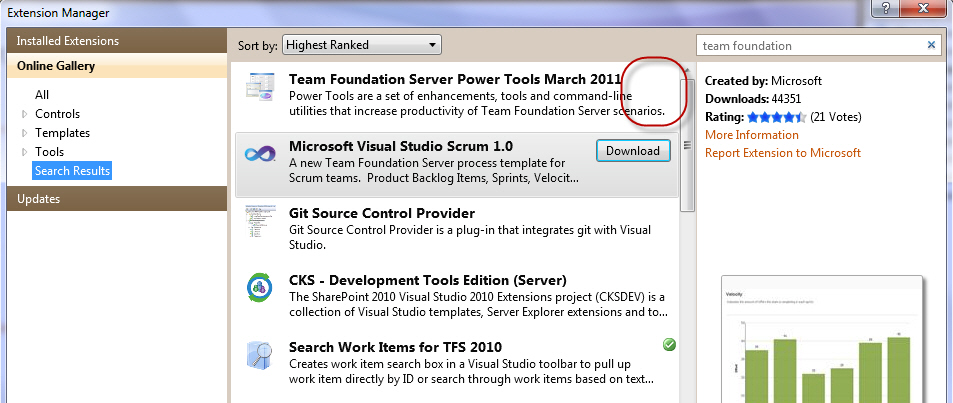
Why can't it be a nice normal extension? Or at least have
version numbers.
-
-
Figure: Weird - I am missing a green tick? Mmmm...I thought I
had this installed
-
-
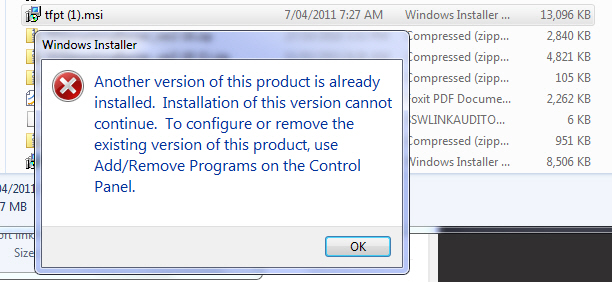
Figure: So I hit the download button?oh?I do have it
installed? What did I do wrong?
-
-
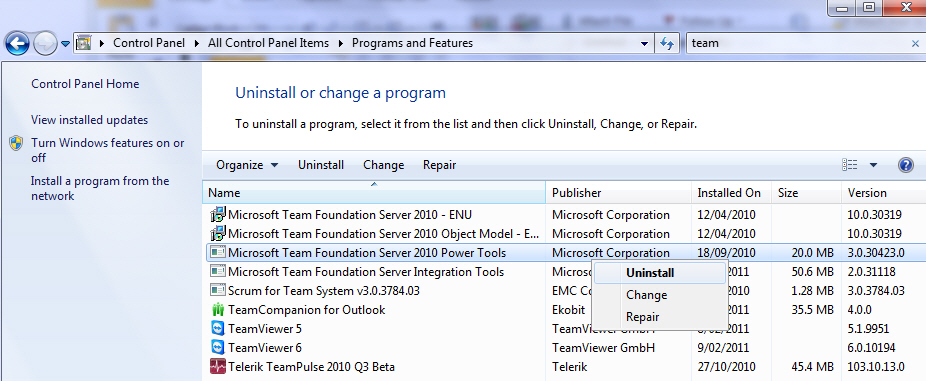
Figure: I thought I had finished the old way! ...anyway lets
uninstall it
-
-
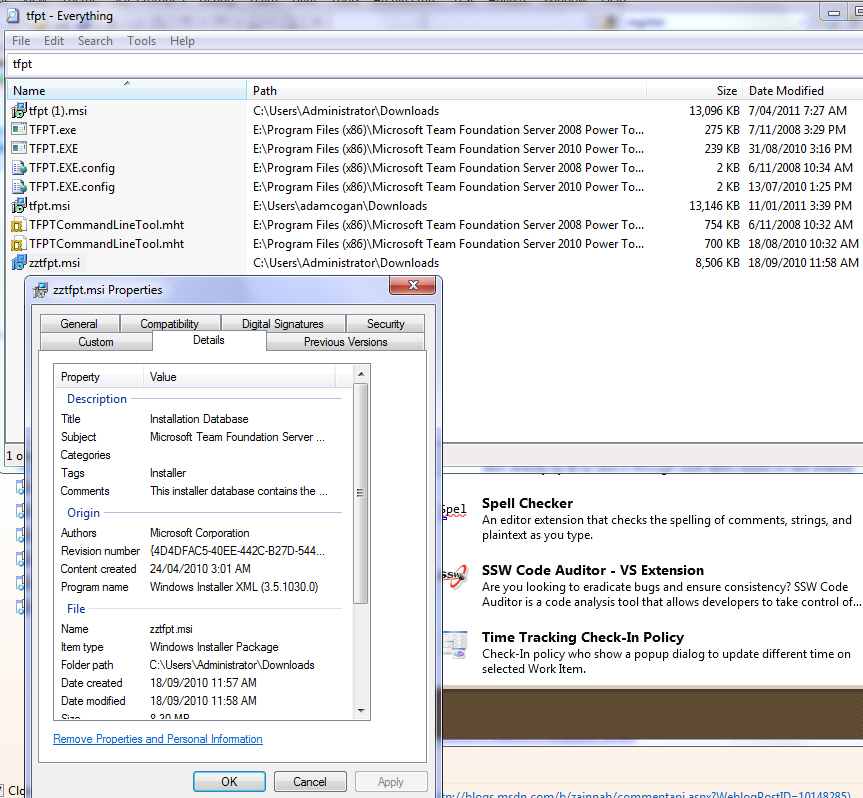
Figure: Which is the latest file? It is
*not*
the largest (as I can see by date)? and there is no version
number in the file? Grrrr! So I will install the latest date
-
-
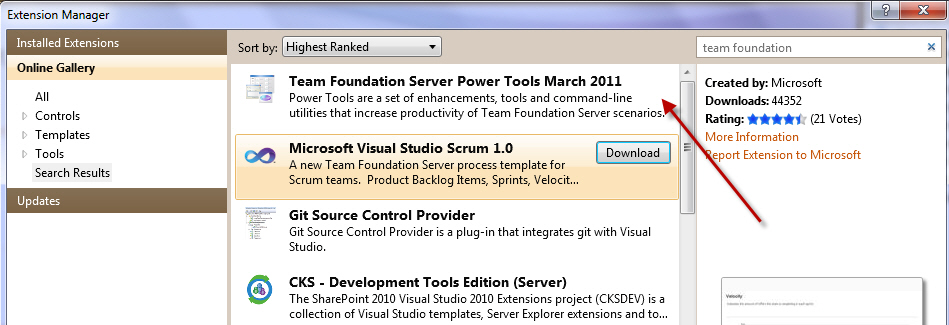
Figure: now I have it installed? But after all that - no green
tick
And no version number to see if it is newer.
-
I believe any of my changes should be more visible.
To that end:
- Bold my settings
- When I close and reopen - keep my node open (expanded)
-
-
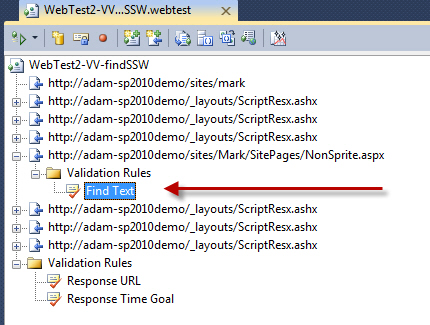
Figure: If I close and reopen this .webtest VS will not open
where I was
-
(Happy to be corrected - there might be a much better way to
debug)
-
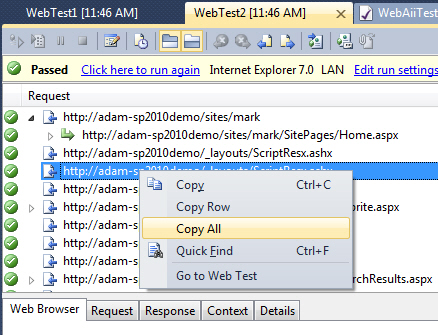
-
Figure: I am trying to understand the differences between
'WebTest1' and 'WebTest2'... so add menu item 'Open Results in
Excel'
-
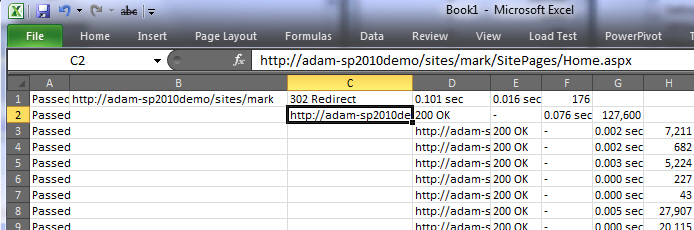
-
Figure: After clicking a menu item like 'Open Results in
Excel' I would like to see this
-
(Happy to be corrected - there might be a much better way to
debug)
-
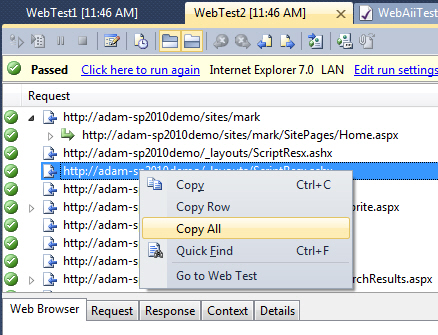
-
Figure: I am trying to understand the differences between
'WebTest1' and 'WebTest2'... so add menu item 'Compare Results
in Excel'
Then pop a dialog to ask 'Select Test to compare' and open
Excel.
-
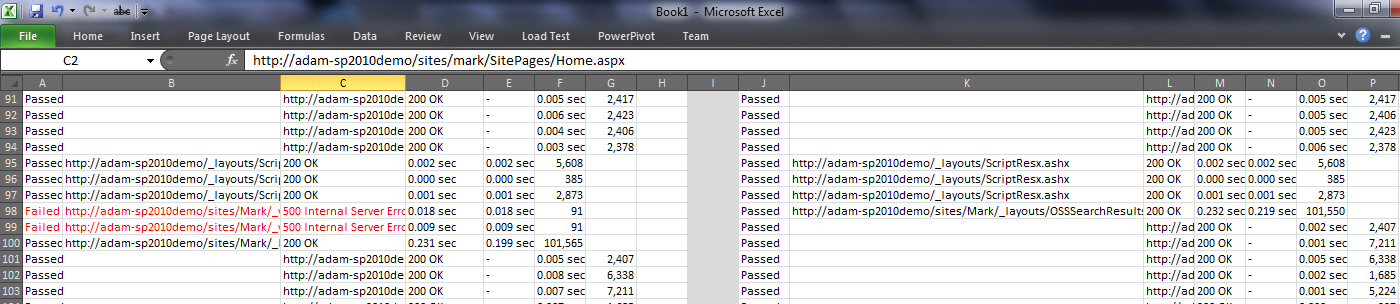
-
Figure: After clicking a menu item like 'Compare Results in
Excel' I would like to see this (with Red on the errors) and
the normal background colours to show the differences (added,
deleted and different rows)