-
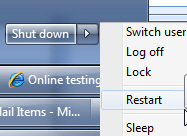
Help me save time - reboot and log on as the same user
-
-
Figure: Add one more choice "Restart and Log on as current
user". I would use this for 90% of my reboots.
-
Restore explorer windows after crash
IE does a good job at restoring your windows after a crash.
The 'Restore previous folder windows at logon' should also work
when Windows crashes.
Bottom line... Design for failure.
PS: Also you should not be turning on and off options when you
click in the red circle area. That is selecting an option, not
enabling and disabling the option.
-
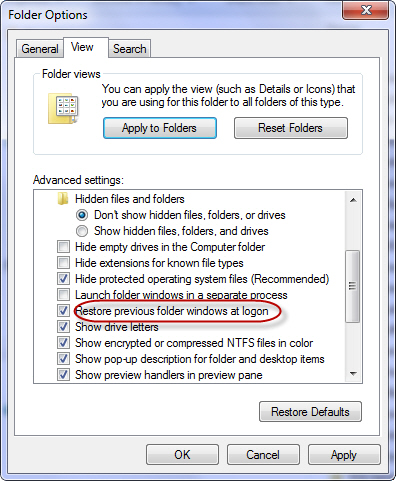
- Figure: This option doesn't do enough
-
Event Viewer usability suggestions
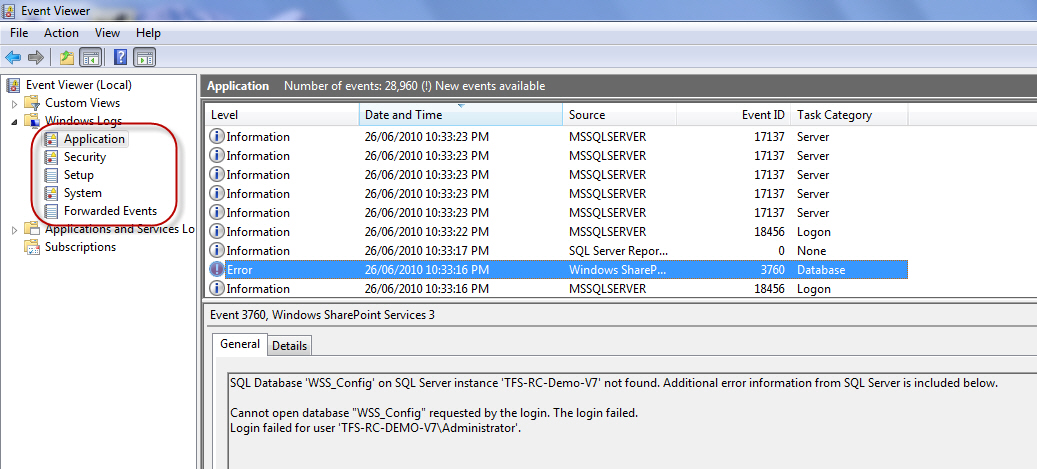
I wonder if we should make the Event Viewer more like an inbox
with a "read" and "unread" status for events
I would like to see a count in the left navigation (like
Outlook)
Other suggestions:
- I personally would only like them on "errors"
-
I would like a balloon in the task tray "You have 18 unread
errors in your event viewer"
- I would like an extra menu. View | Show Only Errors
-
-
Figure: I would like to see a count in the left navigation
(like Outlook)
-
Windows 7 should tell me what is causing the delay
I am really not sure who is at fault here.
All I know outlook is super slow... but my processor seems
idle... and I expect that Windows 7 should give me some
indication what 'thing' is causing the delays.
-
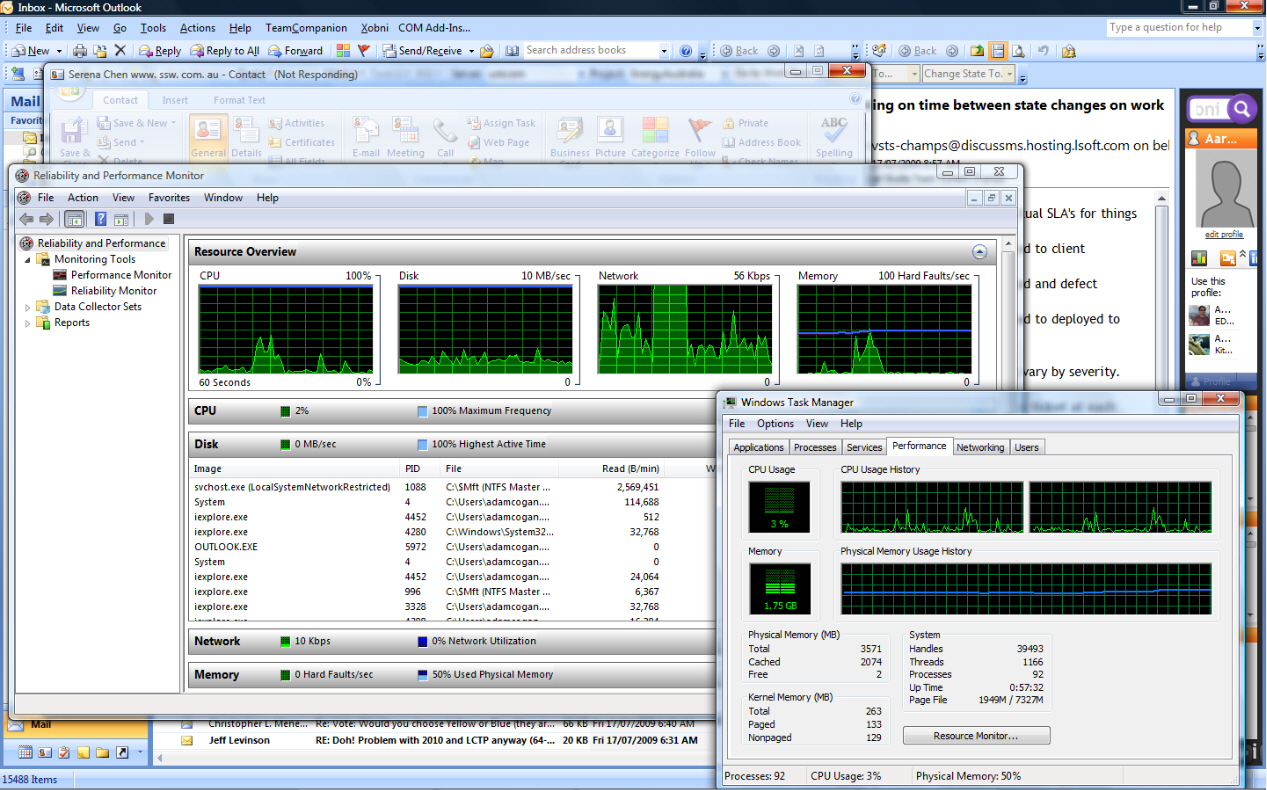
- Figure: If my CPU is idle, why is Outlook super slow?
-
Event Viewer - Provide a drill through to the event log (aka
Allow me to 'watch a service')
Today I was assuming things were going wrong with my search (in
this case they were not), but here are some suggestions.
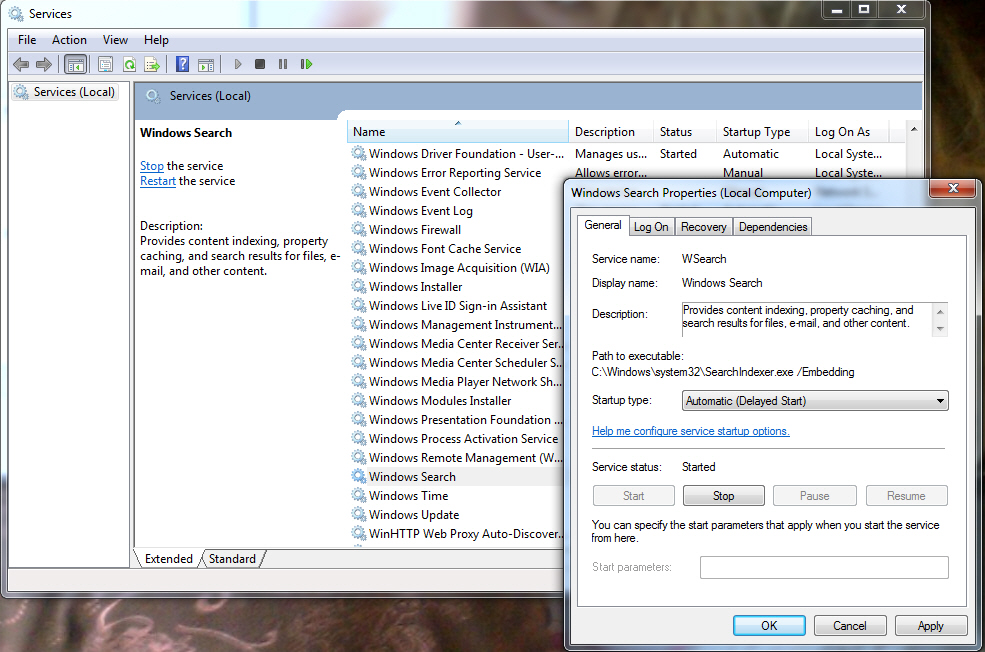
Assuming I am looking at this service list, I should be able:
- to filter to the ones that recently restarted
Then on the Services Properties Dialog I should be able to:
-
See I have '531 events' for this service - add a "View History
(531 events)"
-
Drill through to the event log (to see the '531 events') -
automatically 'Create custom view'
-
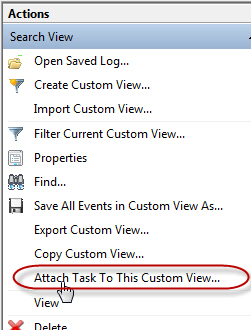
Create an alert (aka 'Display a message') - provide a shortcut
to the 'Attach task to this custom view'
-
-
Figure: This Service Properties Dialog needs 3 things added to
it
-
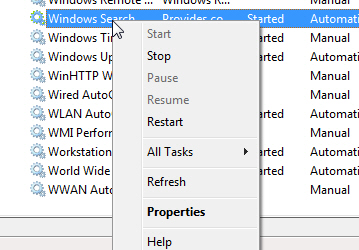
- Figure: Add "View History (531 events)"
More information
You can do the above manually, but not a developer I asked knew
it was possible
-
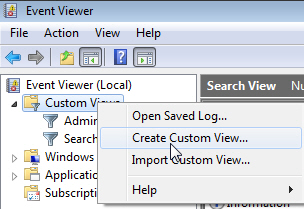
- Figure: Create Custom View
-
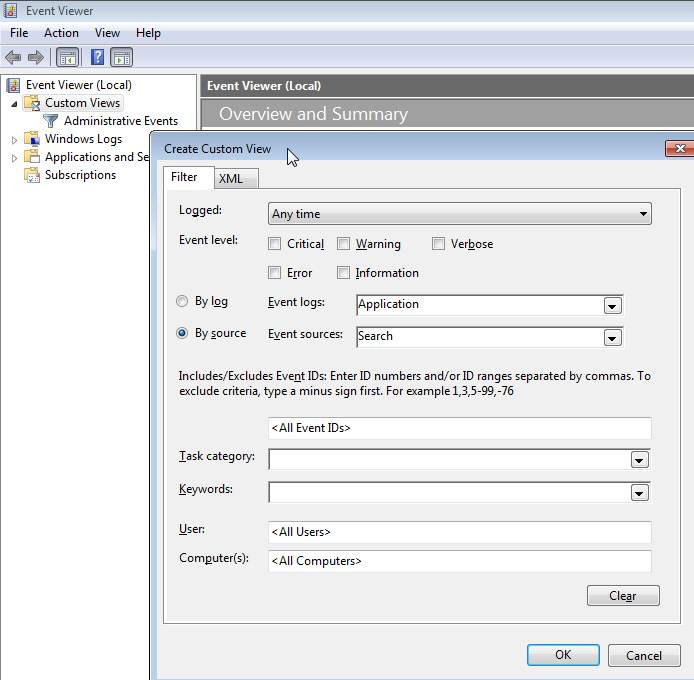
- Figure: Select 'Search'
-
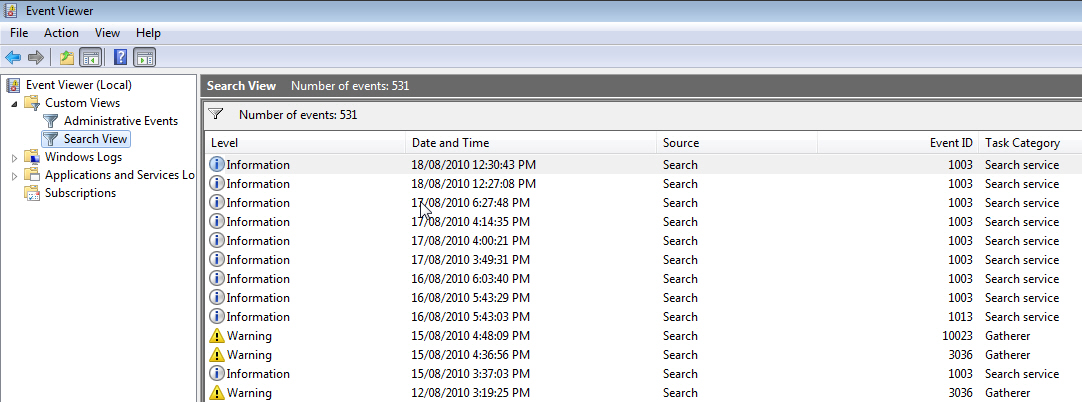
- Figure: See 531 events
-
-
Figure: In the right navigation select 'Attach Task To This
Custom View'
-
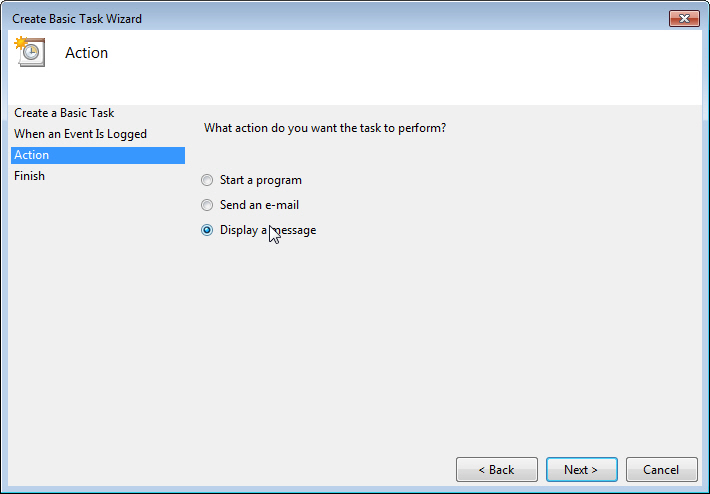
- Figure: 'Display a message'
For Reference
It would be nice to see some consistency with the 'View History'
experience that you get in SQL 2008 R2 Management Studio jobs
-
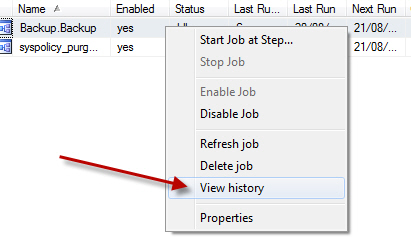
- Figure: SQL Management Jobs have a View History
-
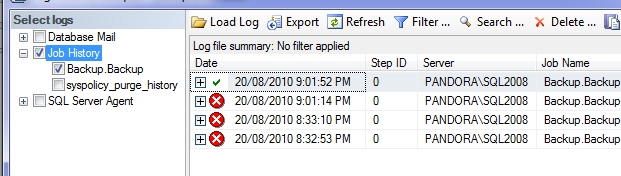
- Figure: ...that shows you the problems
-
-
-
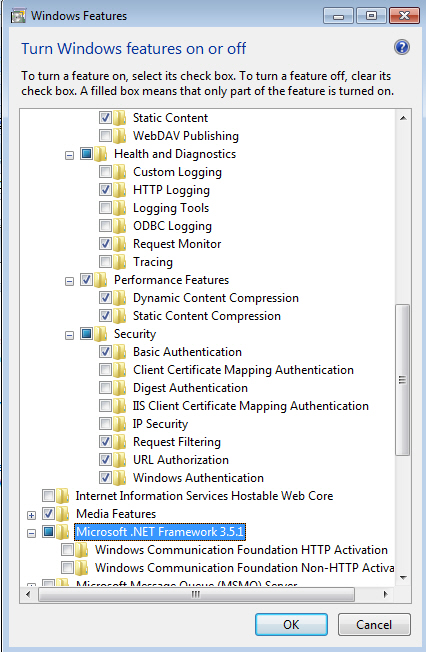
Figure: checking this, changes the checkbox color, but selects
nothing.
I check things... sometimes I get all, sometimes I get a few....
and sometimes I get none.
Is this a bug or intentional?
-
-
-
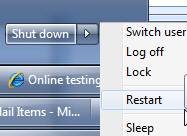
Figure: Add one more choice "Restart and Login as current
user". I would use this for 90% of my reboots.
-
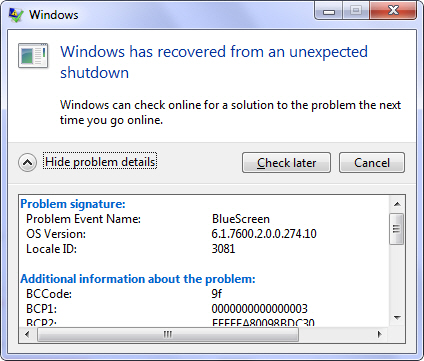
Give us a "Retry" button on here.
And a hyperlink to "Community Suggestions for this problem".
(because Windows never has given me any help after submitting my
problem)
-
-
Figure: Missing a "Retry" button (I didn't have internet when
it first popped up)
PS: I assume these 2 suggestions both apply for Windows 7
-
Probably a Windows suggestions, but here goes...
-
-
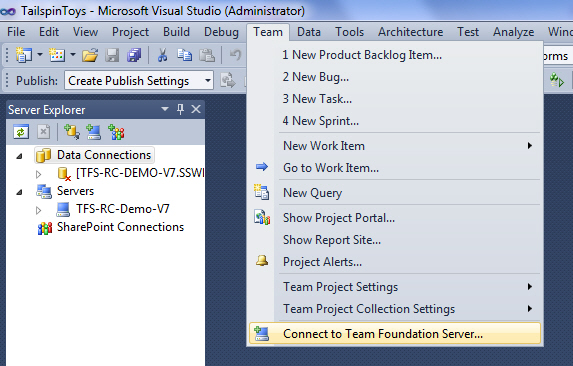
Figure: Currently when you invoke a dialog from a menu item
-
-
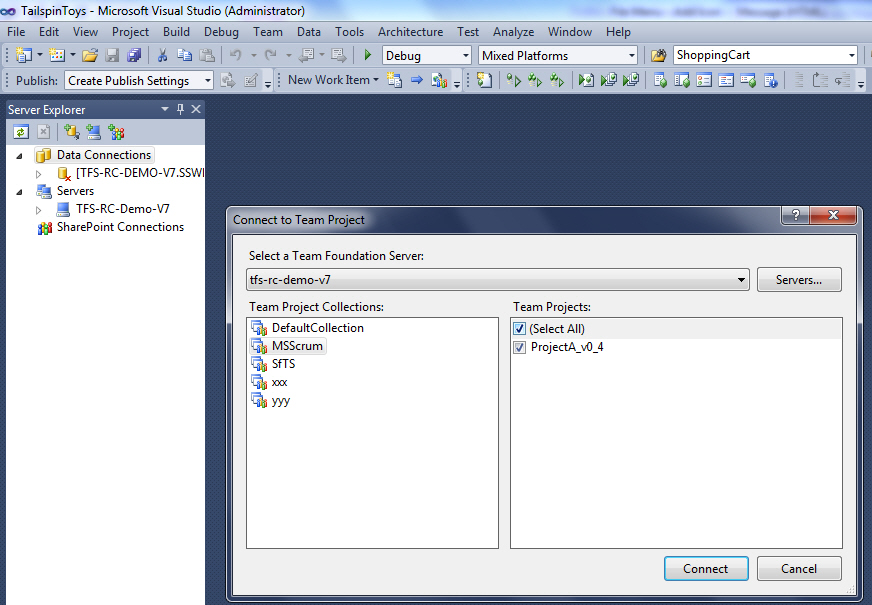
Figure: The form appears, but the menu it came from disappears
Does anyone think it would be an improvement, to have the
original menu item still visible in the background? (until they
continue or cancel the dialog)
- It could be dimmed in the background
- It could fade away after 3 seconds
I don't mind - you can tell me if I have gone troppo :)
-
-
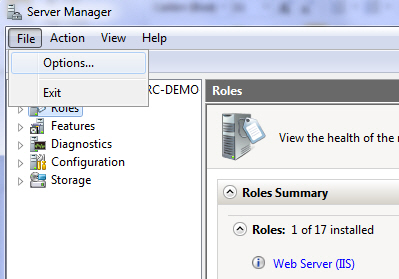
Figure: Obviously it would be preferable to start at Windows
8, with the Office and VS teams following suite
-
I understand the download size is different, depending on the
specific needs of the PC. However the range is very large and
plenty of users want to know more information, in order to
decide if they have time *
right now
* to download.
What is the biggest factor that will influence the size?
A few suggestions:
-
Give me some idea that helps me know if I am at the lower end
(73 MB) or the higher end (892 MB)
- Add something to one of the 2 links at the bottom right
-
Don't change measuring size ?that is from KB to MB. Really
annoying. I would much prefer to see 0.3 MB (than the current
391 KB)
-
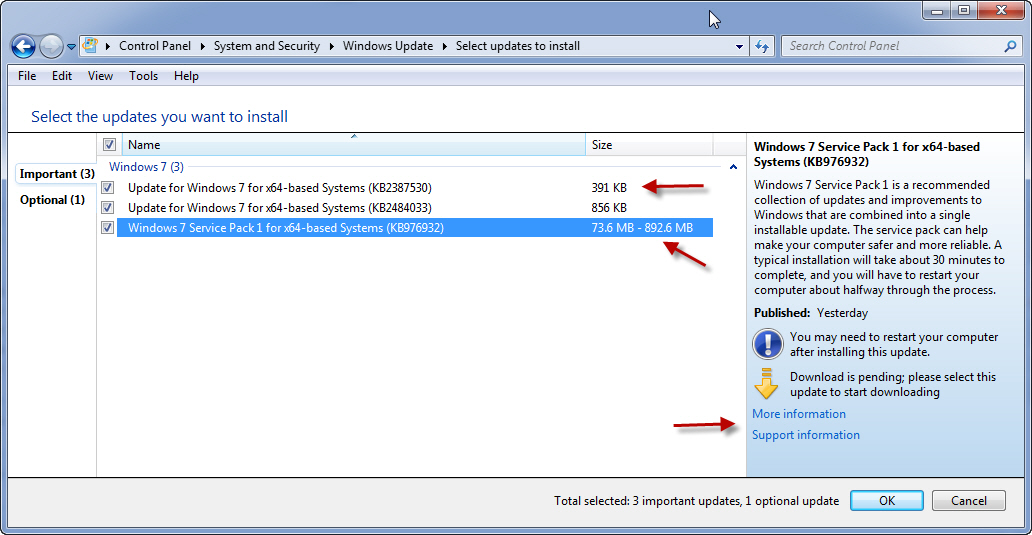
- Figure: Help me know the size of Windows 7 SP1
-
Mmmm I wonder if I will get others agreeing with this request.
When I first got my iPhone4 I didn't use this feature, so I
didn't consider it a front camera important. Whether the
WinPhone7 had it, or not, I just didn't care.
But things have changed for me, and these days I am doing more
and more recordings (mainly when I am a scrum master), so I
don't want a Windows Phone 7 now, since they are missing it this
thing I have grown to love.
(Interestingly I don't think I care about making facetime phone
calls).
So I would like to see Microsoft change the minimum specs for
the Windows Phone 7 so they force the hardware to have a front
camera.
And I guess for others especially the young kids, video calls
are already important and sure to become bigger in the
future….. bandwidth and traffic are getting cheaper and
cheaper you know.
So I am sad there is no front camera on the WP7 and I would love
to know what the logic was when the team said "Let's cut the
requirement for a front camera."
And I am sure there were other things that also got cut, that
were *even* higher up the list too... I would love to know what
those were too.
-
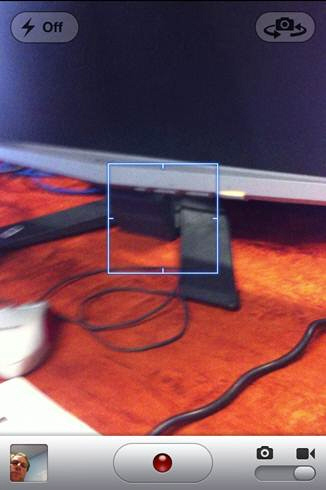
-
Figure: iPhone has a front camera for "facetime", the WP7
hardware is missing this :-(
-
Would you like to try a different Win8 keyboard?
This is not important today, but it is worth investigating
because it could be a cool differentiator from Apple and Google
(who lock you out of changing the keyboard).
We know the QWERTY keyboard was designed to slow typing down...
surely one day a large company will fix this obvious
inefficiency.
This guy John Lambie sounds a bit quirky, but he could be onto a
winner
New keyboard layout easy as ABC
-
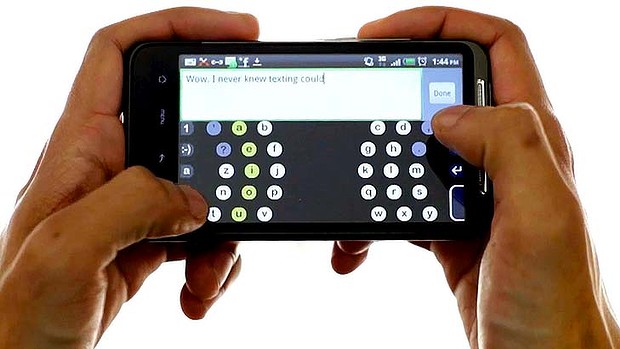
-
Figure: Allow swapping out the keyboard and give an option
(Settings | Keyboard | Choose 3rd Party) to choose a 3rd party
keyboard