Home
>
Archive
>
SSW Standards
>
Developer General
>
SSW The Best 3rd Party Pocket PC Tools
Do you agree with them all? Are we missing some?
Let us know
what you think.
Do you agree with them all? Are we missing some?
Let us know
what you think.
would you like your software to be considered for this list?
Give us your details
.
-
Navman's GPS 4410 Wireless GPS Reciever for Pocket PC's with
SmartST voice navigation software
This wireless GPS reciever connects to your Pocket PC via
Bluetooth from up to 10 meters away and can be used continuously
for up to 30 hours.
It's SmartST voice navigation software covers all of Australia and
has a GPS of accuracy of 5 meters. This Mapping Software allows
you to navigate from door-to-door. It is able to plan and track
the quickest or shortest route of user destination and is fully
assisted by turn-by-turn voice instructions. Its offers 3D view
maps and the option to program personal addresses as favourite
routes, and in the event of a wrong turn, It's 'Back-On-Track'
functionality guides you back onto the right route.
The GPS 4410 offers a wireless and cost effective automotive-class
navigation system for Bluetooth enabled Pocket PC users.
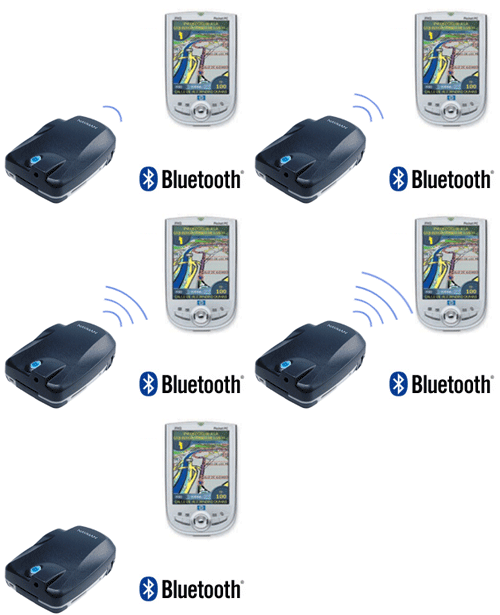
Navman
Figure: Navman Navigation
-
WorldMate 2005 Professional
WorldMate Professional Edition for Pocket PC is a nifty little
program that converts your pocket pc into a complete travel
organizer. Never miss another flight, meeting or conference again
- use WorldMate Professional for Pocket PC for all your travel
needs to ensure that you travel in world class style and comfort.
It can manage your itinerary, schedules, flight connections,
flight status updates, world weather, currency converter, tip
calculator and much more, all with convenient tab navigation.
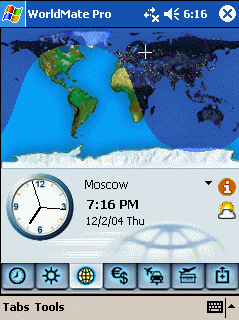
Figure: Heaps of functions, easy navigation
-
Jeyo Mobile Extender 2.0 - Send SMS like emails in Outlook!
Jeyo Mobile Extender for Outlook is an add-on program for the
Microsoft Outlook appplication. It connects Outlook to a Windows
Mobile phone (either Smartphone or Pocket PC phone) and turns it
into an SMS message center on your Windows PC. Through it, you can
send and receive SMS messages just as easily and quickly as you do
with email, all from the same familiar PC application interface.
Main features in version 2.0 include:
-
Send and receive SMS messages directly from the Outlook
application
- Reply to multiple SMS messages simultaneously
- Forward SMS messages as email, and vice versa
-
Create or view a SMS message in any language, even if it is not
available on a device
- Mix languages in a SMS message
- View or compose SMS messages offline
- Backup SMS messages
- Copy SMS messages from Outlook back to a device
- Remotely manage SMS messages on a device
- Receive notification of new SMS messages automatically

Figure: SMS Toolbar on your outlook
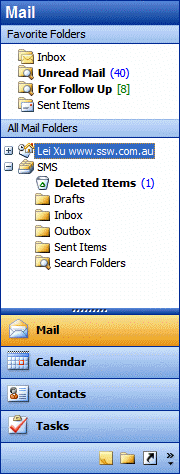
Figure: SMS folders on your outlook
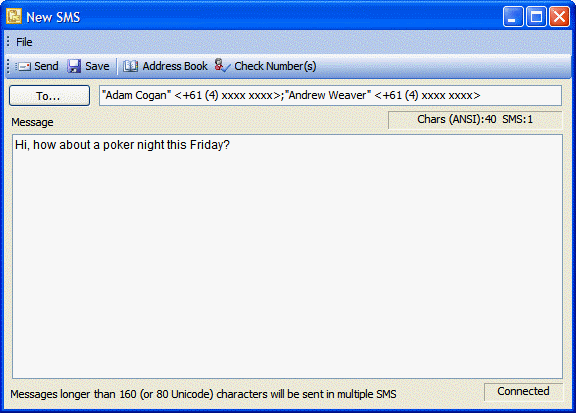
Figure: Create SMS message like writing an email
Red Oxygen OutlookSMS
-
SOTI Pocket Controller Pro
View and control your mobile device using your desktop computer
screen, keyboard and mouse with Pocket Controller-Pro.
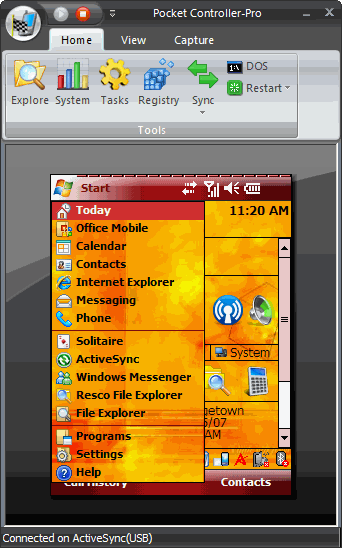
Figure: View and control your mobile device
Red Oxygen Outlook SMS

Acknowledgements
Adam Cogan