Do you agree with them all? Are we missing some?
Let us know
what you think.
Would you like your software to be considered for this list?
Give us your details
.
-
TeamCompanion for TFS 2010
Adam Cogan, CEO at SSW says it all:
We are very happy we found this tool from Ekobit. In fact, if
we did not have TeamCompanion for Outlook, we could not use
TFS work items. It is the best add-in for TFS, let alone the
best TFS add-in for Microsoft Outlook™. It is the
perfect solution, as it solves many problems, starting with
the missing HTML feature (that even TFS 2010 did not solve).
It beautifully integrates e-mail and Outlook with Team
Foundation Server and that makes TeamCompanion the single best
thing you can do to improve your project communication with
developers and clients.
In addition TeamCompanion makes working with the TFS data
easier. You access project related information using Outlook
without having to switch between applications. It makes it easy
to access your most important artifacts in your Team System
environment, such as work items and reports, and you may find
you rarely end up using Visual Studio Team Explorer or Team
System Web Access.
By integrating standard Outlook actions, TeamCompanion increases
your productivity dramatically. E-mails make work items or can
be attached to existing work items, and when completed you can
send a 'done' email back to the client.
-
-
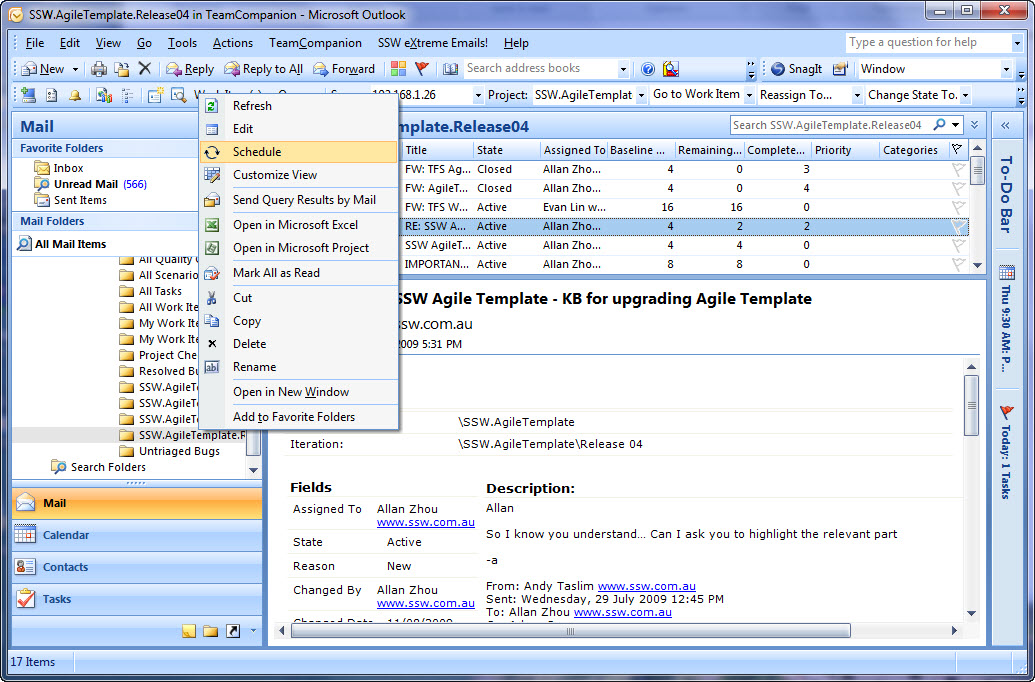
Figure: TeamCompanion is the #1 tool for TFS, because it makes
it easy to work with Team Foundation Server Work Items within
Outlook.
Team Companion

Check our
Rules to Better Project Management with TFS
to get more details on using TeamCompanion.
-
TeamLook from Personify Design for TFS 2010
Personify Design's TeamLook™ also extends Microsoft
Outlook. It has less features than TeamCompanion but still helps
stakeholders in a software project to communicate more
effectively and gain accurate visibility into project status.
TeamLook™ connects to Visual Studio Team Foundation Server
and enables users to view WorkItems and Reports.
-
-
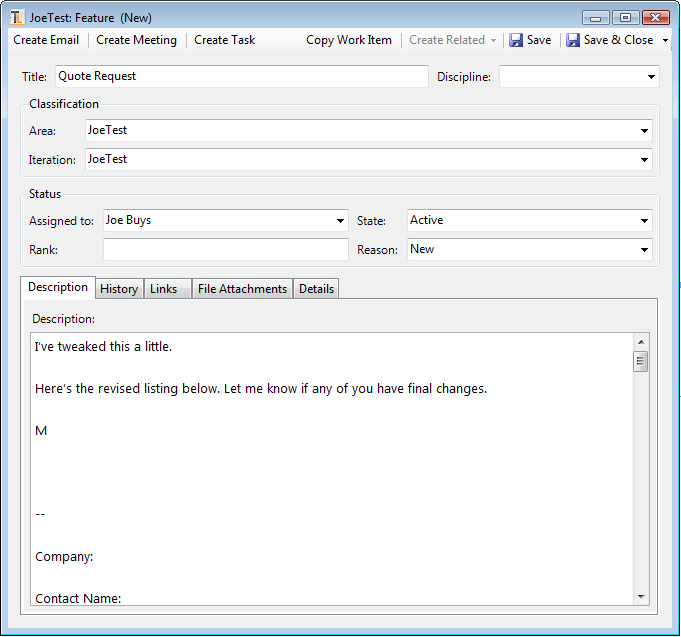
Figure: You can create a Work Items from an email with
TeamLook
TeamLook from Personify Design
http://www.ssw.com.au/ssw/Redirect/Outlook2007TFSAddin.htm
-
Outlook 2007 TFS Addin
Outlook 2007 TFS Addin is a simple tool that provides the
ability to work with TFS within Outlook.
The best advantage of this tool is that it is free and
lightweight. However this is also part of the disadvantage as it
does not have a complete feature set.
Warning:
There is no support for TFS 2010. This was developed by a sole
developer (Leon Langleyben) and he is no longer active on the
project.
-
-
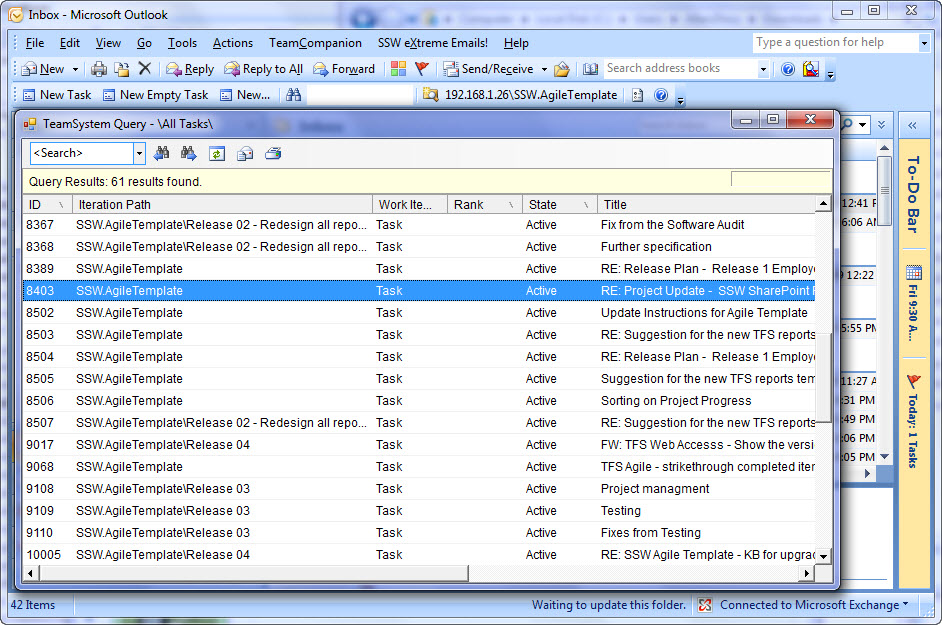
Figure: This free and generically named tool, enables you work
with Team Foundation Server Work Items within Outlook
Outlook 2007 TFS Addin
-
Team Foundation Sidekicks 2010
Team Foundation Sidekicks is a great tool that gives you
additional information about your TFS projects. It’s a
must-have for your TFS Master to help make sure the
Rules to Better Version Control with TFS
are being followed.
Some of the great things it can tell you include:
-
Whether any developers have had files checked out for a long
time – see
Master - Do you have a report to see who has not checked in?
-
Whether a developer has files checked out on multiple
workspaces – see
Do you know to delete workspaces older than 6 months and
warn on 3?
-
The detailed history of a file or folder including updates,
branches, merges and labels
- Information on any code that has been shelved
- Relationships between work items and changesets
-
-
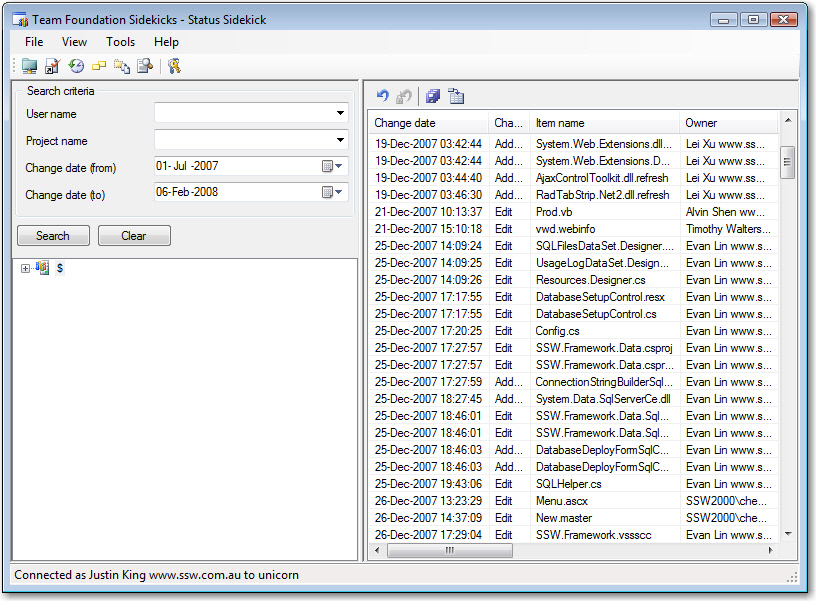
Figure: Using Team Foundation Sidekicks to show files that
have been checked out for a long time