Home
>
Archive
>
SSW Standards
>
DeveloperSQLServer
>
SSW SQL Server Setup - Merge Replication
Standard for SQL Server Agent Setup - Merge Replication
-
Create a user on the SSW Domain (ie SSW2000\SQLServerMachineName).
For example:
| Computer |
GOOSE |
| Full Name |
SQLServerGOOSE |
| Password |
[Default company password] |
This can be done via Active Directory Users and Computers on the
Domain Controller (e.g. WOLF)

-
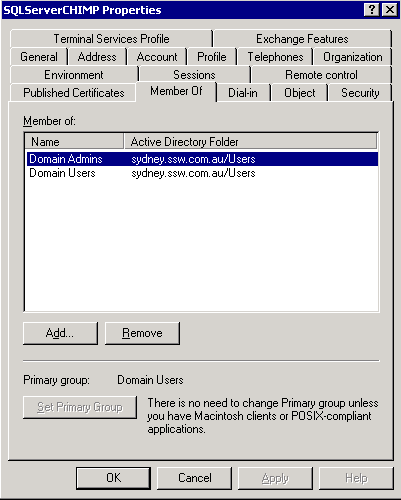
Give this user Domain Administrative privileges - or at least a user
that has file access to the distribution machine (normally the
publisher). This user will be the identity under which SQL Server
Service and SQL Server Agent will run.
-
Add a user on the local machine with the same username and password.
We are using the same username and password so the Local user will
have the same permissions as the domain user (e.g. local
CHIMP\SQLServerCHIMP will have same permissions as
SSW2000\SQLServerCHIMP). Replication requires that the SQL Server
Agent has file access to the distributor (which is JOEY). This file
access is required because it is going to be writing files (your TMP
and SCH files, for example) to shared volumes (ie other machines on
the domain).
-
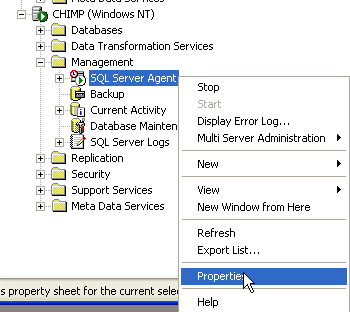
Open Enterprise Manager, then right-click SQL Server Agent, click
"Properties". You must ensure that the SQL Server Agent has
permissions to Access remote resources, such as file paths on other
machines.
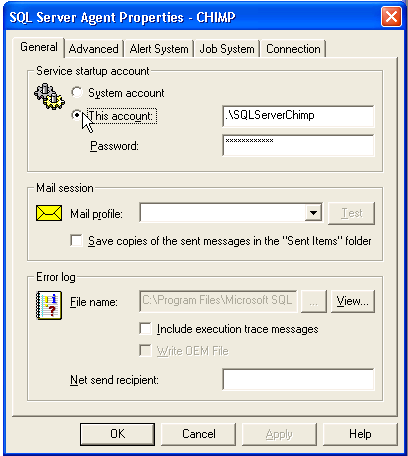
This is necessary because replication must physically access the file
system of the distributor for snapshot and bulk copy files.
Acknowledgements
David Klein