Home
>
Archive
>
SSW Standards
>
Rules
>
SSW Rules to Better Windows Vista Compatibilities
Windows Vista is totally different to any previous operation system,
it has been totally rewritten and has some unique feature to protect
your system from attach. However, everything comes with a price. To
ensure your application take all advantages of Windows Vista, you need
to make sure your application is compliant with
Microsoft Application Compatibility Guidelines
.
Do you agree with them all? Are we missing some?
Let us know
what you think.
-
Do you define execution level for your application executables?
Windows Vista requires every application define its execution
level in its manifest, this is to ensure the operation system is
aware of the required permissions that the application demand so
UAC (User Account Control) can prompt the user about the
permission demand from the application.
There are two available execution levels that application can
choose to use:
-
asInvoker
: this indicate your application will be running at the same
level of the invoker
-
higestAvailable
: this indicate your application will be running at the
highest available permission level of the current user
-
requireAdministrator
: this indicate your application will need administrator
permission to run
You need to specify one of above in your application manifest
file:
-
<?xml version="1.0" encoding="UTF-8" standalone="yes"?>
<assembly xmlns="urn:schemas-microsoft-com:asm.v1" manifestVersion="1.0">
    <trustInfo xmlns="urn:schemas-microsoft-com:asm.v3">
        <security>
            <requestedPrivileges>
                <requestedExecutionLevel level="requireAdministrator"/>
            </requestedPrivileges>
        </security>
    </trustInfo>
</assembly>
-
Figure: Application manifest file with execution level
specified to "requireAdministrator"
You can use
CFF Explorer
to check if an executable has execution level in its manifest.
-
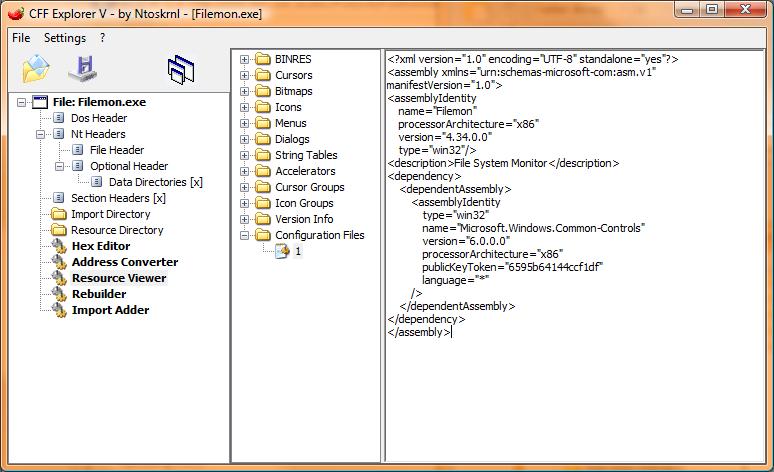
-
Figure: Bad - Application manifest doesn't include execution
level
-
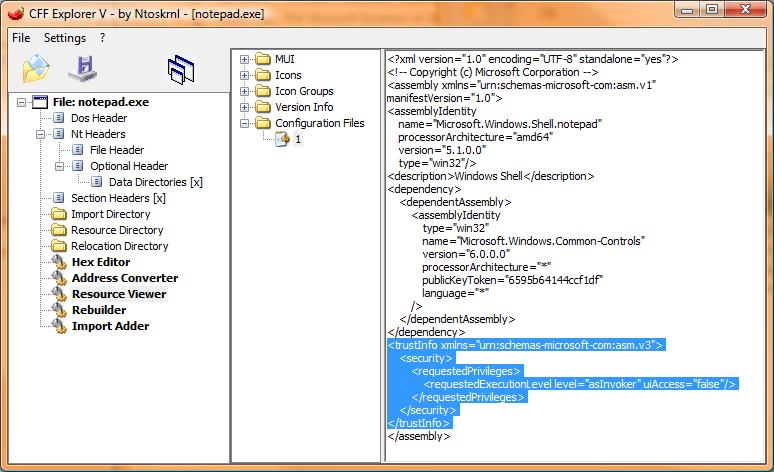
-
Figure: Good - Application manifest includes execution level
-
Do you sign your application?
We all have our own identity and it's crucial that the identify
can be verified. Identify of an application is also very
important because you need to ensure your users are running
genuine application. The only we can ensure this is to sign your
application with a digital signature.
Windows Vista puts extra requirement for application to be
signed, it will prompt different UAC warning based on the
presence of digital signature, this will allow the users easily
determine if the application is trustable.
This requirement applies to all executables, including: .exe,
.dll, .ocx, .sys, .cpl, .drv or .scr extensions.
-
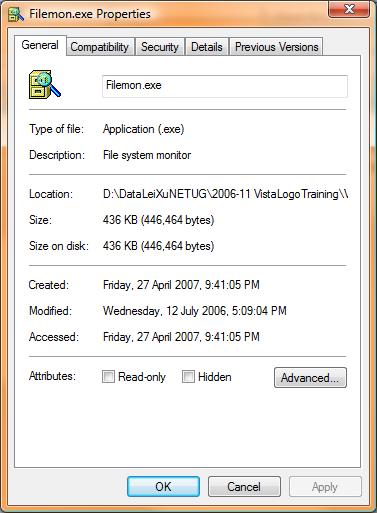
- Figure: Bad - Application is not signed
-
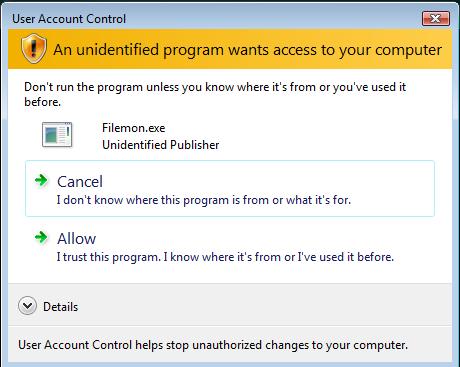
-
Figure: Bad - Windows Vista treat your application "An
unidentified program", this will reduce the trust level from
your users
-
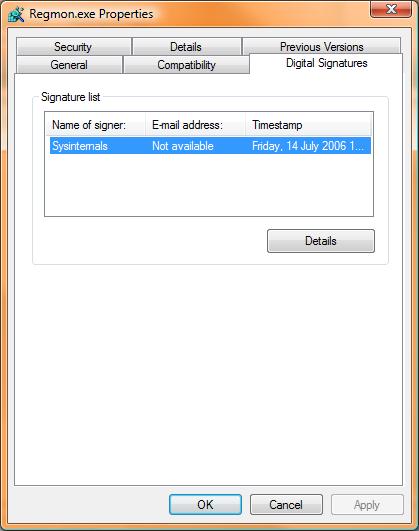
- Figure: Good - Application is signed
-
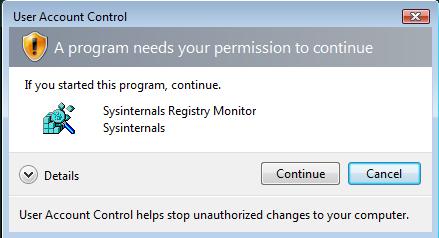
- Figure: Good - Windows Vista identified your program
Acknowledgments
Lei Xu
Wilson Wu