Do you use PR pre-releases to rapidly test AI-built desktop features?
Loading last updated info...
AI agents can produce a desktop feature in minutes, but testing it often still means checking out the PR branch, building the app locally and running it by hand. That slows feedback, puts off non-developers such as Product Owners, and tempts people to merge without really trying the change.
Instead, build every PR as a pre-release and let testers switch the installed app to that PR's build from Settings. No local branch juggling or manual builds required.
Why this matters
- Faster feedback for AI-generated changes without compromising quality
- Realistic testing inside the real desktop app, not just mock environments
- Product Owners and reviewers can test without a dev environment
- Encourages the Plan → Discuss → Implement → Review cadence
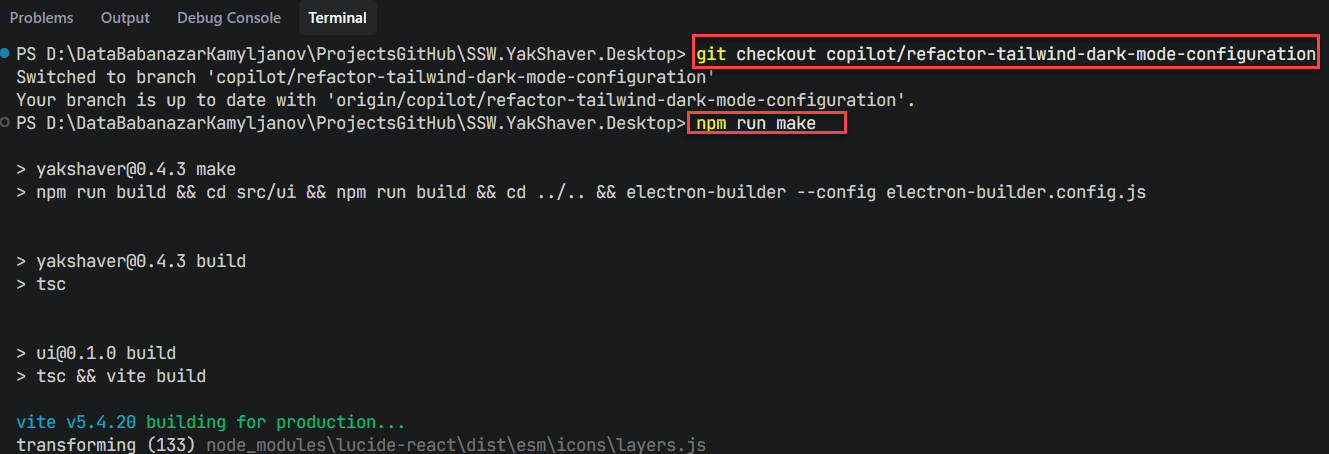
❌ Figure: Bad example - Bad example - Manual local branch switching, building, and running every time you want to test a change
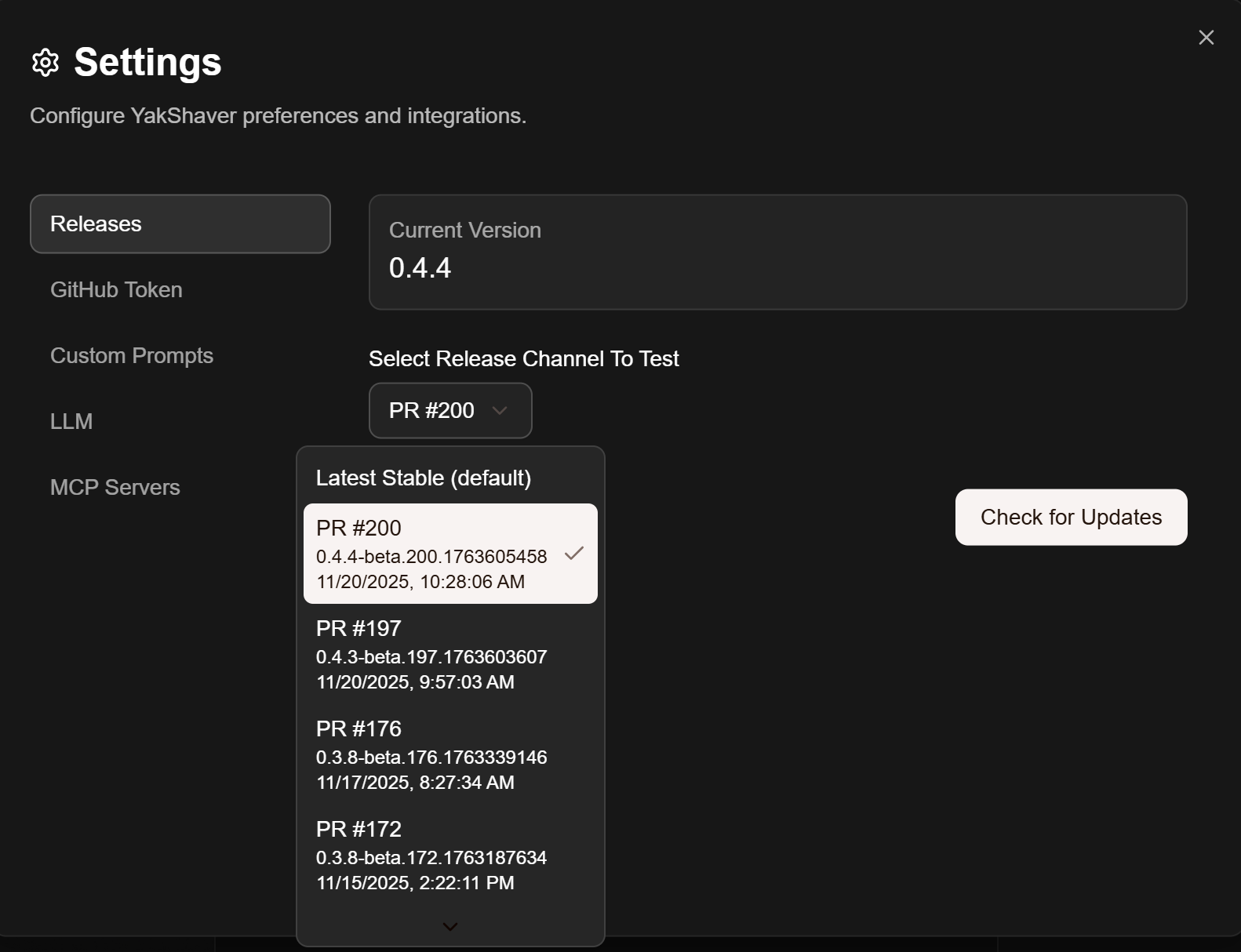
✅ Figure: Good example - Good example - Switch your desktop app to a PR pre-release in Settings, install, and test in the real app
The workflow
- Plan the change with context and constraints
- Ask your AI agent to implement a small, self-contained step and open a PR
- CI builds the PR and publishes it as a pre-release on its own channel (e.g.
beta.200for PR #200) - In your desktop app, switch to that PR's channel from Settings
- Review the behavior in-app, run tests, and capture findings
- Iterate until the feature is complete, then merge. Closing the PR deletes its pre-releases
Tip: Keep PRs small. Small PR pre-releases make investigation and rollback simpler.
How each change reaches the app
Every push to the PR triggers a new build, so testers always get the latest commit:
- Rebuild on every push - The workflow runs on
opened,synchronizeandreopened, and cancels any build still running for an older commit - Unique version per build - Each build gets a version such as
0.4.4-beta.200.1763605458(base version, PR number, timestamp), so the updater always sees it as newer. The previous pre-release for that PR is deleted - The app checks for updates - The installed app polls its channel (every 10 minutes in the example below), downloads the new build in the background and installs it on restart. Add a "Check for Updates" button so testers don't have to wait
The delay is the CI build time plus the polling interval. If a build fails, no new pre-release appears, so check the PR's CI status when a change doesn't show up.
Works with any desktop stack
The pattern isn't specific to JavaScript. You need two things: CI that publishes each PR build to its own channel, and an updater that can switch channels at runtime.
- Electron - electron-updater supports channels and pre-releases from GitHub Releases
- .NET - Velopack lets the app switch channel at runtime with
ExplicitChannelandAllowVersionDowngrade - Tauri - The updater plugin can set its update endpoints at runtime, so each PR can have its own feed
Tips for AI-assisted development
- Prefer small, focused steps that map one-to-one to PRs
- Write down assumptions and risks in the PR description
- Add lightweight checks to catch regressions early
- Use screenshots or short videos for reviewers. The agent can capture these itself while it verifies the change
- Keep a changelog entry for user-visible behavior