Do you plan for AI model quotas and region availability?
Loading last updated info...
An AI model on Azure is not offered in every region, and every subscription has a limit on how much of it you can use. Teams often pick a model and a region in the design and only check on deployment day. Then the model is not there, or the first busy hour ends in 429 errors.
That's why you should check model availability and quota before the design is final.
InsufficientQuota: This operation require 120 new capacity in quota Tokens Per Minute (thousands) - gpt-4o, which is bigger than the current available capacity 30. The current quota usage is 270 and the quota limit is 300 for quota Tokens Per Minute (thousands) - gpt-4o.
❌ Figure: Bad example - The deployment fails because the app needs more quota than the subscription has left
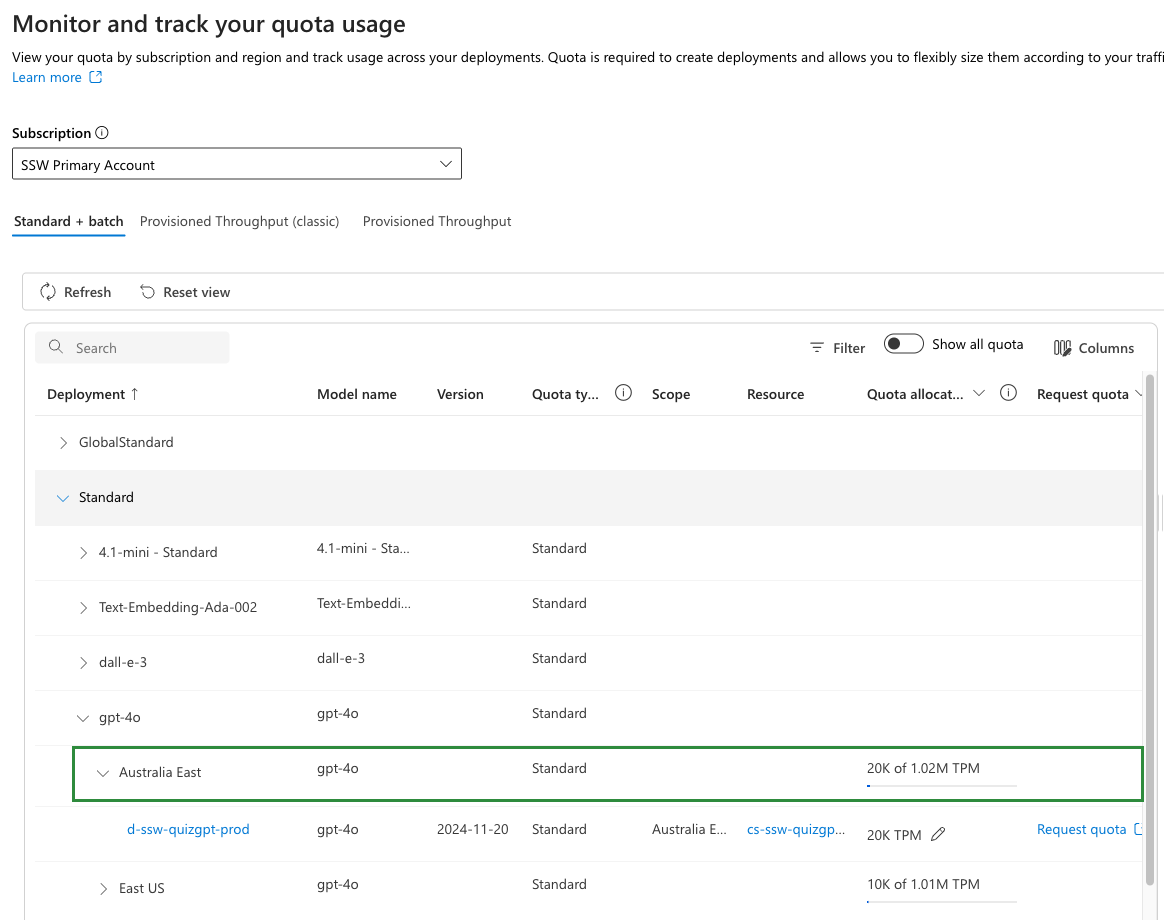
✅ Figure: Good example - The Quota page in the Foundry portal shows how much of each model you can use in each region
Check these before the design is final
- Model availability - Which models a region offers depends on the deployment type. New models arrive as Global first, and regional versions have "no guaranteed availability date"
- Where prompts are processed - Global can use any Azure region. Data Zone stays inside the US, the EU or Asia Pacific. Standard stays in the geography you pick
- Price - Global Standard has the lowest price. Pay more for Data Zone or a single region only when the data has to stay there
- Quota - Quota is a limit per subscription, model and deployment type, in tokens per minute. Go over it and requests get a 429 error
- Quota increases - More quota is a request to Microsoft. It is handled in the order received, and it "might be denied" if you are not using the quota you already have. Ask early
Warning: Check the subscription the app will run in. Quota belongs to the subscription, so the numbers in your own test subscription say nothing about production.