Do you use the best AI Powered IDE?
Loading last updated info...
Since the release of GitHub Copilot, we have witnessed a dramatic evolution in how developers work within their IDE. It started with a simple AI autocomplete, then a chat function, and now we are in an agentic gold mine. AI has now been integrated deeply into IDEs with products like Visual Studio Code and Cursor, embedding an even deeper level of AI integration within a developer's workflow.
Video: Let Cursor do the coding for you | Calum Simpson | SSW Rules (10 min)
Powerful features that AI-Powered IDEs provide
Code Completion
GitHub Copilot first popularized the 'code completion' feature for AI-powered IDEs. Code completion will try to guess what you are going to write, and suggest how to complete this line - saving time and effort by simply pressing 'tab'.
Code Generation
In Cursor (ctrl-K or command-K) and VSCode (ctrl-I or command-I), you are able to generate code at a given line or within the terminal with natural language. Useful when you want to change or add to a specific line, or you forgot the syntax of a bash command.
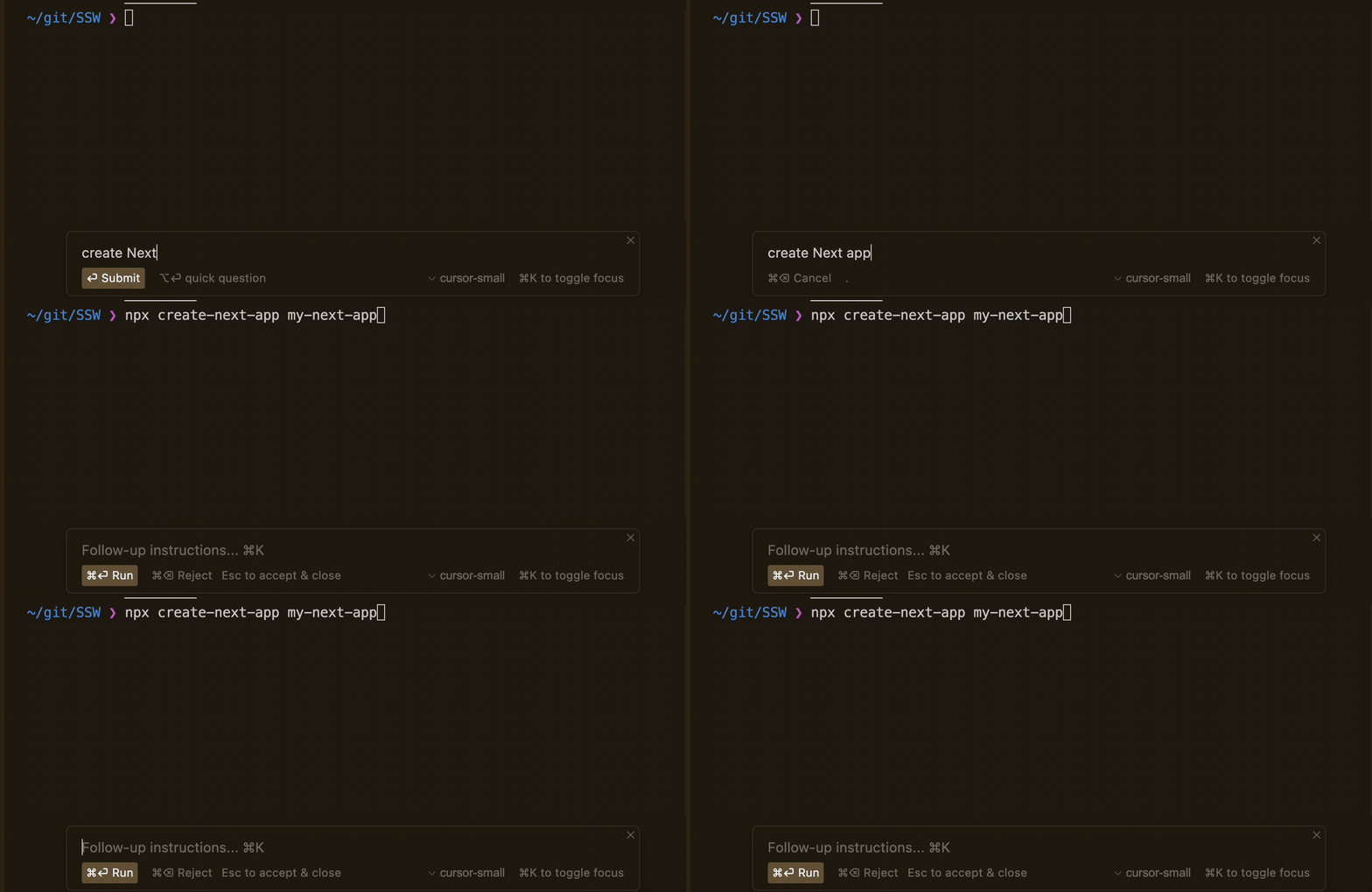
Figure: Cursor Command Generation (ctrl-K)
Chat
Chat functionality within an AI-powered IDE adds an intelligent assistant that can offer answers and suggestions without needing to leave the IDE. Unlike generic AI tools, it allows you to add context to your question, such as a file or even codebase, which lets the AI provide more tailored solutions.
Agent
The Agent function in AI-powered IDEs represents a significant leap in a developer's workflow. It acts as a semi-autonomous coding assistant, capable of directly controlling the IDE (creating/editing files, reading the codebase, searching the web, executing bash commands), and call any MCP tools that have been integrated with the IDE.
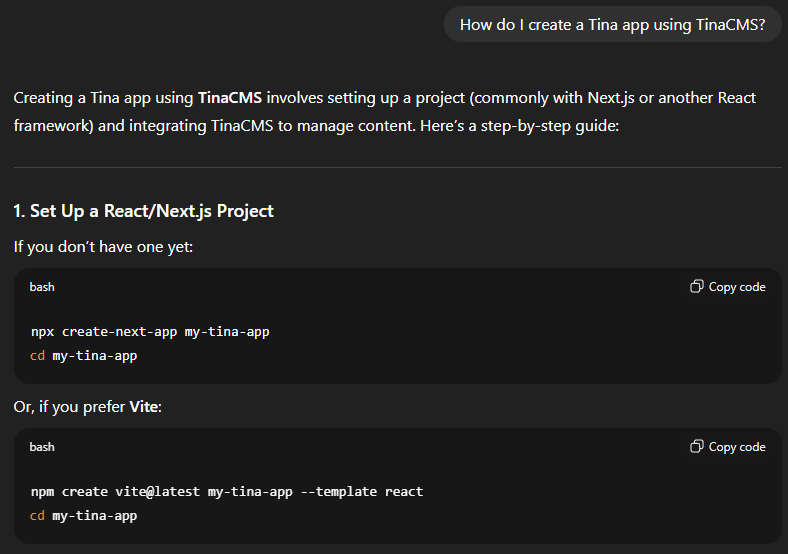
❌ Figure: Bad example - Using ChatGPT with only one instruction, requiring you to copy paste the commands into the IDE
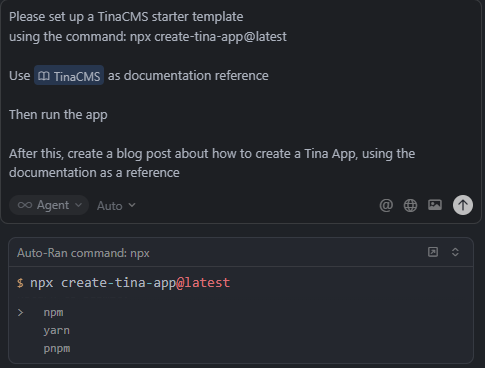
✅ Figure: Good example - Using Cursor Agent to create a Tina App, with multiple provided instructions
Using an AI-Powered IDE
There are lots of AI-Powered IDEs on the market right now, and they are evolving constantly, introducing new features at a rapid pace. Despite this, they all have similar pros and cons:
✅ Pros
- Speed - Documentation, boilerplate can be written in seconds, prototyping done quick
- Code quality - Catches bugs and edge cases, gives refactoring suggestions
- Lower barrier of entry - Make programming more accessible, learn new frameworks faster
❌ Cons
- Code correctness - May actually introduce new bugs and security risks
- Skill development - Short-term efficiency may hinder long-term skill growth
- Maintenance - Reviewing and fixing AI-suggestions may exceed time saved
Here are some options:
- GitHub Copilot in VSCode (⭐ Recommended)
- Cursor (⭐ Recommended)
- See Cursor's visual editor in action - Is Cursor’s new visual editor a Figma killer? Tutorial (7 min)
- Amazon Kiro - For spec driven development
Tip: Most of them have free trials, so try and see which IDE works best for you.
Using the CLI for AI-assisted development
Command line interfaces (CLIs) offer an alternative to AI-powered IDEs, for users who prefer terminal-based workflows or need specialised capabilities.
✅ Pros
- Much larger context windows - better understanding of large codebases
- Can run longer sessions without timing out
- Can be integrated into CI/CD pipelines
❌ Cons
- Steeper learning curve - comfort with terminal interfaces and command-line workflows
- No graphical diff views or inline code highlighting
- Manual setup required - configure authentication and permissions
Here are some options:
However, a hybrid approach with an AI-Powered IDE allows you to achieve the benefits of both - completing small tasks easily and large tasks efficiently.
A word of caution
AI is still very much a work in progress. It makes mistakes, especially when working with lesser-known programming languages and frameworks, and will often hallucinate. It is the developer's responsibility to ensure that the code they publish is optimized, and AI tools should only be used for assistance, and not as a direct replacement for a developer.
You wouldn't send an email written by ChatGPT without first checking it for correctness and intention. Similarly, you should not commit any code written by AI without first reading through it, and testing it.
You are solely responsible for the code you commit!
Warning: Whilst other non-VSCode IDEs can run VSCode extensions, not all will work e.g. Microsoft licensing restricts the use of the .NET debugger to Microsoft builds of VSCode.
Which is best?
AI-Powered IDEs are evolving all the time, so you can't go wrong with any of them.
Currently, SSW Developers tend to prefer Cursor, and it seems to have more hype based on Google Trends. However, the ever-strong VSCode Copilot is also another great choice, with the introduction of agentic mode in April, now rivals other AI-Powered IDEs.
Note: In regions such as China, where tools like Cursor and Claude are restricted from access, Trae, developed by ByteDance, serves as a great option.
Tip: Investing in one of these tools may prove to be worthwhile, and you can always claim it as a tax deduction.
Share some details about your experience with AI assisted development e.g. What tool did you use, what did you use it for, how did you use it, what was the experience like, etc.