Do you add branding to your browser's new tabs?
Loading last updated info...
Changing the appearance of your browser's new tabs can greatly enhance your browsing experience and add a touch of personalization. By incorporating branding elements, you can make your browsing sessions more enjoyable and reflective of your unique style.
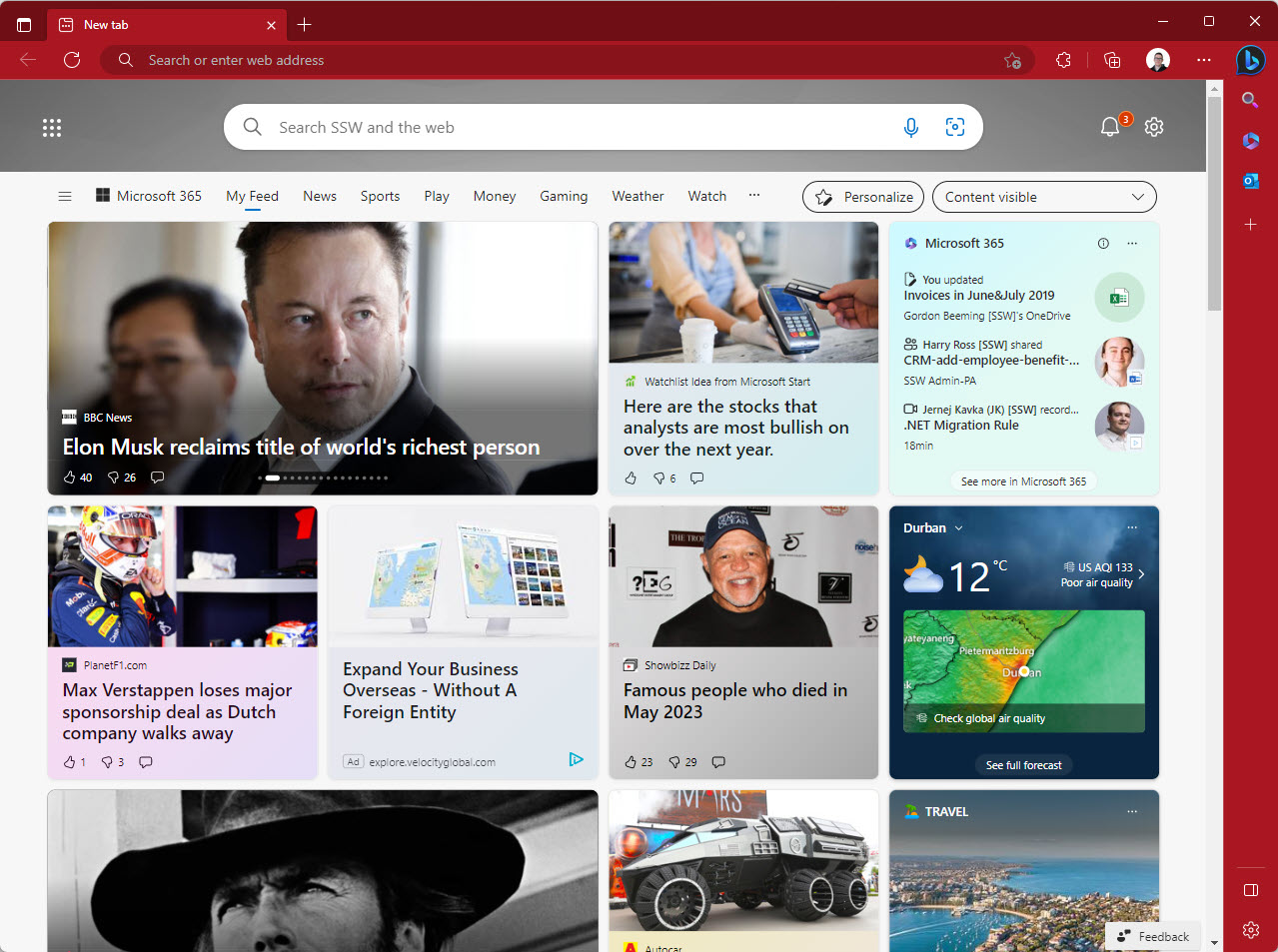
❌ Figure: Bad example - Default new tab
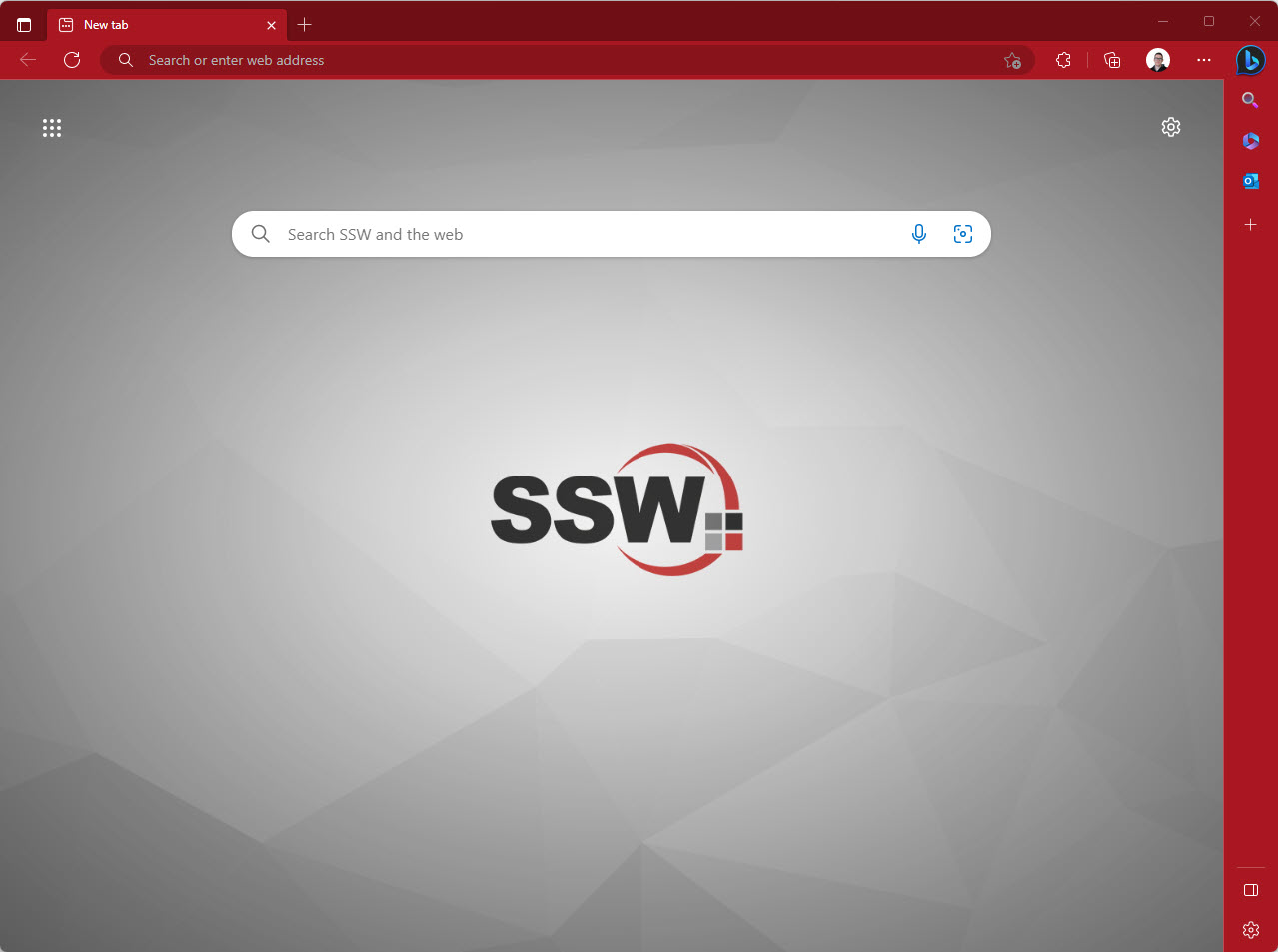
✅ Figure: Good example - Branded new tab
Tip: You can also change your browser theme color to match your branding. This is especially useful to differentiate multiple profiles in your browser.
How to add a branded image to your new tab experience
Setting a different per Edge or Chrome profile background image is a great way to have some branding and quickly identify which profile you are using when opening the browser or a new tab.
- Open your Edge or Chrome browser
- If you are not in the new tab experience click the + button to open a new tab
- Click on settings | Edit Background
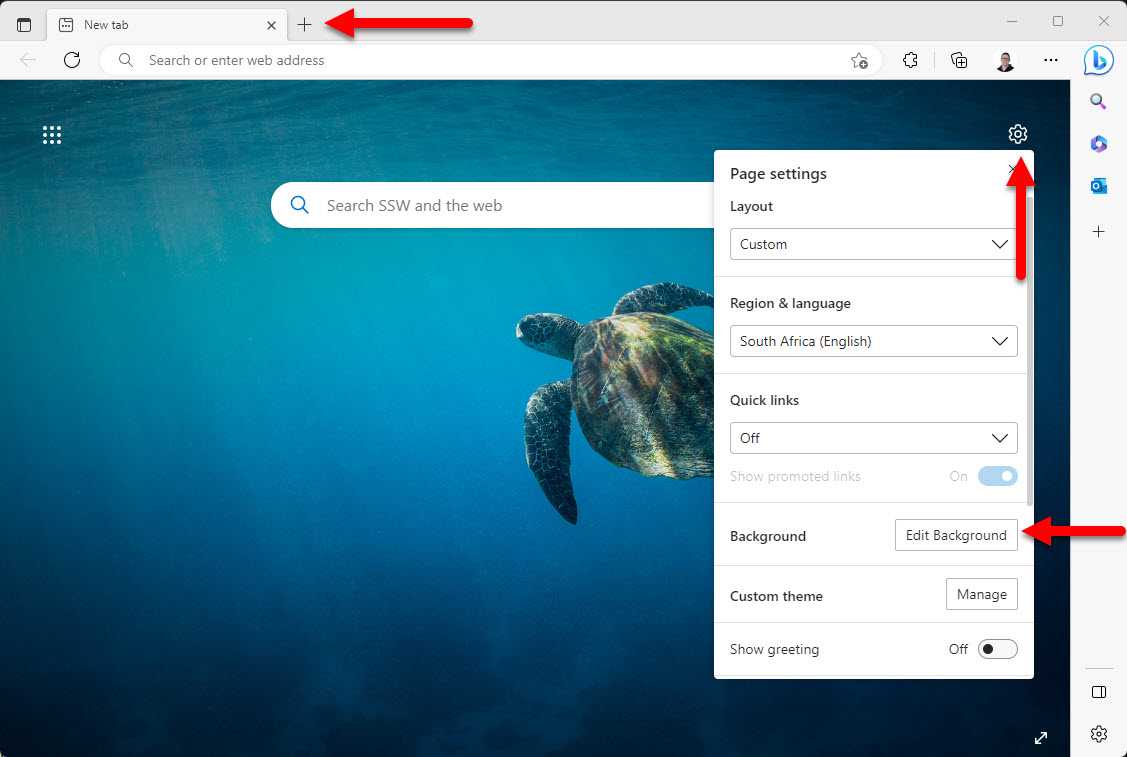
Figure: Opening new tab settings in a Microsoft Edge browser
- Click on "Upload Image", select the image you want to use and click "Open"
- Click "Apply"
- Uncheck "Change new background daily"
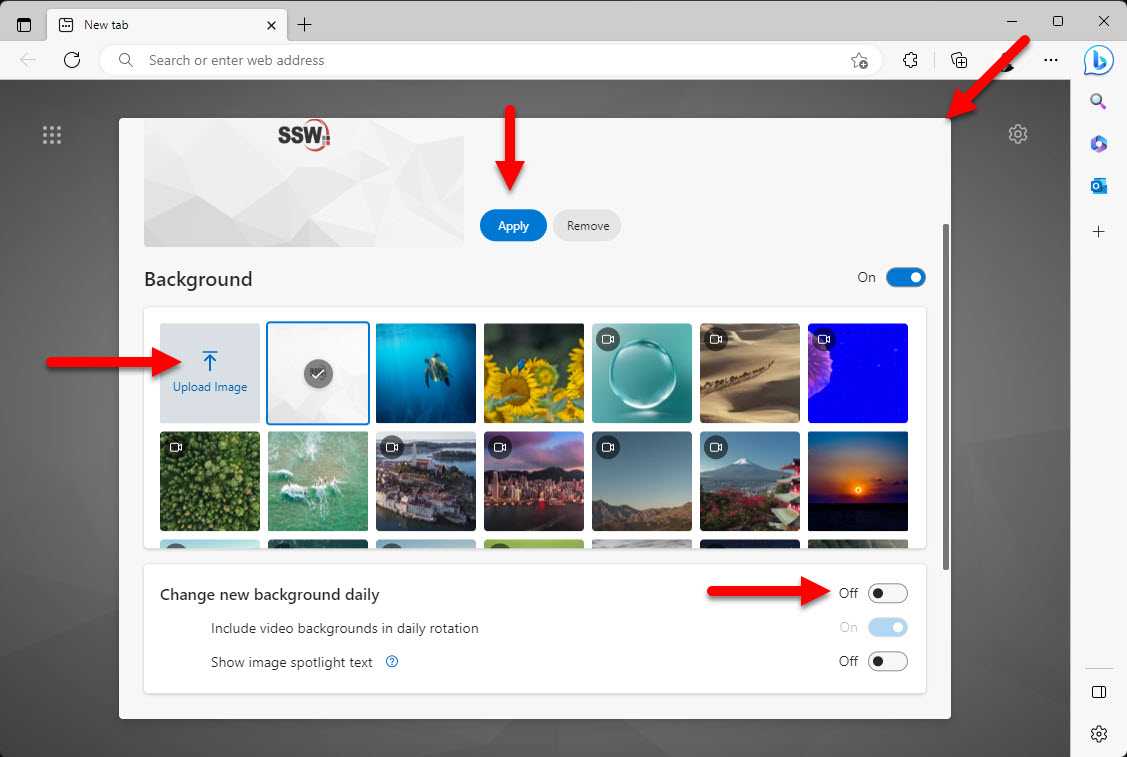
Figure: Where to make changes
- Close the dialog box, note you might have to scroll back up to see the "Close" button
Now every time you open a new tab or the browser you will see your custom background image and immediately know which tab you are in without having to glance over to the small profile image.