Calendar - Do you set your work hours in CRM and your Outlook calendar?
Loading last updated info...
Setting up an Outlook calendar can be highly beneficial not just for you, but also for others who need to see your availability. By sharing your calendar with your colleagues, they can easily see when you are free or busy and can schedule meetings or appointments with you.
This can avoid scheduling conflicts, especially when different people work different hours. For example, if the company has standard hours (9am to 6pm), when someone is working different hours (say 8am to 5pm) it is desirable to have this visible in Outlook for others making an appointment.
✅ Benefits
You should always set your working hours in your Outlook calendar so others knows when you are working, this will help to:
- Let others know when you are working
- Allow for better company resource scheduling
- Communicate better with part time employees and contractors
Setting work hours in Outlook Calendar
- Open the settings in your preferred app:
- Classic Outlook: Go to File | Options | Calendar | Work hours and location
- Outlook & Outlook on the web: Go to Settings | Calendar | Work hours and location
- Teams: Go to Calendar | Calendar Settings | Work hours and location
- Set your days and hours
- Since you're here, set your location as well
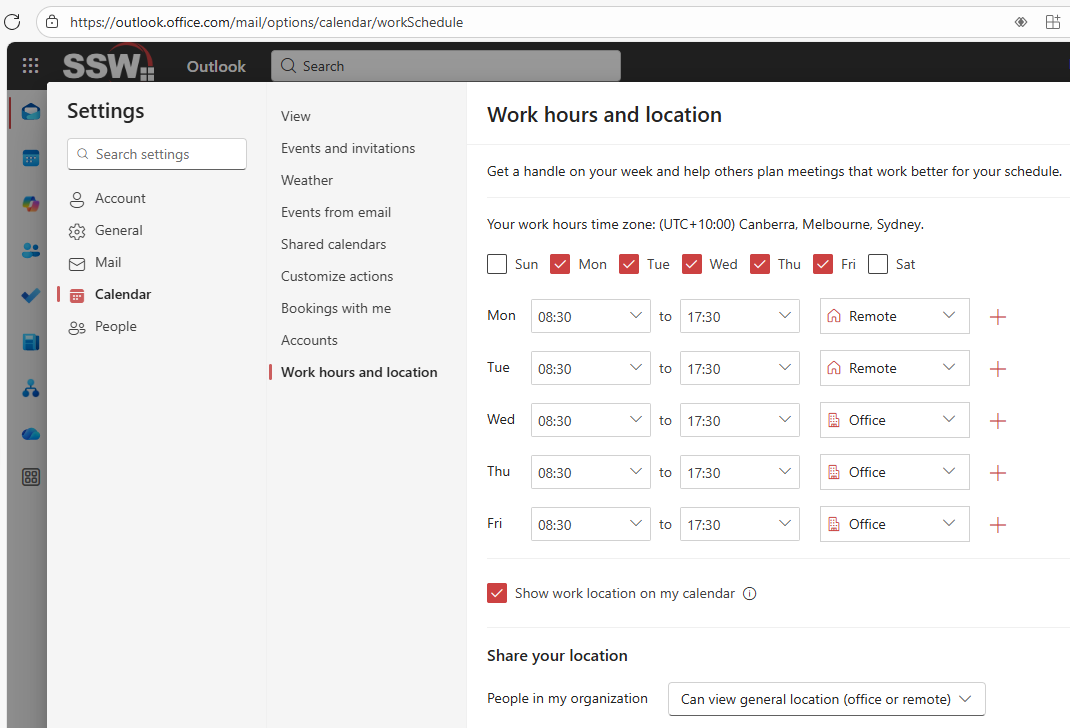
Figure: Outlook on the web | Set your working days, hours, and location
Once you set this up, you will be able to see the grey area in "Scheduling assistant" so you know what's the best time to book that person.
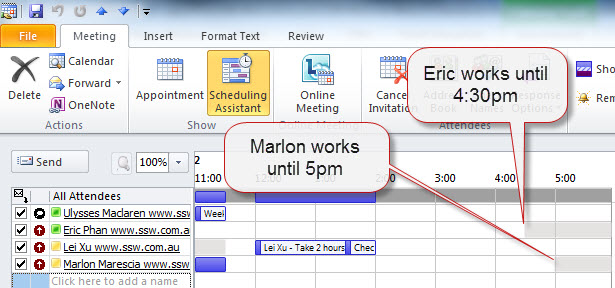
Figure: Grey means people are not available (so set your working hours to be accurate)
Set your work hours in CRM
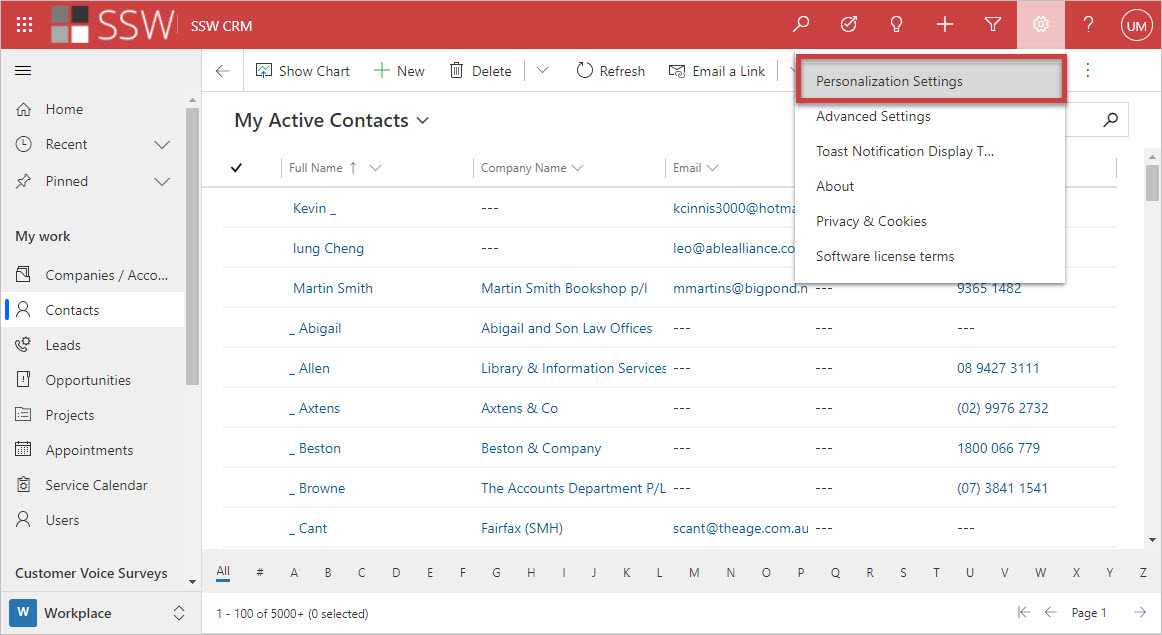
Figure: In CRM, Click on the cog in the top right | Personalization Settings
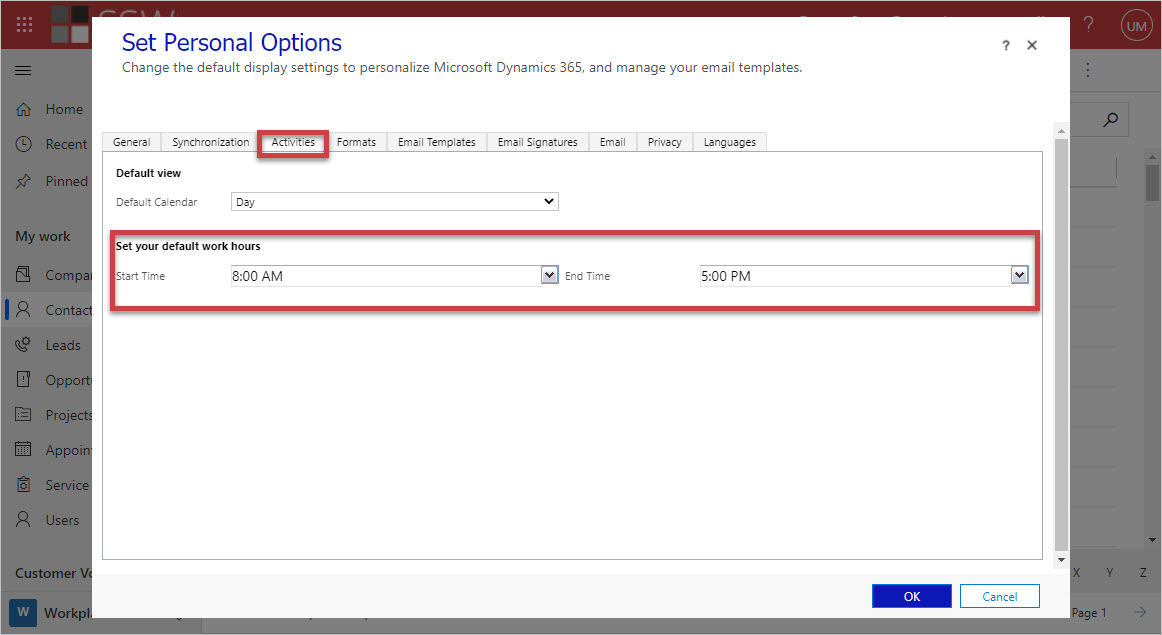
Figure: Go to the Activities tab | Enter your default work hours
This only allows for times that are the same every day. You should also update the work hours field in your CRM Details tab.
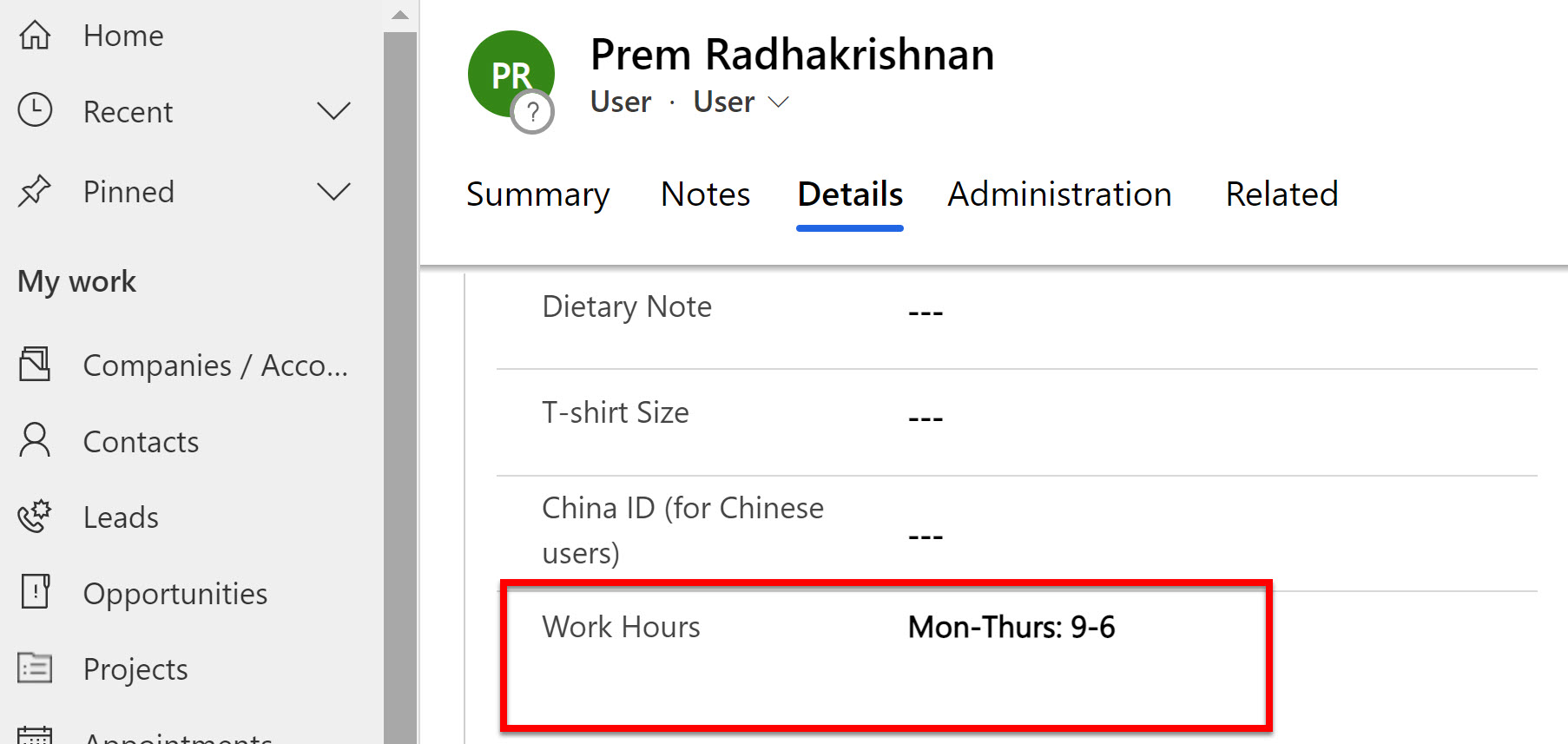
✅ Figure: Good example - Only update your work hours if they vary from the usual Mon-Fri, 9-6