Do you ask for small content changes using from X to Y?
Loading last updated info...
When asking for changes on a web page, Word document, PowerPoint slide, or code, always use "change from X to Y".
This process consists of including the original version of the content ("X") along with the changes you require ("Y"). It means you easily see the page or file content as it was prior to your changes.
This history is convenient for future reference and also makes it very clear to the person doing the changes exactly what the new file is meant to look like.
Tip: For any changes that aren't text-related, YakShaver is the way to go. It captures the exact user context, and automatically creates and assigns issues to the right team, saving time and improving accuracy.
Video: Best way to ask for content changes | Ulysses Maclaren | SSW Rules (5 min)
Using email to request small edits
Make the changes even easier to see and understand by highlighting:
- In yellow - Content you want to add/update (only do this on the "To" section)
- In red (with white and bold text) - Content you want to delete, whether it be specific text or an entire sentence (only do this on the "From" section) Note: Only indicate in red the content that will not be replaced/updated with something correlated.
Note: All text we do not write ourselves should be indented, so this includes paragraphs you are copying and pasting.
To:
Dave
Subject:
Update CodeAuditor features list
Hi Dave
1. For the CodeAuditor web page, please make the list read:
Scan all your projects for coding errors:
- Guarantee Industry best practices
- Friendly licensing model, bloggers even pay $0 for the full version!
❌ Figure: Bad example - The original version of content has not been included in the email... it is hard to tell what needs to be changed
To:
Dave
Subject:
Update CodeAuditor features list
Hi Dave
On CodeAuditor web page ssw.com.au/ssw/codeauditor
1. Please change:
From:
Scan all your projects for coding bugs and errors:
- Enforce industry best practices.
- Friendly licensing model pay nothing for the full version!
To:
Scan all your projects for coding errors
- Guarantee industry best practices
- Friendly licensing model - bloggers even pay $0 for the full version!
✅ Figure: Good example - 'From' and 'To' changes are highlighted... it is clear what needs to be changed
Video: Top 10+ Rules to Better Email Communication with Ulysses Maclaren
Using AI to suggest changes
Don’t tell AI to rewrite your email. Instead use change x to y format too.
Prompt example:
Check the below email. Number your suggestions in the form of change x to y eg.
[number] change [new line]
x [new line]
to [new line]
y [new line]
✅ Figure: Good example - Training AI to use "from X to Y"
Microsoft Teams - Use the same X to Y style
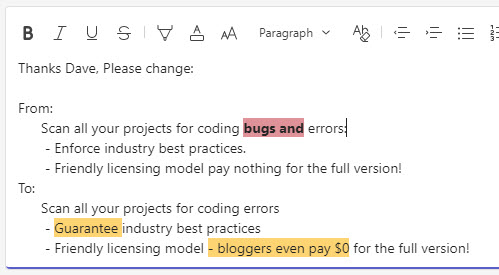
Figure: Using change from x to y in Microsoft Teams
Note: Microsoft Teams doesn't currently allow you to set the font color to white.
Microsoft Outlook - Add a style to make delete highlightings easy
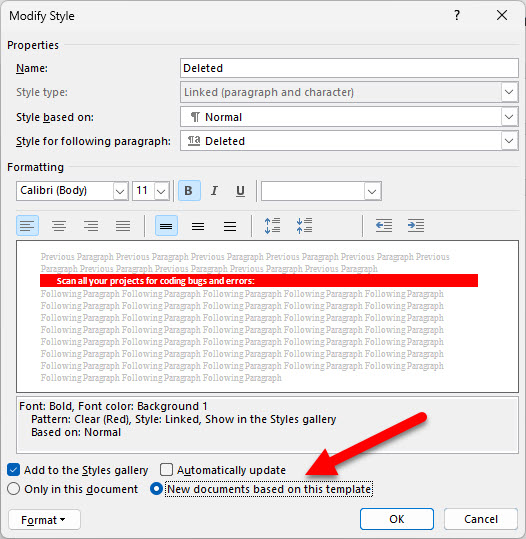
Figure: Remember when saving the style to select "New documents based off this template"
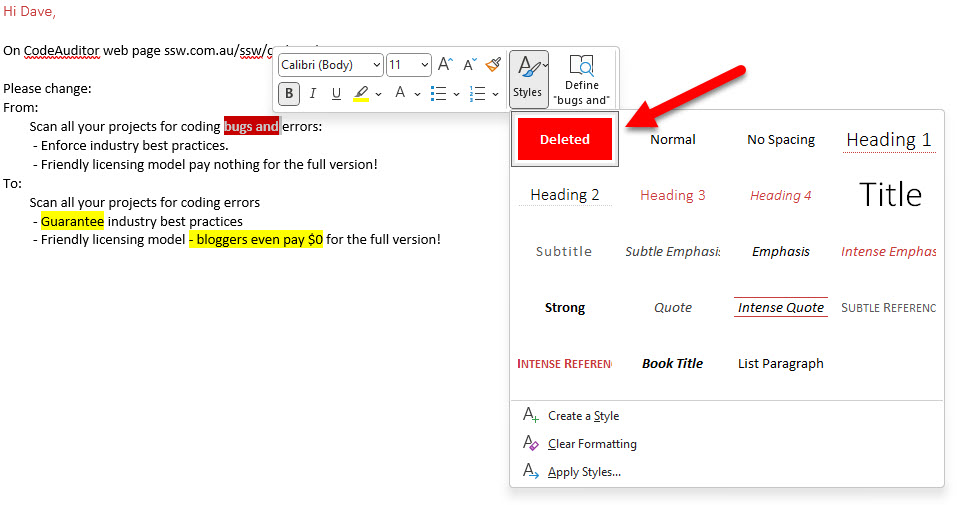
Figure: The style will show in your styles list to be applied when needed
Tips:
- You can right click to bring up the format text toolbar
- By default, saved styles are ordered alphabetically. Add numbering in their name to customize their order of appearance
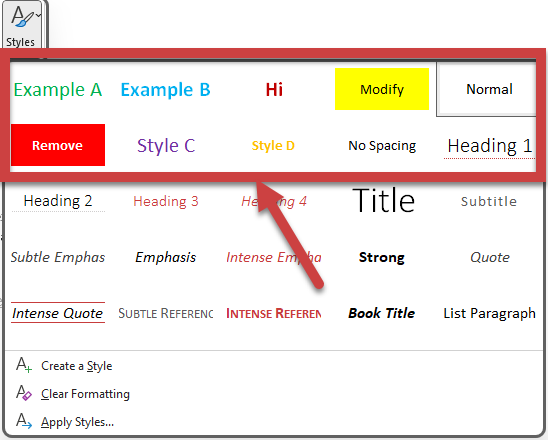
❌ Figure: Bad example - Custom styles are disorganised
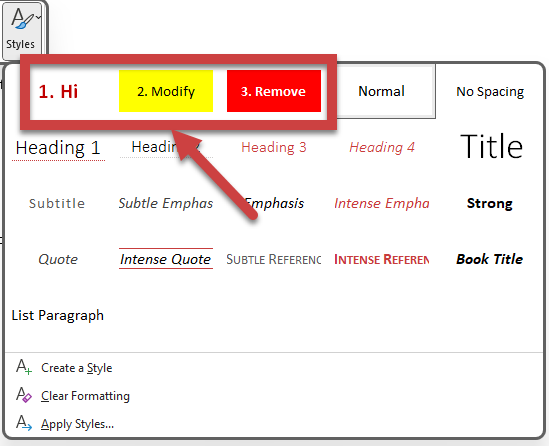
✅ Figure: Good example - Custom styles are numbered and organised
Alternative - What if there are too many changes?
Sometimes you have a lot of content and too many changes, making the process "from X to Y" too arduous. In this case is recommended to use Word 'Track Changes' functionality.
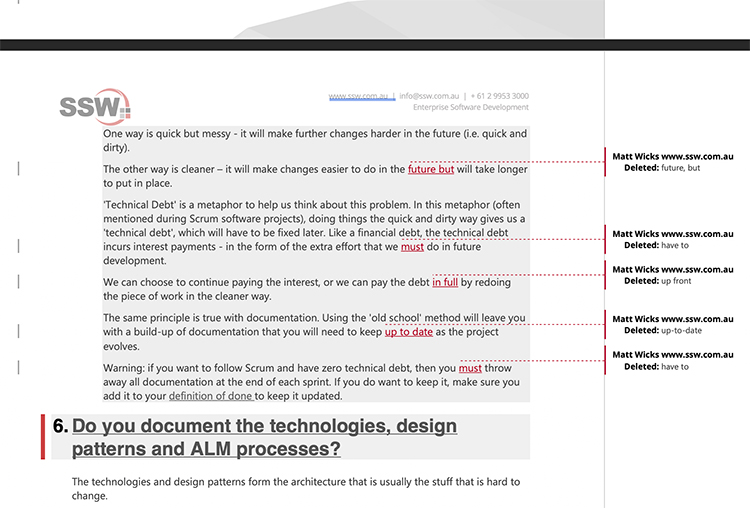
Figure: A Word document with 'Track Changes' ON is recommended if you have too many changes
Alternative - What if you have a website managed by GitHub?
Some websites use GitHub to manage their files (e.g. SSW Rules). GitHub makes reviewing changes easy through "Pull Requests".

Figure: This visual preview of the changes to a Markdown file in GitHub
Note: When highlighting text in HTML/Markdown you should avoid font tags. Use span instead.