Do you know how to copy text from an image?
Loading last updated info...
Have you ever stumbled upon a useful chart, diagram, or infographic with embedded text, only to find that the text can't be copied? This is incredibly frustrating because the information is locked in an image format. The process of manually typing out the text can be time-consuming and prone to errors. There are a couple ways to solve this:
Method 1: Using OneNote
Using OneNote is simple. All you do is paste your image into OneNote, right click on it, and click Copy Text from Picture.
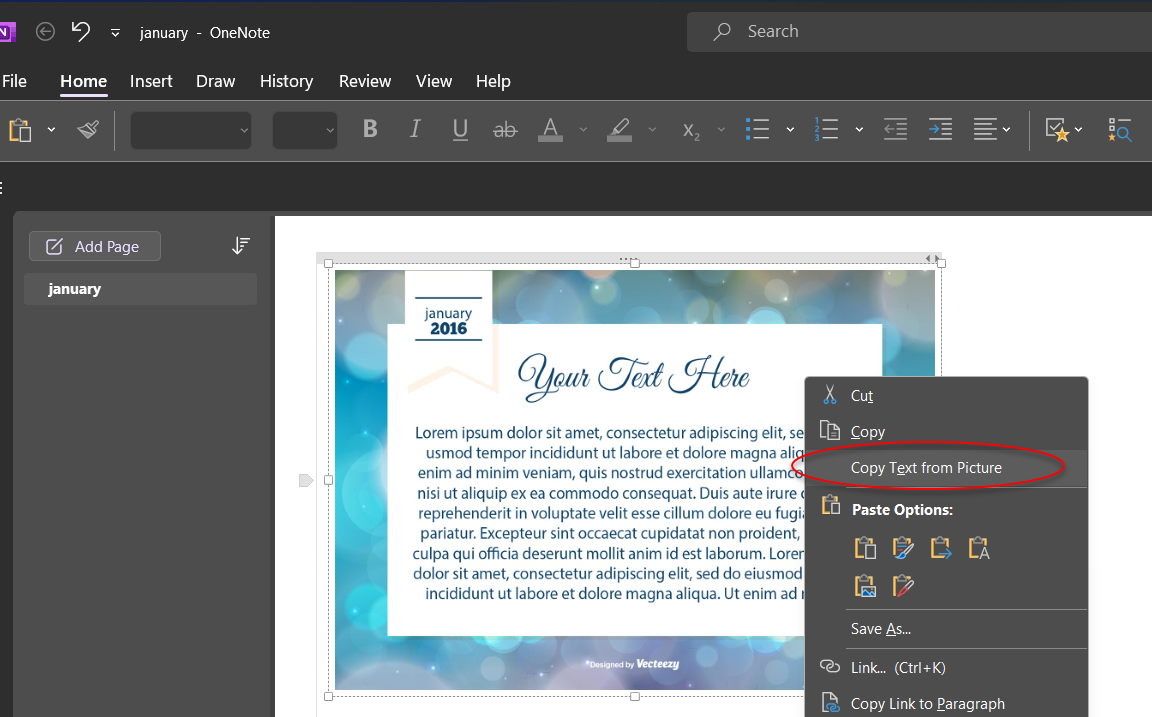
Figure: Paste image into OneNote and right click on it
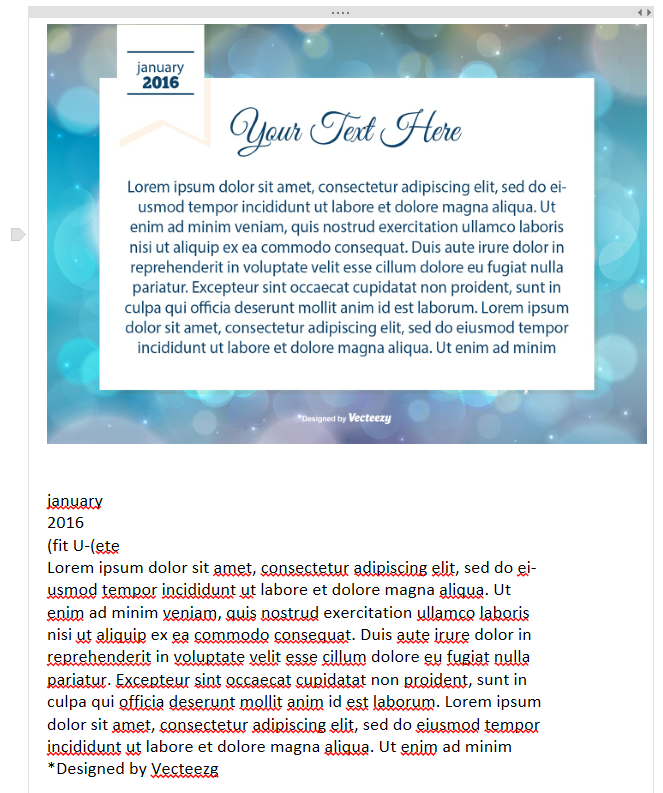
✅ Figure: Good example - The text pastes below the image. Easy!
Method 2: Using Google Drive
In Google Drive you need to upload your image as a new file. Then you need to right click on the image file and select Open with | Google Docs.
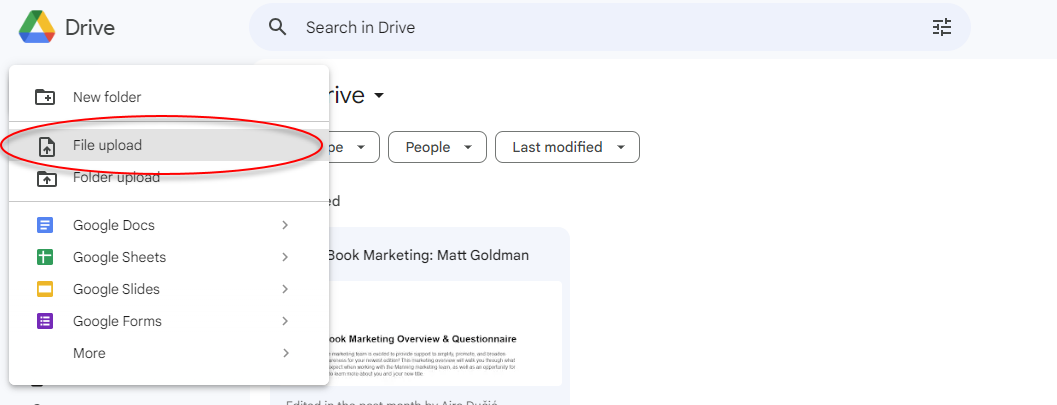
Figure: Upload your image first
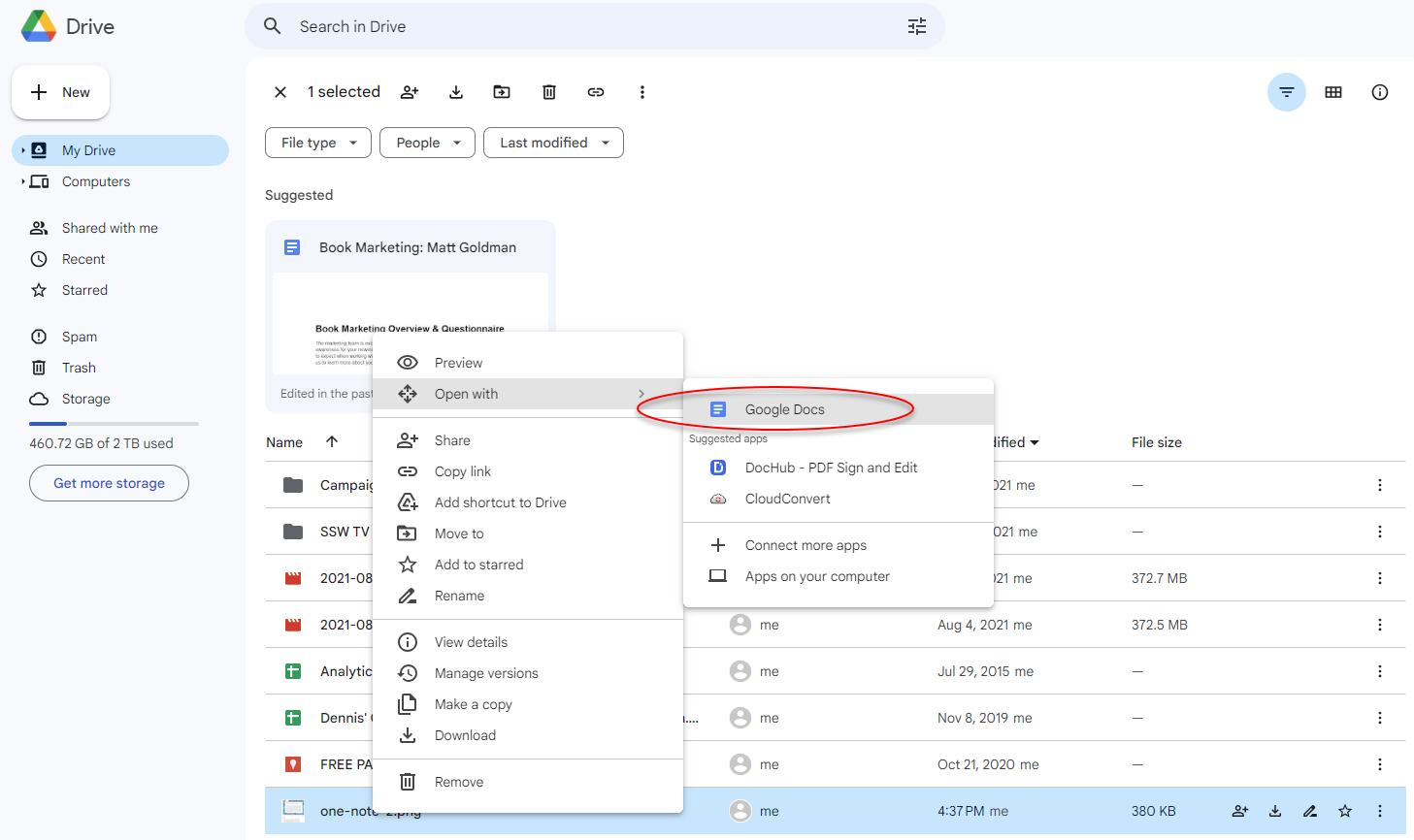
Figure: Open your image with Google Docs
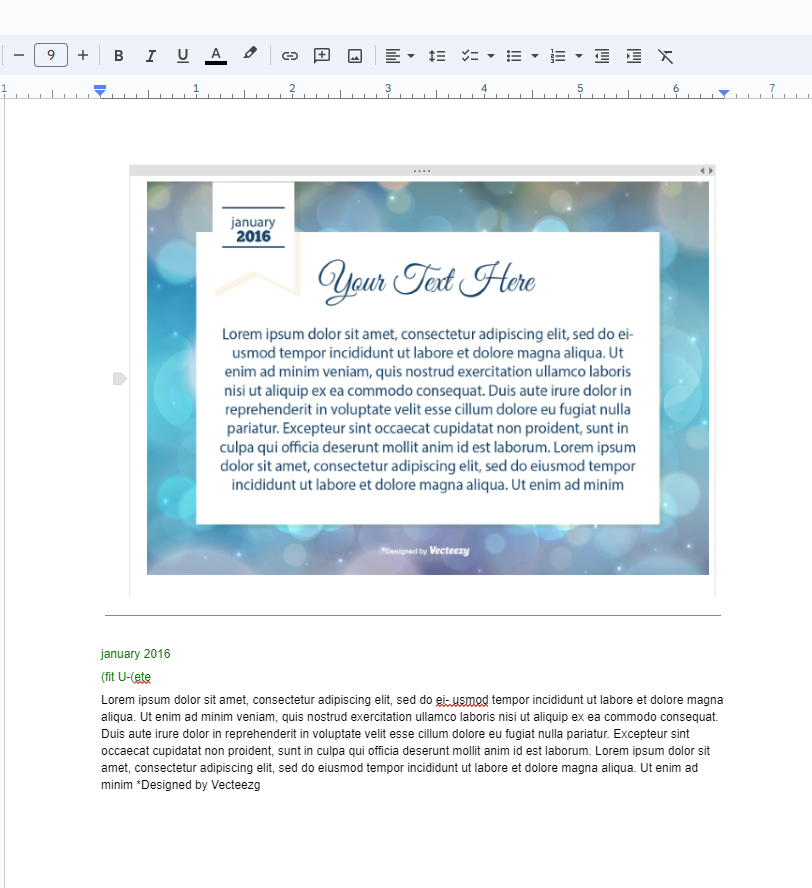
✅ Figure: Good example - The text is added to the new document!