Do you know how to create mail merge template in Microsoft CRM 2016?
Loading last updated info...
The following instructions to create Microsoft CRM 2016 mail merge template require you to have Microsoft CRM Outlook add-in installed on your Outlook, and you need to open Outlook while creating the template:
- Go to Settings from Microsoft CRM 2016 home page.
- Click Templates on the left navigation panel.
- Click Mail Merge Templates on right content panel.
- Click button New to create the new mail merge template.
- Fill in the mail merge template details and leave the File Attachment fields empty.
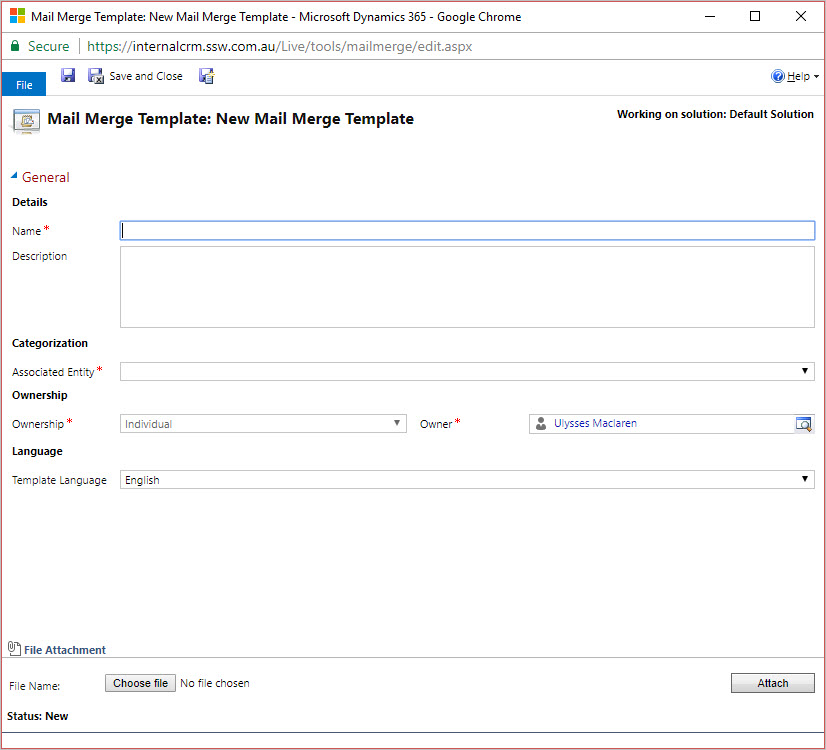
Figure: Fill in mail merge template details
- Click the Save button to save your template. 7. After you save the template, click the button Create Template in Word to start creating the template content.
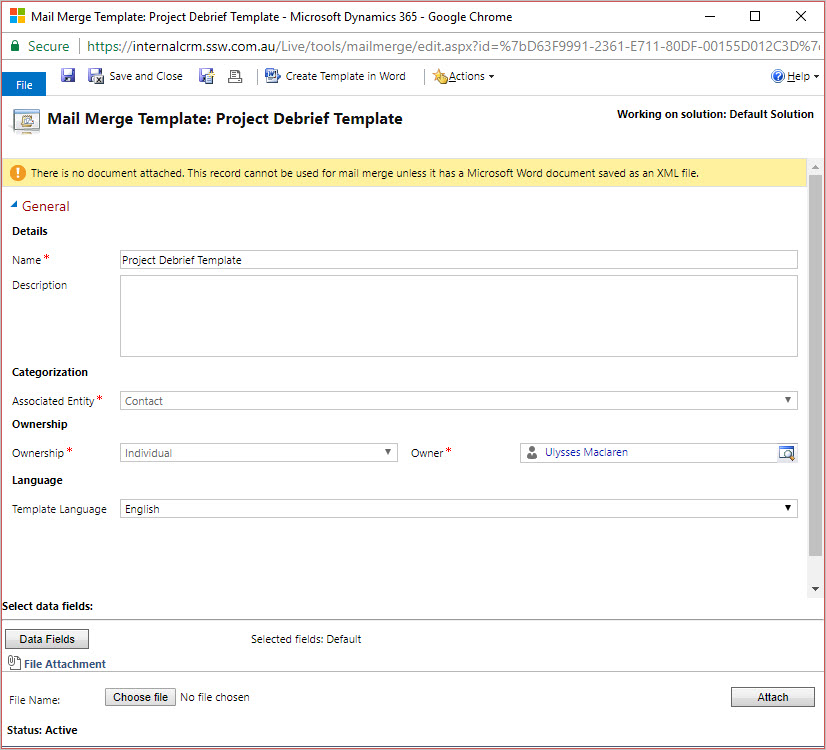
Figure: Create Mail Merge Template
- A Microsoft Word document will be open on your machine. 9. Click Addins | CRM 10. Follow on screen instructions on the right panel of the word document to create the template.
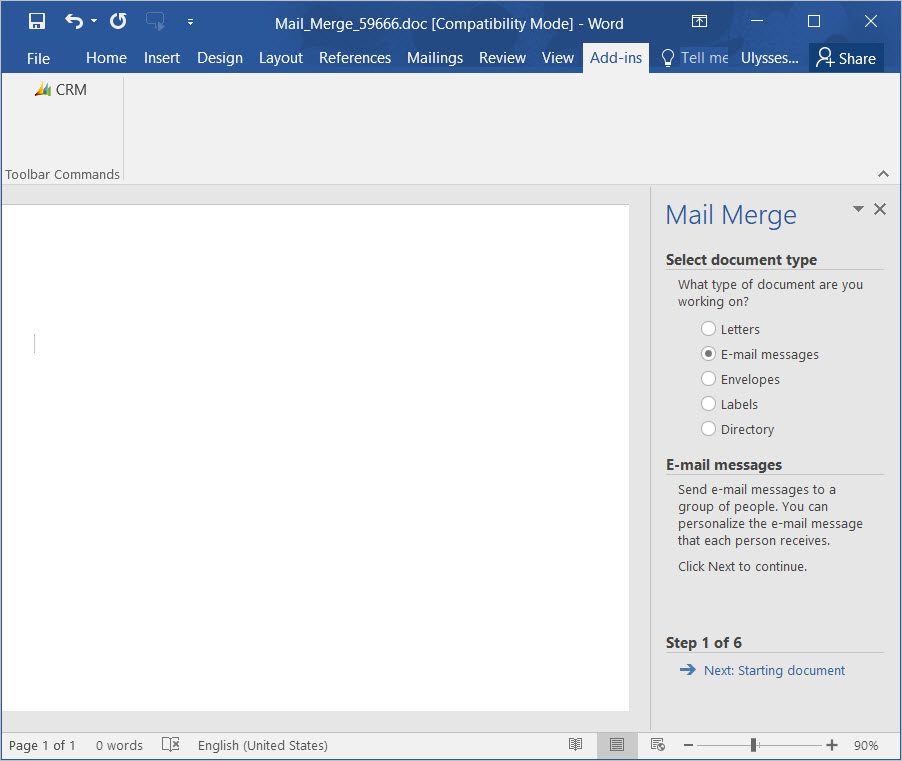
Figure: Follow the instructions to create template content