Do you know how to sort in view by a column through code
Loading last updated info...
You may know that it is quite easy to sort view by a column through the UI.
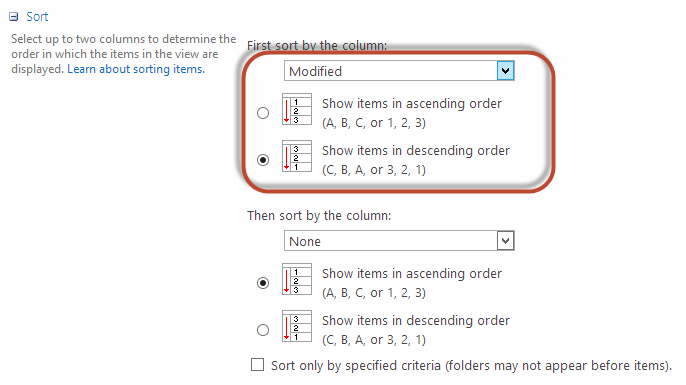
Figure: Change view column sort from web UI
But when you are trying to do that via code, you may find a pretty tricky issue.
You can use some code like:
view.Query = "<OrderBy><FieldRef Name=\"Modified\" Ascending=\" FALSE \" /></OrderBy>";
Figure: Use code to change view sort
But the below code won't work:
view.Query = "<OrderBy><FieldRef Name=\"Modified\" Ascending=\" False \" /></OrderBy>";
❌ Bad example - The Ascending attribute is case-sensitive
The full code should be some code like:
SPView view = list.DefaultView;view.Query = "<OrderBy><FieldRef Name=\"Modified\" Ascending=\" FALSE \" /></OrderBy>";view.Update();
✅ Good example - The Ascending attribute is using capital charactors as it is case-sensitive