This rule has been archived
Archived as we don't put exercises in SSW Rules. See https://www.ssw.com.au/rules/methodology-daily-scrums#tip-11-if-you-have-raised-impediments-consider-contacting-the-product-owner to know how to deal with impediments
Do you know how you deal with impediments in Scrum?
Loading last updated info...
Exercise – Click Click Scrum
This exercise uses the VS2010 planning poker deck of cards & TFS
Separate out the cards
Separate out these as Chance Cards
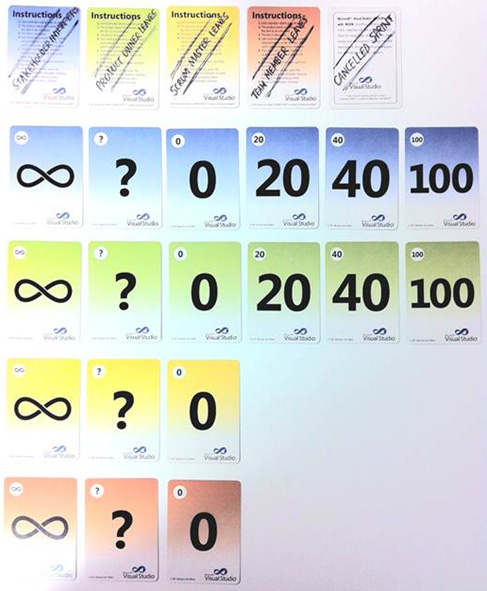
Figure: Chance cards
Separate out these as Point Cards
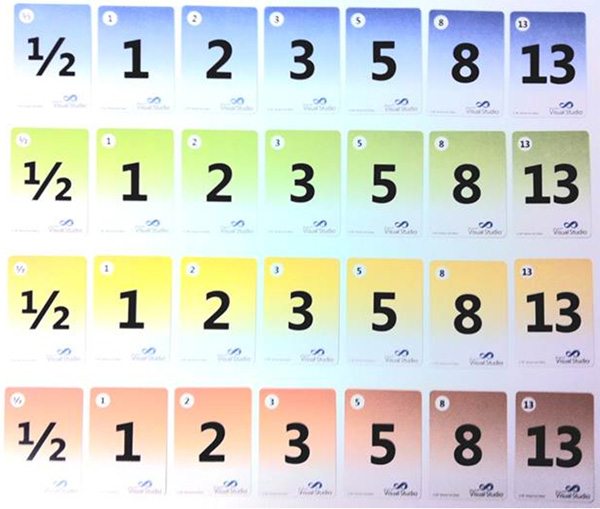
Figure: Point cards
Set Timeboxes
Sprint Planning (What): 20 minutes
Sprint Planning (How): 20 minutes
Each Day: 10 minutes ( x 9 days = 90 minutes)
Review: 20 minutes
Retro: 20 minutes
Total for 1 complete Sprint: 170 minutes (~3 hours)
Sprint Planning Meeting (What)
- The trainer acts as PO and gives PBIs & prioritises them
- Students clarify the requirements of the PBIs (Details, Acceptance Criteria)
- Students do Planning Poker to Estimate
- Students break PBIs into tasks
- Students put estimates on each task (typical times for work in a day e.g 4 hours, 8 hours)
Each Day in the Sprint
- Get the students “Click-Click” their fingers instead of doing actual coding
- The trainer deals one or two cards from the Chance Cards
- The trainer looks up the meaning of the cards (see table below) and the trainer makes up a suitable PBI that fits the card and the work the students are doing
- The students add or change work items based on the scenario of the Chance cards
- (If your team is estimating tasks) The team reduces the remaining hours on their assigned tasks, with the assumption that each student works 8 hours
- Do the Daily Scrum (describing their day based on the work they just updated in TFS)
NOTE: It is OK to really code rather than use “Click-Click” development as long as TFS is updated.
The Review Meeting
The PO reviews the work of the team (Note: if all the work was “Click-Click” then review the TFS work items to check that they are entered OK).
The Retro
Students and PO do a standard Scrum retro for the exercise.
Meaning of the Chance Cards
Table Example - Impediment
| ∞ - Impediment |
|---|
| Draw a point card |
| Add the value to the remaining hours of a task |
| Record the impediment |
Table Example - DBA will not give access to the database:
| ? - Clarification |
|---|
| Draw a point card |
| Add a new task |
| Set the remaining hours of a task to the value |
Table Example - The error message should change from “User Error” to “The process could not be completed, please check the Url value provided for the web service and try again”:
| 0 - Bug |
|---|
| Draw a point card |
| Create a bug |
| Add a task to the bug |
| Set the remaining hours on the task to the value |
Table Example - One of the build scripts fails on the build server, but works on a local dev machine:
| 20 - Bubble |
|---|
| Draw a point card |
| Create a bubble |
| Add a task to the bubble |
| Halve the remaining hours on a task |
Table Example - The data access layer supports the validation framework so as that was already implemented the effort expected has decreased:
| 40 - Spike |
|---|
| Draw a point card |
| Create a new PBI |
| Set the PBI points to the value |
Table Example - The current implementation may not support real-time display of information with the performance expected by users – investigate:
| 100 - Task blowout |
|---|
| Double the remaining hours on a task |
Cancelled Sprint - The PO cancels the Sprint
- Cancel all tasks
- Recycle the PBIs to the Product Backlog
Team Member - The Team is missing a Team Member
- Reduce the hours the team works by 8 hours
Scrum Master - The Team is missing the Scrum Master
- The team handles the missing SM
Product Owner - The Product Owner is missing
- The team handles the missing PO
Stakeholder Interferes - Stakeholders are contacting the Team to change priorities and requirements
- The team handles the Stakeholders