Do you know that you need to migrate 'custom site template' before upgrade to SharePoint 2013 UI?
Loading last updated info...
If you have “custom site template” for your site, you can’t upgrade your site to the SharePoint 2013 UI unless you have a site template with the same name ready for new UI.
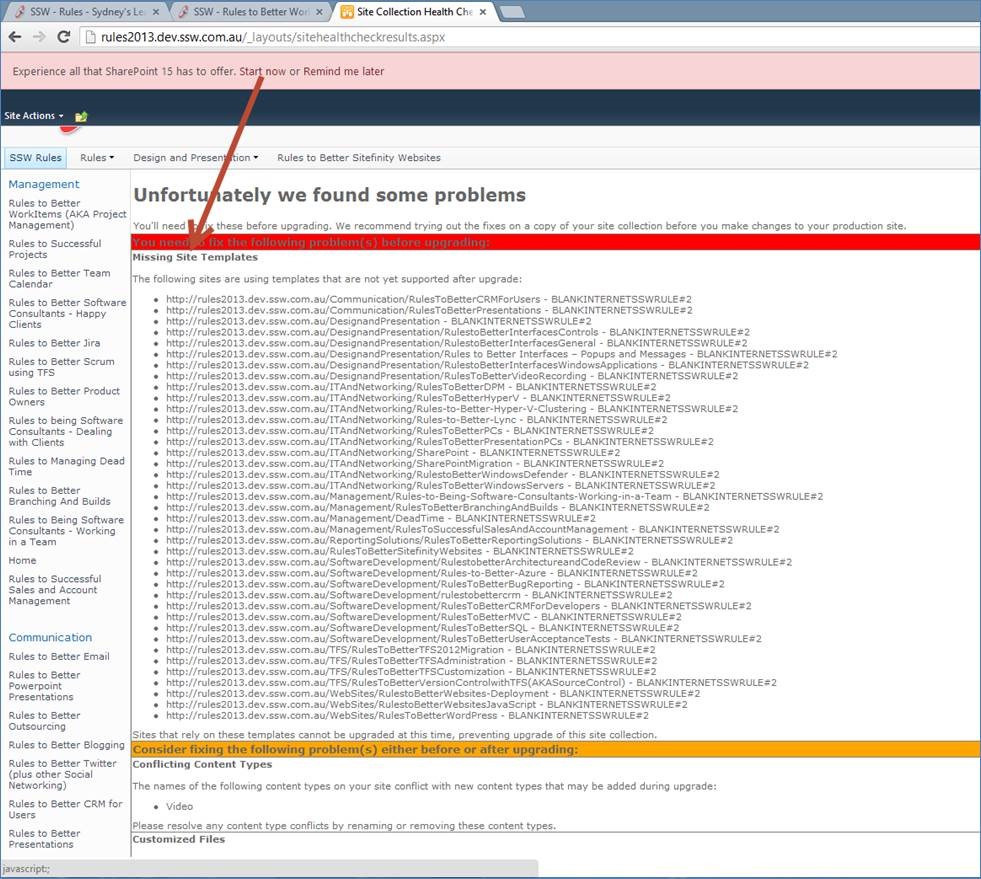
Figure:SharePoint will show you an error “Missing Site Templates” that prevents you from upgrading
To fix this issue
- Upgrade your site template’s content files and definition XML file to SharePoint 2013 (refer to SharePoint 2013 default site template for details).
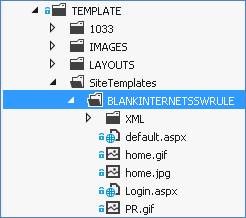
- Package the site template’s content files to map location “ {SharePointRoot}\Template\SiteTemplate ”.
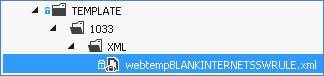
3.Package the site template’s definition XML file to map location “ {SharePointRoot}\TEMPLATE\1033\XML ”.
 4.Deploy the package.
5.Try to upgrade to SharePoint 2013 UI again.