Do you document discoveries and decisions?
Loading last updated info...
Work items often have a great description and Acceptance Criteria. However, work can change quickly; sometimes, the justification for those changes ends up in emails or instant messages.
If decisions and discoveries aren't in a central location, it can cause significant pain down the line. For example, if a new developer starts working on a work item, they might get halfway through the task only to find out their work has been wasted due to side conversations in emails.
Therefore, when the requirements of a Work Item change or critical information is found, these details should be accessible to everyone on the Scrum team.
That's why the discussion section of a work item rocks!
Video: Documenting decisions and discoveries with Piers Sinclair (3 min)
What should be documented?
All important discoveries and decisions made around a Work Item should be recorded. If you think another Scrum team member would find the recorded information useful or you will need to recall it in the future, then document it.
Some examples include:
Discoveries
- A developer finds a blocking issue hindering the Work Item's progress
- A developer has investigated Application Insights, they can't see any errors, and they don't think there is a problem with the HTTP calls. So, Application Insights is no longer a priority for investigation
- A tester notices a problem with a feature
Decisions
- The Product Owner has asked for changes to the functionality
- A developer gets approval to implement a new UI design
- A tester has tested and approved the feature in staging
When should changes be documented?
Ideally, you want to update an item as soon as a critical decision or discovery has been made. However, updating the Work Item at the following stages is particularly important.
- Before a call
- Before a Sprint Review
- After a significant event
- Before switching focus
- Before going home
Keeping Work Items as up-to-date as possible ensures that the information is recorded while fresh in your mind, isn't forgotten about and has a strong audit trail. It also keeps the people invested in the Work Item informed of progress.
How do you document changes?
Now, you might be wondering about the best approach for recording a change.
❌ Using notes
Noting it down seems like a good idea, but the problem with that approach is that it quickly gets lost or forgotten about and isn't recorded in a regularly checked place.
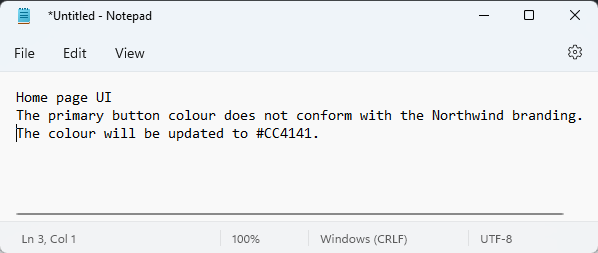
❌ Figure: Bad example - Decision is recorded in Notepad
❌ Using Email
Sending an email is an OK approach, but the information will quickly be lost, buried under hundreds of other emails, unseen by anyone who might need to see it later on.
Additionally, the audit trail is poor since there is no consistent thread.
To:
Product Owner
Cc:
Development Team
Subject:
Project - Work Item Update
Hi Bob
As per our conversation, the primary button colour does not conform with the Northwind branding. The colour will be updated to #CC4141.
❌ Figure: Bad example - Sending an email to confirm updates to the work item
✅ Using Work Item discussions
The best method is for developers to update the discussion thread of the Work Item they're working on. Then, if an email is really needed, send a link to the Work Item.
Using the Work Item discussion provides several benefits to developers on the team, including:
- Providing one source of truth
- Work Item hand-off doesn't need to be an involved process
- Providing a history of the Work Item
- Easily accessible by anyone in the team
- Provides proof of approval
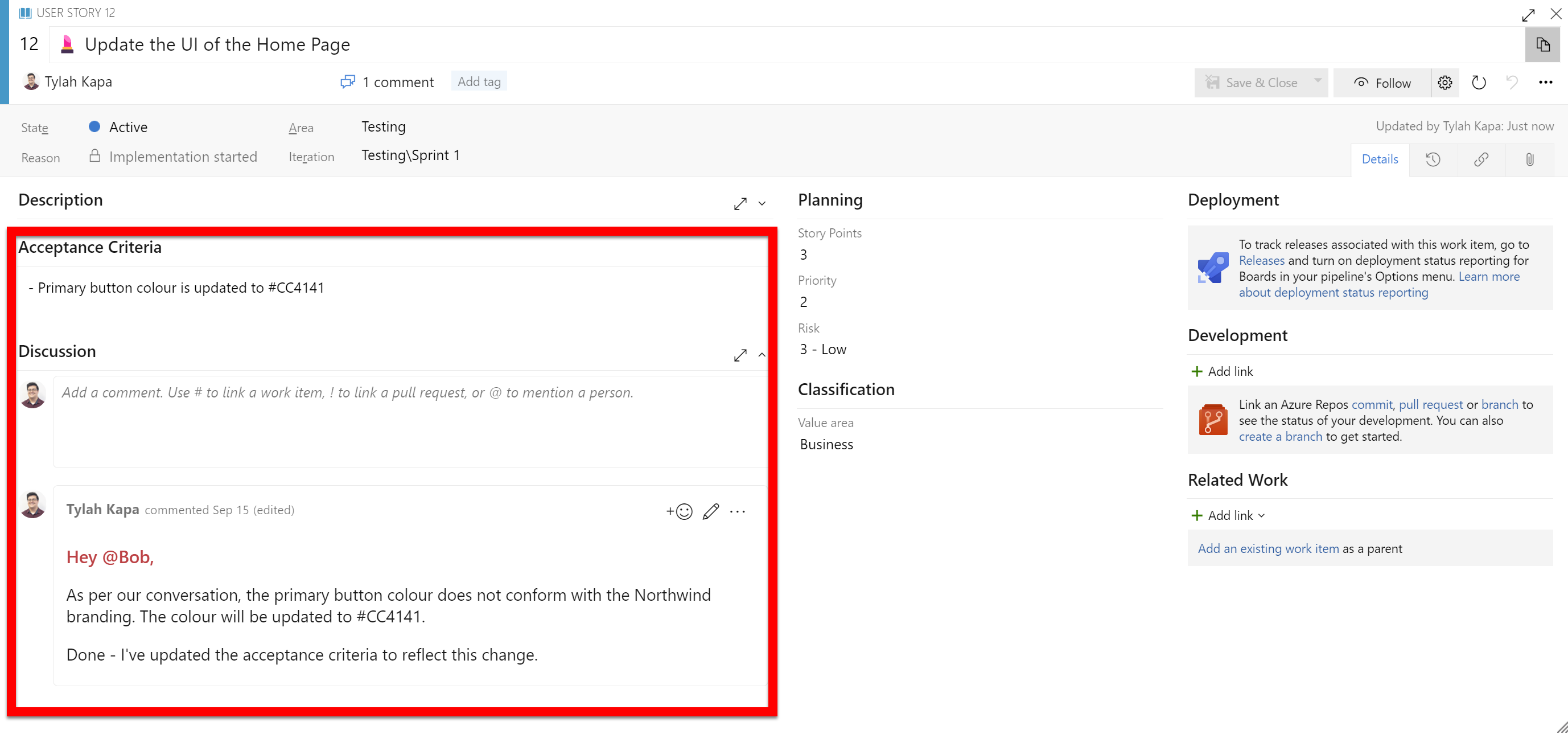
✅ Figure: Good example - Decision is documented in the work item
Documenting changes mid-Sprint
Sometimes you have to make changes mid-Sprint. A PBI gets blocked, a production bug jumps the queue, or the Product Owner decides the work can wait. That is fine, but the reason has to live on the PBI, not in a chat message.
For example, if you pull a PBI out of the Sprint, add a comment to the PBI explaining why before you move it back to the backlog. Then the next person to open it knows what happened and whether it is still worth doing.
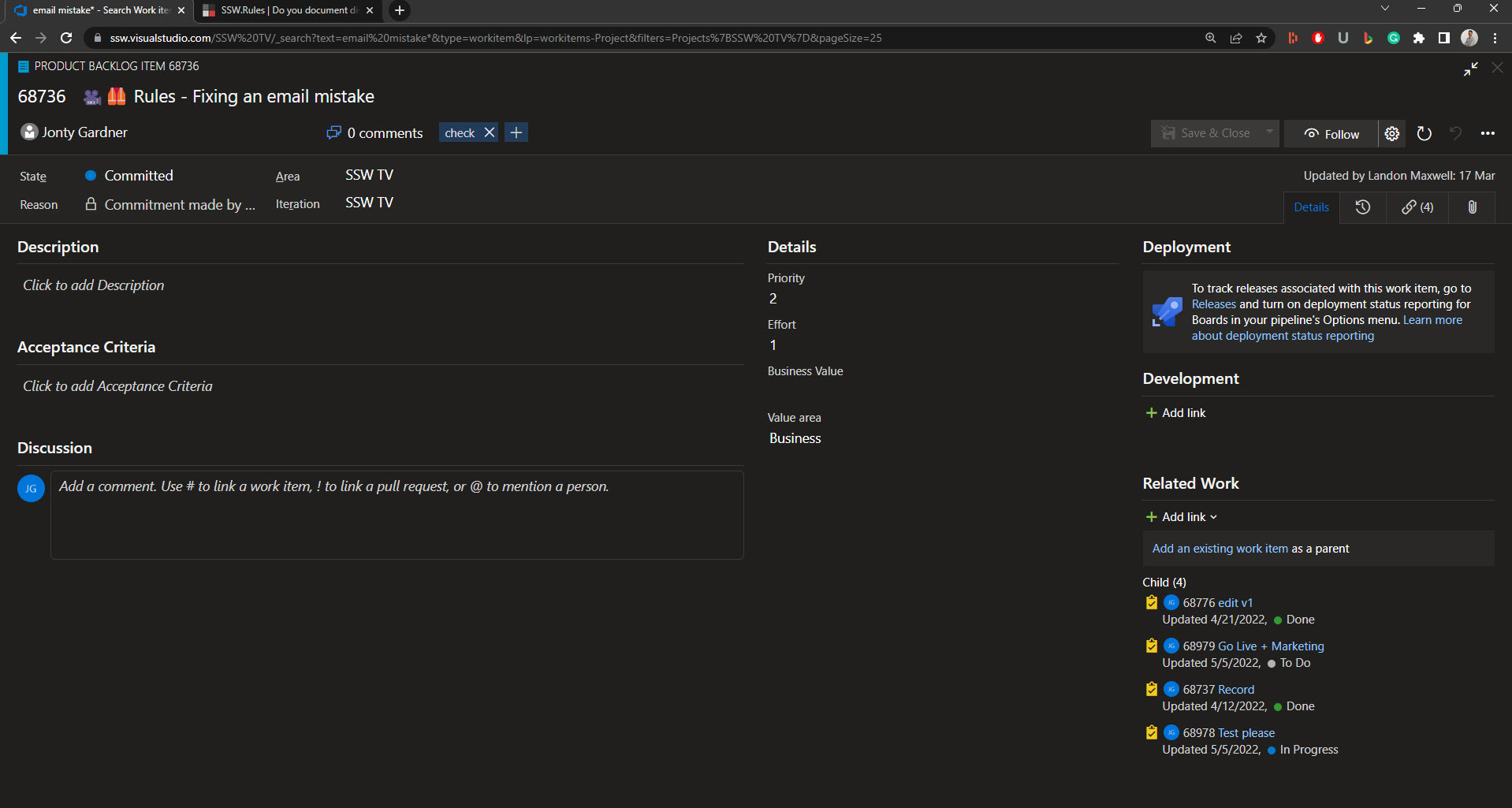
❌ Figure: Bad example - Moving a PBI to the backlog without documenting the decision
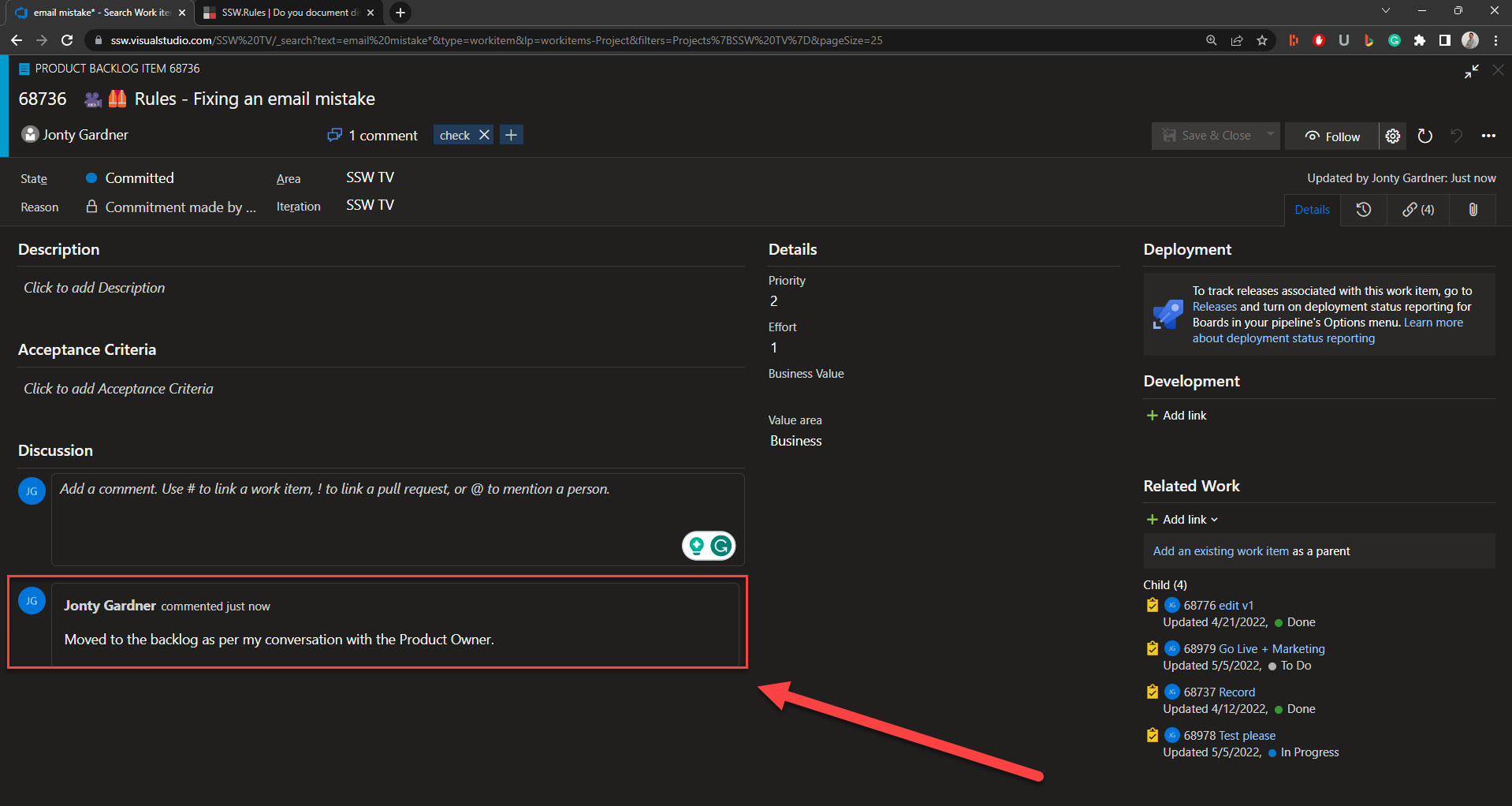
✅ Figure: Good example - Moving a PBI to the backlog and documenting the decision
Documenting architectural changes
Some discoveries are bigger than one Work Item. If a decision affects the project at a high level (for example, swapping the database, changing the hosting model, or making a repository public), a comment on the PBI is not enough. It will get buried once the PBI is closed.
Record those decisions in an Architectural Decision Record (ADR), then link to the ADR from the PBI. The PBI keeps the story of the work, and the ADR keeps the reasoning where future developers will find it.