Appointments - Do you explain why you've updated or deleted an appointment?
Loading last updated info...
Every appointment change is disruptive, so always explain why it was necessary.
Unlike email, appointment updates don’t keep a visible history of the original content. It is a good idea to add a version number at the top to make changes transparent and track the timeline.
This avoids people starting to question how the change happened.
Video: Do you explain why you've deleted or updated an appointment? | Adam Cogan | SSW Rules (3 min)
Whenever you modify the time, attendees, or subject of an appointment, include a comment at the top explaining the reason for the change.
Altered appointments should include:
- Your name - If the appointment is sent from a shared mailbox or Team, it may not show who made the change. Include your name next to your comment for clarity
- Version number - Add a version number (v#) to the notes to help track changes
- As per our conversation - If the change is based on a conversation, mention who you spoke with in the note so others know who was involved
Example of a change comment:
(Calum – V2: Time changed after discussion with Bob, who cannot attend.)
✅ Figure: Good example - Author, version number, and reason included
To:
SSWBrisbaneAll; Uly
Subject:
Marketing - plans for next FY
Deleted: Meeting has been cancelled
(Bob: V5 - Changed subject as we will be talking about Marketing first)
(Uly: V4 - As per my conversation with Adam, moving to Thursday as he can't make it)
(Bob: V3 - As per my conversation with Uly, adding him in because he wants to know about this)
(Bob: V2 - Changed subject as we will be talking about Marketing first)
{{ APPOINTMENT CONTENT }}
✅ Figure: Good example - Explaining the change that has been made using the version number

✅ Figure: Good example - Real-world example demonstrating this rule
When canceling a recurring appointment, Outlook and Teams let you cancel with a message, so attendees see why it was called off instead of just receiving a bare cancellation.
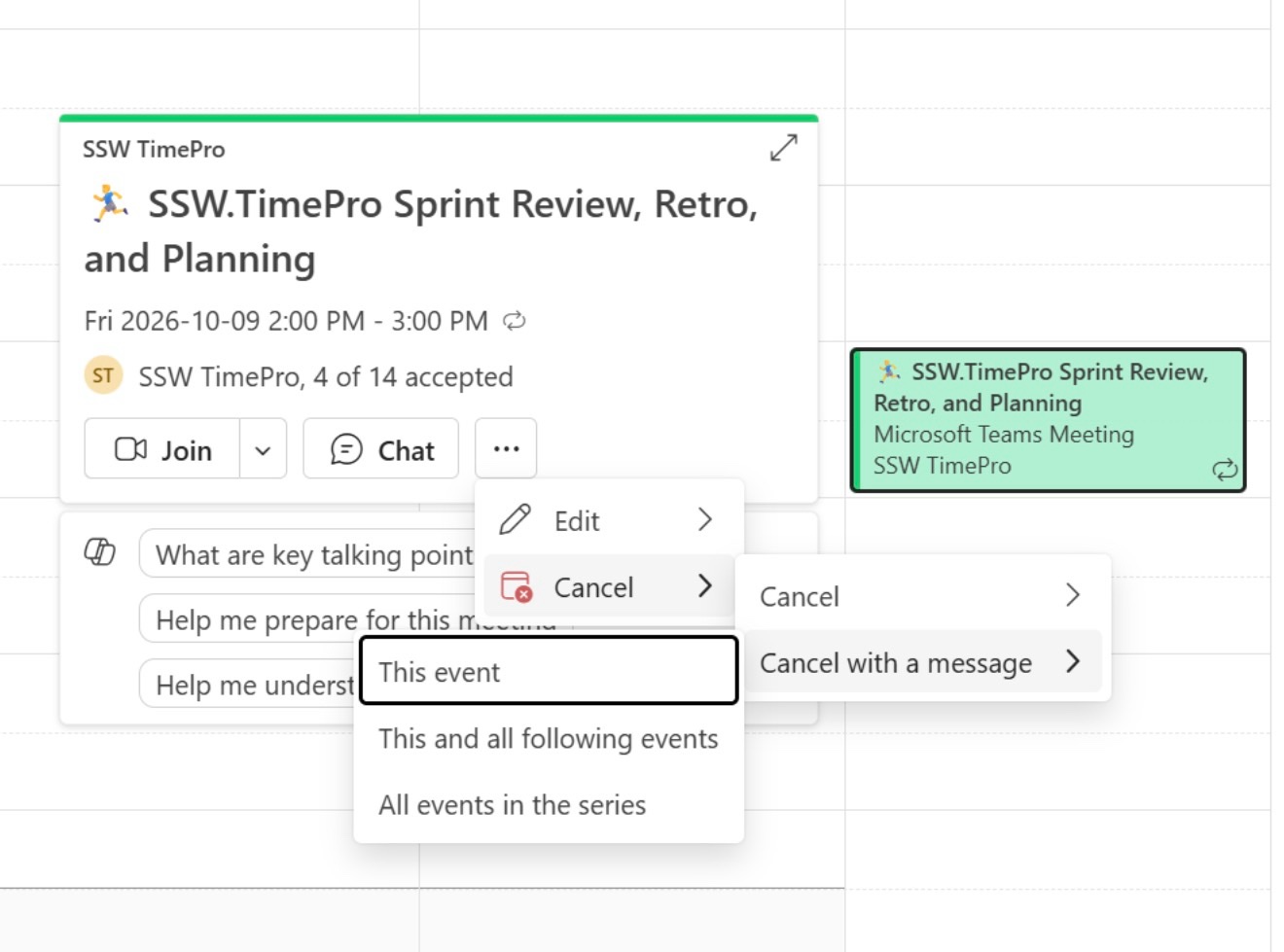
✅ Figure: Good example - Cancelling with a message so attendees know why the appointment was removed
Remove old version information
For recurrent appointments, the list of updates might get long, and include irrelevant information. E.g. A meeting time from 18 months ago was pushed back in 30 minutes…
In those cases, it is recommended to remove the versioning data from more than 1 year ago, and replace it with a message that states that: <snipped items older than a year>
To:
SSWDesigners; Uly
Subject:
🏃♂️ SSW Design - Sprint Review, Retro, Planning
V8 - Moving to Wednesday (22nd Jul) for availability, as per our conversation on Friday.
V7 - Pushing back 30 minutes (to 9:30am) for Tiago.
< snipped items older than a year >
{{ APPOINTMENT CONTENT }}
Figure: Snipped old stuff from a recurrent appointment