Do you know how to integrate RayGun with Octopus Deploy?
Loading last updated info...
One of the best features of RayGun is the ability to track crash reports against deployments. This feature allows you to tell if a particular deployment has introduced a lot of new bugs or caused a regression of exceptions.
To set it up:
- Under Deployments
- Select Octopus Deploy (Set up)
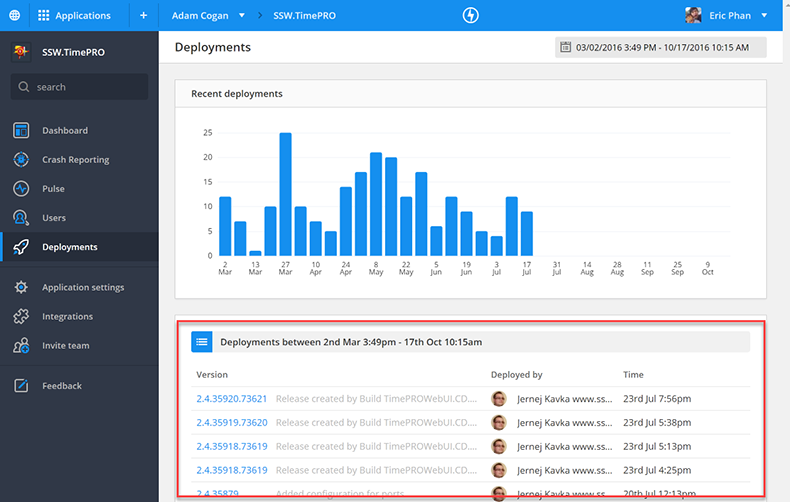
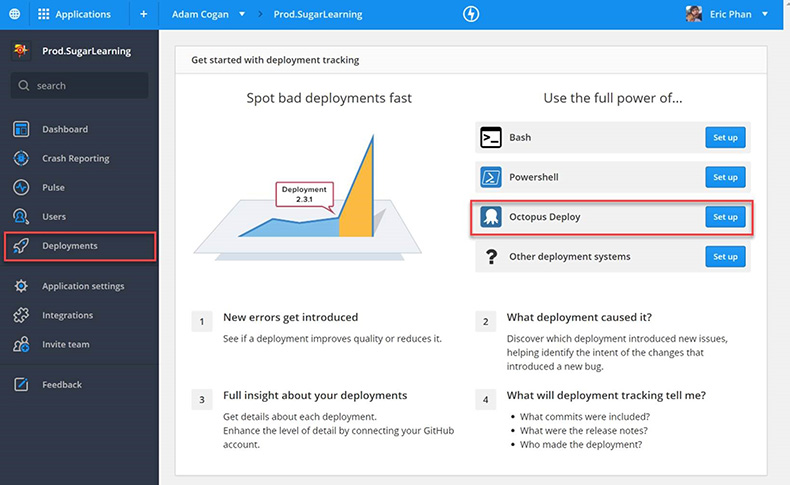 Raygun will product you with a PowerShell script to add into your octopus deployment steps that will call the RayGun API and log a new deployment 3. Trigger a new deployment 4. Then you’ll see the deployment in RayGun
 Drilling into a deployment you’ll see:
- New errors
- Regressions
- Recurring errors
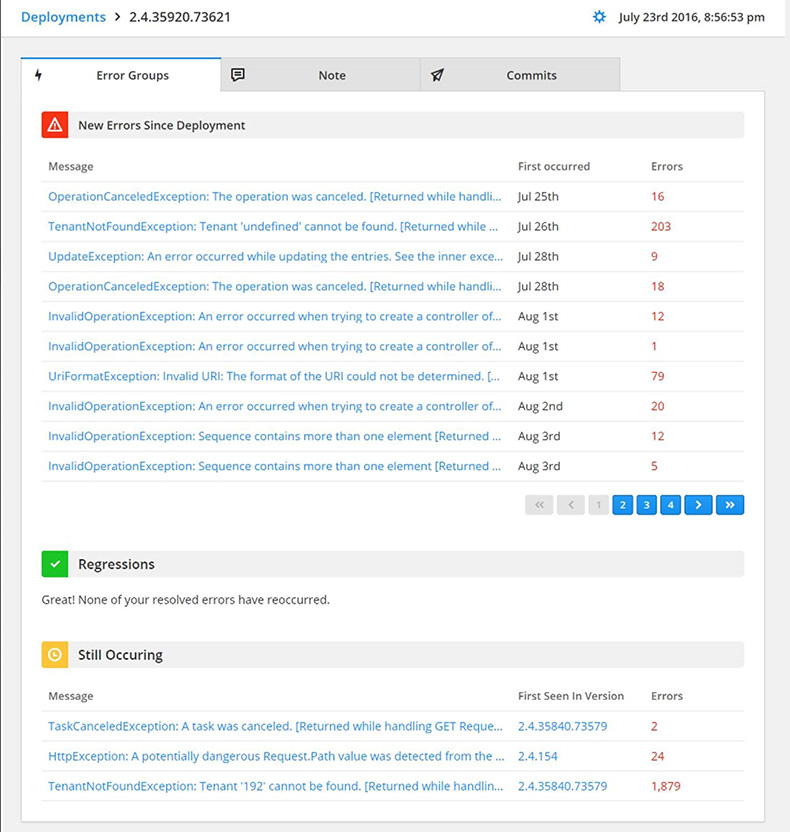
✅ Figure: Good example - Now you can measure the quality of your deployments