This rule has been archived
Replaced by GitHub https://github.com/SSWConsulting/SSW.Rules.Content/wiki/How-to-Rename-Rules
SharePoint - Do you know how to rename a rule category? (internal only)
Loading last updated info...
To update a rule category name in SharePoint, please follow these steps:
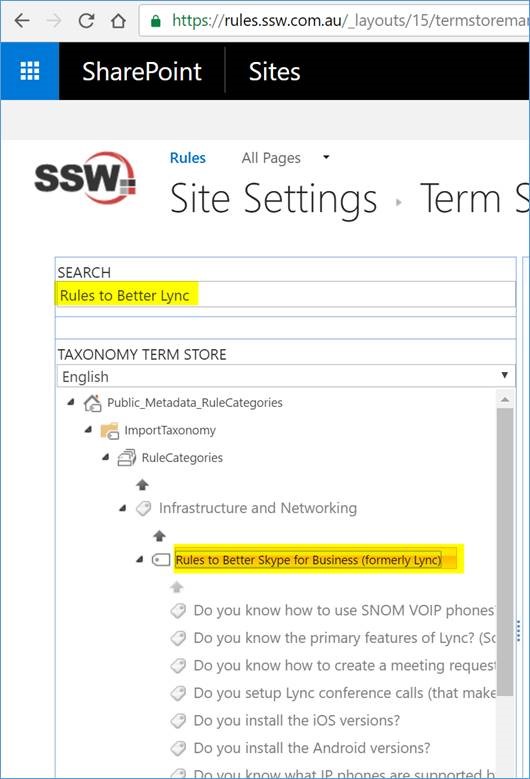
- Rename “category name" in metadata: Search “Rules to Better Lync" to find it, double click the “term item title" to rename it to “Rules to Better Skype for Business (formerly Lync)"
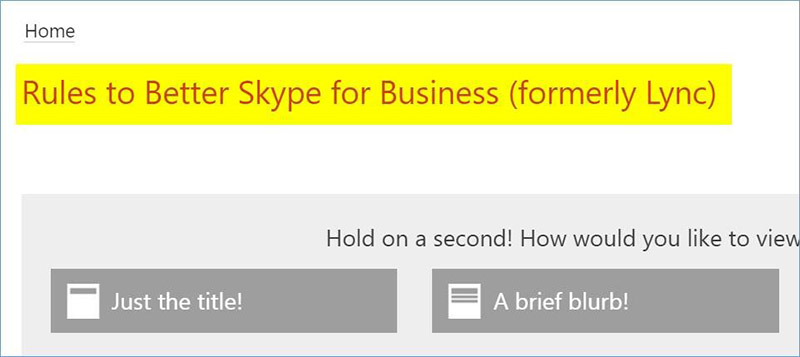
- Rename “rule summary page" title: Go to the “Rule Summary page", edit its title with the new name “Rules to Better Skype for Business (formerly Lync)":
- Update “rule category field value" for sub-rules:
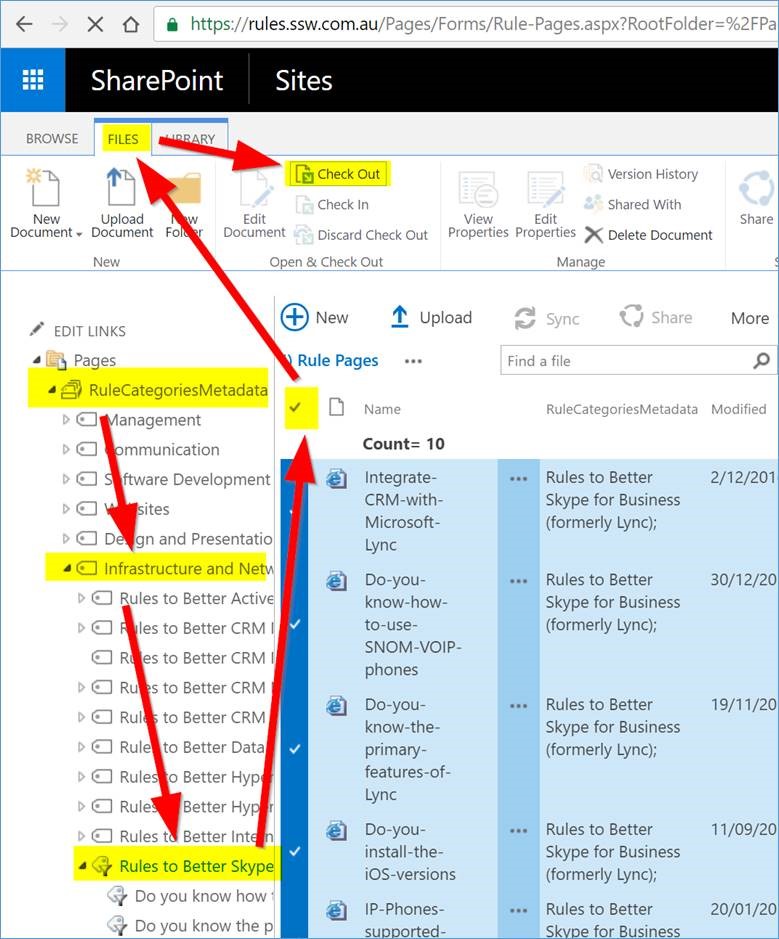
- Use the left navigation to filter and find all the rules under this category. Use the 1 “tick icon" to select all of them, then click “ Files " | “ Check Out " to check them out:
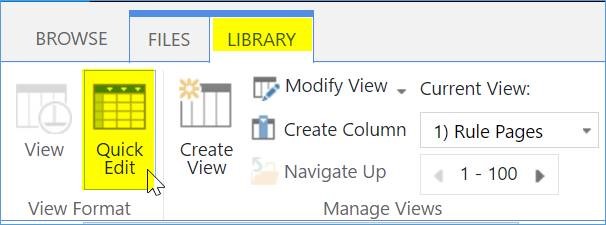
- Use “Library" | “Quick Edit" to switch to “quick edit" mode:
- Update the 1st row with new “category name", then you can use “copy & paste" to update all the rest in one goal.
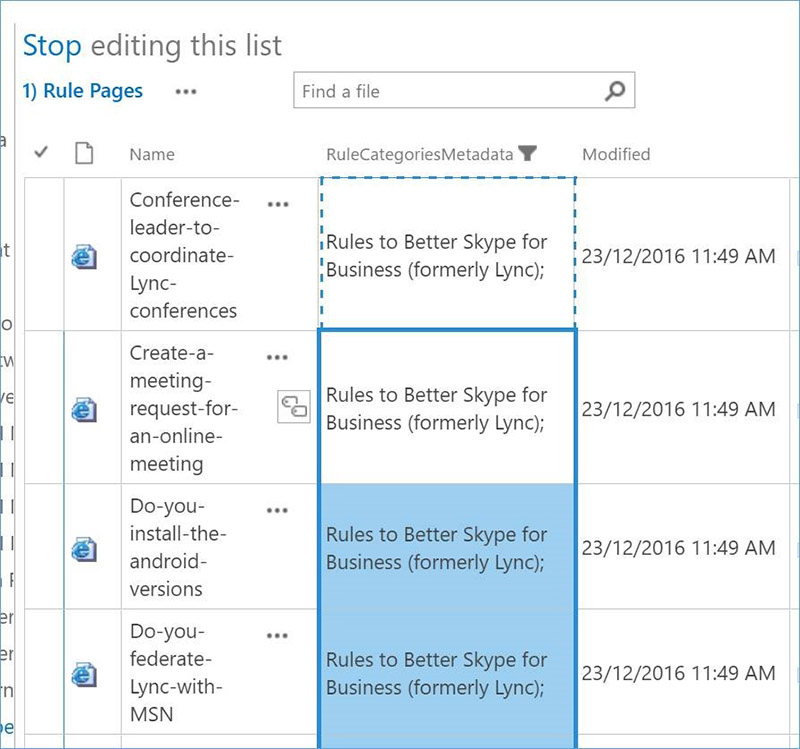
- Check-in and publish all the rules when you finish your modification.
- [Optional] Rename “page URL"