This rule has been archived
depreciated
How to use SSW style in RadHtmlControl?
Loading last updated info...
Do you know how to apply style to image, figure, etc?
Let's take the "AvoidReplyToAllWhenBcc" page as example.
First, the reason to cause the style issue is the style doesn’t apply to right place. Below is the html code after you adjust the figure manually (sorry, still not right). Please look at the highlight part...
- The “ms-rteCustom-ImageArea” style doesn’t apply to <img> tag, but wrapped by <span> with “ms-rteCustom-ImageArea” style;
- There is no style apply to Figure:
<span class="ms-rteCustom-YellowBorderBox">We have a program called <a href="https://www.ssw.com.au/LookOut"> SSW LookOut! for Outlook</a> to check for this rule.<br /><span class="ms-rteCustom-ImageArea"><img style="border-bottom: 0px solid; border-left: 0px solid; border-top: 0px solid; border-right: 0px solid;" border="0" alt="Lookout Reply All BCC Warning" src="https://www.ssw.com.au/LookOut/images/lookout-logo.jpg" /><br /></span><br />Figure: SSW LookOut! for Outlook warns you if you accidentally 'Reply All' when you have been BCC'ed
- Not sure how user inputs the content into this page. Anyway, here is the right way to add content via Telerik Editor. Please read below example of how I redo this part in Telerik Editor without changing the code manually
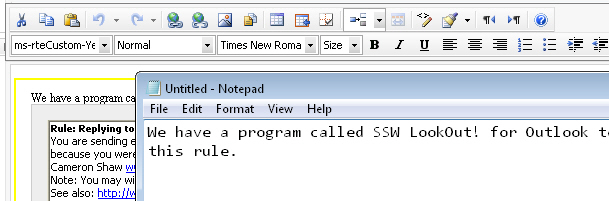
Figure: Copy content in the notepad
- Delete the current content from Telerik for a new start;
- Copy the first sentence from notepad and paste into Telerik Editor in the page; (please avoid copying straightly from web page and pasting them here, it will copy the all tags as well. it might affect the styles which can’t apply correctly)
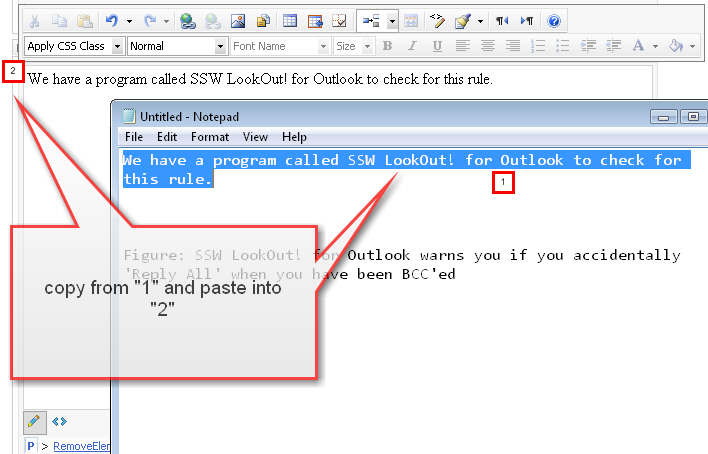
Figure: Start copying content over
- Insert the image
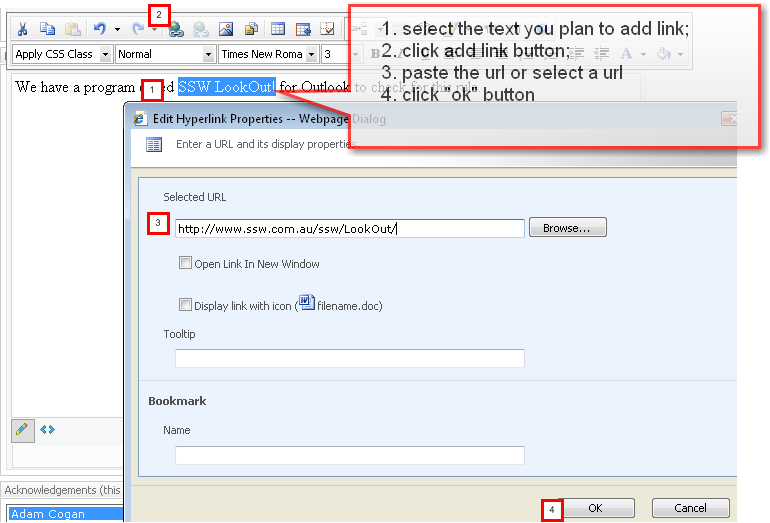
Figure: Add a link to text
- Add an image
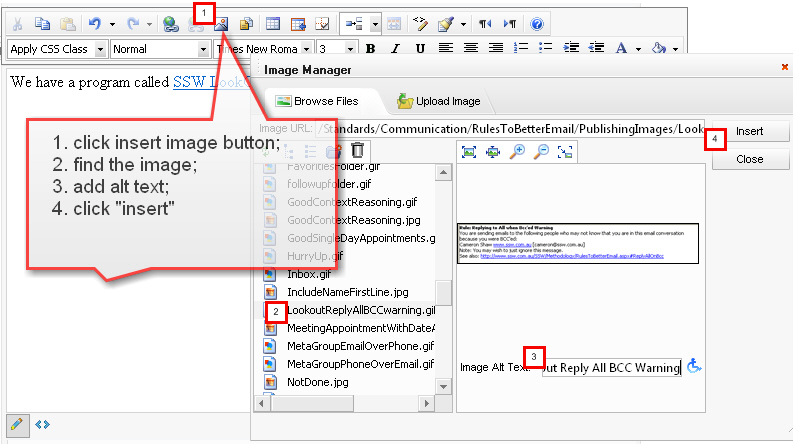
Figure: Inser an image
- Press “enter” key to start a new row, then copy the figure from notepad to the Telerik editor area
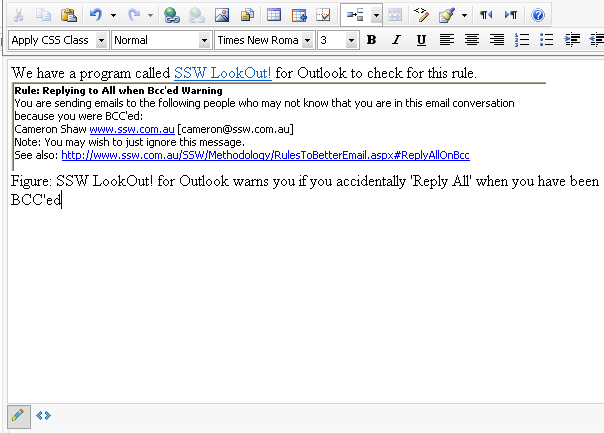
Figure: Add figure
- Apply image style to the image by click on the image, then choose a style from “Apply CSS Class” dropdown list
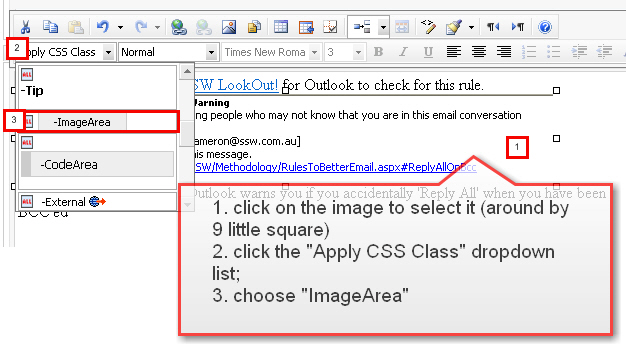
Figure: Apply style to the image
- Apply style to the figure
Figure: Apply style to the figure
9.Apply the yellow box
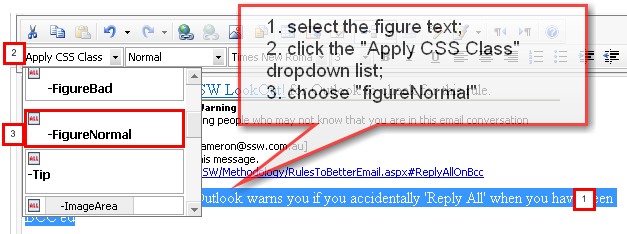
Figure: Apply yellow border box to the content
- Check in the changes, then you will have - "dada.."
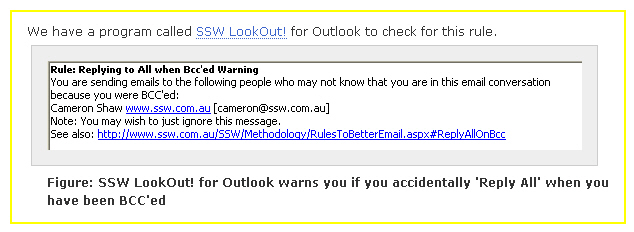
Figure: Right style in use