Do you integrate Dynamics 365 and Microsoft Teams?
Loading last updated info...
The Dynamics 365 app for Microsoft Teams lets you share records with colleagues without leaving the app. Instead of sharing non-descriptive URLs, use the integration to provide more context.

❌ Figure: Bad example - Do not just send a non-descriptive URL
There are two ways to share a Dynamics 365 record in Teams:
1. Share in a chat
You can quickly share a record in a conversation.
Click the + button in the text box | Dynamics 365 | choose a record | Send.
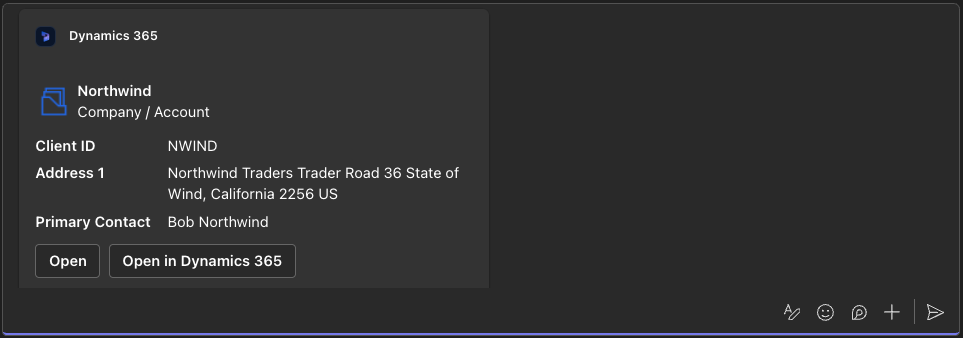
✅ Figure: Good example - Dynamics records can be sent directly to chats
2. Add as a tab
If your team needs frequent access to a record, you can add it as a tab.
Click the + button in the top bar | Dynamics 365 | choose the record | Save.
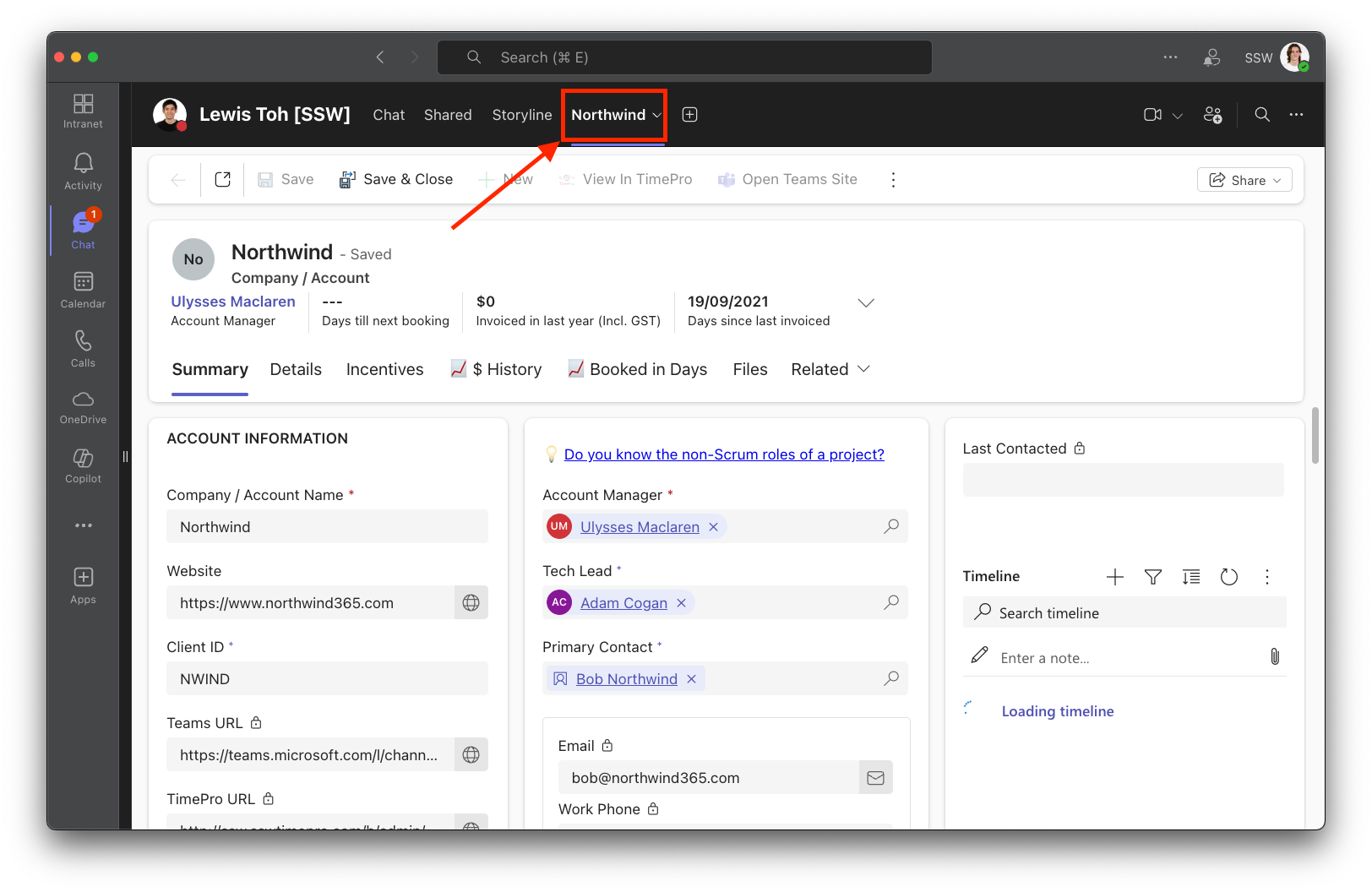
✅ Figure: Good example - A Dynamics 365 record pinned as a tab for easy access