Appointments - Do you always put your join link for remote meetings at the top of the body?
Loading last updated info...
By default, when you click the button to turn an appointment into a Teams Meeting, it adds the link to join the call to the bottom of the body content. It’s generally a good idea to move this up to the top, as It’s the 1st thing you’ll want people to do when they open the appointment on the day of the meeting.
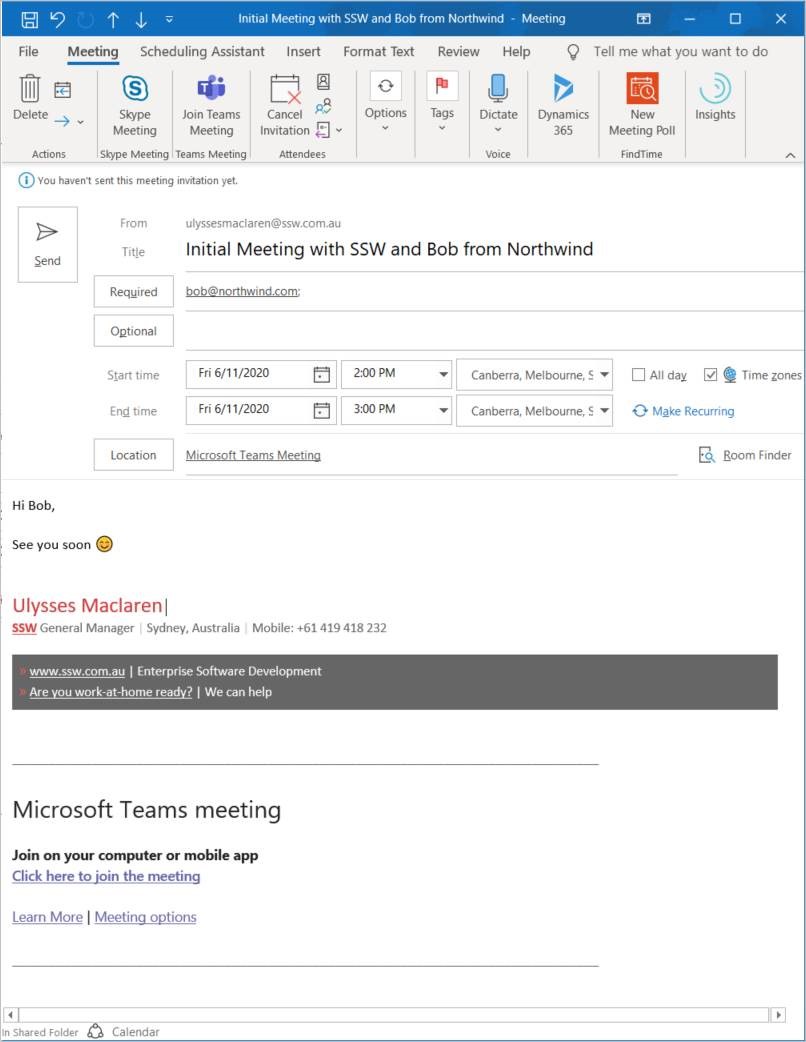
❌ Figure: Bad example - Join link gets lost
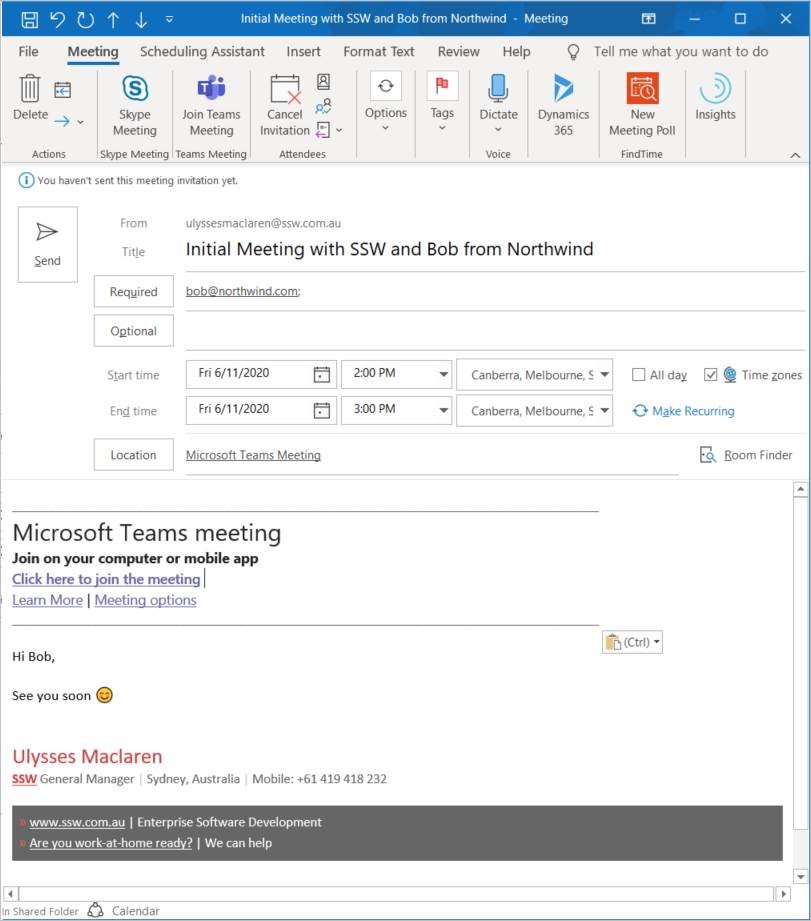
✅ Figure: Good example - Easy to know what to click on