Do you give support answers via Knowledge Base links?
Loading last updated info...
Established projects typically include several layers of documentation, collectively known as a Knowledge Base (KB):
- FAQs (Frequently Asked Questions) - Quick questions and their answers
- Documentation (Docs) - In-depth guidance and references
- Q&A Articles - More detailed question/answer pairs for more specific use cases
- Roadmap - Outlines upcoming goals, features, and milestones to show the project’s direction and priorities
For example, one of the most useful features on Microsoft website is their knowledge base.
When a problem arises, documentation should be your first port of call as it allows you to help yourself.
Video: Document your findings | Jeoffrey Fischer | CTF (2 min)
Why you need a Knowledge Base
If you’re constantly answering the same customer questions about your product, you’re wasting valuable time without a Knowledge Base/FAQ's. A well-organized KB empowers customers to find answers themselves, meaning they wouldn’t have to contact you in the first place.
Sure, some customers will always reach out directly. But with a KB in place, you can drastically reduce repetitive emails and focus on solving the truly unique problems.
How to respond to support emails
The basic rule is: don't send back the answer in your email - instead send back the link. More specifically:
- If you can answer a support email then reply to the support email with the Knowledge Base link
- To: the client
- Cc: the developer and your manager
- If you can't answer the question then reply to the support email:
- To: the client and the developer
- Cc: your manager
- Ask the customer if they can get diagnostics to all green ticks.
- Ask the developer to “Please action?"
Dear Harry,
Thanks for reporting this issue to TinaCMS. I'm happy to let you know that this is a known issue and has been addressed in our Knowledge Base.
Thanks, Bob
✅ Figure: Good example - Responding to a known issue when the KB is already updated
Dear Harry,
Thanks for reporting this issue to TinaCMS. I've reproduced it and updated the docs on our Knowledge Base.
Please let me know if this has resolved your issue.
Thanks, Bob
✅ Figure: Good example - Responding to a known issue when you need to update to the KB
Dear Harry,
Thank you for taking the time to report the issue to TinaCMS.
I am sorry to let you know that I cannot reproduce this. Could you please provide me with more details or, even better, would I be able to connect to your PC? It is simple and you can see everything I do. To do so, you can send me an appointment for an appropriate time or add me to Teams.
Kind Regards, Bob
✅ Figure: Good example - Responding when you cannot reproduce the issue
Dear Harry,
Thank you for reporting this bug - our software only gets better with help from our customers. This fix will be available in the next version shortly.
You can follow our version history page.
Kind Regards, Bob
✅ Figure: Good example - Informing user of a fix
Note: If the user is technical, you might want to include code changes.
See how by just giving them the URL, these emails encourages them to use your documentation in the future. You need to make sure the support staff are aware they should send these types of emails to customers.
Important: Don't write a KB article if fixing the bug and making a new version solves the problem. You'll have to fix the problem anyway, so don't waste time writing a KB - just email the new version.
What to include in your Knowledge Base
Things are running well when you have support staff adding new KB for:
- Known issues
- Hot tips
- Performance tips
KBs also play a very important role in getting a product released. You will never get every feature done or bug fixed - we all know it
Focus on getting a version out. It is usually more important to have a version available than having no version at all. When you are looking down the Project Plan, decide on what the must-haves are. The other features and known bugs will have to remain outstanding. All the longer-term bugs should go into the KB. We also put in the feature requests that we plan on doing.
This way our customers know of our exciting features coming in future versions of our software.
Responding to feature suggestions
Dear Harry,
Thanks for the suggestion for TinaCMS!
This has been added to our GitHub Discussions, where it will be reviewed and considered for inclusion in our backlog.
Thanks, Bob
✅ Figure: Good example - Responding to a feature request
Dear Harry,
Thank you for taking the time to submit a feature request to YakShaver. This feature is already part of our YakShaver roadmap
We’ll keep you updated as progress is made and appreciate your input in helping shape our future releases.
Kind Regards, Bob
✅ Figure: Good example - Responding to a feature request which is part of the roadmap
Where to host your Knowledge Base
You don't need to be Microsoft to build a KB. A Knowledge Base does not need to be complicated but it needs to be easily accessible.
❌ Don't use a simple knowledge base e.g. pdi-ssw.zendesk.com/hc/en-us.
✅ Make your knowledge easy to find by using a well-designed docs system like TinaDocs
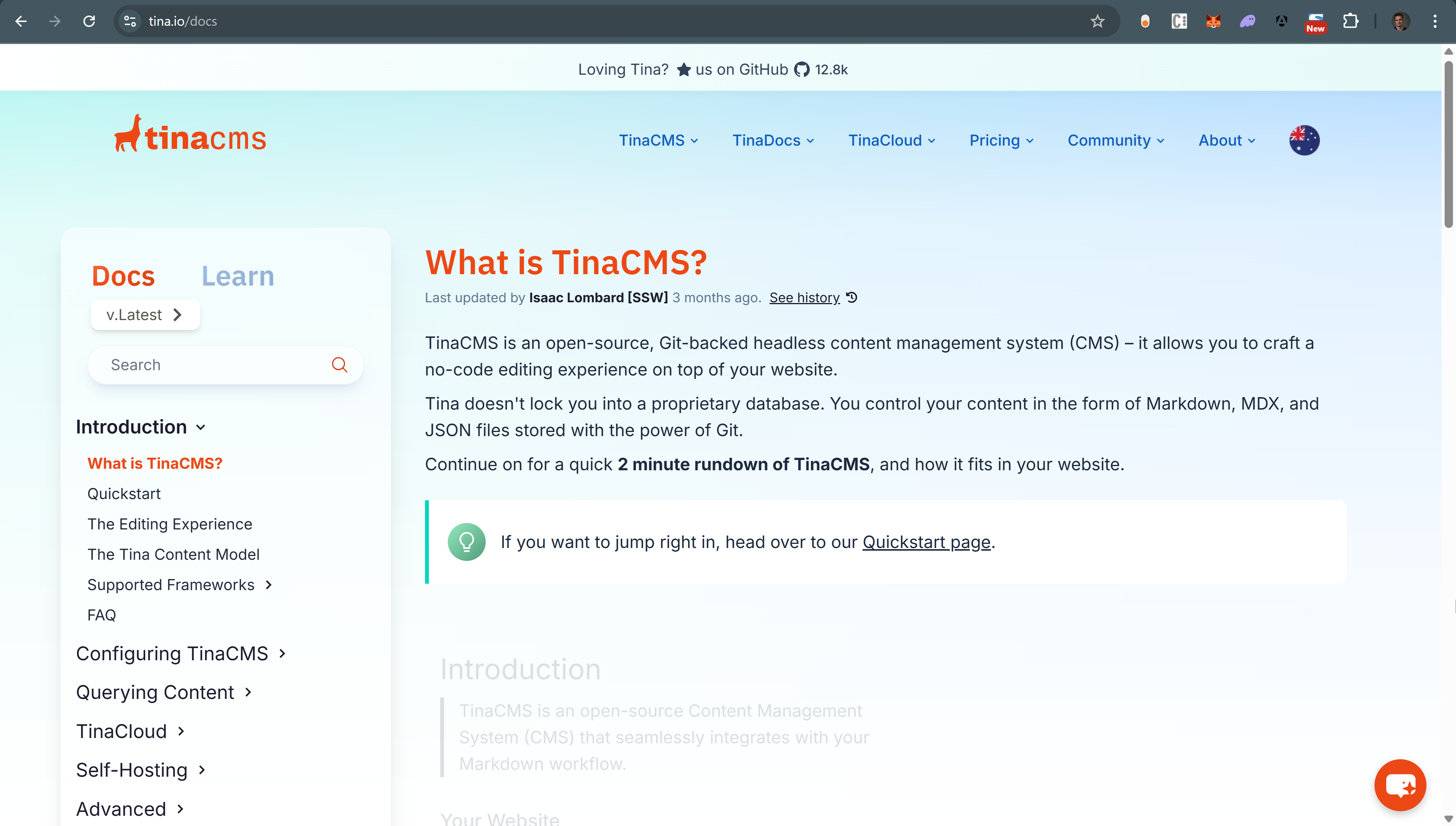
✅ Figure: Good example - TinaCMS Docs page
Tips for maintaining a useful Knowledge Base
- Keep articles concise, accurate, and up to date
- Use searchable titles and keywords
- Link related KBs to improve discoverability
- Periodically review and retire outdated content