Do you link YakShaver bug reports to their telemetry with a recording ID?
Loading last updated info...
A user reports "the dashboard broke when I switched tabs". Your logs are full of correlation IDs: every request has an operation ID and every span has a trace ID. None of them say which bug report they belong to, so the developer still filters by user and guesses a time window. A screen recording helps, but it only shows what the user saw, not what the browser and server did.
When people report bugs with a YakShaver recording, give each recording one correlation ID: a recording ID. It's created when the recording starts and cleared when it ends, and everything your app logs in between carries it. The same ID goes on the work item YakShaver creates, so the bug report points straight at the exact logs from that session.
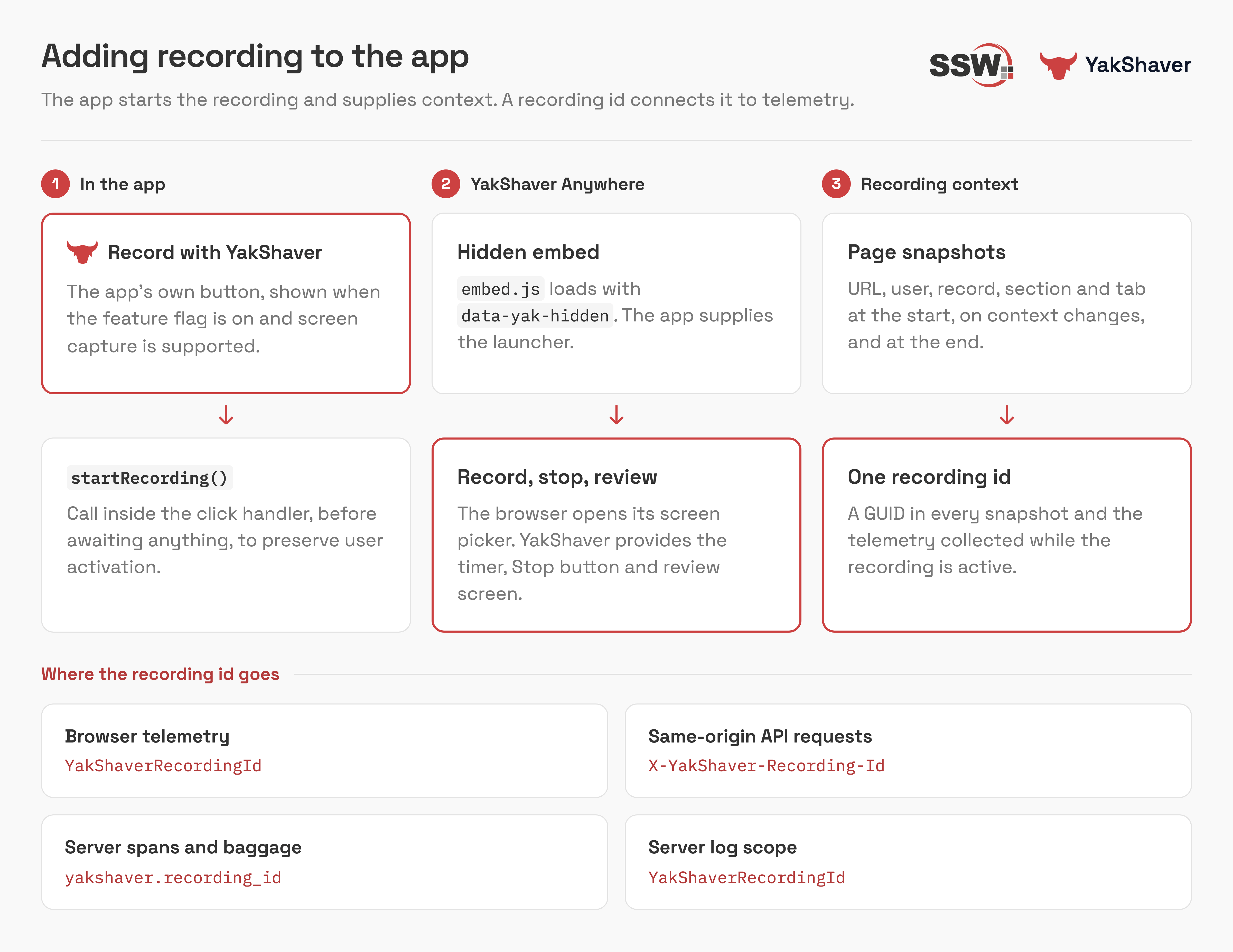
Figure: One recording ID connects the YakShaver recording to the telemetry
Without a bug report, a correlation ID is just another GUID
Correlation IDs are only useful when something points to them. The recording is what scopes them: it marks exactly when the session started and ended, and the recording ID ties every log in that window to one bug report.
Bug: Dashboard tab doesn't load
It broke when I switched tabs on the dashboard, sometime around 12:30.
(Logs: about 4,000 requests between 12:00 and 13:00, each with its own operation ID)
❌ Figure: Bad example - A text-only report, so the developer has to guess which requests and logs belong to it
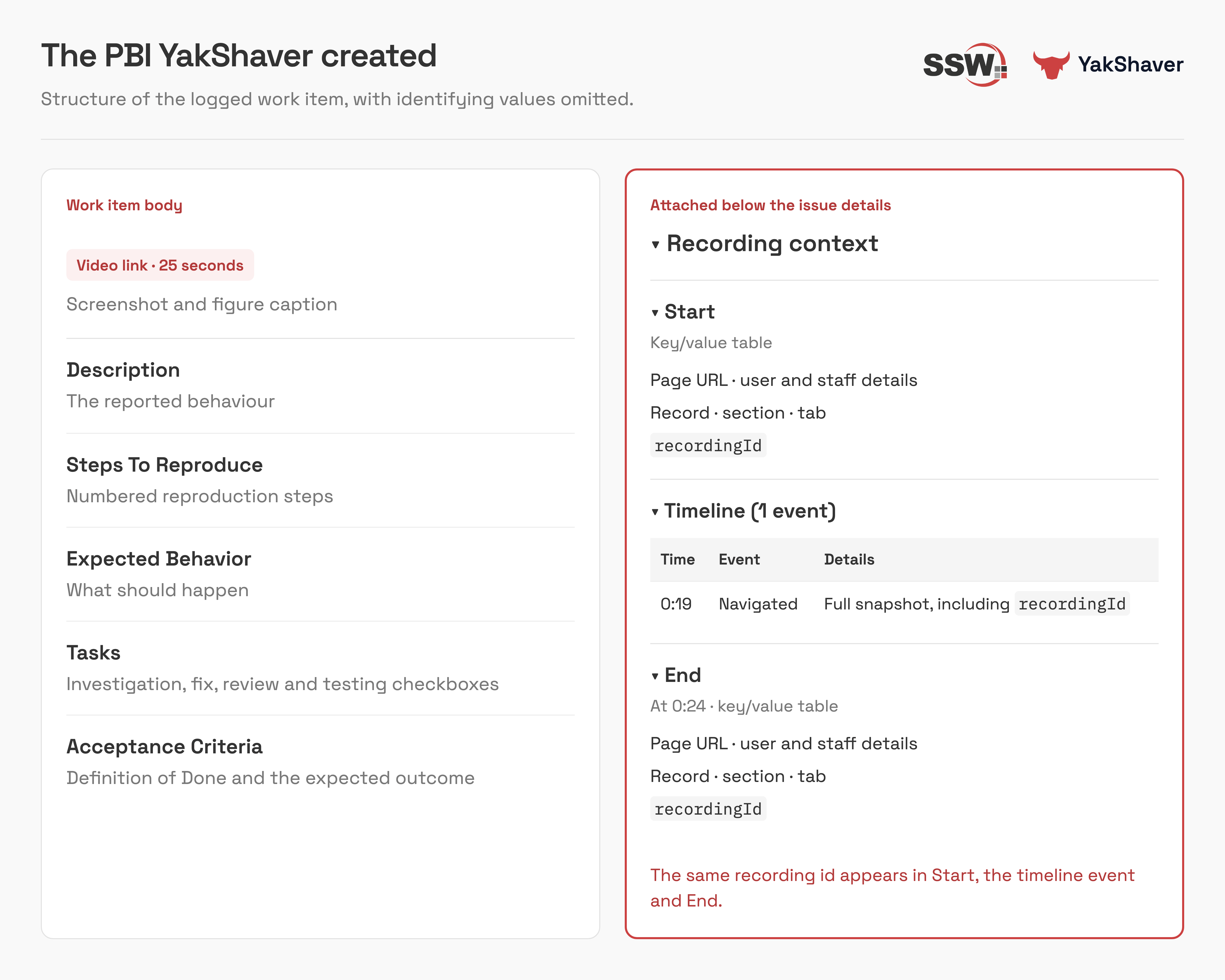
✅ Figure: Good example - The YakShaver PBI has the video, the steps to reproduce and the recording ID
Recording IDs don't replace trace IDs
A trace ID links the spans of one request. A bug report covers many requests, so you need both:
| ID | Scope | Answers |
|---|---|---|
| Operation or trace ID | One request | "What happened inside this call?" |
| YakShaver recording ID | Every request during the recording | "Which logs belong to this bug report?" |
Show the exact logs for the recording
Copy the recording ID from the PBI and search your telemetry for it. You get only the logs from that session, from the moment the recording started to the moment it ended:
union withsource=Table AppEvents, AppTraces, AppRequests, AppDependencies, AppPageViews| where TimeGenerated > ago(3d)| where tostring(Properties) has "3f2a9c1e-7b4d-4e8a-9c2f-5d1b6e0a8f34"| project TimeGenerated, Table, AppRoleName, Name, ResultCode, DurationMs, OperationId| order by TimeGenerated asc
✅ Figure: Good example - One query returns everything the recording produced, in order
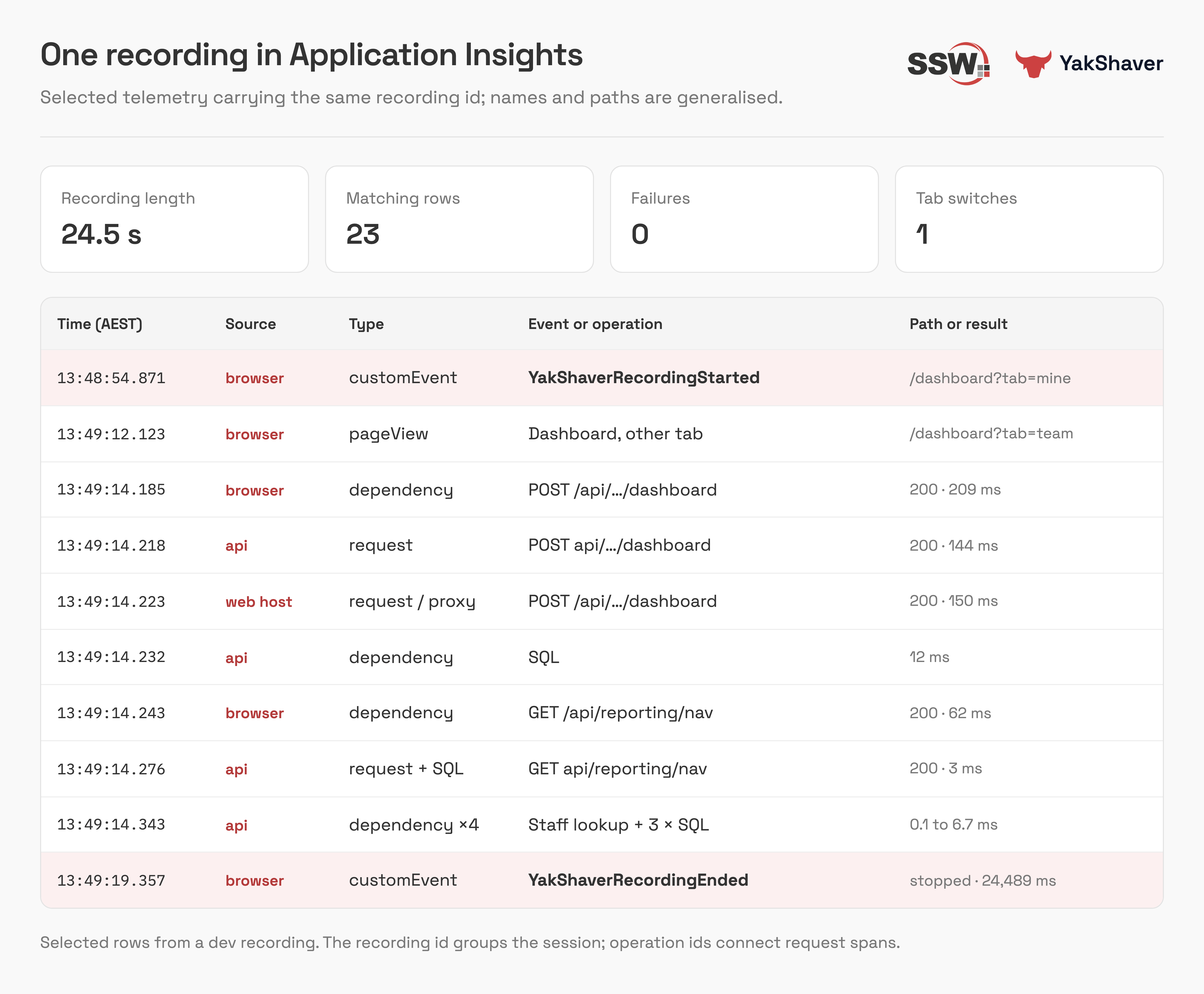
✅ Figure: Good example - The recording ID returns exactly the logs between the start and end of the recording
Learn more
For how to add YakShaver to your app and attach the recording ID in the browser and on the server, read Adding YakShaver recording and telemetry to a web app.