Do you provide an llms.txt file to make your website LLM-friendly?
Loading last updated info...
As large language models (LLMs) become integral in processing and generating content, ensuring they access and interpret your website accurately is crucial. Traditional HTML structures, laden with navigation menus, advertisements, and scripts, can hinder LLMs from efficiently extracting meaningful information.
Implementing an llms.txt file addresses this challenge by providing a streamlined, LLM-friendly version of your site's content.
Video: Do you provide an llms.txt file to make your website LLM-friendly? | Isaac Lombard | Rules (1 min)
Note: llms.txt is an emerging convention, not an established standard. The crawlers behind AI search products do not read it, and Google has stated that Search ignores the file entirely.
Where it does help today is technical documentation. Coding agents such as Cursor, GitHub Copilot and Claude Code will fetch an llms.txt when a developer points them at your docs, and use it to find the right pages. Adopt it there as a low-cost, forward-looking step, but treat serving Markdown to AI agents as the higher-value change.
Key strategies for effective GEO
- Investing in digital PR - Building relationships with reputable media outlets and influencers can lead to authoritative mentions, enhancing a brand's credibility in the eyes of AI systems
- Enhancing backlink profiles - Acquiring high-quality backlinks from trusted sources signals authority, increasing the likelihood of content being referenced by LLMs
- Incorporating quotable content - Embedding unique statistics, expert quotes, and proprietary insights makes content more likely to be cited by AI models seeking authoritative information
Automated GEO testing
If you want to see how well your site stacks up, run it through one of these free tools:
- TinaCMS GEO - Created by the TinaCMS team. Scores a page across 28 checks covering AI crawlability, search fundamentals, structured data, answer-engine content signals and agentic readiness, including whether an
llms.txtfile is present - Cloudflare Agent Readiness Score - Scores a site on discoverability, content, bot access control and agent capabilities, including Markdown content negotiation and
robots.txtrules for AI bots - Lighthouse - Covers the SEO fundamentals that AI search still depends on, such as crawlable links, meta descriptions and valid structured data
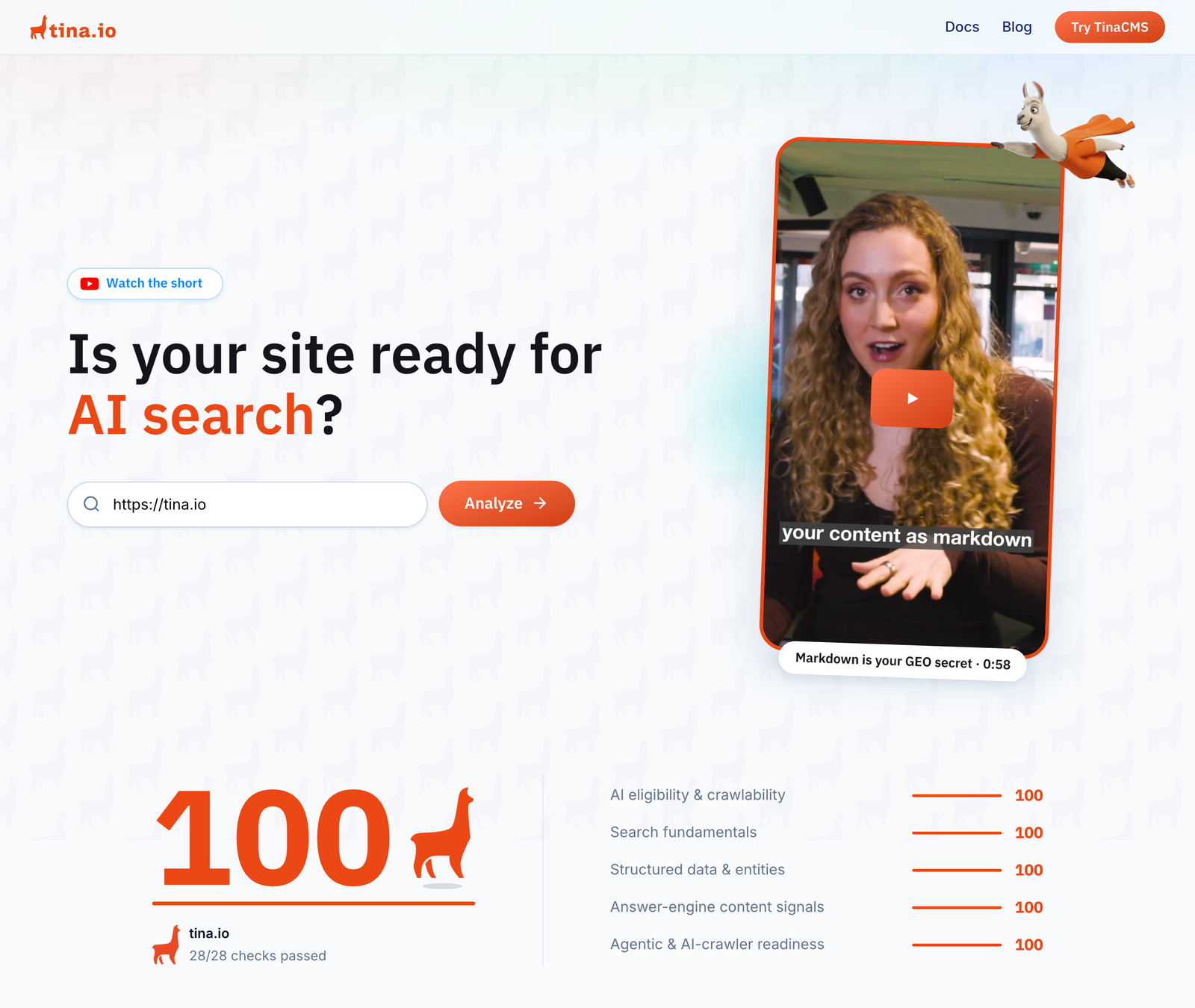
✅ Figure: Good example - tina.io scores 100 in the TinaCMS GEO checker
What is an llms.txt?
An llms.txt file is a standardized Markdown file placed at the root of your website (/llms.txt). It gives LLMs clear and organised information about your site, helping them understand and use your content better.
✅ Benefits of implementing llms.txt
- Easier to read - LLMs can directly access pertinent information without sifting through extraneous HTML elements
- More accurate results - By providing clear and concise content, you reduce the risk of misinterpretation by LLMs
- Consistent format: The standardized format ensures consistency, making it easier for LLMs to process your site's data
Formatting llms.txt
An effective llms.txt file includes:
- Project or site name - An H1 header with the name of your project or site
- Summary - A blockquote offering a brief overview of your project, highlighting essential aspects
- Detailed information - Additional sections providing in-depth insights, such as usage guidelines or key features
- Resource links - H2 headers followed by lists of URLs to relevant Markdown files or resources
Examples
Here is a mock example of the format:
# Title> Optional description goes hereOptional details go here## Section name- [Link title](https://link_url): Optional link details## Optional- [Link title](https://link_url)
Figure: Mock example of llms.txt format
Note that the "Optional" section has a special meaning - if it's included, the URLs provided there can be skipped if a shorter context is needed. Use it for secondary information which can often be skipped.
Here is what a cut down version of a llm.txt looks like:
# FastHTML> FastHTML is a python library which brings together Starlette, Uvicorn, HTMX, and fastcore's `FT` "FastTags" into a library for creating server-rendered hypermedia applications.Important notes:- Although parts of its API are inspired by FastAPI, it is *not* compatible with FastAPI syntax and is not targeted at creating API services- FastHTML is compatible with JS-native web components and any vanilla JS library, but not with React, Vue, or Svelte.## Docs- [FastHTML quick start](https://answerdotai.github.io/fasthtml/tutorials/quickstart_for_web_devs.html.md): A brief overview of many FastHTML features- [HTMX reference](https://raw.githubusercontent.com/path/reference.md): Brief description of all HTMX attributes, CSS classes, headers, events, extensions, js lib methods, and config options## Examples- [Todo list application](https://raw.githubusercontent.com/path/adv_app.py): Detailed walk-thru of a complete CRUD app in FastHTML showing idiomatic use of FastHTML and HTMX patterns.## Optional- [Starlette full documentation](https://gist.githubusercontent.com/path/starlette-sml.md): A subset of the Starlette documentation useful for FastHTML development.
Figure: Excerpt of an in-use llms.txt
Directories
Here are a few directories that list the llms.txt files available on the web:
Integrations
Various tools and plugins are available to help integrate the llms.txt specification into your workflow:
- llms_txt2ctx - CLI and Python module for parsing llms.txt files and generating LLM context
- JavaScript Implementation - Sample JavaScript implementation
- vite-plugin-llms - Vite plugin that serves markdown files alongside your routes following the llms.txt specification