Streaming - Do you manage your YouTube live-stream content?
Loading last updated info...
When it comes to live streaming to YouTube and editing the livestream for re-publication post-event, there are a few common pain points that can arise:
Live streaming can be challenging
Live streaming can be stressful for hosts or presenters because there is no room for error. Everything happens in real time, and technical issues such as poor internet connectivity or hardware malfunctions can quickly derail the stream and frustrate viewers.
Editing livestreams takes time
Editing a livestream after it ends can be time-consuming and tedious. Raw footage often includes mistakes, tangents, or unnecessary content that must be removed to create a polished final video. This process can feel overwhelming, especially for those new to video editing.
Video type visibility
As of 27 Oct 2022, Shorts and live streams no longer appear in the videos tab. It’s now split into 3 categories: Videos, Shorts, and Live.
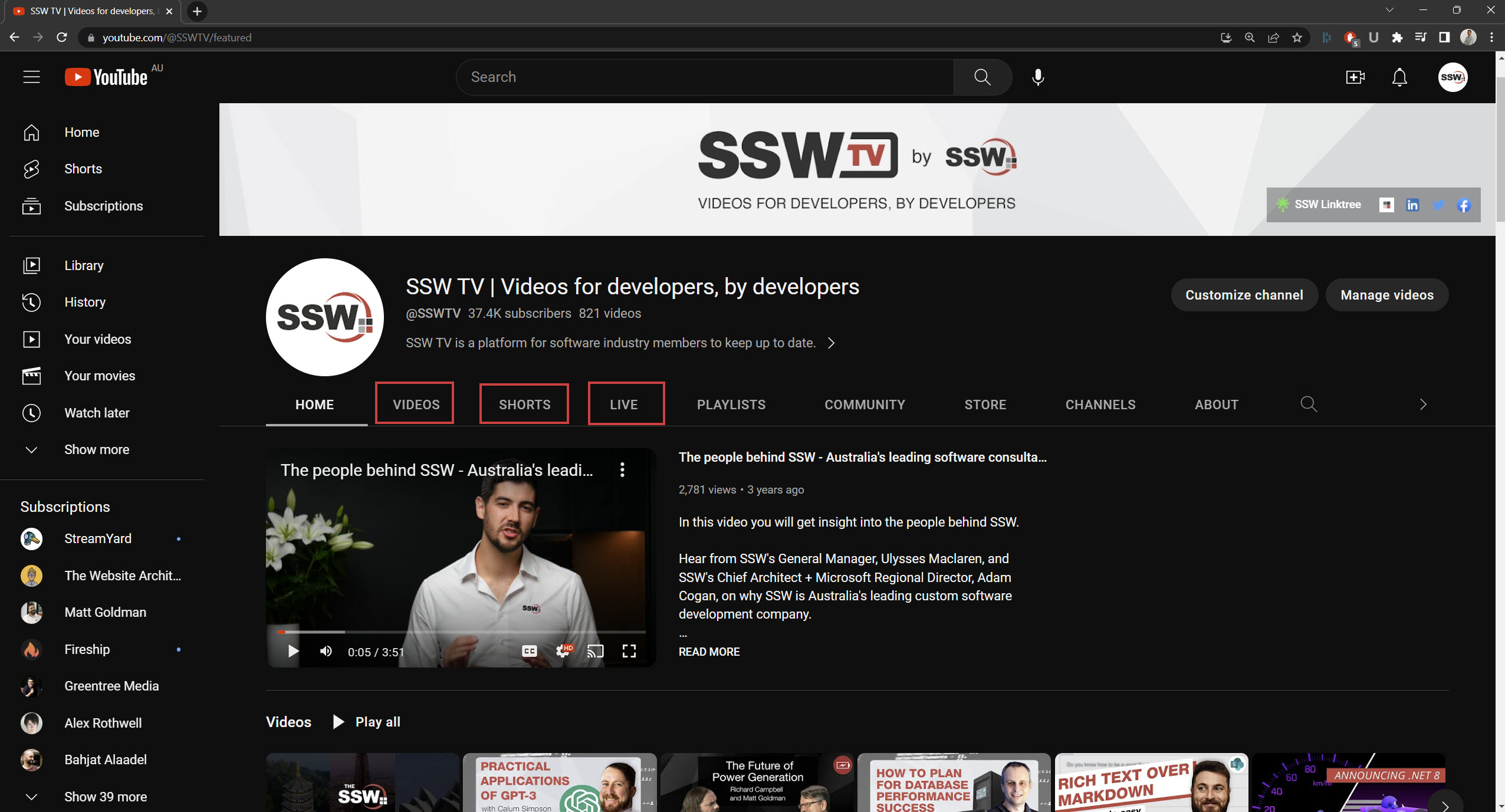
Figure: Videos, Shorts, and Live tabs on your YouTube channel
Read more on YouTube finally adds separate tabs for live streams and Shorts on profiles.
Options for managing your live stream content
With this in mind, there are several ways to manage your live stream content. Each option comes with its own advantages and trade-offs.
Option 1 - Complete Consistency (OK)
- After the livestream, take it down and upload it so it shows in the videos tab
- Live is archived or zz'd
✅ Pros
- Consistent
- Shows events on Videos tab
❌ Cons
- Lose views and engagement
- Expensive
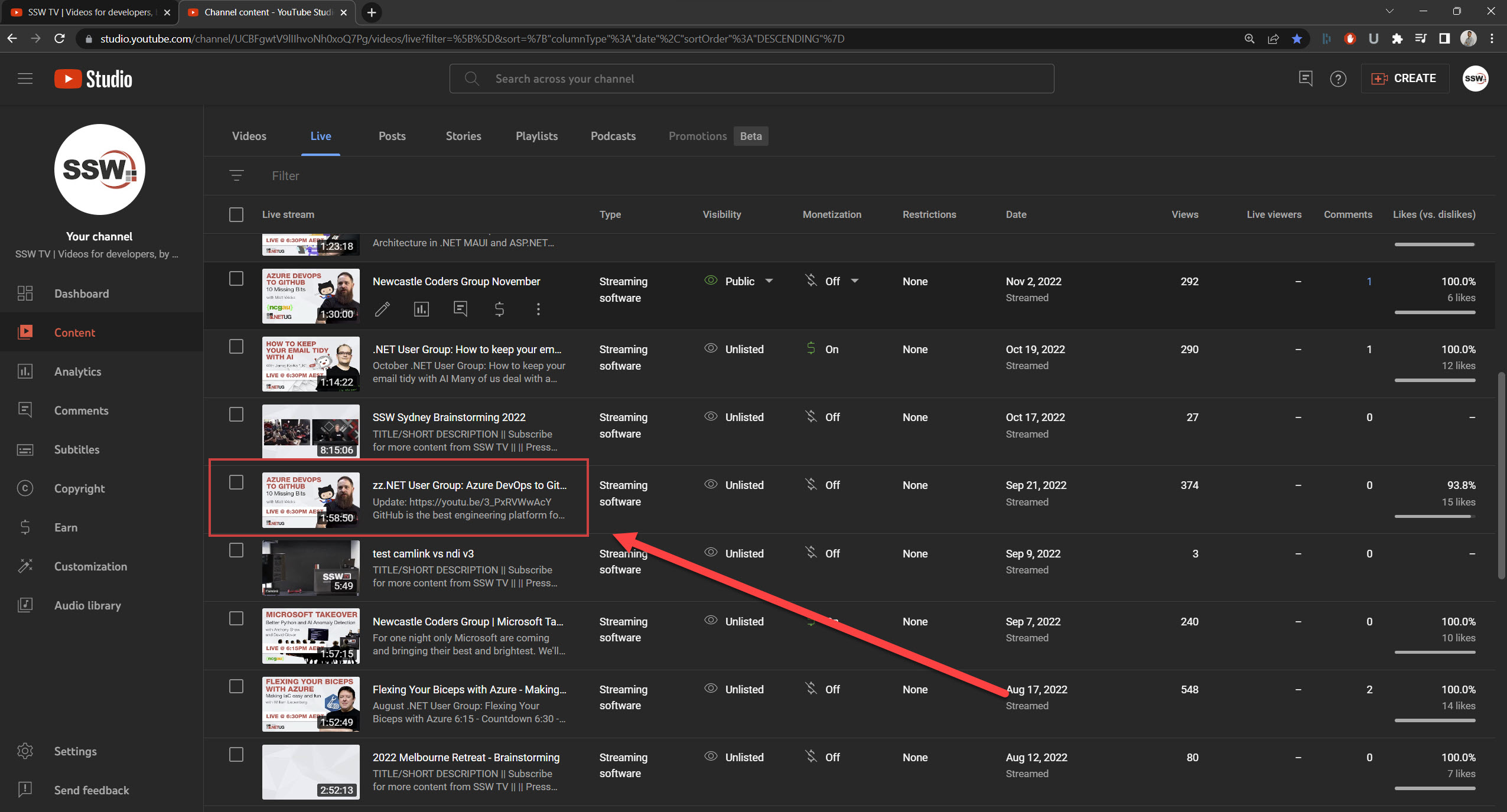
Figure: zz'd LIVE version
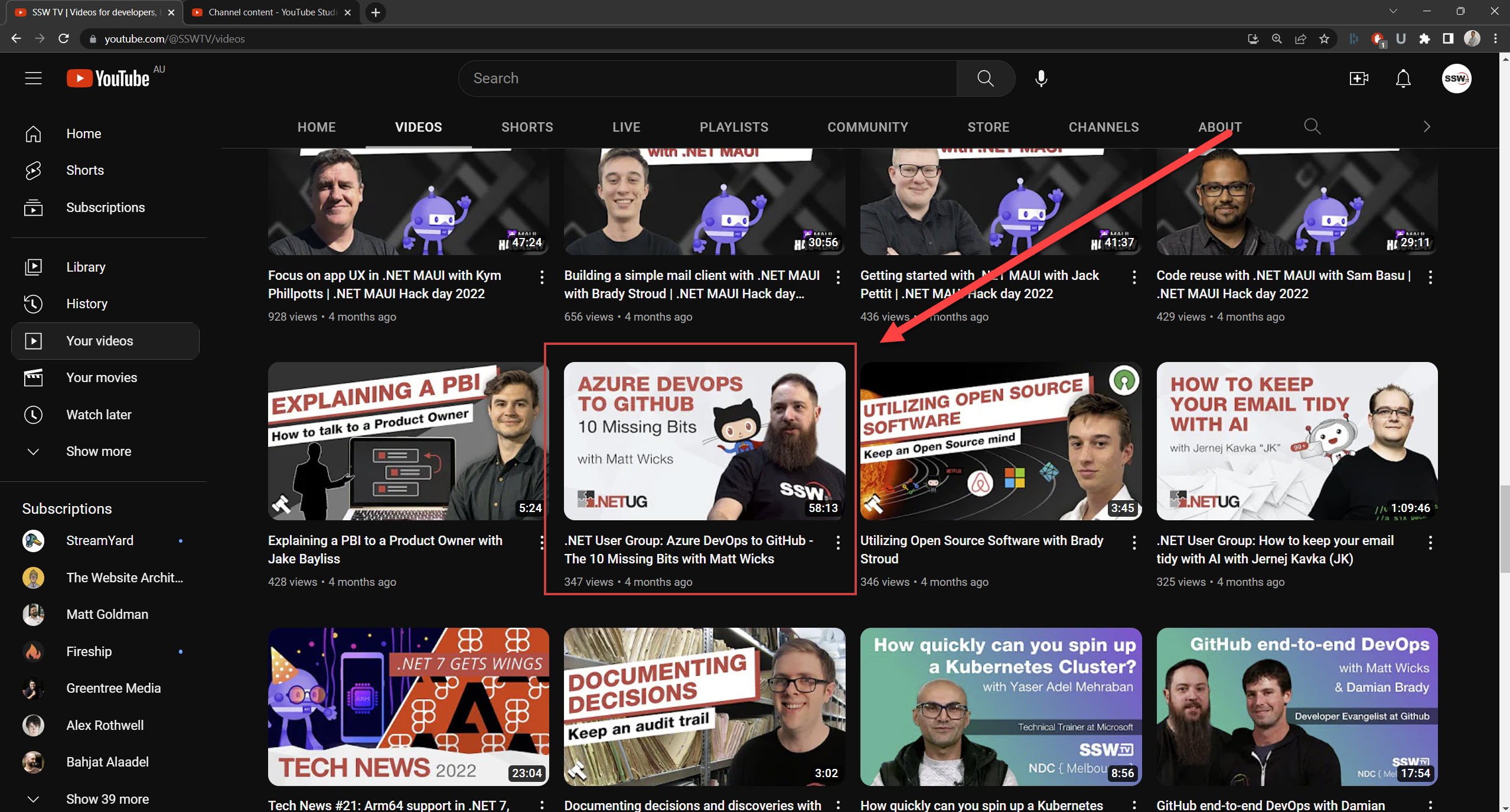
Figure: Edited version uploaded showing in Videos Tab
Option 2 - If the video is live and good quality, edit directly in YouTube Editor (Good)
- Add it to a playlist and make that playlist prominent on the YouTube home page
✅ Pros
- Engagement – Keeps views and comments
- Cheap
- Faster in outputting content
❌ Cons
- Less consistent
- Stuck in the Live tab
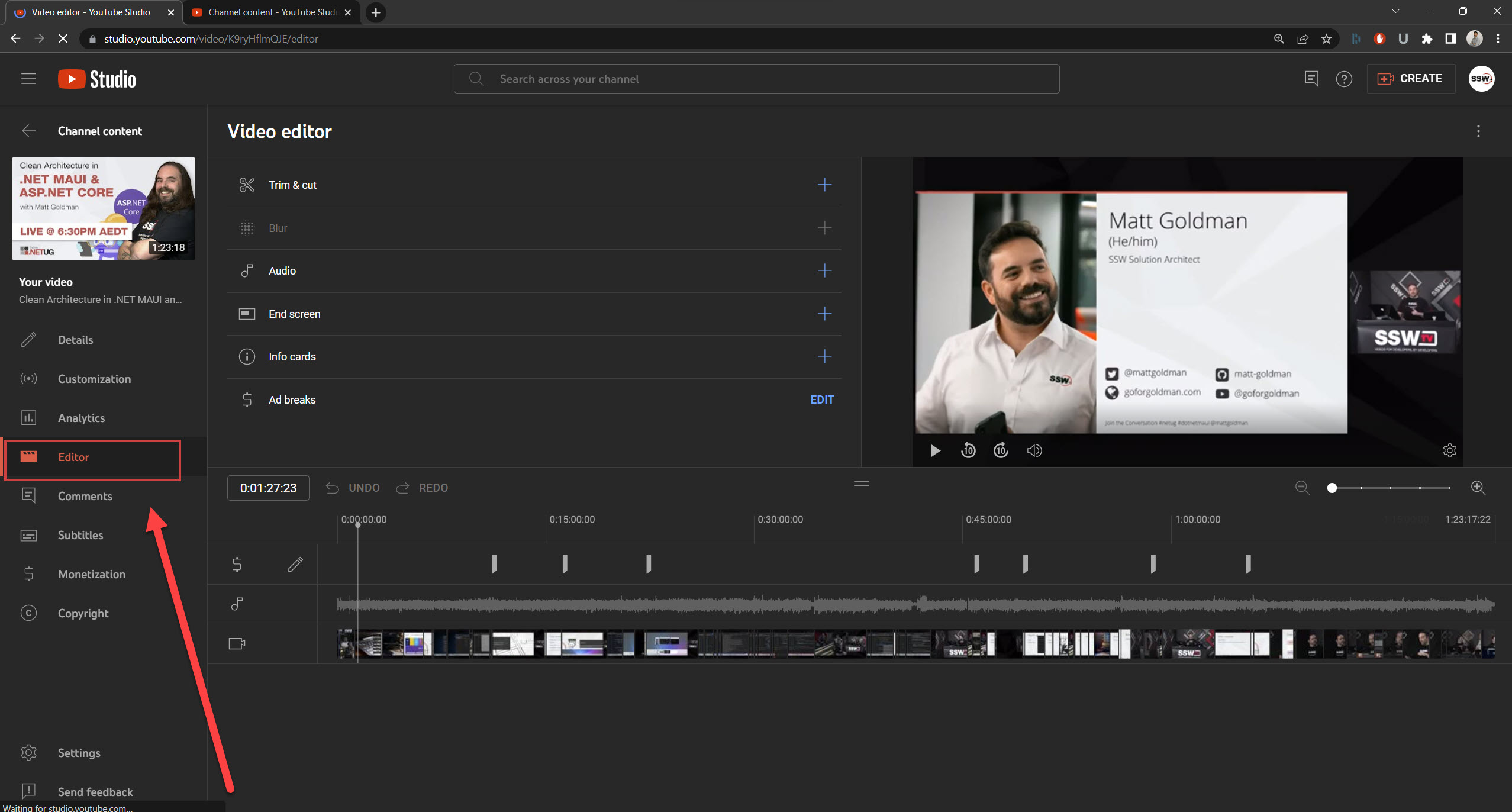
Figure: YouTube Editor
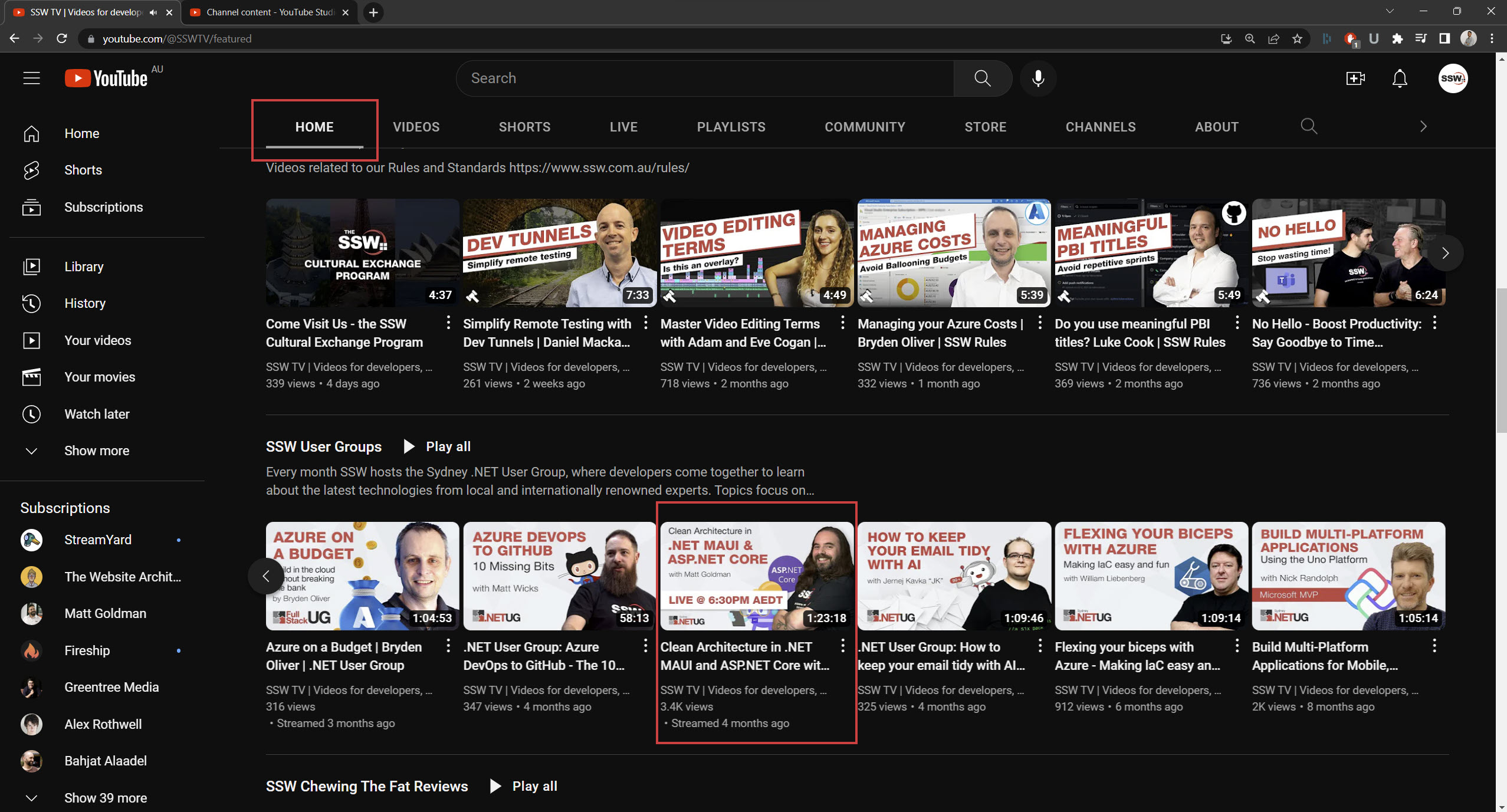
Figure: Homepage | Playlist
Option 3 - Separate the videos (Recommended)
- Keep the unedited Live version online
- Upload an edited version separately (cutting out all the fluff, fixing audio glitches, etc.)
✅ Pros
- Consistent and keep views
- Shows your edited version on the videos tab
❌ Cons
- Could be viewed as repetitive content (debatable)
- Expensive - more time spent in post-production
Tips:
- Clearly differentiate titles and thumbnails
- Add an annotation in your unedited livestream to link to the nice edited video
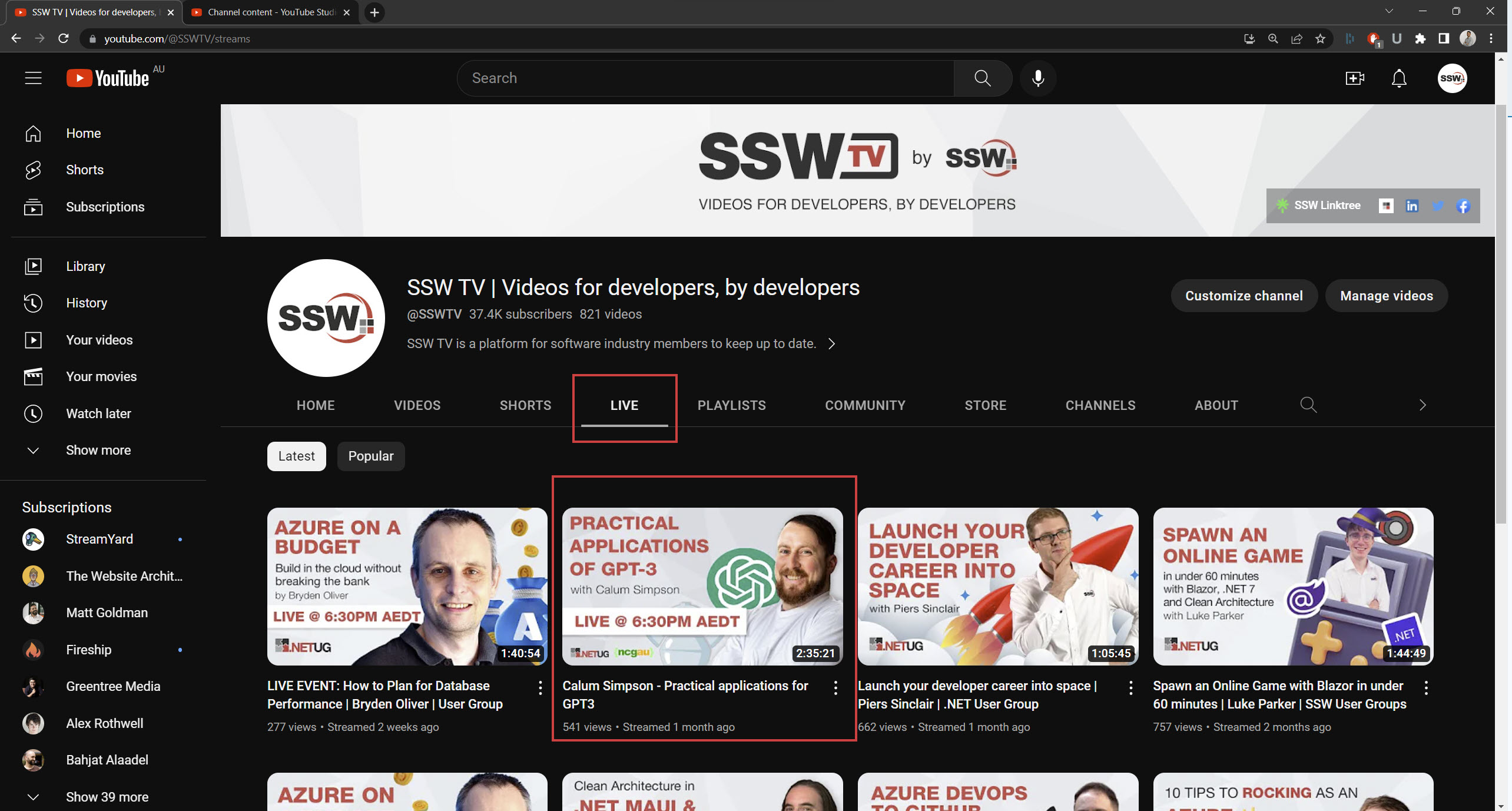
Figure: LIVE Version
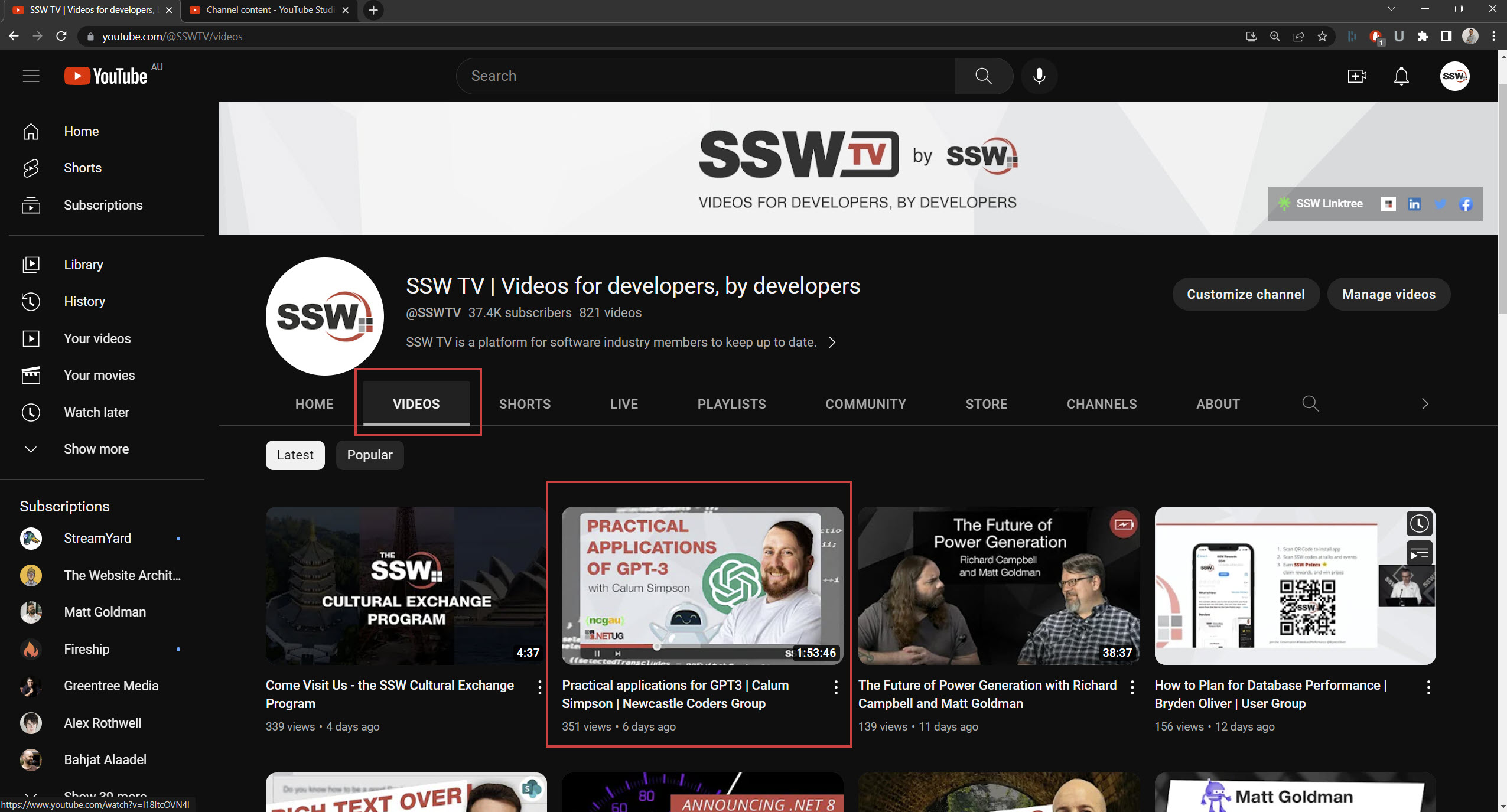
Figure: Edited version showing in Video Tab
Overall, there are a number of challenges associated with live streaming to YouTube and editing the livestream for re-publication. However, with the right approach and tools, these challenges can be overcome, and a high-quality, engaging video can be created.