Do you know how to retrieve missing invoices for flights?
Loading last updated info...
When booking a flight for a business trip, it is common for accountants to claim that as an expense. In that case, they will need the invoice for the trip.
In most cases, the tax invoices of the flights that booked by company were sent to the person.
The traditional way of retrieving the invoice is for the person who took the flight to send the invoice directly. However, sometimes the person who needs to send through the invoice is too busy and unable to action this task for a long time, or they may even forget to do it entirely.
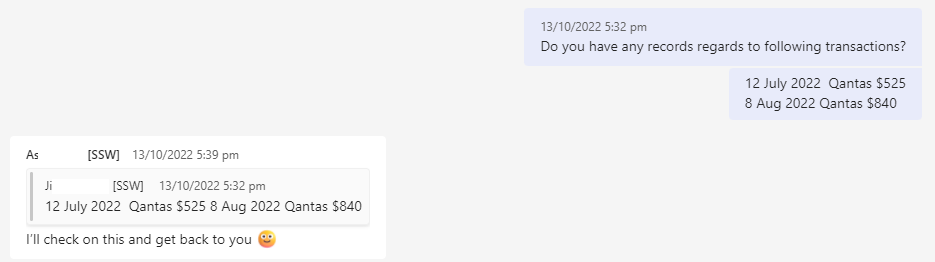
❌ Figure: Bad example - Ask the individual for the tax invoice of a flight
Luckily, most airlines offers a convenient portal for managing bookings where you can retrieve this information for all company flights, e.g. Qantas Business Rewards or Virgin Australia Business Flyer
Qantas offers a robust loyalty program, take advantage of it.
- All flights booked by the company can be managed through the Qantas Business Rewards website
- There is a monthly report which can be downloaded
If an invoice is missing, you can access the document by:
- Going to Qantas Business Reward | Trips | Manage trips
- Search and open the bookings
- Select "Request tax invoice"
- Put the email address where you wish the tax invoice to be received. The tax invoice should be resent in a few seconds.
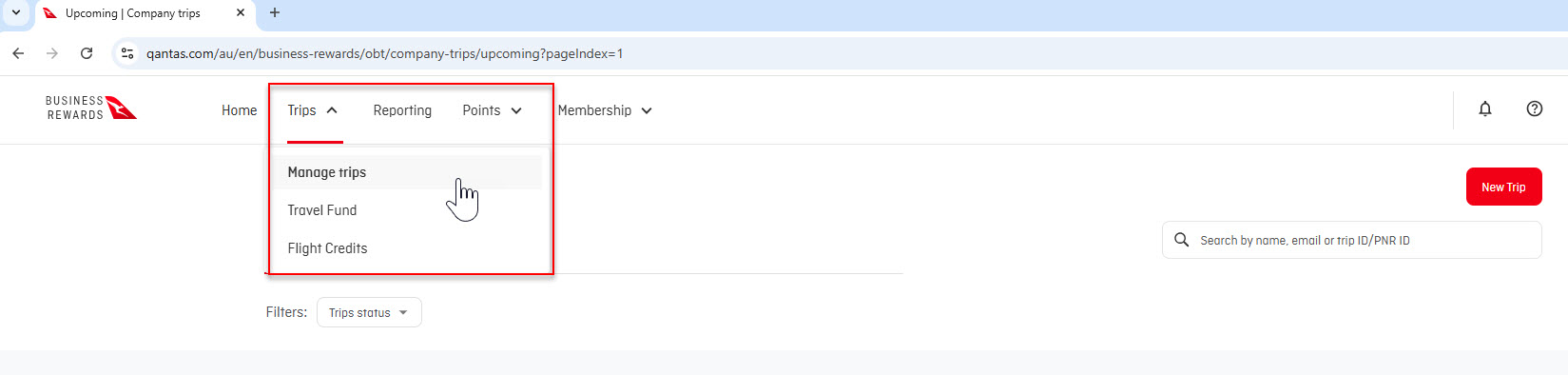
✅ Figure: Good example - Retrieve the invoice from Qantas Business Reward in 30 seconds
Note: You can also access this page as a guest via Qantas Manage booking (without Qantas Business), but a booking reference is required.
Simply retrieve the missed invoices from that portal without asking the passengers!
Note: Only bookings with the company name and ABN can be managed through Qantas Business Rewards.