Do you monitor YouTube Analytics and metrics effectively?
Loading last updated info...
Superstar developers love making content. In fact, they love seeing how the community engages and consumes the content they create.
Marketing and YouTube team should review and see how the video content produced is performing. This can be done with the aid of YouTube analytics.
Why do this? It keeps your content creators informed in how their specific video is performing and most importantly gives them a picture of what to focus on in their next talk.
Don't just monitor - cater content to your audience
Monitoring is only half the job. The real win is acting on what you learn, so your next video is shaped around the people actually watching, not generic content that resonates with no one.
YouTube Studio’s Audience tab gives you the data you need to do this.
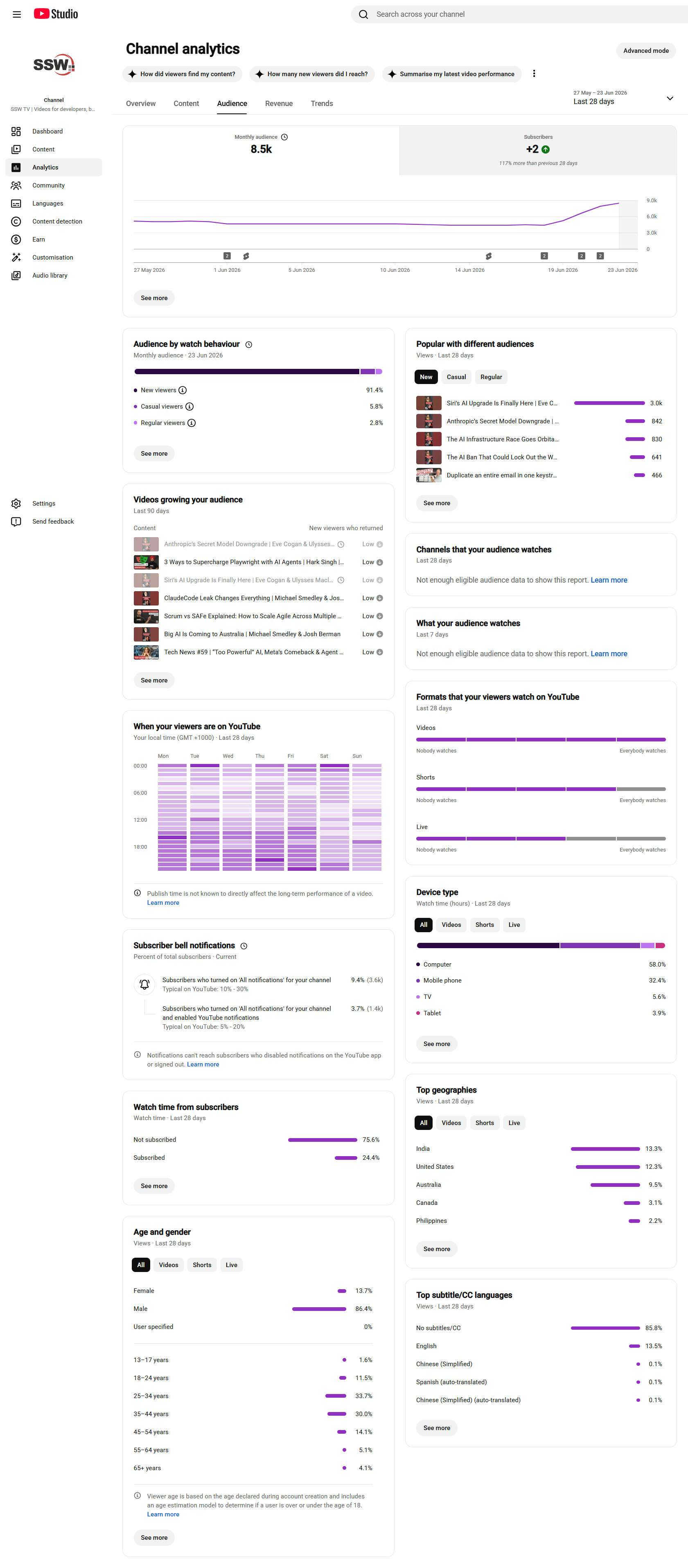
Figure: Go to YouTube Studio | Analytics | Audience
From it, you can learn:
- What your audience watches - The other videos, Shorts, and channels your viewers watch outside your channel. Look for recurring themes in those titles and thumbnails, then make content in that lane
- New vs returning viewers - If most of your viewers are new and few come back, you are being discovered but not building loyalty. Check the "Videos growing your audience" panel to see which videos turn new viewers into regulars, and make more of those
- Age, gender, and top geographies - Pitch your depth, examples, and terminology at who is actually watching. A large non-English audience is a strong signal to prioritize captions (see Do you transcribe your videos?)
Don’t forget your internal audience
YouTube Analytics shows what happened, but your staff can help explain why it happened.
If you have a large team, use them as a small but relevant sample group. A quick survey can uncover insights YouTube Analytics cannot, such as whether the topic was useful, the intro was too slow, or the example matched real-world needs.
Ask a few simple questions, such as:
- Where did you lose interest?
- Was anything confusing?
- What would make this more useful?
- Would you share this with a client or colleague?
- Did the title and thumbnail make you want to click?
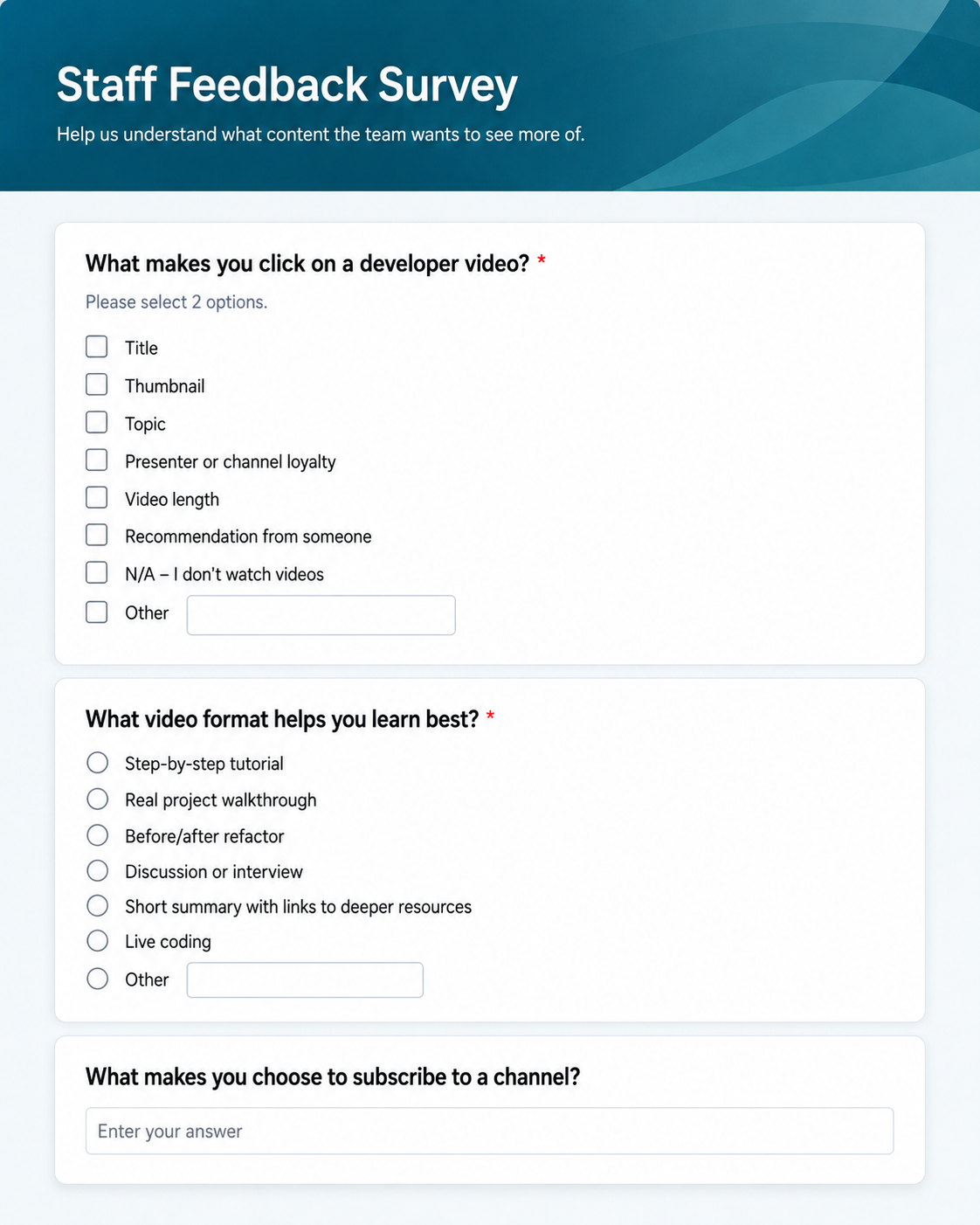
✅ Figure: Good example - Survey form for staff feedback