Google Business - Do you optimize your company's Google Business profile?
Loading last updated info...
It’s important to keep all information about your business online up to date. The easiest way is to regularly review your current Google My Business listing and optimize the data to ensure your clients (or potential clients) can still find you.
Follow this checklist to make sure you have everything covered:
- Business name – Make sure it's consistent) with your website and social media
- Address – Have the correct street and suite number in the right format
- Phone – Have the correct phone number in the right format
- Hours - Include accurate business hours
- Public holidays - Update them at the beginning of every year
- Description and category – Add informative information to help attract potential customers
- Customer reviews – Make sure you reply to good or bad reviews
- If there was a problem, try to understand the situation and help them
- If you received a glowing review, say thanks!
- Products/services – Use keywords that people usually use to look for your products and services
- Photos - Upload cool and real photos of your business
- Front and inside of your business
- Your team
- Events
- Logo
- Specific shots e.g. your menu if you own a restaurant
- Posting feature – Share a new service you are offering or an event you are hosting
If you ever need to change your phone number or move to a new address, prioritize updating your Google My Business listing.
Managing the business profile
You must verify your business before you can edit information about it. After verification of the business and approval of the edits, these changes can be published on Google Search and Maps.
You may want to add a marketing member's Gmail account as a Manager to avoid signing in with the company account for authentication.
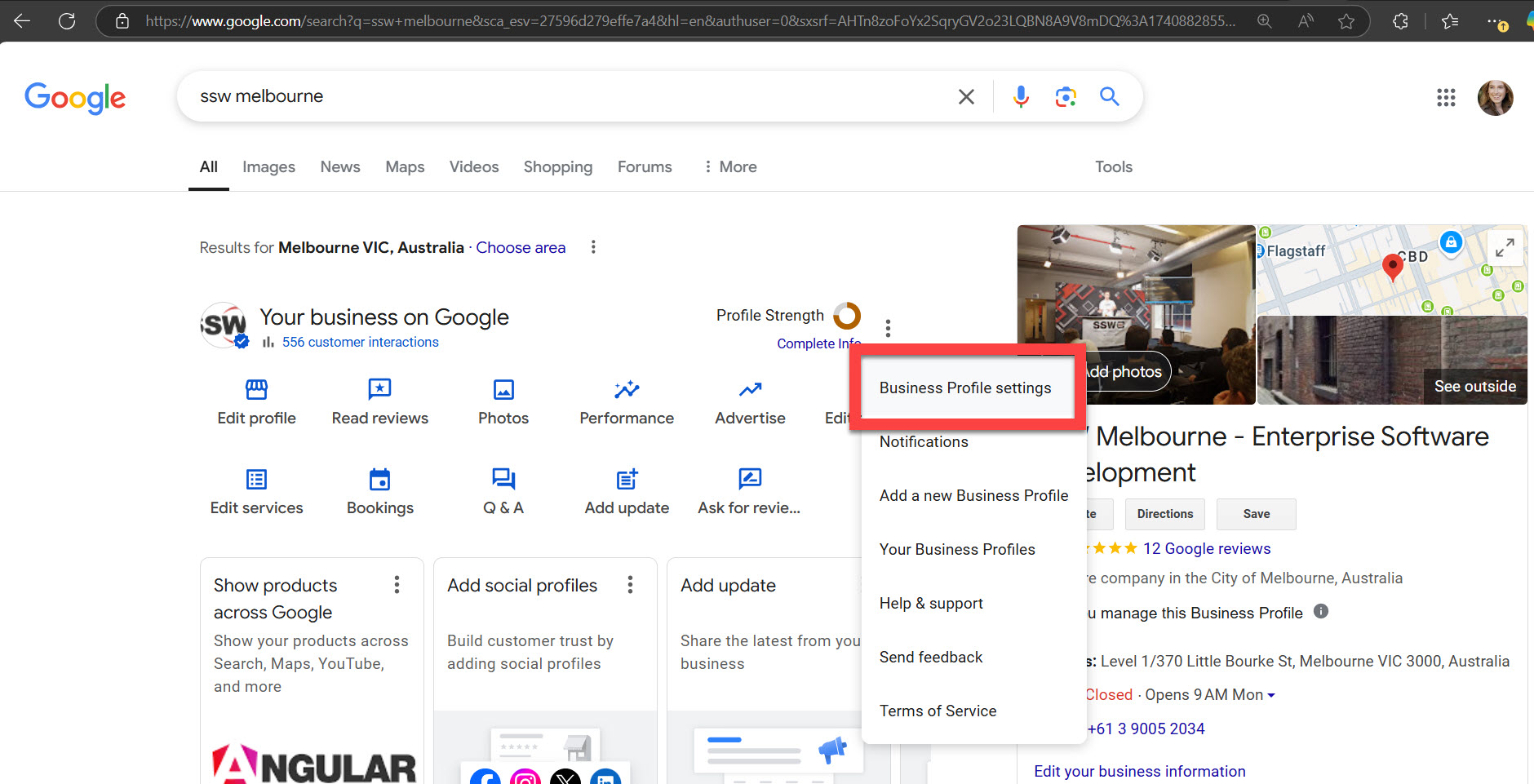
Figure: In Business Profile settings, you can invite other trusted email accounts to manage the business profile
Making edits on the go
You can only suggest edits to business attributes on a mobile device. To do so, use the Google Maps app. These changes will be reviewed by Google before going live.