Do you know how to completely remove confidential information from a GitHub Issue?
Loading last updated info...
If you accidentally include confidential information in a GitHub Issue - whether it’s a password, API key, or private business details - the obvious thing to do is edit the issue and delete the sensitive content.
But that’s not enough.
GitHub retains a full revision history for issues and comments. This means others can still view older versions and recover the compromised data.
To protect your company and users, you must check and delete the specific revisions that exposed the information.
Finally, it's important to leave a transparent comment in the issue confirming that sensitive content was removed, and where it appeared (e.g. in a video, image, or text block).
Steps to properly remove confidential data
- Edit the Issue or comment
Immediately remove any visible confidential data from the issue body, comment, or image attachment. - Review all revisions
Click the “edited” tag next to any edited comment or issue to see its history. Note which revision contains the sensitive info. - Delete the affected revision
- If you have permission, delete the comment or attachment that contained the data.
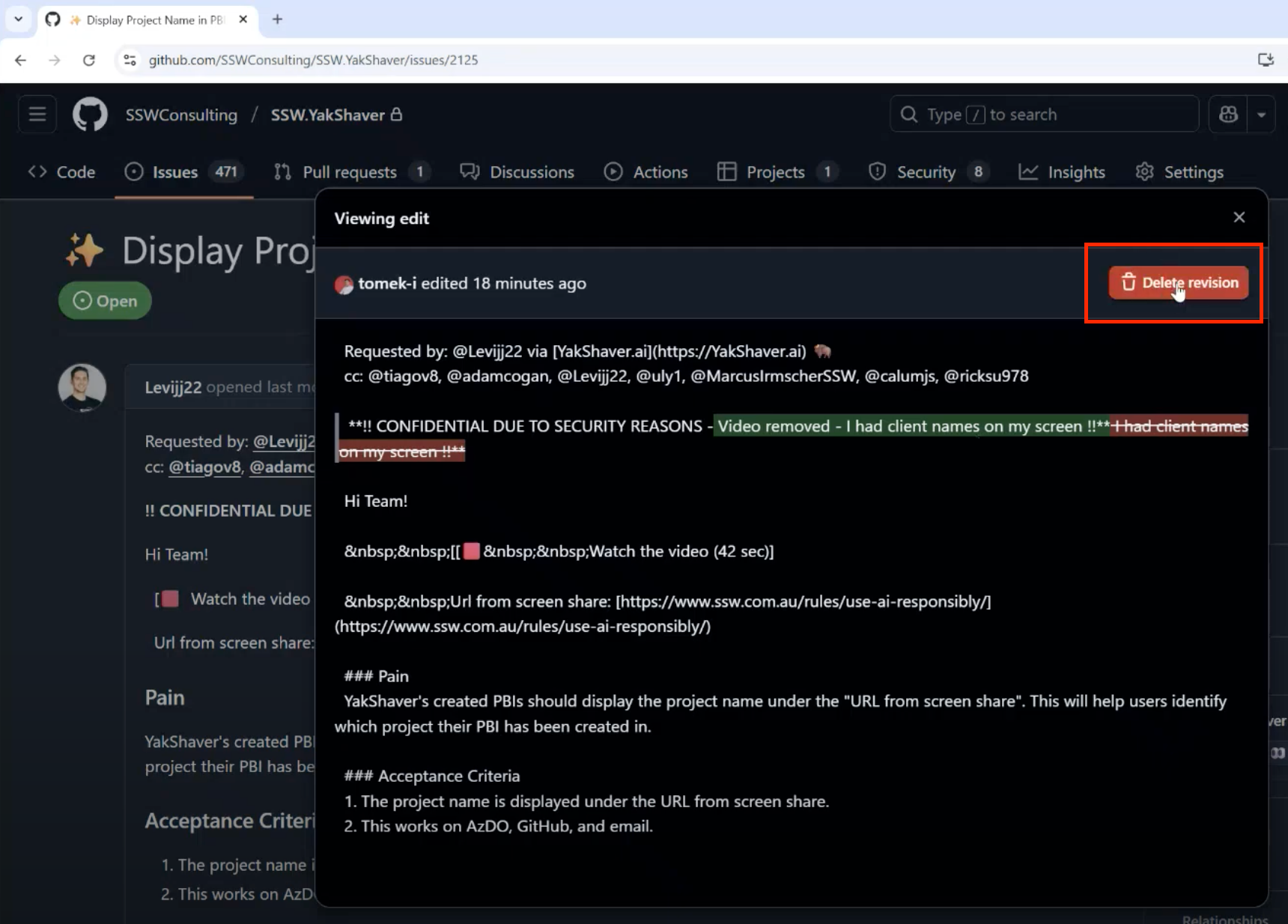
Figure: Delete revisions so compromised data is fully removed
- If you can’t delete it yourself, contact your repository owners or admins and ask them to remove it.
- If the revision still can’t be deleted (e.g. issue body history), contact GitHub Support and provide:
- The repository name
- A direct link to the issue or comment
- A description of the confidential information
- A request to delete the specific revision(s)
- Add a note for transparency
In the issue description or a comment, add a message like:
"‼️ CONFIDENTIAL INFORMATION REMOVED The affected content was in a: screenshot / comment / video / etc."
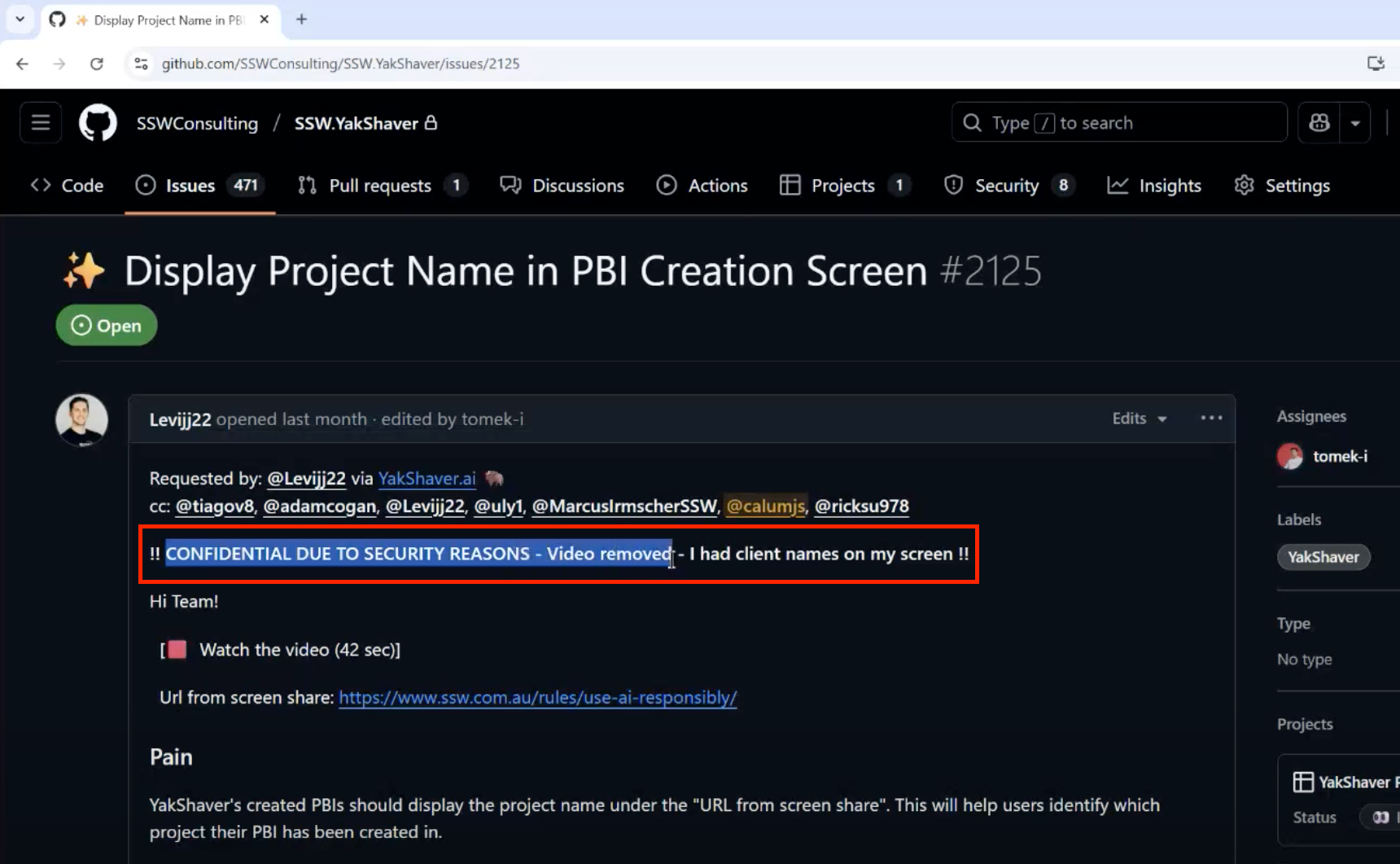
Figure: Inform about deletions mentioned what it was
Tips to prevent future issues
- Avoid uploading full-screen screenshots or videos that contain internal tools, passwords, or customer data
- Use redaction tools before sharing media
- Always review YakShaver recordings and generated content
- Enable 2FA and rotate keys immediately if any credentials were exposed