Meetings - Do you know when to send an Appointment or a Teams Meeting?
Loading last updated info...
Sending appointments from Teams feels less natural than from Outlook but there are some great benefits:
- Appointment - You don’t need to remember everyone’s name - The whole team is invited
- Appointment - In the appointment, it auto-generates a link so that everyone goes to the right place to attend
- Visibility - It shows up in Teams Calendar
- Visibility - It appears in the Teams chat (for the channel that was invited)
- Visibility – When the appointment is beginning the app pops up with a button to “Join”
- History - If you decide to record the meeting, the link to the recording shows up in the chat history as well
Important: Although the meeting app works great to organize Teamwork such as Scrum meetings or other client meetings, it is not very suitable for more global events such as a retreat or a conference. At SSW we use Microsoft Outlook appointments in those instances.
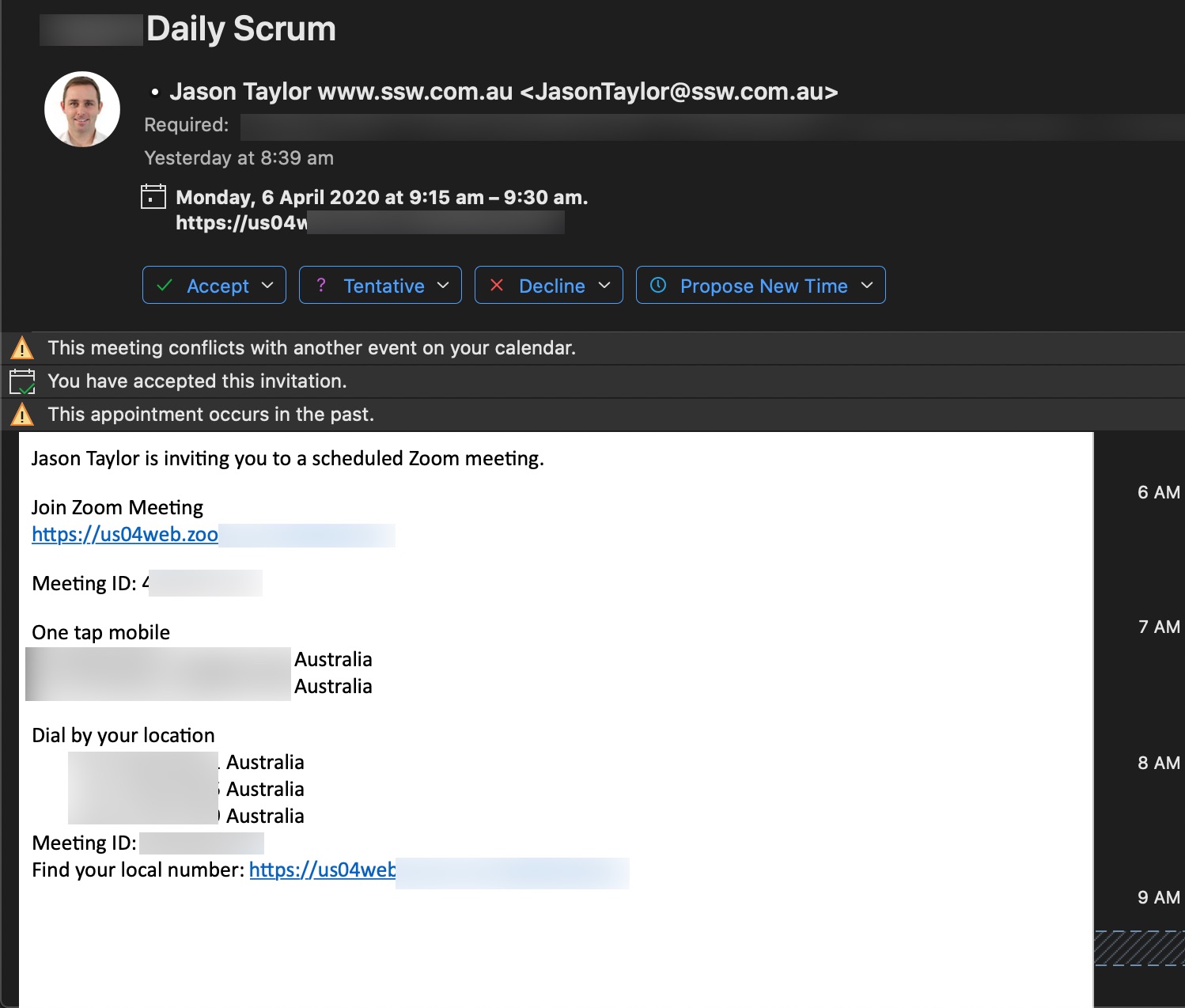
❌ Figure: Bad example - This appointment was created using Outlook using Zoom - the team members needed to be added to the appointment individually and there are too many options on how to join the meeting.
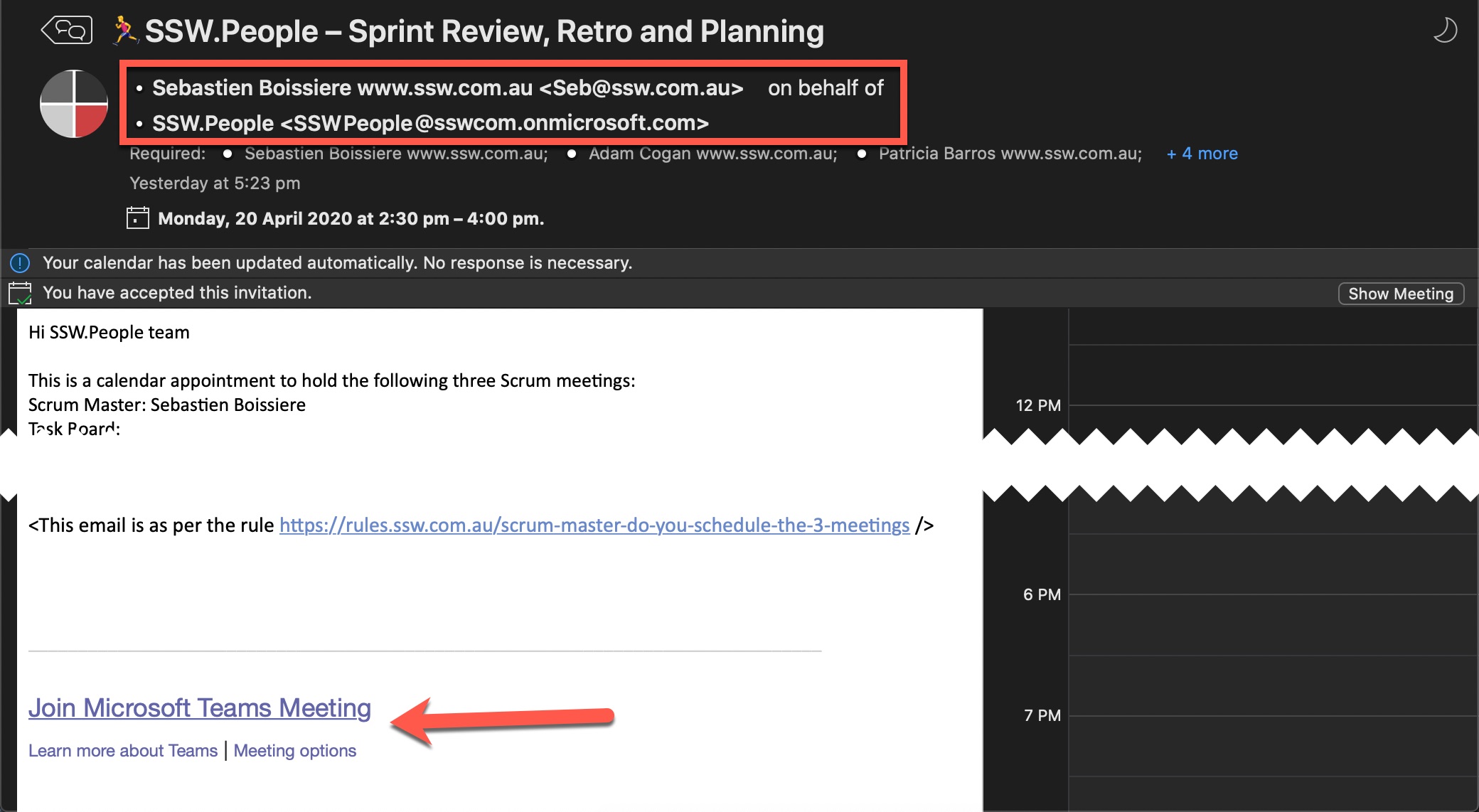
✅ Figure: Good example - I know this appointment was created in Microsoft Teams since it was created on behalf of the team (see sender) and at the bottom it has a link so that people can click and join the correct meeting (even without Teams installed)
How to make a Teams Meeting
To setup a Teams meeting, simply navigate to "Calendar" and then either "Meet Now" or "New Meeting".
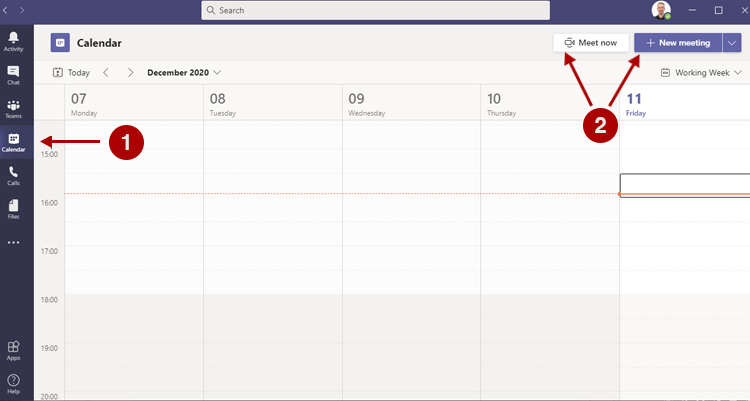
Figure: Creating a new meeting
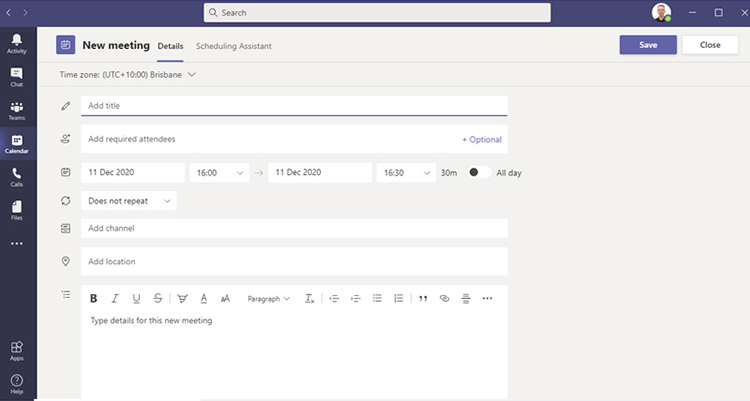
Figure: Meeting options
You can select a Channel to meet in and by doing so, members of the Team in which this channel lives will see a Channel activity that you can click to directly jump in the meeting.
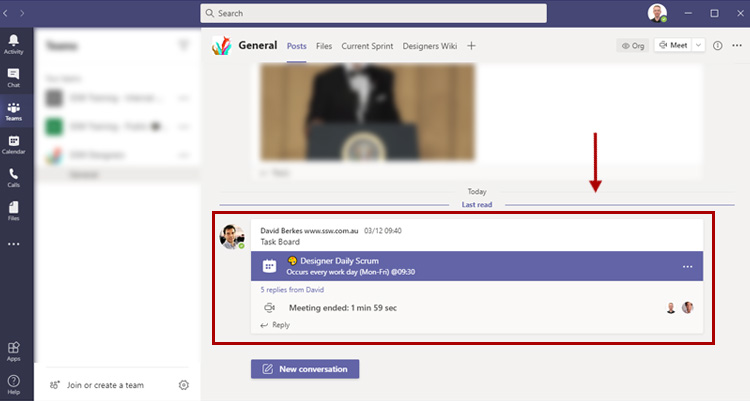
Figure: meeting channel activity
Microsoft Teams will also send out an email invitation email for the meeting - this is especially useful when inviting people outside your organization.