Do you send delayed messages in Microsoft Teams?
Loading last updated info...
Have you ever sent a message late at night, only to worry about disturbing your colleague's downtime? Or perhaps you've received a message outside of working hours and felt pressured to respond? In today's always-connected world, messages can arrive at inconvenient times, creating unnecessary stress and disruption.
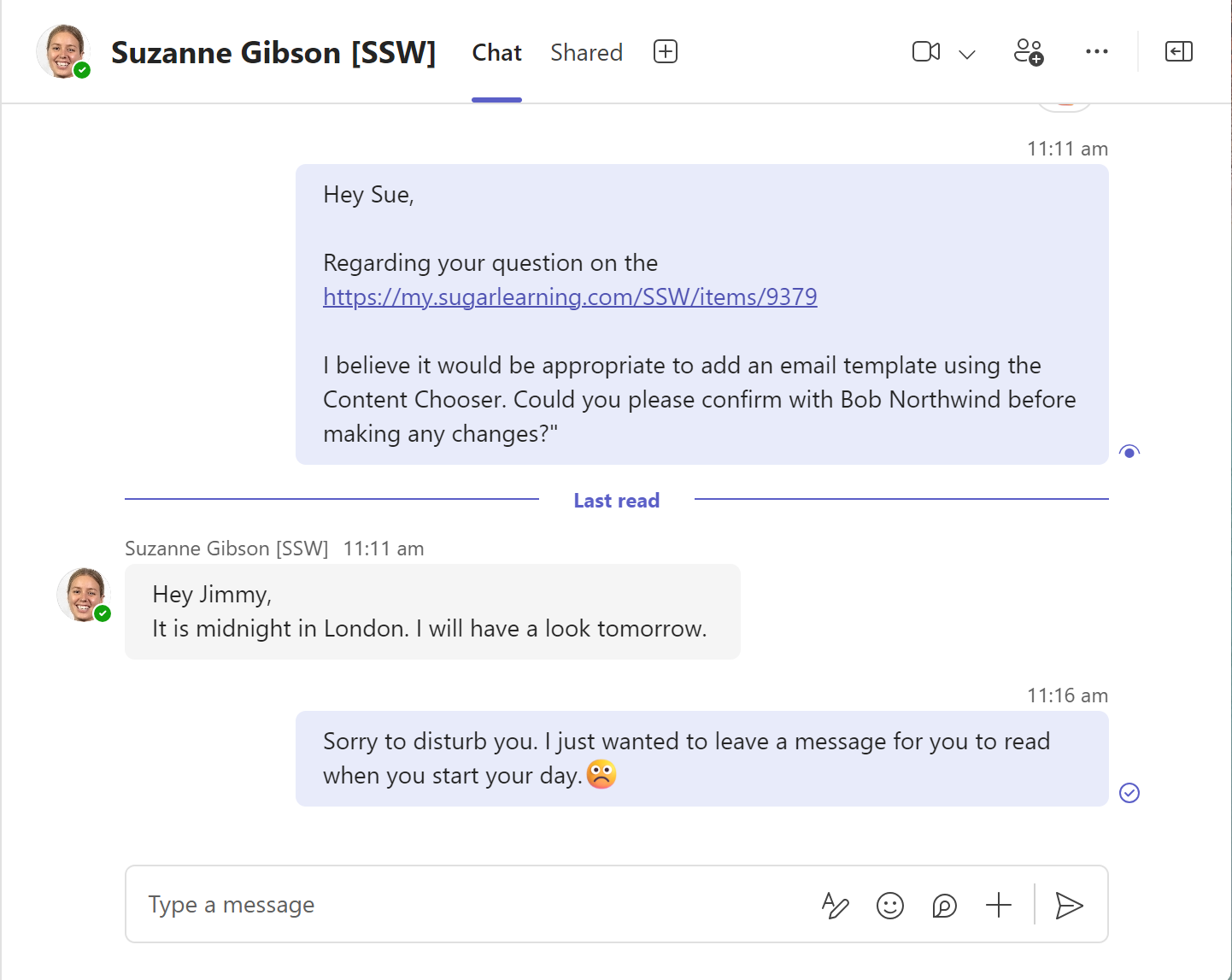
❌ Figure: Bad example - Sending Teams message outside of Sue's working hours
Microsoft Teams now has a simple solution: delayed messaging. With this feature, you can schedule messages to be sent at the right time, ensuring they are seen when they’re most relevant—and least intrusive.
Steps to send a delayed message
- Compose your message in the chat or channel where you want to send it
- Right-click the Send button (Long-press on Mobile)
- Choose the desired date and time for your message to be sent
- Confirm your selection. The message will be scheduled and sent at the chosen time
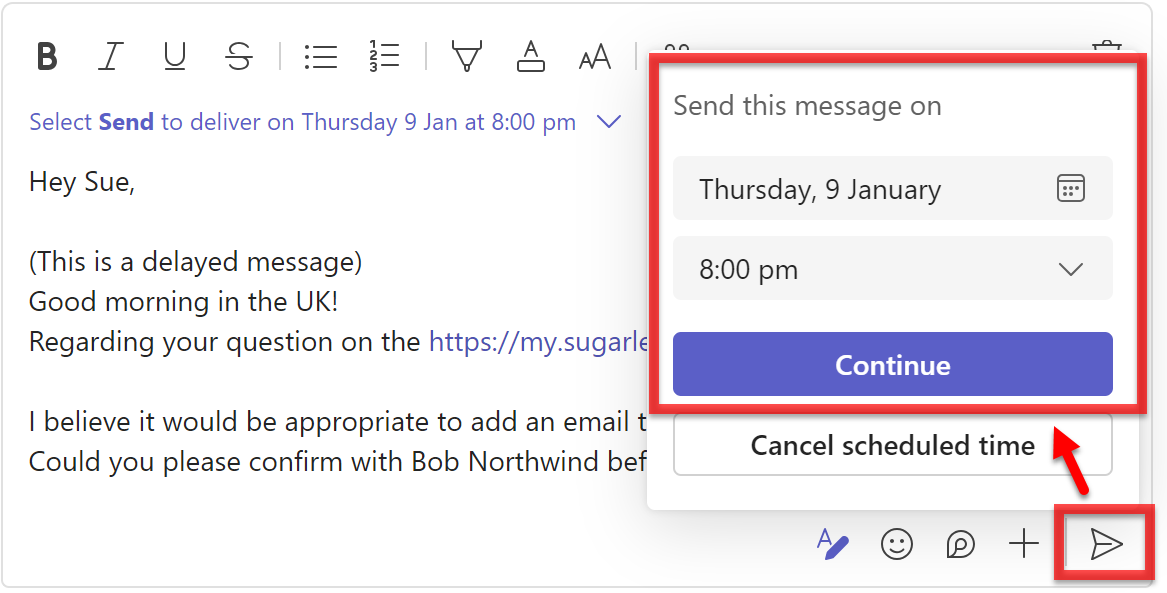
Figure: How to send a delayed message in Microsoft Teams
Why use delayed messages?
- Respecting work-life balance - You might have an idea or question outside of working hours and want to ensure it’s not forgotten. Scheduling the message means the recipient can address it during their workday without disruption.
- Avoiding immediate engagement - Some people feel obligated to reply as soon as they see a message, even if it’s inconvenient. By scheduling your message, you avoid pressuring the recipient into an impromptu conversation.
- Catering to global teams - When working across time zones, your working hours might align with someone else’s rest time. Scheduled messages ensure your communication doesn’t interrupt their sleep or personal time.
- Ensuring timely delivery - Make sure they receive the message at the right time. For example, if you want Bob to do a task on Friday, you can send a delayed message on Friday morning.
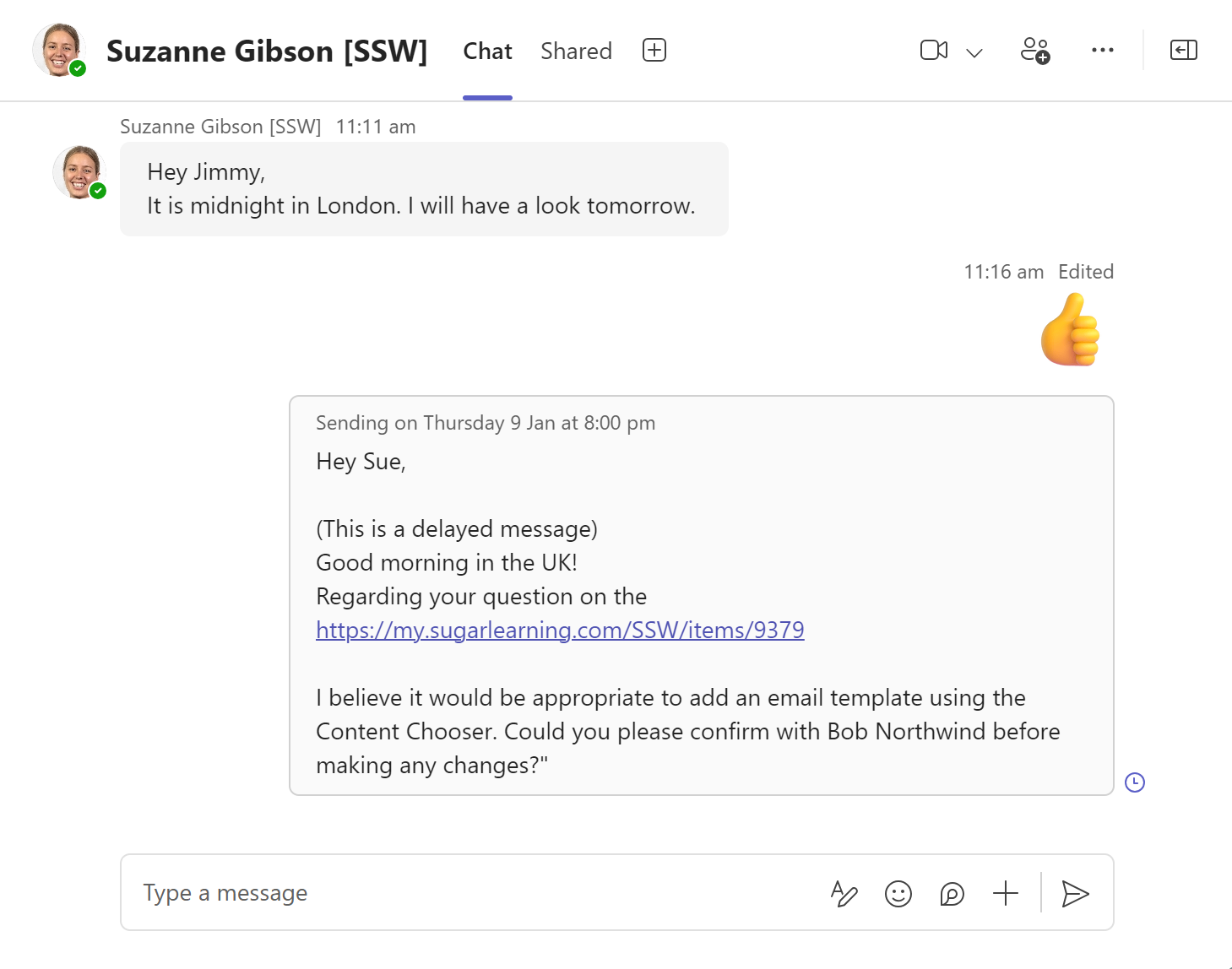
✅ Figure: Good example - Sending a delayed message to Sue that is to be received at 9 am UK Timezone
You might want to add “(this is a delayed message)” or specify an exact time, like 8 AM or 3:30 PM, so they know the message was sent later.
By using the delayed message feature in Microsoft Teams, you can communicate more thoughtfully and foster a better work environment for everyone—no matter the time zone.