Do you use voice isolation in Teams calls?
Loading last updated info...
Background noise during Teams calls can be unprofessional and distracting for others.
This is a problem you can solve very easily! Here's how:
How to enable voice isolation
Voice isolation uses AI to mute background noise while keeping your voice clear.
Switch it on in Settings | Devices | Noise Suppression | Enable Voice Isolation
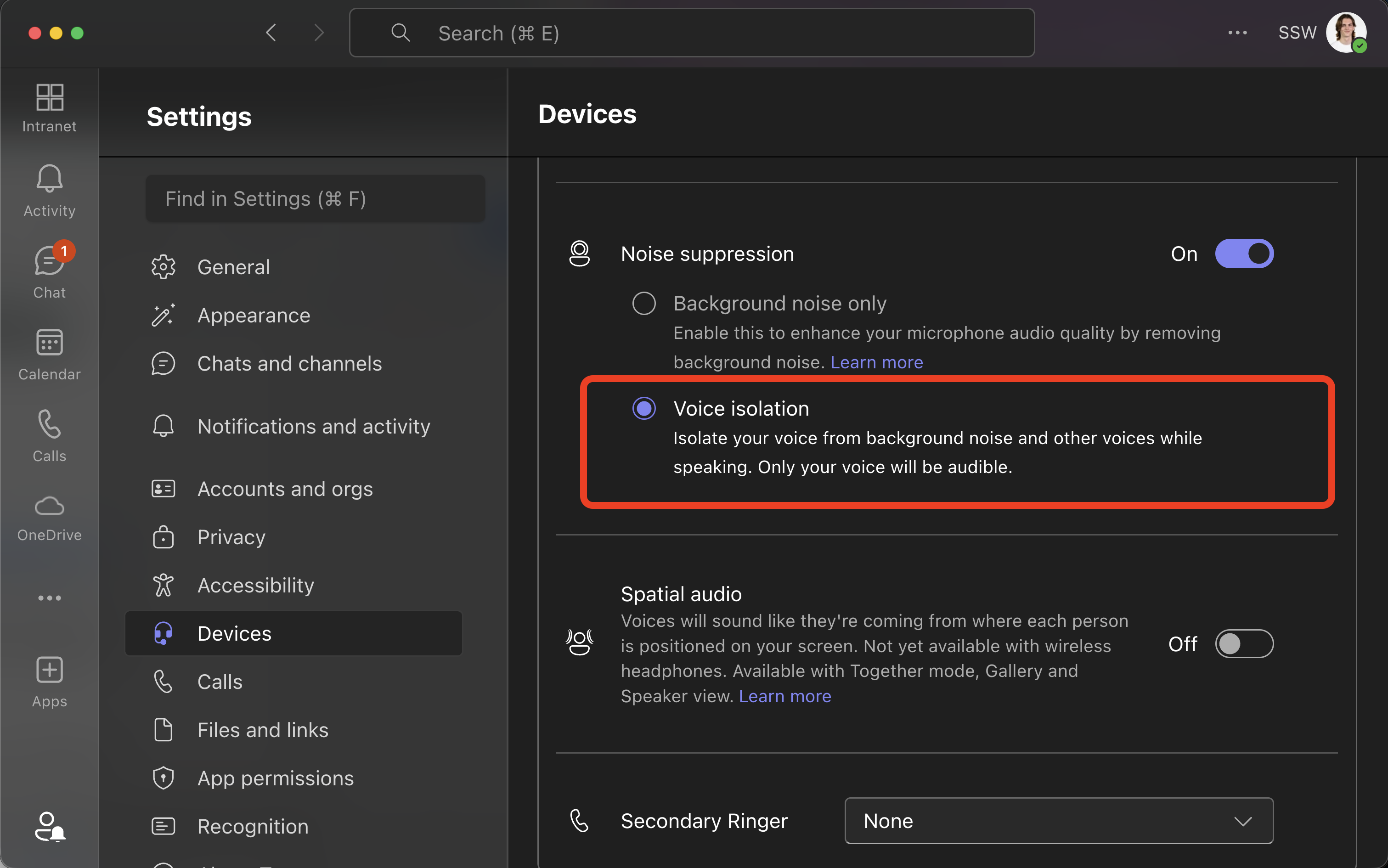
Figure: How to enable voice isolation
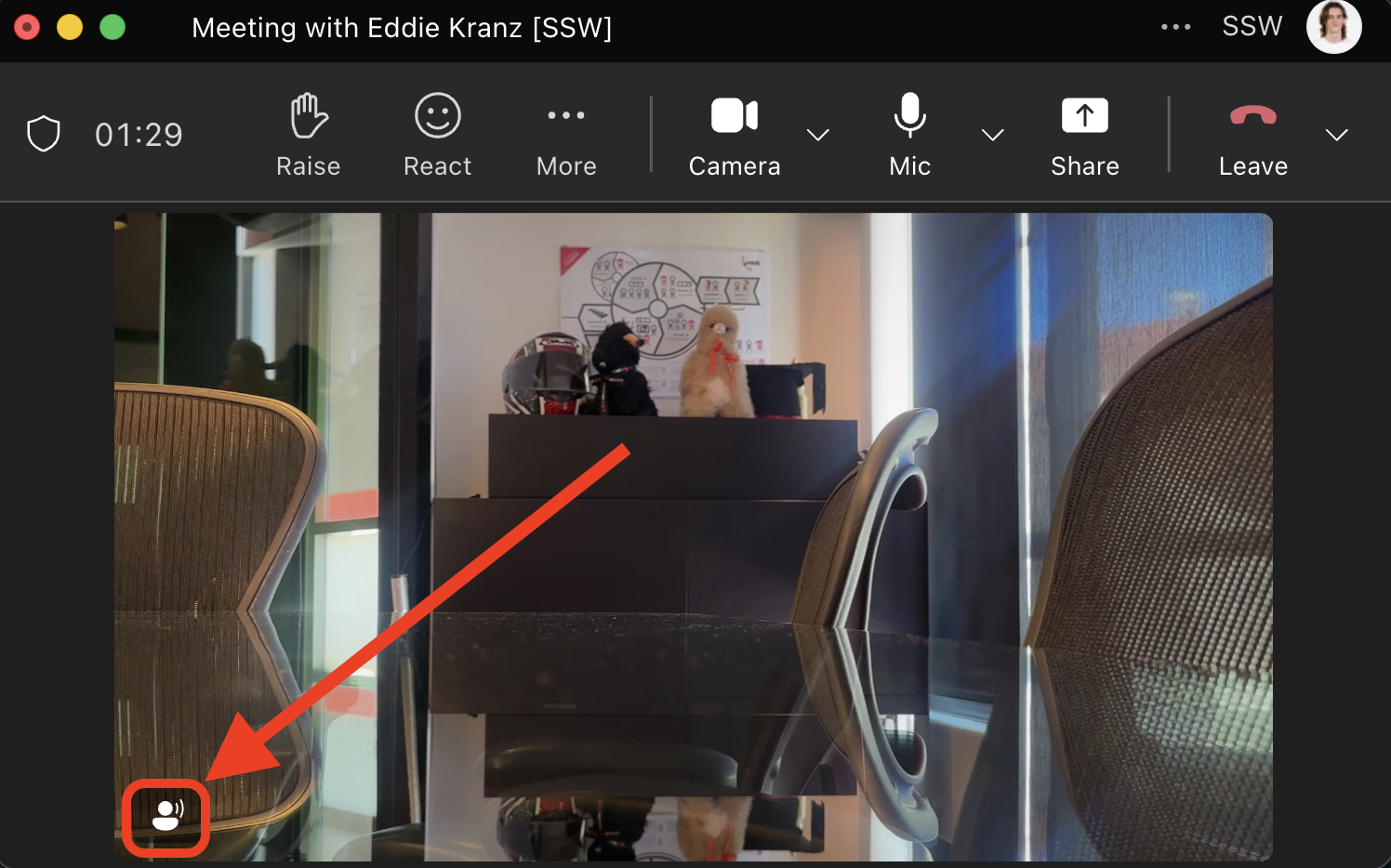
✅ Figure: Good example - This icon means Voice Isolation is on
No more worrying about your noisy neighbours!