This rule has been archived
This rule may no longer be relevant or up to date.
Do you know how to upgrade DNN to the latest version?
Loading last updated info...
If there is an upgrade available see "Have you installed the latest DNN version?", follow the following steps to perform the upgrade.
In Preparation:
- Back up the DNN database
- Back up all website files
- Check your database and website backups!
- Download the latest DotNetNuke upgrade package:A. From the dotnetnuke.com site. You may need login credentials if you are using a non-community version of DNN or B. Click the "Upgrade Available" button that appears when you are not running the latest version.
- Create a basic html document called app_offline.htm. This page will be shown on the site while you are doing the upgrade.
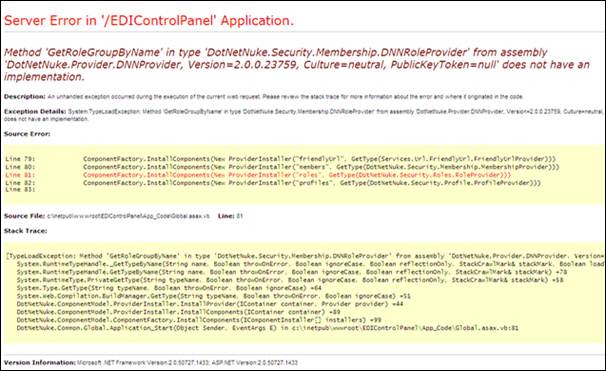
❌ Figure: Bad example - No maintenance page. Users may see errors while the site is partially upgraded

✅ Figure: Good example - HTML page to let users know the site is offline to perform the Upgrade
To Perform the Upgrade:
- Upload the app_offline.htm file to the root web folder for the site.
- Navigate to the site in a web browser and check that the app_offline.htm file is shown instead of the usual default page.
- Copy the contents of the latest DotNetNuke upgrade package over the top of the existing files. All files should be copied because the package should only contain generic files ?no configuration files.
- When the copy is complete, rename the app_offline.htm file to app_offline.htm.save. When you navigate to the site, you will see a new construction page:
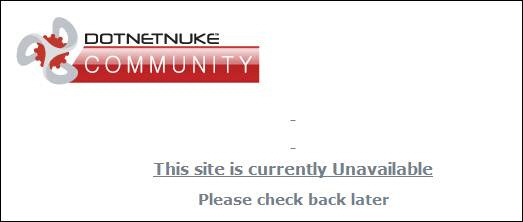
✅ Figure: Good example - Latest version has been copied and site is unavailable (suggestion to DNN team: remove the underline from the non-link)
- Access the /install/install.aspx?mode=upgrade page (e.g.
mysite.com/install/install.aspx?mode=upgrade) using a web browser. The site will begin an automatic upgrade process:
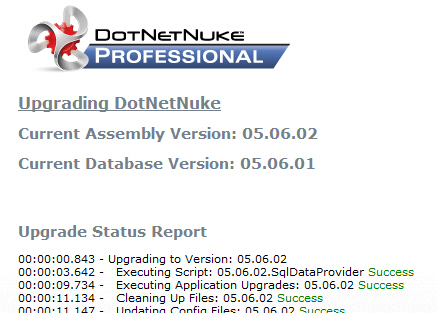
✅ Figure: Good example - Automatic upgrade running
- On completion of the upgrade, you will see the following message at the bottom of the page. Click on the link to return to the site.
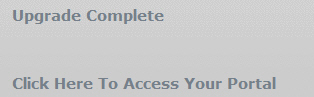
✅ Figure: Good example - Automatic upgrade completed (suggestion to DNN team: put an underline under the link)
- Click through the newly upgraded site to perform a smoke test.
- Log in to the DNN site and navigate to "Host", then "Host Settings". You will see that the site is running the newest version of DNN and that there are no upgrades available.
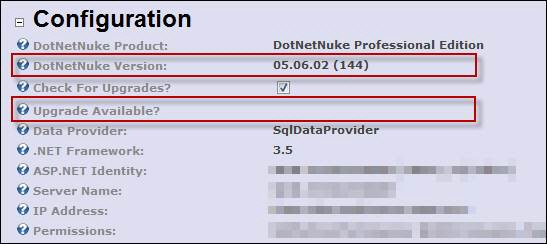
✅ Figure: Good example - Latest version and no upgrades available