Do you use and indicate Draft Pull Requests?
Loading last updated info...
Draft Pull Requests show work in progress so teammates can collaborate and give feedback early. They help improve code quality, reduce duplicate work, and make ongoing changes visible. Draft Pull Requests can also trigger GitHub Workflows, giving developers early feedback when the workflows are configured to run on drafts.
Why Draft Pull Requests?
- Clearly communicate that the change is still a work in progress and not yet ready for review.
- Prevent unnecessary notifications to the team (for example, "Sam opened a pull request") when the work is still in progress.
- Pull requests created by AI coding agents should start as drafts so a human can validate the changes before involving reviewers.
- Control which CI automations run by using draft pull requests, avoiding unnecessary builds, deployments, or long-running test suites until the work is ready.
Clearly marking your Pull Requests
A draft status can be easy to overlook on GitHub. Add a title prefix like 🚧 WIP: {{PR Title}} to make work in progress easier to spot.
GitHub

❌ Figure: Bad example - This PR isn't a draft, so it sends unwanted notifications and risks being merged
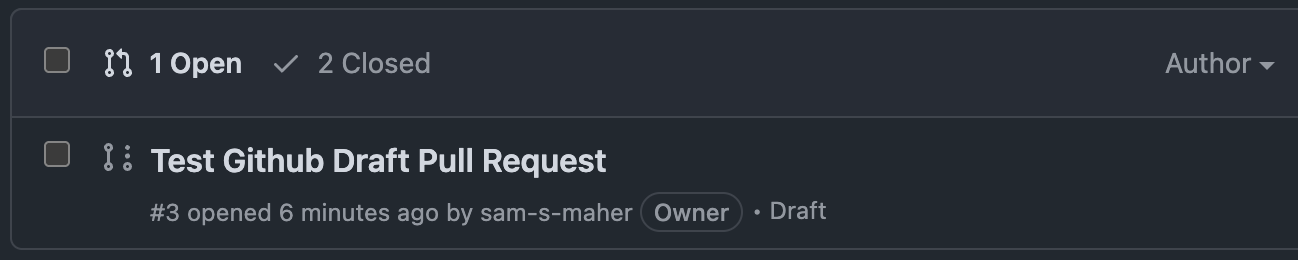
🙂 Figure: OK example - GitHub's small Draft label is easy to miss
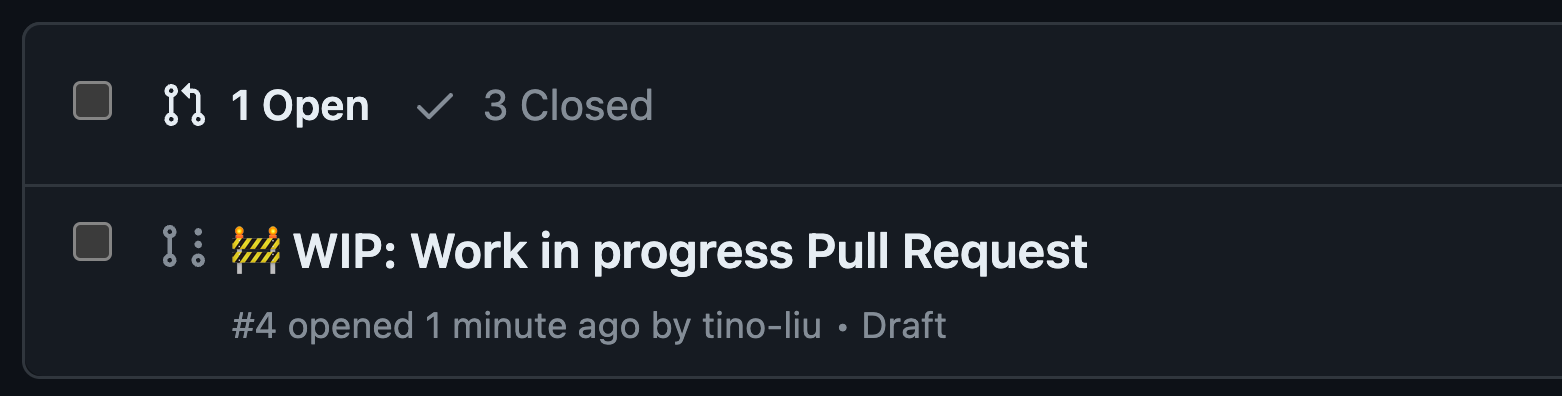
✅ Figure: Good example - A 🚧 WIP prefix makes the Draft Pull Request obvious
If you want to go one step further, you can add the WIP App to your repo. The WIP App prevents the merging of Pull Requests with "WIP" in their title. When you are ready to go, you just remove the WIP prefix.

✅ Figure: Good example - The WIP App marks the PR as in progress because its title contains 🚧
Azure DevOps
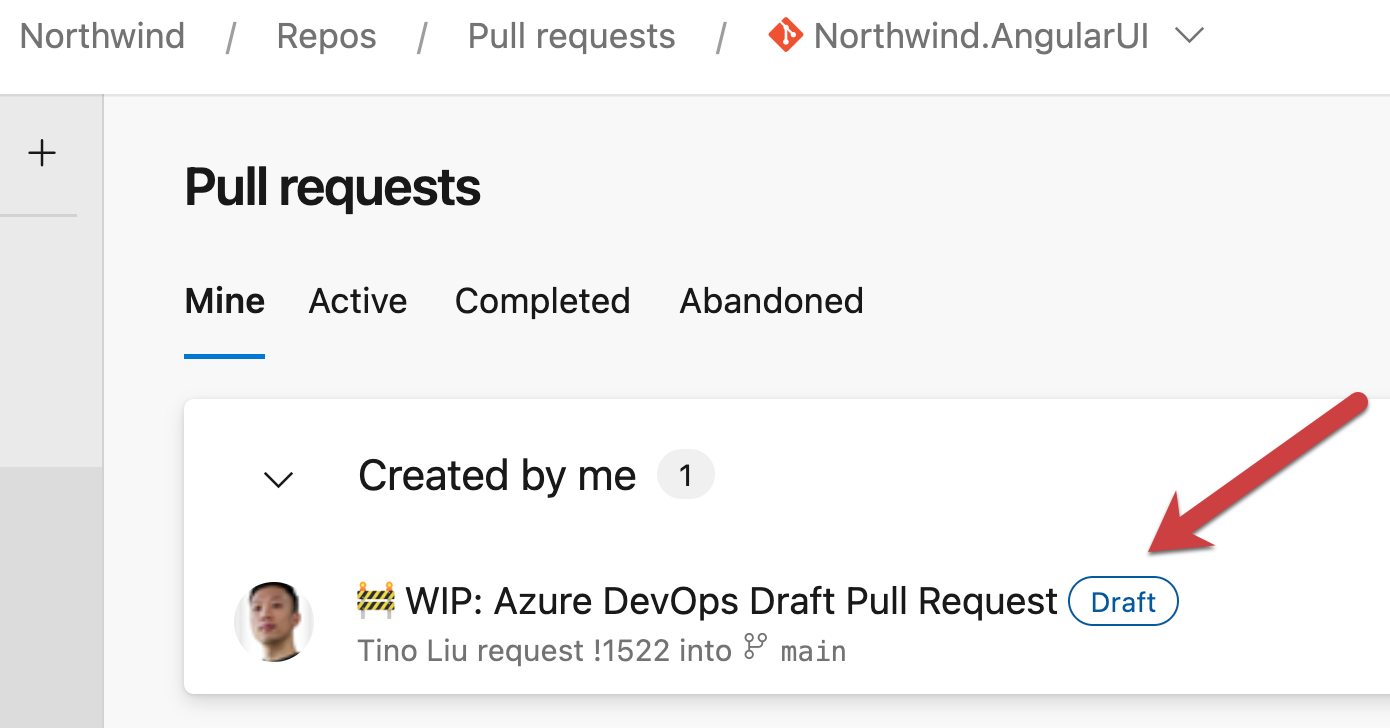
✅ Figure: Good example - Clear naming and indication of a draft pull request
Verify compatibility before marking ready
Before handing the PR to reviewers, check it against current main:
- Fetch
main- Inspect relevant changes and remove work thatmainalready covers. - Update the branch - Follow the repository's merge or rebase convention, and resolve conflicts. If others share the branch, agree before rewriting its history.
- Check semantic compatibility - Check APIs, contracts, overlapping changes, and migrations even when Git merges cleanly. Test migrations in disposable environments.
- Test the combined revision - Restore dependencies, rebuild, and run relevant tests. Confirm CI tests the updated revision or its test merge. Stale green runs and skipped draft suites are not enough.
- Record evidence - In a PR comment, list the tested
mainand PR commits, check-result links, manual checks, and limits. Keep the description about the change itself. Fetch again before handoff. Ifmainhas moved, update the branch and repeat the affected checks.
Leave the PR in draft if verification is blocked, and state the blocker in the PR description.
Readiness is a point-in-time check. Use branch protection to enforce integration requirements as main moves during review.